Freedom251 › Photo Mosaic Software
Photomosaic.work
What Photomosaic.work is
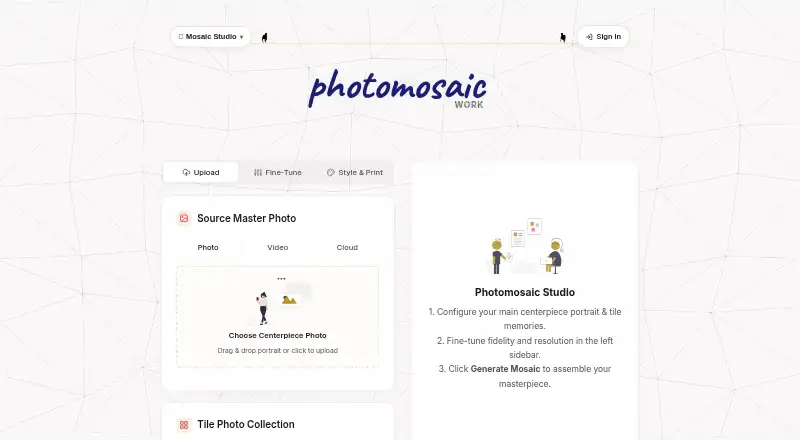
Photomosaic.work is a browser-based maker that turns a main photo and a collection of images into a photo mosaic, print file, or motion video. Tile collections can come from photos, a ZIP archive, a local folder, cloud selections, or video clips. The site offers free high-resolution previews in the browser without requiring sign-up. Its engine uses perceptual color matching in CIELAB/LAB space and claims 99% color accuracy. Print-ready TIFF and PNG exports are calibrated at 300 DPI; the information page describes output up to 12,000 × 9,000 pixels. The product page describes 12 animations and WebAR posters that play video when a QR code on the print is scanned. Video clips can also serve as tiles, with their original clips playing when viewers hover over them in the digital gallery. Google Drive and Google Photos selections are supported, and finished mosaics can be uploaded to Google Drive on request. Paid credit packs begin at $10 once. For events, MosaicPulse lets guests submit photos through a phone browser using a QR code, without an app download or account; its passes have a 24-hour venue window and attendee limits of 300 or 1,000.
Who it suits
Photomosaic.work suits people making personal or family wall art, wedding or memorial displays, and corporate or event mosaics. MosaicPulse is aimed at event organizers who want guests to contribute photos through a phone browser.
What it does well
- Free browser previews without forced sign-ups.
- Accepts photos, archives, folders, cloud selections, and videos.
- Print exports include TIFF and PNG at 300 DPI.
- Supports video tiles and WebAR posters.
- Event guests can submit photos without an app or account.
What to know first
- Starter Pack costs $10, paid once.
- Interactive Pass is capped at 300 attendees.
- Enterprise Pass is capped at 1,000 attendees.
- Event passes have a 24-hour venue window.
Limits
The Starter Pack costs $10, paid once for 10 credits. MosaicPulse passes are limited to a 24-hour venue window, with attendance capped at 300 unique attendees for Interactive and 1,000 for Enterprise.
Plans
| Plan | Billed and limits | Price |
|---|---|---|
| Starter Pack | 10 Credits · Personal art project | $10, paid once |
| Interactive Mosaic Wall Pass | 150 Pulse Tokens · Up to 300 unique attendees · Unlimited photos · 24-hour venue window · 300 DPI print file | $150, paid once |
| Growth Pack | 30 Credits · Family portfolios and multiple custom posters | $20, paid once |
| Enterprise Brand Wall Pass | 300 Pulse Tokens · Up to 1,000 unique attendees · Unlimited photos · Brand logo overlay · Photo moderation · 4K MP4 export · Google Drive archiving | $300, paid once |
| Business Pack | 100 Credits · Marketing campaigns and commercial branding | $35, paid once |
As photomosaic.work lists them, read 5 Oct 2026. The maker's own page has the final word.
Getting started
- Open Photomosaic.work in a browser.
- Upload a main photo and select tile images from photos, a ZIP archive, a local folder, cloud, or video clips.
- Generate a free high-resolution preview without creating an account.
- Choose a credit pack for a paid project, or an event pass for MosaicPulse.
- Export the finished mosaic as TIFF or PNG, or request an upload to Google Drive.
Verdict
Photomosaic.work combines mosaic creation with print exports, animation, and event photo collection. Consider its credit packs and event attendee caps when choosing an option.
Questions
Is there a free plan?
The site offers free high-resolution browser previews without a forced sign-up. Paid credit packs start at $10, paid once.
What platforms does Photomosaic.work support?
It is browser-based and listed for the web.
What export formats are available?
Print exports are available as TIFF and PNG, calibrated at 300 DPI. The information page describes output up to 12,000 × 9,000 pixels.
Can I use Google Drive or Google Photos?
Yes. Users can select images from Google Drive and Google Photos, and can request that a completed mosaic be uploaded to Google Drive.
How much do the event passes cost?
The Interactive Mosaic Wall Pass costs $150, paid once. The Enterprise Brand Wall Pass costs $300, paid once.
Do guests need an app or account to submit event photos?
No. MosaicPulse lets guests submit photos by scanning a QR code in a phone browser without downloading an app or creating an account.
Facts from Photomosaic.work's own pages
- Animations and AR
- The product page describes 12 cinematic animations and WebAR posters that play video over a printed mosaic when its QR code is scanned. · photomosaic.work, 5 Oct 2026
- Cloud integrations
- The maker offers Google Drive and Google Photos selection; it can also upload a completed mosaic to Google Drive when the user requests it. · photomosaic.work, 5 Oct 2026
- Color matching
- The site says its engine uses perceptual color matching in CIELAB/LAB color space and claims 99% color accuracy. · photomosaic.work, 5 Oct 2026
- Data security
- The privacy policy describes TLS 1.2 or 1.3 in transit, AES-256 encryption at rest for specified account metadata and tokens, and database row-level security. · photomosaic.work, 5 Oct 2026
- Event limits
- The MosaicPulse page lists a 24-hour active venue window and caps the Interactive Pass at 300 unique attendees and the Enterprise Pass at 1,000. · photomosaic.work, 5 Oct 2026
- Event use
- MosaicPulse lets event guests submit photos by scanning a QR code in a phone browser without downloading an app or creating an account. · photomosaic.work, 5 Oct 2026
- Free preview
- The site says users can upload photos and generate high-resolution previews in their browser for free without forced sign-ups. · photomosaic.work, 5 Oct 2026
- Image inputs
- The maker accepts a main photo and tile collections via photos, ZIP archive, local folder, cloud, or video clips. · photomosaic.work, 5 Oct 2026
- Intended users
- The maker presents the product for personal and family wall art, weddings and memorials, and corporate branding or live event displays. · photomosaic.work, 5 Oct 2026
- Living mosaics
- Users can upload video clips as tiles, and the site says hovering over a tile in the digital gallery plays its original clip. · photomosaic.work, 5 Oct 2026
- Local processing claim
- The homepage FAQ says thousands of images are processed locally in the browser with no server uploads; its privacy policy separately says uploaded source images are stored temporarily and purged after generation. · photomosaic.work, 5 Oct 2026
- Print exports
- It offers print-ready TIFF and PNG exports calibrated at 300 DPI, with the info page stating output up to 12,000 × 9,000 pixels. · photomosaic.work, 5 Oct 2026
- Product
- Photomosaic.work is a browser-based maker for turning a main photo and a collection of images into a photo mosaic, print file, or motion video. · photomosaic.work, 5 Oct 2026
- Retention and deletion
- The privacy policy says selected source images are deleted after generation, and account deletion can be requested by email with associated Google data purged within 7 business days. · photomosaic.work, 5 Oct 2026
- Support
- The site lists [email protected] for support and privacy inquiries. · photomosaic.work, 5 Oct 2026
Where Photomosaic.work stands on Freedom251
- Photo Mosaic Software#11 of 24