Freedom251 › Photo Mosaic Software
PhotoMosaic-Artifact
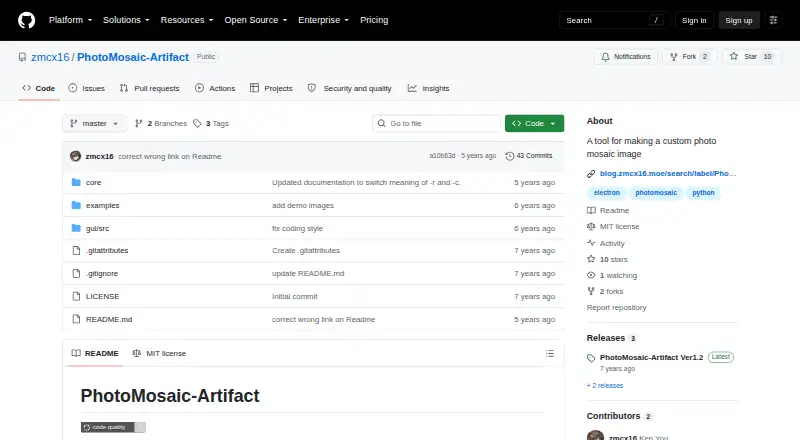
What PhotoMosaic-Artifact is
PhotoMosaic-Artifact is a free, open-source desktop tool for creating photographic mosaic images from a custom tile library. It supports Linux, macOS and Windows, and offers both a graphical interface and the `photomosaic-core` command-line tool. The command accepts settings for the mosaic’s rows and columns, output scale, source material folder and video sampling interval. Other listed controls include color enhancement, thumbnail filtering, tolerance and a random seed. Video files can be included as source material, with their sampling interval set in milliseconds. Source images whose aspect ratio differs from the mosaic thumbnail are cropped to match its proportions. The output image dimensions must divide evenly by the chosen row and column counts. The project describes its algorithm as a Python implementation based on eflorit’s mosaic-generator. Its listed requirements are Pillow 6.1.0 or later, numpy 1.17.0 or later, and opencv-python 4.1.0.25 or later. It exports JPEG images. The repository uses the MIT License, which allows use, copying, modification, distribution, sublicensing and sale under its terms. The releases page lists a Ver1.2 release with eight assets.
Who it suits
PhotoMosaic-Artifact suits people who want to build photo mosaics from their own image collections, with either a GUI or command-line settings. It can also suit users who want to include video material or adapt the open-source Python project.
What it does well
- Free and open source under the MIT License.
- Provides both a GUI and command-line tool.
- Accepts video material with configurable sampling intervals.
- Offers controls for layout, scale, filtering and color enhancement.
- Runs on Linux, macOS and Windows.
- Supports a custom tile library and tile reuse controls.
What to know first
- Output dimensions must divide evenly by the selected row and column counts.
- Material images with different proportions are cropped to fit.
- Requires Pillow, numpy and opencv-python.
Limits
The output image dimensions must be divisible by the selected row and column counts. Material images with a different aspect ratio from the mosaic thumbnail are cropped to fit.
Getting started
- Open the project website on GitHub.
- Choose the GUI or command-line tool for your workflow.
- Install Pillow 6.1.0 or later, numpy 1.17.0 or later, and opencv-python 4.1.0.25 or later.
- Choose your material folder and set the output rows, columns and scale.
- If using video material, set its sampling interval in milliseconds.
- Create a JPEG mosaic with output dimensions divisible by the selected row and column counts.
Verdict
Choose PhotoMosaic-Artifact if you want a free desktop mosaic maker with custom source material, video support and adjustable command-line settings. Look elsewhere if you need output dimensions that do not divide evenly by your chosen grid or need mismatched source images preserved without cropping.
Questions
How much does PhotoMosaic-Artifact cost?
It is free and open source.
Which platforms does it support?
The README lists Windows 10, Mac OS 10.11+ and Ubuntu 16.04+ as supported. The platform list also names Linux, macOS and Windows.
Does it have a graphical interface?
Yes. The project includes a GUI tool and also provides the `photomosaic-core` command-line tool.
Can it use video files?
Yes. Video material can be sampled at a configurable interval in milliseconds.
What format does it output?
JPEG.
What license does it use?
The repository uses the MIT License, which permits use, copying, modification, distribution, sublicensing and sale subject to its terms.
Facts from PhotoMosaic-Artifact's own pages
- Algorithm
- The project describes its photo mosaic algorithm as a Python implementation based on eflorit/mosaic-generator. · github.com, 8 Oct 2026
- Algorithm origin
- The mosaic algorithm is based on eflorit’s mosaic-generator project and implemented in Python. · github.com, 8 Oct 2026
- Aspect ratio handling
- Material images with an aspect ratio different from the thumbnail are cropped to fit the thumbnail aspect ratio. · github.com, 8 Oct 2026
- Command line
- The photomosaic-core command accepts settings including output rows and columns, scale, material folder, and video sampling interval. · github.com, 8 Oct 2026
- Dependencies
- The listed requirements are Pillow 6.1.0 or later, numpy 1.17.0 or later, and opencv-python 4.1.0.25 or later. · github.com, 8 Oct 2026
- GUI
- The project includes a GUI tool. · github.com, 8 Oct 2026
- Image fitting
- Material images with a different aspect ratio from the mosaic thumbnail are cropped to fit. · github.com, 8 Oct 2026
- Image sizing limit
- The scaled output image dimensions must be divisible by the selected row and column counts. · github.com, 8 Oct 2026
- License
- The repository is licensed under the MIT License, which permits use, copying, modification, distribution, sublicensing, and sale subject to its terms. · github.com, 8 Oct 2026
- Mosaic settings
- The command-line options include output rows and columns, output scale, color enhancement, thumbnail filtering, tolerance, and a random seed. · github.com, 8 Oct 2026
- Output constraint
- The README says the output image dimensions must be divisible by the specified row and column counts. · github.com, 8 Oct 2026
- Platforms
- The README lists Windows 10, Mac OS 10.11+, and Ubuntu 16.04+ as supported platforms. · github.com, 8 Oct 2026
- Purpose
- PhotoMosaic-Artifact makes custom photographic mosaic images. · github.com, 8 Oct 2026
- Release downloads
- The releases page lists a PhotoMosaic-Artifact Ver1.2 release with eight assets. · github.com, 8 Oct 2026
- Supported systems
- The README lists Windows 10, Mac OS 10.11+, and Ubuntu 16.04+ as supported platforms. · github.com, 8 Oct 2026
- Video sampling
- A video sampling interval can be set in milliseconds when the material includes video files. · github.com, 8 Oct 2026
- Video support
- The tool supports video material. · github.com, 8 Oct 2026
Where PhotoMosaic-Artifact stands on Freedom251
- Photo Mosaic Software#10 of 24