Freedom251 › AI Image Enhancers
PhotoApp
What PhotoApp is
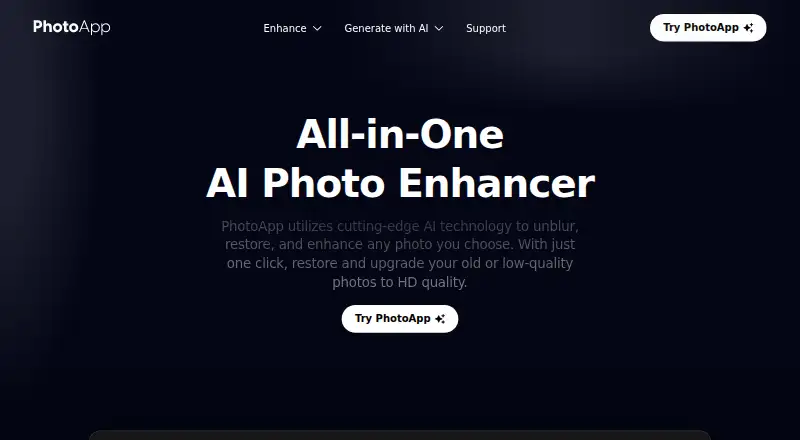
PhotoApp is a photo enhancement app that uses AI to sharpen, denoise, restore, and improve images, including low-quality photos. Its listed tools also cover color correction, enlarging images, and enhancing faces and backgrounds. AI Photos and AI Avatar can generate photos of the user. The maker says the iOS and Android apps can enhance photos and videos on the go, and that they can enlarge them up to 2x without compromising quality. PhotoApp is available on Android, iOS, macOS, and the web, although Apple lists its app as iPhone-only and not verified for macOS. The maker says its main features will remain free; the Free plan costs nothing, with no usage limits specified. Weekly and lifetime subscriptions are also listed, with the lifetime price displayed in the application. Weekly subscriptions renew automatically unless canceled at least 24 hours before the period ends. Google Play says the app may share photos and videos, app activity, and other data types, and that data is not encrypted and cannot be deleted.
Who it suits
PhotoApp may suit people looking to improve photos or videos for social media, printed images, e-commerce, learning content, or magazines. Its AI photo and avatar features may also interest users who want generated photos of themselves.
What it does well
- Tools for sharpening, denoising, and restoring old photos
- AI features include generated photos of the user
- Mobile apps can enhance photos and videos
- Free plan listed as free
What to know first
- Weekly subscriptions renew unless canceled in time
- Google Play says data is not encrypted
- Google Play says data cannot be deleted
- Apple lists the app as iPhone-only
Limits
The maker says the main features remain free and lists the Free plan at no cost, but does not specify usage limits. The lifetime subscription has no listed feature or usage limits; its price is displayed in the application.
Plans
| Plan | Billed and limits | Price |
|---|---|---|
| Free | Main features are free to use; the maker does not specify usage limits. | Free |
| Lifetime subscription | Lifetime subscription; price is displayed in the application. · Optional subscription product; the maker does not specify feature or usage limits. | On request |
As photoapp.org lists them, read 9 Oct 2026. The maker's own page has the final word.
Getting started
- Visit https://photoapp.org/.
- Choose the web option for image enhancement, or download the app for Android or iOS.
- Open the app or web experience and choose an enhancement tool.
- Use the Free plan, or review the weekly and lifetime subscription options in the application.
Overview
PhotoApp brings AI photo repair and generated imagery together, with enhancement tools for common fixes and mobile apps plus browser access. It suits people who want restoration, cleanup, or AI portraits without committing to a paid plan. The free starting point is attractive, but the Google Play privacy disclosures and automatic weekly renewal terms deserve careful attention.
Key features
PhotoApp can sharpen blurred images, reduce noise, restore old photos, enlarge images, correct colors, and enhance faces and backgrounds. This breadth makes it a practical option for improving low-quality pictures used in social posts, e-commerce, learning materials, community content, or print. Denoising and color enhancement are included in its feature set.
The maker says photos and videos can be enlarged up to 2x without compromising quality. That ceiling may be enough for modest resizing, but it will not suit work that needs a larger increase. Mobile apps can enhance photos and videos on the go, while PhotoApp Web handles image enhancement in a browser.
AI Photos and AI Avatar add generated imagery, including photos of the user. They make PhotoApp more than a repair utility, although the maker does not give usage limits for these features. The maker pages list no third-party integrations, so this is better suited to a standalone workflow than one that depends on connecting editing tools to other services.
Pricing
PhotoApp is freemium. The Free plan costs nothing and keeps the main features free to use. That is a sensible starting point for occasional editing, but no usage cap is stated, so frequent users should not assume unlimited processing.
A 3-day trial is offered, and the maker also lists weekly and lifetime subscriptions. The lifetime subscription price is displayed in the application rather than published; its feature and usage limits are also unspecified. Weekly subscriptions automatically renew unless canceled at least 24 hours before the period ends, a material condition for anyone trying the paid option. The maker says the main features will remain free, which makes PhotoApp more appealing to readers who can stay within the free offering.
Platforms
PhotoApp is offered for Android, iOS, macOS, and the web, with mobile enhancement also covering videos. However, Apple lists the app as available only for iPhone and not verified for macOS, so Mac users should not treat the platform label as a confirmed native Mac option. Google Play states that the app may share photos and videos, app activity, and other data types; it also says data is not encrypted and cannot be deleted. Those disclosures may make PhotoApp a poor fit for sensitive images. The maker links to a Help Center and gives [email protected] for support; Google Play names [email protected] and identifies SCALEUP YAZILIM HIZMETLERI ANONIM SIRKETI as the developer.
Who it's for
PhotoApp is a good fit for people who want a single place to repair old or low-quality pictures, make modest enlargements, and try AI-generated photos or avatars. Its use cases span social media, community content, print, e-commerce, learning materials, and magazine images. It is less suitable for users who need a confirmed Mac app, third-party integrations, or strong privacy assurances around image and activity data.
Pros and cons
- Pros: A varied free feature set covers repair, denoising, color correction, face and background enhancement, enlargement, and AI-generated imagery.
- Pros: Android, iPhone, and web access support editing across mobile and browser workflows.
- Cons: The stated enlargement limit is 2x, which may not meet larger resizing needs.
- Cons: Weekly subscriptions renew automatically unless canceled at least 24 hours before the period ends.
- Cons: Google Play says data is not encrypted and cannot be deleted, a significant concern for private photos.
- Cons: The lifetime price appears in the application, and the maker does not state usage or feature limits for that plan.
Alternatives
For a broader platform range that includes API, Linux, and Windows, consider Cutout.Pro; it also has a free plan, with one subscription at $5 a month for 80 credits/month. PhotoBoost is another option if a defined starter allowance matters: its free plan includes 2 introductory credits, cloud output up to 3 MP, core editing tools, and no credit card requirement. For a lifetime try-out with 50 credits and AI upscaling and face reconstruction, consider Viesus.
IObit Uninstaller is also included among the alternatives. For focused image cleanup, VanceAI Image Denoiser has a free tier with 10 credits and a one-credit denoising cost, while VanceAI Image Sharpener offers 10 free credits with one credit per result. Palette may suit color-preview work, with one free trial credit and unlimited previews resized to 500x500px with a watermark. YouCam Perfect is a mobile-only alternative for Android and iOS; its free tools and templates give way to premium advanced AI features and removal of usage limits.
Readers comparing options can also browse AI Image Enhancers and AI Photo Enhancer Software.
Verdict
Choose PhotoApp if you want free access to a broad mix of AI photo repair, modest enlargement, and generated portraits on a phone or in a browser. Its main advantage is that combination without an immediate paid commitment. Look elsewhere if image privacy is paramount, you need a verified macOS app, or your work requires larger enlargements or a connected integration workflow.
Verdict
PhotoApp combines photo repair, enhancement, enlargement, and AI-generated photo features, with a free plan and mobile and web access. Readers should note Google Play’s data disclosures and the weekly subscription renewal terms.
Questions
Does PhotoApp have a free plan?
Yes. The Free plan is listed as free, and the maker says its main features will remain free.
What platforms does PhotoApp support?
The maker lists Android, iOS, macOS, and web. Apple describes the iOS app as iPhone-only and not verified for macOS.
What can PhotoApp do to photos?
Its tools include sharpening, denoising, restoring old photos, enlarging images, correcting colors, and enhancing faces and backgrounds.
Does PhotoApp offer subscriptions?
Weekly and lifetime subscriptions are listed. Weekly subscriptions renew automatically unless canceled at least 24 hours before the period ends; the lifetime price is displayed in the application.
Who makes the mobile app?
Google Play identifies the developer as SCALEUP YAZILIM HIZMETLERI ANONIM SIRKETI.
What does Google Play disclose about data?
Google Play says the app may share photos and videos, app activity, and other data types. It also states that data is not encrypted and cannot be deleted.
Facts from PhotoApp's own pages
- AI image generation
- PhotoApp offers AI Photos and AI Avatar features, including AI-generated photos of the user. · photoapp.org, 9 Oct 2026
- Enhancement tools
- The maker lists tools for sharpening, denoising, restoring old photos, enlarging images, fixing colors, and enhancing faces and backgrounds. · photoapp.org, 9 Oct 2026
- Free access
- The maker says PhotoApp is free to download and use and that its main features will remain free. · photoapp.org, 9 Oct 2026
- Headquarters
- Urla, İzmir, Türkiye · photoapp.org, 28 Sept 2026
- Image enlargement
- The maker says photos and videos can be enlarged up to 2x without compromising quality. · photoapp.org, 9 Oct 2026
- Intended users
- The maker describes use cases including social media, community content, printed images, e-commerce, learning content, and magazine pictures. · photoapp.org, 9 Oct 2026
- iOS availability
- Apple lists the app as available only for iPhone and not verified for macOS. · apps.apple.com, 9 Oct 2026
- Mobile enhancement
- The maker says its iOS and Android mobile app can enhance photos and videos on the go. · photoapp.org, 9 Oct 2026
- Mobile store support
- The Google Play listing names [email protected] as the support email and identifies the developer as SCALEUP YAZILIM HIZMETLERI ANONIM SIRKETI. · play.google.com, 9 Oct 2026
- No listed integrations
- The maker pages reviewed list no third-party integrations. · photoapp.org, 9 Oct 2026
- Photo enhancement
- PhotoApp uses AI to unblur, restore, and enhance photos, including low-quality images. · photoapp.org, 9 Oct 2026
- Security and privacy disclosure
- Google Play states that the app may share photos and videos, app activity, and other data types, and that data is not encrypted and cannot be deleted. · play.google.com, 9 Oct 2026
- Subscription terms
- The maker lists weekly and lifetime subscriptions and says weekly subscriptions automatically renew unless canceled at least 24 hours before the period ends. · photoapp.org, 9 Oct 2026
- Support
- The maker links to a Help Center and lists support contact [email protected]. · photoapp.org, 9 Oct 2026
- Web access
- The download page links to PhotoApp Web for image enhancement. · photoapp.org, 9 Oct 2026
Where PhotoApp stands on Freedom251
- AI Image Enhancers#5 of 28
- AI Photo Enhancer Software#8 of 26