Freedom251 › Kubernetes Cost Management Software

PerfectScale
What PerfectScale is
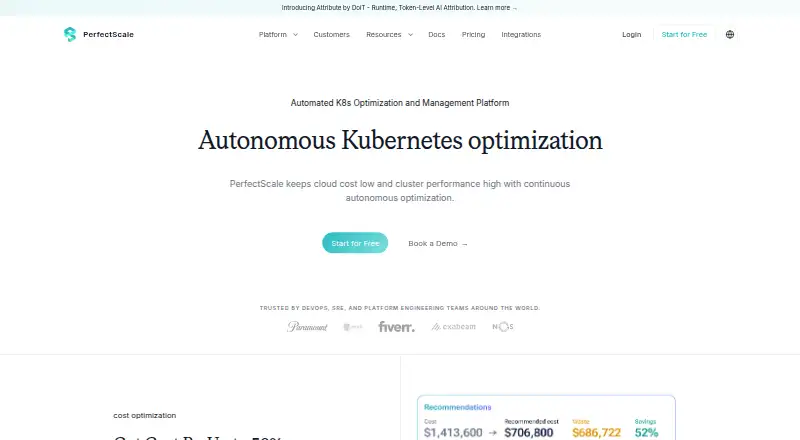
PerfectScale is a Kubernetes optimization platform for reducing cloud costs while improving cluster performance and availability. Podfit examines workload health and costs, recommends right-sizing, and supports workload automation. Infrafit gives node-utilization insights and suggests ways to reduce idle capacity and choose suitable nodes. The platform flags resilience risks and cost anomalies, with alerts available through Slack, Datadog, Microsoft Teams, and PagerDuty. It supports cloud, hybrid, private-cloud, and on-premises Kubernetes environments, and is available as managed SaaS or self-hosted software; the agent can be deployed with Helm. The Free plan costs nothing and covers up to 200 vCPU per month, with unlimited clusters, nodes, and pods. Community users get premium features such as automation during their first 30 days. The public API is a premium feature for paying Expert package customers. PerfectScale is intended for DevOps, SRE, and Platform Engineering teams.
Who it suits
It suits DevOps, SRE, and Platform Engineering teams managing Kubernetes in cloud, hybrid, private-cloud, or on-premises environments. Teams can choose managed SaaS or self-hosted deployment.
What it does well
- Free plan covers up to 200 vCPU per month.
- Includes unlimited clusters, nodes, and pods on Free.
- Workload and node optimization recommendations are available.
- Alerts cover resilience risks and cost anomalies.
- Supports cloud, hybrid, private-cloud, and on-premises Kubernetes.
What to know first
- Public API is limited to paying Expert customers.
- Expert and Advanced pricing is by quote.
- Free plan is limited to 200 vCPU per month.
Limits
The Free plan covers up to 200 vCPU per month, while including unlimited clusters, nodes, and pods. Community users receive premium features such as automation during their first 30 days; the public API is available only to paying Expert package customers.
Plans
| Plan | Billed and limits | Price |
|---|---|---|
| Free | Free up to 200 vCPU/month · unlimited clusters, nodes, and pods | Free |
| Expert | per vCPU · Price by quote | On request |
| Advanced | per vCPU · Price by quote | On request |
As perfectscale.io lists them, read 30 Sept 2026. The maker's own page has the final word.
Getting started
- Visit the PerfectScale website.
- Choose managed SaaS or on-premise self-hosted deployment.
- Deploy the agent with Helm.
- Select the Free plan, which covers up to 200 vCPU per month, or explore the 30-day trial.
- Ask questions in the Slack community or contact support by email.
PerfectScale is Kubernetes optimization software for teams balancing workload efficiency with cluster capacity. It is best suited to DevOps, SRE, and Platform Engineering teams managing cloud, hybrid, private-cloud, or on-premises Kubernetes. Its appeal is the combination of workload and node recommendations; the main caveat is that the free tier is capped and the public API requires a paid Expert package.
Overview
PerfectScale addresses resource use at two levels: Podfit analyzes workload health and cost, recommends right-sizing, and supports automation, while Infrafit surfaces node utilization and ways to reduce idle capacity or choose suitable nodes. That scope is useful when teams need to consider both pod requests and the infrastructure underneath them rather than treating workload sizing as the whole cost problem.
Cost forecasting, commitment optimization, and budget alerts extend the product beyond immediate sizing decisions. It also prioritizes resilience risks and cost anomalies, with alerts to Slack, Datadog, Microsoft Teams, and PagerDuty. Teams can use managed SaaS or on-premise self-hosting, and deploy the agent with Helm. The pricing page displays SOC 2, GDPR, and ISO 27001 credentials.
Key features
- Workload and node recommendations: Podfit and Infrafit cover distinct sources of waste, with container-level allocation supporting granular review. Automation support may suit teams seeking to operationalize workload changes, though no automation scope or behavior is defined here.
- Cost and resilience monitoring: Forecasting, commitment optimization, budget alerts, and prioritized anomaly and resilience alerts make PerfectScale broader than a rightsizing tool. The Slack, Datadog, Teams, and PagerDuty destinations help teams route alerts into existing workflows.
- Integrations: Connections include AWS CUR, Azure Cost Management, GCP Cloud Billing, and DoiT for cloud cost data; Jira, Slack, Microsoft Teams, Argo CD, and Helm for workflow-related use; and Grafana, Datadog, Prometheus, and identity providers. This range is relevant to teams consolidating Kubernetes optimization with existing tooling.
- Deployment flexibility: Managed SaaS and on-premise self-hosting accommodate different operating preferences across cloud, hybrid, private-cloud, and on-premises Kubernetes. Helm-based agent deployment gives teams a Kubernetes-native installation route.
Pricing
PerfectScale uses a freemium model, with Free. It covers up to 200 vCPU per month and allows unlimited clusters, nodes, and pods. That is a useful way to begin across multiple clusters, but the vCPU ceiling is the meaningful constraint for larger estates. The site describes a 30-day trial; Community users receive premium features such as automation during their first 30 days.
Expert and Advanced are billed per vCPU with custom pricing. Expert is the relevant tier for buyers who need the public API, which is reserved for paying Expert customers. Advanced is also custom priced, but no plan-specific feature distinction is defined. Neither paid plan has a published price, so teams should compare a quote against the scale of their workloads before committing.
Platforms
PerfectScale is available on web and as self-hosted software, with API access as a platform capability for eligible Expert customers. Its supported environments span cloud, hybrid, private-cloud, and on-premises Kubernetes. The API restriction means Free users should not choose it on the assumption that programmatic access is included.
Who it's for
DevOps, SRE, and Platform Engineering teams are the natural audience, particularly those that need both workload right-sizing and node-capacity guidance. It is a stronger fit for organizations combining cost management with resilience monitoring than for buyers seeking only an open-source cost dashboard or a free API. The Free plan can serve smaller-scale adoption, provided usage stays within 200 vCPU per month.
Pros and cons
- Pro: Workload and node analysis address different layers of Kubernetes waste, rather than limiting optimization to pod sizing.
- Pro: Forecasting, commitment optimization, budget alerts, and resilience-risk alerts support cost planning as well as operational response.
- Pro: SaaS and self-hosted deployment cover teams with different infrastructure preferences.
- Con: The Free plan's 200-vCPU monthly allowance can constrain broader production use, even though clusters, nodes, and pods are unlimited.
- Con: The public API is restricted to paying Expert customers, limiting programmatic use on Free and other plans.
- Con: Expert and Advanced pricing is custom and billed per vCPU, so buyers cannot estimate subscription cost from a published rate.
Alternatives
For a Kubernetes cost-management shortlist, start with Kubernetes Cost Management Software. Atmosly Kubernetes Cost Optimization is worth considering when a fixed small allowance is preferable: its free Personal plan includes one cluster, one cloud account, one seat, one project, two environments, and ten applications, with cost recommendations view. KubeAdapt may suit teams seeking broader free access, offering a first-100-vCPU allowance across the account, all features, email support, and no credit card requirement; its listed Startup pricing is 0.60 USD.
Krossboard is another freemium option. OpenCost is a free, open-source alternative under Apache 2.0 that requires Kubernetes and Prometheus, making it a fit for teams willing to operate that stack without a paid trial model. CloudBolt offers a free CMP plan with core capabilities for up to 100 resources, which may better suit buyers focused on cloud management beyond Kubernetes optimization. Klustercost is free and open source under GPL-3.0; KubeLedger is free for internal use with source code available, but cannot be sold as a managed service. Podledger is a self-hosted Community option with single-cloud coverage, basic cost dashboards, pod-level cost visibility, GitHub community support, and Helm deployment.
Verdict
Choose PerfectScale if your Kubernetes team needs one platform for workload sizing, node utilization, and cost or resilience alerts across varied environments. Its breadth and deployment options are the strongest reasons to shortlist it. Look elsewhere if an uncapped free allowance, a public API without an Expert commitment, or published paid pricing is central to your decision.
Verdict
PerfectScale combines workload and node optimization with alerts for cost anomalies and resilience risks. The Free plan has a defined vCPU limit, while the public API is reserved for paying Expert customers.
Questions
Does PerfectScale have a free plan?
Yes. The Free plan costs nothing and covers up to 200 vCPU per month, with unlimited clusters, nodes, and pods.
Is there a trial?
Yes. PerfectScale describes a 30-day trial. Community users receive premium features such as automation during their first 30 days.
How much do the Expert and Advanced packages cost?
Prices are by quote, billed per vCPU.
Can PerfectScale be self-hosted?
Yes. It is available as managed SaaS or on-premise self-hosted software, and its agent can be deployed with Helm.
Which Kubernetes environments does it support?
It supports cloud, hybrid, private-cloud, and on-premises Kubernetes environments.
Who can use the public API?
The public API is a premium feature available only to paying Expert package customers.
Facts from PerfectScale's own pages
- Alerts
- PerfectScale prioritizes resilience risks and cost anomalies and can send alerts to Slack, Datadog, Microsoft Teams, and PagerDuty. · perfectscale.io, 30 Sept 2026
- API limit
- The public API is a premium feature available only to paying Expert package customers. · docs.perfectscale.io, 30 Sept 2026
- Company history
- DoiT’s acquisition announcement says PerfectScale was founded in 2022. · doit.com, 30 Sept 2026
- Deployment
- PerfectScale is available as managed SaaS or on-premise self-hosted software, and its agent can be deployed with Helm. · docs.perfectscale.io, 30 Sept 2026
- Founded
- 2022 · perfectscale.io, 23 Sept 2026
- Free tier limit
- The pricing page lists the Free plan as covering up to 200 vCPU per month. · perfectscale.io, 30 Sept 2026
- Integrations
- Listed integrations include AWS CUR, Azure Cost Management, GCP Cloud Billing, DoiT, Jira, Slack, Microsoft Teams, Argo CD, Helm, Grafana, Datadog, Prometheus, and identity providers. · perfectscale.io, 30 Sept 2026
- Intended users
- PerfectScale describes its audience as DevOps, SRE, and Platform Engineering teams. · perfectscale.io, 30 Sept 2026
- Node optimization
- Infrafit provides node utilization insights and recommendations for reducing idle capacity and selecting suitable nodes. · perfectscale.io, 30 Sept 2026
- Purpose
- PerfectScale continuously optimizes Kubernetes to reduce cloud costs while improving cluster performance and availability. · perfectscale.io, 30 Sept 2026
- Security and compliance
- The pricing page displays SOC 2, GDPR, and ISO 27001 credentials. · perfectscale.io, 30 Sept 2026
- Support
- PerfectScale documentation directs users to ask questions in its Slack community or contact support by email. · docs.perfectscale.io, 30 Sept 2026
- Supported environments
- The platform supports cloud, hybrid, private-cloud, and on-premises Kubernetes environments. · perfectscale.io, 30 Sept 2026
- Trial
- The site describes a 30-day trial, and says Community users receive premium features such as automation during their first 30 days. · perfectscale.io, 30 Sept 2026
- Workload optimization
- Podfit analyzes workload health and costs, recommends right-sizing, and supports workload automation. · perfectscale.io, 30 Sept 2026