Freedom251 › Kubernetes Cost Management Software
Krossboard
What Krossboard is
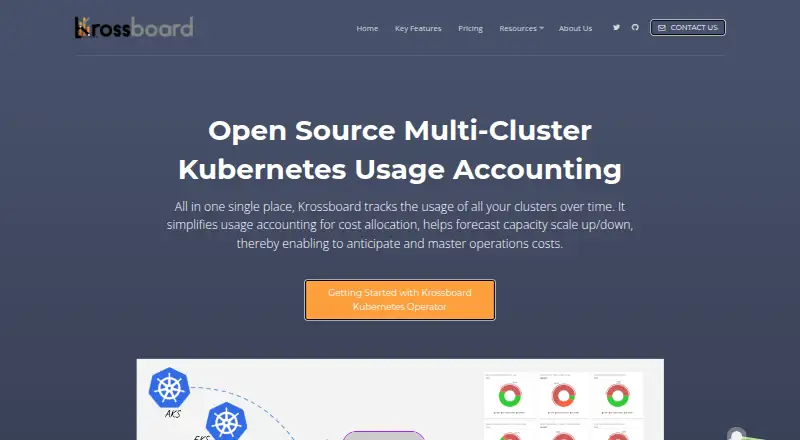
Krossboard tracks Kubernetes cluster usage over time to support cost allocation and capacity planning. It can analyze multiple clusters configured through one or more KUBECONFIG files, with consolidated views for namespaces, nodes, and clusters across minutes, hours, days, and months. Users can export analytics data as CSV. A deployed instance includes a user interface and REST API, while the Kubernetes Operator deploys and manages instances as pods. Krossboard says normal operation requires read-only access to Kubernetes metrics and core APIs. Its free plan offers unlimited clusters, core analytics, and CSV export, but excludes managed-cluster discovery and support. Enterprise plans add discovery for managed AKS, EKS, and GKE clusters. They require read-only cloud IAM permissions for discovery, and deployment requires cloud administration permissions to configure access. Enterprise includes one year of access to maintained versions for bug and security fixes; Enterprise Advanced offers up to three years and specific onboarding support. The software is available through web, API, and self-hosted options. It is made by 2Alchemists SAS, a French company headquartered in Toulouse.
Who it suits
Krossboard suits teams that need usage analytics across Kubernetes clusters for cost allocation or capacity planning. Enterprise plans may suit teams needing managed-cluster discovery or longer access to maintained versions.
What it does well
- Analyzes multiple Kubernetes clusters in consolidated views
- Reports on namespaces, nodes, and clusters
- Exports analytics data as CSV
- Includes a REST API with each deployed instance
- Free plan supports unlimited clusters
What to know first
- Free plan does not include managed-cluster discovery
- Free plan includes no support
- Managed discovery requires read-only cloud IAM permissions
- Deployment requires cloud administration permissions to configure access
Limits
The free ALWAYS FREE plan includes unlimited clusters, core analytics, and CSV export, but excludes managed-cluster discovery and support. Enterprise includes one year of access to maintained versions for bug and security fixes; Enterprise Advanced includes up to three years and specific onboarding support.
Plans
| Plan | Billed and limits | Price |
|---|---|---|
| ALWAYS FREE | core analytics · namespace, node and cluster analytics · unlimited clusters · multiple KUBECONFIG files · CSV export · no managed-cluster discovery · no support | Free |
| ENTERPRISE | On-demand · core analytics · up to 12 months namespace and cluster history · unlimited node history · unlimited clusters · managed AKS, EKS and GKE discovery · one year maintained-version support | On request |
| ENTERPRISE ADVANCED | On-demand · core analytics · up to 12 months namespace and cluster history · unlimited node history · unlimited clusters · managed AKS, EKS and GKE discovery · up to three years maintained-version support · specific onboarding support | On request |
As krossboard.app lists them, read 15 Oct 2026. The maker's own page has the final word.
Getting started
- Open https://krossboard.app/.
- Choose a web, API, or self-hosted deployment route.
- Configure the Kubernetes clusters through one or more KUBECONFIG files.
- Use the Kubernetes Operator to deploy and manage an instance as pods.
- Provide read-only access to Kubernetes metrics and core APIs for normal operation.
- Choose an Enterprise plan and configure cloud permissions if you need managed-cluster discovery.
Overview
Krossboard is a Kubernetes usage analytics tool for tracking resource consumption and planning capacity across clusters. It is a strong fit for teams that want namespace-level reporting and a self-hosted deployment without a software charge.
The trade-off is that managed-cluster discovery and support sit behind custom-priced Enterprise plans, and cloud discovery adds permissions and setup work. Teams that need those capabilities should weigh that against the broad free core.
Key features
Krossboard consolidates clusters configured through one or more KUBECONFIG files, with reporting for namespaces, nodes, and clusters at minute, hour, day, and month intervals. The multiple time scales support both investigating shorter-term usage and reviewing longer trends for capacity planning. Namespace allocation granularity is useful when teams need to attribute usage within a cluster, while cost forecasting adds a forward-looking planning view.
CSV export lets teams carry analytics into their own analysis workflows. A deployed instance includes both a UI and a REST API, a practical combination for people who want dashboards and programmatic access. The Kubernetes Operator deploys and manages instances as pods, which suits teams already operating Kubernetes workloads.
Normal operation uses read-only access to Kubernetes metrics and core APIs. Enterprise managed-cluster autodiscovery covers AKS, EKS, and GKE, but requires read-only cloud IAM permissions; configuring deployment access requires cloud administration permissions. That distinction matters: read-only runtime access is narrower than the permissions needed to configure cloud access, so teams should account for the latter in their deployment process.
Pricing
ALWAYS FREE: free. It includes unlimited clusters, core analytics, and CSV export, but not managed-cluster discovery or support. That makes it a compelling starting point for teams comfortable configuring clusters themselves and handling operations without vendor support.
ENTERPRISE: custom pricing, billed on-demand. It includes unlimited clusters, managed-cluster discovery, and one year of access to maintained versions for bug and security fixes. This is the relevant step up for organizations that need AKS, EKS, or GKE discovery and a defined maintenance period.
ENTERPRISE ADVANCED: custom pricing, billed on-demand. It includes unlimited clusters, managed-cluster discovery, up to three years of support, and specific onboarding support. It suits teams needing a longer maintenance horizon or help getting started; the trade-off is that cost depends on an on-demand quote.
All three plans allow unlimited clusters, so the key differences are discovery and support rather than cluster count. The free plan's lack of support is a meaningful limitation for teams that need vendor assistance.
Platforms
Krossboard supports web, self-hosted, and API access. The self-hosted Operator approach gives teams control over deploying instances as Kubernetes pods, while the web UI and REST API provide interface and programmatic access within a deployed instance.
Who it's for
Krossboard is best suited to Kubernetes operators and platform teams that need consolidated multi-cluster usage views, namespace-level allocation, exportable data, and cost forecasting. Its free plan is especially attractive when teams can manage deployment and support themselves. It is less suitable for teams that need managed-cluster discovery or vendor support without moving to a custom-priced plan, or that cannot accommodate the cloud permissions needed to configure discovery.
Pros and cons
Pros
- Unlimited clusters on every plan: teams can consolidate broad cluster estates without a stated cluster cap.
- Useful reporting range: namespace, node, and cluster views across minute-to-month intervals support both operational review and capacity planning.
- Portable and programmable analytics: CSV export and a REST API give teams options beyond the UI.
- Free core includes forecasting: the product offers cost forecasting and namespace allocation alongside core analytics at no software charge.
Cons
- No support on the free plan: teams must handle setup and operation themselves.
- Managed-cluster discovery is paid: autodiscovery for AKS, EKS, and GKE requires Enterprise or Enterprise Advanced.
- Cloud setup carries a permissions burden: configuring access requires cloud administration permissions, even though normal operation uses read-only Kubernetes access.
- Enterprise costs are custom: teams cannot compare a fixed price without obtaining an on-demand quote.
Alternatives
Kubernetes Cost Management Software is a useful category page for comparing other options. Consider Atmosly Kubernetes Cost Optimization instead if its free Personal plan's one-cluster, one-seat, one-project, two-environment, and ten-application limits suit your scope; it also includes a cost recommendations view.
KubeAdapt may fit teams that prefer an allowance based on the first 100 vCPU across an account, with all features and email support, rather than Krossboard's unlimited-cluster free core. PerfectScale is another option if a free allowance of up to 200 vCPU per month with unlimited clusters, nodes, and pods better matches the workload.
CloudBolt may be preferable for teams seeking full core CMP capabilities free up to 100 resources. For open-source alternatives, Klustercost is available under GPL-3.0, while KubeLedger is free for internal use, with source code available but not for resale as a managed service.
Podledger is an alternative for teams seeking a self-hosted, single-cloud community plan with basic cost dashboards and pod-level cost visibility. IBM Kubecost is another option for teams comparing Kubernetes cost monitoring plans.
Verdict
Choose Krossboard if your priority is unlimited-cluster usage analytics with namespace allocation, forecasting, and CSV/API access, and you can run the deployment without included support. Look elsewhere if managed-cluster discovery, vendor assistance, or a published Enterprise price is essential to your decision.
Verdict
Krossboard provides multi-cluster usage analytics and CSV export, with self-hosted, web, and API options. Managed-cluster discovery and support are reserved for Enterprise plans.
Questions
Is Krossboard free?
Yes. The ALWAYS FREE plan costs nothing and includes unlimited clusters, core analytics, and CSV export.
Which platforms does Krossboard support?
Krossboard is available through web, API, and self-hosted options.
Can it discover managed Kubernetes clusters?
Managed AKS, EKS, and GKE discovery is included in Enterprise plans, not the free plan.
What access does normal operation require?
Krossboard says normal operation needs read-only access to Kubernetes metrics and core APIs. Managed-cluster autodiscovery requires read-only cloud IAM permissions.
Who makes Krossboard?
Krossboard is made by 2Alchemists SAS, a French company headquartered in Toulouse.
What support comes with the plans?
The free plan lists no support. Enterprise includes one year of maintained-version access for bug and security fixes; Enterprise Advanced includes up to three years and specific onboarding support.
Facts from Krossboard's own pages
- API
- A deployed instance exposes a REST API service alongside its web UI service. · krossboard.app, 15 Oct 2026
- Cloud permissions
- Managed-cluster autodiscovery requires read-only cloud IAM permissions, while deployment requires cloud administration permissions to configure access. · krossboard.app, 3 Oct 2026
- Cluster analytics
- Cluster dashboards compare consolidated resource utilization across one or more clusters over selected dates. · krossboard.app, 15 Oct 2026
- Company founded
- A French company-record listing gives 2Alchemists an immatriculation date of May 25, 2020. · entreprises.lefigaro.fr, 15 Oct 2026
- Company legal status
- The maker identifies itself as 2Alchemists SAS, registered in Toulouse, France, with headquarters at 25 Rue Jacqueline Auriol. · krossboard.app, 15 Oct 2026
- Cross-distribution support
- The product is tested with Amazon EKS, Google GKE, Microsoft AKS, Red Hat OpenShift, Rancher RKE and vanilla Kubernetes. · krossboard.app, 15 Oct 2026
- CSV export
- Generated analytics data can be exported as CSV for processing in external analytics tools. · krossboard.app, 15 Oct 2026
- Deployment
- The Kubernetes Operator deploys and manages Krossboard instances as Kubernetes pods. · krossboard.app, 3 Oct 2026
- Documentation
- The documentation hub includes concepts, analytics, operator setup, cross-cloud setup, troubleshooting, releases and FAQs. · krossboard.app, 15 Oct 2026
- Headquarters
- 25 Rue Jacqueline Auriol, 31400 Toulouse, France · krossboard.app, 28 Sept 2026
- Independent company history
- The Org reports that Christophe Camel co-founded 2Alchemists in June 2020 and is based in Toulouse, France. · theorg.com, 15 Oct 2026
- Independent ecosystem listing
- GitHub's cost-allocation topic lists a deprecated Krossboard VM repository updated on December 4, 2022 and tagged for Kubernetes, dashboards, analytics and cloud platforms. · github.com, 15 Oct 2026
- Integrations
- The documentation names Google BigQuery, AWS Athena, Azure Synapse, Tableau and Microsoft Excel as external tools suitable for exported data. · krossboard.app, 15 Oct 2026
- KUBECONFIG support
- Krossboard can use several KUBECONFIG files without extra configuration. · krossboard.app, 15 Oct 2026
- Licence
- The public GitHub repository identifies Krossboard as AGPL-3.0 licensed. · github.com, 15 Oct 2026
- Limit: data latency
- The troubleshooting guide says initial charts may take at least five minutes and hourly-consolidated charts about an hour to populate. · krossboard.app, 15 Oct 2026
- Limit: free-tier discovery
- The free plan excludes automatic discovery of managed AKS, EKS and GKE clusters. · krossboard.app, 15 Oct 2026
- Limit: free-tier support
- The pricing table lists no support for the free plan, while paid plans provide time-limited maintained-version access. · krossboard.app, 15 Oct 2026
- Limit: legacy deployment baseline
- The cross-cloud installation guide depends on Ubuntu Server 18.04 LTS and Docker-based virtual-machine or package deployment. · krossboard.app, 15 Oct 2026
- Maker
- Krossboard is made by 2Alchemists SAS, a French company registered in Toulouse, with headquarters at 25 Rue Jacqueline Auriol, 31400 Toulouse. · krossboard.app, 3 Oct 2026
- Managed-cluster discovery
- Automatic discovery is available for managed EKS, GKE and AKS clusters on paid plans and requires read-only cloud IAM permissions. · krossboard.app, 15 Oct 2026
- Managed Kubernetes
- Enterprise plans include discovery of managed AKS, EKS, and GKE clusters; the free plan does not. · krossboard.app, 3 Oct 2026
- Metrics dependency
- Krossboard requires Kubernetes Metrics Server on each target cluster for basic metrics collection. · krossboard.app, 15 Oct 2026
- Multi-cluster
- It provides usage analytics across multiple Kubernetes clusters configured through one or more KUBECONFIG files. · krossboard.app, 3 Oct 2026