Freedom251 › Screen Recording Software
PassFab Screen Recorder
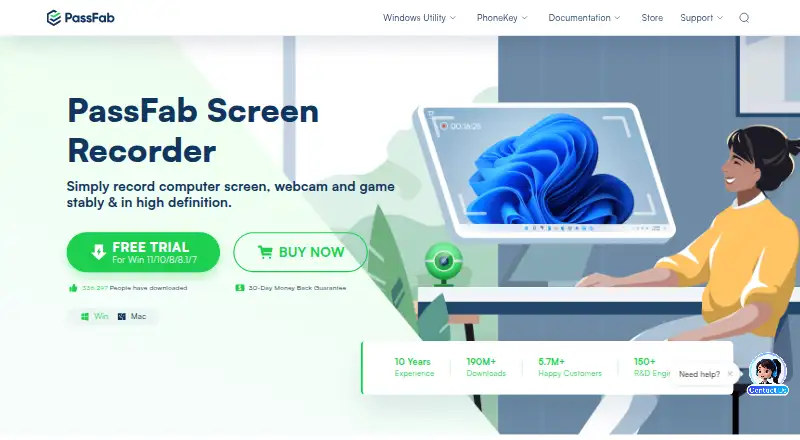
What PassFab Screen Recorder is
PassFab Screen Recorder records computer screens, webcams, and games on Windows and macOS. Users can capture a full screen or selected region, and the maker says game recording runs at a high frame rate. Webcam capture can include web IP cameras and other input devices; options include removing a character background or adding a background color. Picture-in-picture recording captures screen and camera together, with adjustable camera position and size. Audio can include computer sound and microphone sound together or either source alone. The product page lists 360p, 480p, 720p, and 1080p; its FAQ says 4K output can be selected when the display is 4K. Editing tools include cursor highlighting or magnification, arrows, shapes, and lower thirds. The product page says recordings have no time limit. PassFab presents the recorder for students, teachers, businesses, and gamers. The listed licenses are 1 Month, 1 Year, and Lifetime, each for one Mac, but prices are not provided.
Who it suits
It may suit students, teachers, businesses, and gamers who need screen, webcam, or game recordings on Windows or macOS. Its audio choices and picture-in-picture option may help people recording both system activity and narration.
What it does well
- Records full screens or selected regions
- Captures webcam, system audio, and microphone
- Supports picture-in-picture recording
- Includes cursor and annotation tools
- Recordings have no stated time limit
What to know first
- Listed license terms each cover one Mac
- 4K output requires a 4K display
Plans
| Plan | Billed and limits | Price |
|---|---|---|
| 1 Month License | Renews automatically every 1 Month; can cancel anytime; excluding taxes · 1 PC | $14.99 a month |
| 1 Year License | Renews automatically every 1 Year; can cancel anytime; excluding taxes · 1 PC | $29.99 a year |
| Lifetime License | One-time purchase; excluding taxes · 1 PC | $49.99, paid once |
As passfab.com lists them, read 8 Oct 2026. The maker's own page has the final word.
Getting started
- Visit the PassFab Screen Recorder website.
- Choose Windows or macOS.
- Select a 1 Month, 1 Year, or Lifetime license.
- Install the recorder and choose full-screen or regional capture.
- Set video, camera, and audio options before recording.
Verdict
PassFab Screen Recorder offers screen, webcam, and game capture with audio controls and built-in annotation tools. The listed licenses are for one Mac and have no prices shown, so buyers should confirm that the licensing terms fit their needs.
Questions
Which operating systems does it support?
The listed platforms are Windows and macOS.
Can it record screen and webcam together?
Yes. Picture-in-picture recording captures both, with adjustable camera position and size.
What audio can it capture?
It can record computer sound and microphone sound together or either source on its own.
Does it have a free plan or trial?
A free plan and a free trial are listed.
What license options are listed?
The options are 1 Month License, 1 Year License, and Lifetime License, each for one Mac. Prices are not given.
Does recording have a time limit?
The product page says recordings have no time limit.
Facts from PassFab Screen Recorder's own pages
- Audio
- It can record computer sound and microphone sound together or choose either one. · passfab.com, 8 Oct 2026
- Company profile
- PassFab's about page says its products are used by millions of users across countries and regions worldwide. · passfab.com, 8 Oct 2026
- Editing and annotations
- Built-in tools let users edit recordings, highlight or magnify the mouse cursor, and add arrows, shapes, and lower thirds. · passfab.com, 8 Oct 2026
- Founded
- 2010 · passfab.com, 28 Sept 2026
- Free plan
- No · passfab.com, 22 Sept 2026
- Game capture
- It records game screens at a high frame rate. · passfab.com, 8 Oct 2026
- Microphone recording
- Yes · passfab.com, 22 Sept 2026
- Picture-in-picture
- It can record the camera and screen simultaneously, with adjustable camera position and size. · passfab.com, 8 Oct 2026
- Supported platforms
- windows,macos · passfab.com, 22 Sept 2026
- Purpose
- PassFab Screen Recorder records computer screens, webcams, and games in high definition. · passfab.com, 8 Oct 2026
- Recording limit
- The product page says recordings have no time limit. · passfab.com, 8 Oct 2026
- Refund policy
- The purchase page advertises a 30-day money-back guarantee. · passfab.com, 8 Oct 2026
- Resolution
- The product page lists recording resolutions of 360p, 480p, 720p, and 1080p; its FAQ describes selecting 4K output when the display resolution is 4K. · passfab.com, 8 Oct 2026
- Screen capture
- It supports full-screen and regional recording. · passfab.com, 8 Oct 2026
- Security claim
- The purchase page states that purchases use 256-bit SSL. · passfab.com, 8 Oct 2026
- Support
- The purchase page advertises free online technical support. · passfab.com, 8 Oct 2026
- Supported users
- The maker presents it for students, teachers, businesses, and gamers. · passfab.com, 8 Oct 2026
- System audio
- Yes · passfab.com, 22 Sept 2026
- Maximum video quality
- 4k · passfab.com, 22 Sept 2026
- Webcam
- It can record webcams, web IP cameras, and other input devices, and remove the character background or add a background color. · passfab.com, 8 Oct 2026
- Webcam recording
- Yes · passfab.com, 22 Sept 2026
Where PassFab Screen Recorder stands on Freedom251
- Screen Recording Software#71 of 131