Freedom251 › Screen Recording Software
oCam
by oCam
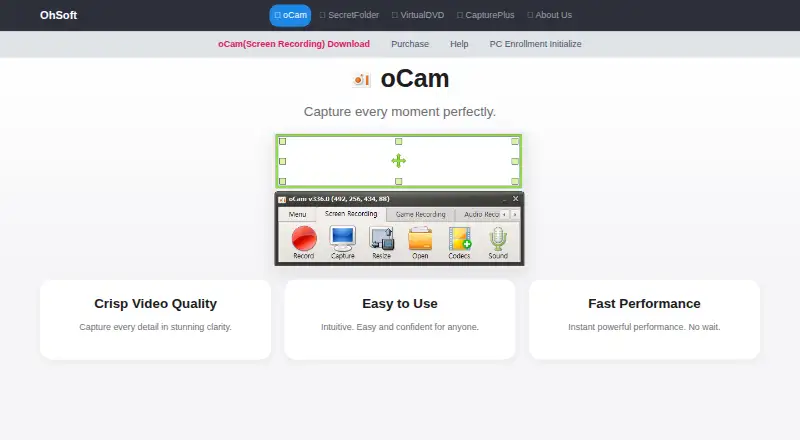
What oCam is
oCam is a Windows recorder from a maker based in Gwangju, South Korea. It captures PC monitor video and supports online games, internet videos, GIFs, and webcam footage. Recording sources include webcam video, system audio, and microphone input. Controls include one-click recording, screen capture, pause and resume, movable recording areas, and automatic saving after a quick exit. The software lists codec setup, automatic area detection, watermark settings, and custom shortcut keys. Output formats include MP4, MKV, MV4, MOV, WMV, FLV, AVI, TS, VOB, and animated GIF. oCam is free for non-commercial personal use; commercial users need a license. The paid version keeps the same functionality, removes ads, and permits business use. Free personal use costs nothing. The Official Version is listed at $60 a month as a permanent one-PC license, while another listing shows $42, paid once with tax included. One serial is restricted to one PC.
Who it suits
oCam suits Windows users who need screen, webcam, system-audio, and microphone recording. Personal users can use it free for non-commercial work, while businesses need a license.
What it does well
- Records screen, webcam, and audio sources
- Pause, resume, and movable capture areas
- Exports to many video formats
- Animated GIF output is listed
- Free for non-commercial personal use
What to know first
- Windows only
- Commercial use requires a paid license
- One serial number covers one PC
- Paid listings show different prices
Plans
| Plan | Billed and limits | Price |
|---|---|---|
| Free personal use | Non-commercial personal use | Free |
| Official Version | Permanent license with a single purchase · 1 PC | $60 a month |
| oCam Official Version — 1 PC | $42 (tax included); page also shows $60 and “30% Discount” · 1 PC · permanent license · one serial restricted to one PC | $42, paid once |
As new.ohsoft.net lists them, read 21 Sept 2026. The maker's own page has the final word.
Verdict
oCam offers broad capture controls and many output formats on Windows. Personal non-commercial use is free, but businesses must purchase a one-PC license.
Facts from oCam's own pages
- Codecs and watermarks
- The product page lists codec setup, automatic recording-area detection, watermark settings, and custom shortcut keys. · new.ohsoft.net, 11 Oct 2026
- Free plan
- Yes · new.ohsoft.net, 21 Sept 2026
- Free use
- oCam is free for non-commercial personal use; businesses and commercial users must purchase a license. · new.ohsoft.net, 11 Oct 2026
- Headquarters
- Gwangju, South Korea · new.ohsoft.net, 28 Sept 2026
- Help and support
- The site provides oCam help articles, tips, and FAQs covering recording, codecs, audio, troubleshooting, and license registration. · new.ohsoft.net, 11 Oct 2026
- License delivery and reset
- The serial key is sent by email within 10 minutes of payment, at the latest within 30 minutes, and purchase benefits include a PC reset service. · new.ohsoft.net, 11 Oct 2026
- License limit
- The terms say one serial number is restricted to one PC, and using oCam on multiple PCs requires licenses for the number of PCs. · new.ohsoft.net, 11 Oct 2026
- Microphone recording
- Yes · new.ohsoft.net, 21 Sept 2026
- Output formats
- Listed formats include MP4, MKV, MV4, MOV, WMV, FLV, AVI, TS, VOB, and animated GIF. · new.ohsoft.net, 11 Oct 2026
- Paid version
- The paid version has the same functionality as the free version, removes ads, and can be used for business purposes. · new.ohsoft.net, 11 Oct 2026
- Personal information handling
- Ohsoft's privacy policy says it currently does not provide personal information to third parties and does not entrust personal-information processing to third parties, except payment-gateway processing by the relevant company. · new.ohsoft.net, 11 Oct 2026
- Supported platforms
- Windows · new.ohsoft.net, 21 Sept 2026
- Privacy and software communications
- Ohsoft says the software connects to the internet for update checks, genuine-user authentication and registration, and license management. · new.ohsoft.net, 11 Oct 2026
- Recording controls
- It offers one-click recording, screen capture, pause and resume, draggable and movable recording areas, and automatic saving on quick exit. · new.ohsoft.net, 11 Oct 2026
- Security practices
- Ohsoft says it conducts quarterly self-audits and uses security programs, access controls, and intrusion prevention measures to protect personal information. · new.ohsoft.net, 11 Oct 2026
- System audio
- Yes · new.ohsoft.net, 21 Sept 2026
- System requirements
- The product page lists Windows 2003, Vista, 7, 8, 10, and 11, with recommended specifications of a Pentium 4 2.5GHz CPU, 1GB RAM, and 1024x768 16-bit-or-higher graphics. · new.ohsoft.net, 11 Oct 2026
- Webcam recording
- Yes · new.ohsoft.net, 21 Sept 2026
- What it does
- oCam records video from a PC monitor and supports online games, internet videos, GIFs, and webcam recording. · new.ohsoft.net, 11 Oct 2026
Where oCam stands on Freedom251
- Screen Recording Software#73 of 131