Freedom251 › Invitation Maker Software

Partiful
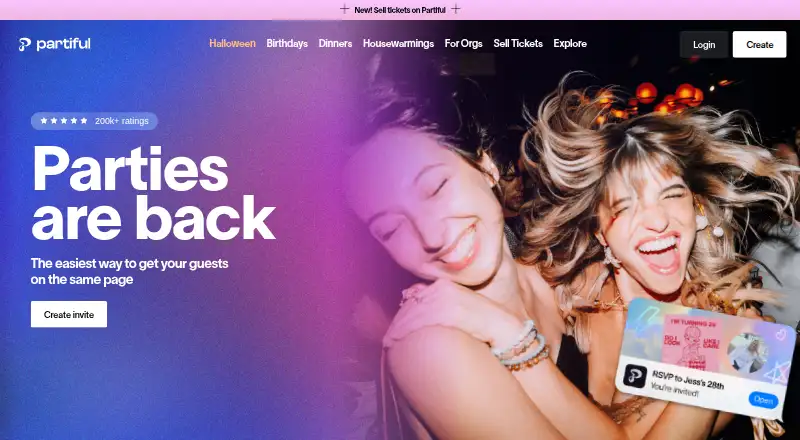
What Partiful is
Partiful helps people host gatherings by inviting guests, tracking RSVPs, and sharing event updates through a link. Hosts can personalize invitations with backgrounds, fonts, animations, and posters, and send text blasts to guests. Guests can RSVP with a phone number and add photos to the event page after the party. Hosts can set events to public or private, hide the guest list, require a password, or approve guests. Events can sync to Google Calendar, Outlook, and Apple Calendar; Google Calendar information updates roughly every 24 hours. Hosts can collect money through Venmo, CashApp, or PayPal, or sell tickets through Partiful. Ticket fees vary with event size and ticket price; free tickets have no fees, and hosts choose whether to cover fees or pass them to guests. Reminders go to invited users signed up for Partiful: two hours before for guests marked Going, and one week before for guests marked Maybe or not yet RSVP'd. The core platform is free on Android, iOS, and the web; optional premium invite designs cost extra.
Who it suits
Partiful suits people organizing gatherings, from casual hangouts to milestone parties, who want invitations, RSVP tracking, and event updates in one place. It also fits hosts who want privacy controls, guest messaging, or ticket sales.
What it does well
- Core platform is free on Android, iOS, and web.
- Customizable invitations and guest text blasts.
- Several privacy controls for events.
- Free tickets have no fees.
- Calendar sync supports Google, Outlook, and Apple.
What to know first
- Optional premium invite designs cost extra.
- Ticket fees vary by event size and ticket price.
- Google Calendar information updates roughly every 24 hours.
- Reminders only reach invited users signed up for Partiful.
Limits
The core platform is free, while optional premium invite designs cost extra. Ticket purchases have a fee; free tickets have no fees, and fees for paid tickets depend on event size and ticket price.
Plans
| Plan | Billed and limits | Price |
|---|---|---|
| Core platform | optional premium invite designs · ticket purchases incur fees | Free |
As partiful.com lists them, read 15 Oct 2026. The maker's own page has the final word.
Getting started
- Visit the Partiful website.
- Use Partiful on Android, iOS, or the web.
- Create an event page and customize its invitation.
- Share the event link with guests.
- Manage RSVPs and guest updates from the event.
Overview
Partiful is an event invitation and RSVP service for people hosting gatherings, from casual hangouts to milestone celebrations. It is best suited to hosts who want a customizable event page, guest updates, and optional payment collection or ticketing in one place. Its free core covers the basics, though some designs and ticket sales can add costs.
Key features
Hosts can customize invitations with backgrounds, fonts, animations, posters, or an uploaded design, then share them by email, link, or SMS. Guests can RSVP with a phone number, and hosts can send text blasts to keep invitees informed. The event page also supports RSVP management and lets guests add photos after the party, making it useful for social events that continue beyond the initial invitation.
Reminder timing is specific: guests marked Going receive a reminder two hours before the event, while guests marked Maybe or not yet RSVP’d receive one a week beforehand. These reminders reach only invited users who have signed up for Partiful, so they are not a dependable way to reach every invitee. Events sync with Google Calendar, Outlook, and Apple Calendar; Google Calendar event information updates roughly every 24 hours.
Hosts can make an event public or private, hide the guest list, require a password, or approve guests. Those controls are useful when attendance or guest visibility needs managing. Hosts can also collect contributions through Venmo, CashApp, or PayPal, or sell tickets through Partiful. Ticketing fees vary with event size and ticket price; free tickets carry no fee, and hosts can choose whether to absorb fees or pass them to guests.
Partiful says it uses industry-standard encryption to store and transfer platform data and does not sell personal data. Payment processing runs through Stripe, and Partiful says it does not directly store full card data collected by its payment processor. Support is available through a Help Center and contact link.
Pricing
Core platform: free. The free plan includes the core event page and RSVP tools, plus delivery by email, link, and SMS. It is a practical fit for hosts who need invitations and guest management without buying a design upgrade or selling paid tickets. Optional premium invite designs cost extra, and ticket purchases incur a fee; the fee depends on event size and ticket price, with free tickets exempt.
Partiful’s free core is not a promise that every event will be cost-free: hosts selling tickets must decide whether to cover the applicable fee or pass it to guests. The published plan also does not establish paid tiers or seat quotas, so there is no higher plan to weigh against the free option.
Platforms
Partiful is available on Android, iOS, and the web. Its event delivery channels are email, shareable links, and SMS, giving hosts several ways to distribute invitations.
Who it's for
Partiful fits people organizing gatherings who want a designed invitation, a central RSVP page, and tools for updates or contributions. It is especially suitable when guest controls, post-event photos, or ticket sales matter. Hosts who need reminders to reach invitees without Partiful accounts should not rely on its reminder system alone.
Pros and cons
- Pros: The free core combines event pages, RSVP management, and several delivery channels, so hosts can coordinate a gathering without starting with a paid plan.
- Pros: Guest approval, passwords, private events, and hidden guest lists give hosts meaningful control over access and visibility.
- Pros: Hosts can collect money through Venmo, CashApp, or PayPal and sell tickets, with the option to absorb ticketing fees or pass them on.
- Cons: Reminder messages are limited to invited Partiful users who signed up, leaving other invitees outside that reminder reach.
- Cons: Premium designs cost extra, and paid ticket sales add fees based on event size and ticket price.
- Cons: Google Calendar event details update roughly every 24 hours, rather than continuously.
Alternatives
Evite is another freemium option on Android, iOS, and web. Its Silver plan is $17.99 a month (billed Packages are for single-event use.; 12 guests), while Gold is $36.99 a month (billed Packages are for single-event use.; 30 gues); choose it if those single-event guest packages suit your needs better than Partiful’s free core.
Paperless Post offers a free plan for the first 50 invitations via email or phone number using its free feature set, with Basic at $0.50, paid once (billed per guest; Pay per event). It is a relevant choice if you want an invitation service with a stated free invitation cap and per-guest paid option.
Apple Invites is limited to iOS and web and has no free plan, though its iCloud 5GB plan is free (billed Free; 5GB storage · Back up and sync data across devices). It may suit someone already considering Apple’s storage plans; Partiful is the more direct fit for hosts seeking a free event platform.
InvitiApp has a free plan capped at five invitations per account and 10 unique views per invitation, with a watermark. Its Premium plan is $19.99, paid once (billed Paiement unique, sans abo); consider it if those invitation and view limits fit the event better.
Smilebox is a freemium alternative for slideshow creation.
AInviter is web-only, with a free plan offering about four AI-generated designs and up to about 12 RSVPs per event, plus a shareable link, QR code, and email delivery. Its Pro plan is $6.99, paid once (billed $6.99 per even); choose it if AI-generated designs and that event-sized free allowance are the priority.
InviteDrop is web-only and its free plan includes five invitations per event, RSVP tracking, and email or text delivery without ads or watermarks. Its Event Pass is $15.99, paid once (bi); it is worth comparing if that per-event invitation allowance meets your needs.
Invity Cards is a web option whose free plan allows two invitations a day, five-hour links, eight designs, and RSVP email alerts. Its Invity Pro Monthly plan is $2.99 a month (billed Billed monthly); consider it if those invitation limits and short-lived links work for your event.
For broader comparisons, see Invitation Maker Software and AI Invitation Generators.
Verdict
Partiful is a strong choice for hosts who want a free, flexible home for invitations, RSVPs, updates, and guest controls, with ways to collect contributions or sell tickets when needed. Its central appeal is the breadth of event tools in the free core; look elsewhere if reminders must reach every invitee or if design and ticketing costs would complicate your event budget.
Verdict
Partiful covers invitations, RSVPs, updates, and guest controls, with payment collection and ticket sales available for hosts. Check ticket fees and reminder eligibility when planning an event.
Questions
Is Partiful free?
Its core platform is free. Optional premium invite designs cost extra, and ticket purchases have fees.
Which platforms does Partiful support?
Partiful is available on Android, iOS, and the web.
Can guests RSVP without a Partiful account?
Guests can RSVP with a phone number. Reminders go only to invited users who have signed up for Partiful.
Which calendars can events sync with?
Events can sync with Google Calendar, Outlook, and Apple Calendar. Google Calendar event information updates roughly every 24 hours.
How can hosts collect money or sell tickets?
Hosts can collect money through Venmo, CashApp, or PayPal, and sell tickets through Partiful. Ticketing fees depend on event size and ticket price; free tickets have no fees.
What privacy controls are available?
Hosts can make an event public or private, hide the guest list, require a password, or enable guest approval.
Facts from Partiful's own pages
- API availability
- A community API project states that Partiful does not offer proper API-key access and requires extracting expiring browser authentication tokens. · github.com, 15 Oct 2026
- Automatic reminders
- The service sends automatic reminders to guests about events. · help.partiful.com, 15 Oct 2026
- Calendar integrations
- Partiful supports adding events to Google, Apple and Outlook calendars. · apps.apple.com, 15 Oct 2026
- Calendars
- Events can sync to Google Calendar, Outlook, and Apple Calendar; Google Calendar event information updates roughly every 24 hours. · help.partiful.com, 30 Sept 2026
- Company headquarters
- LinkedIn lists the headquarters as New York, New York. · linkedin.com, 15 Oct 2026
- Company size
- LinkedIn lists Partiful as a privately held company with 11–50 employees. · linkedin.com, 15 Oct 2026
- Contributions
- Hosts can collect money through Venmo, CashApp, or PayPal, and can sell tickets through Partiful. · help.partiful.com, 30 Sept 2026
- Data collection
- The privacy notice says Partiful may collect phone numbers, contacts when permission is granted, social handles, usage data and location data. · info.partiful.com, 15 Oct 2026
- Data protection
- Partiful says platform data is stored and transferred using industry-standard encryption protocols and that it does not sell personal data. · help.partiful.com, 30 Sept 2026
- Documentation
- The Help Center lists 111 host articles plus separate guest, organization, public-event, cards and account collections. · help.partiful.com, 15 Oct 2026
- Event discovery
- Users can discover public events and see events happening nearby. · partiful.com, 15 Oct 2026
- Event passwords
- Hosts can password-protect event pages. · help.partiful.com, 15 Oct 2026
- Founded
- LinkedIn lists Partiful as founded in 2020. · linkedin.com, 15 Oct 2026
- Funding
- TechCrunch reported that Partiful had raised more than $27 million, including a $20 million Series A led by Andreessen Horowitz. · techcrunch.com, 15 Oct 2026
- Guest approval
- Hosts can require approval before guests join an event. · help.partiful.com, 15 Oct 2026
- Guest-list privacy
- Hosts can hide guest lists so only the host sees RSVP and profile information. · help.partiful.com, 15 Oct 2026
- Guest questionnaires
- Hosts can ask RSVP questions such as dietary restrictions and location preferences. · help.partiful.com, 15 Oct 2026
- Invite design
- Hosts can customize invites with backgrounds, fonts, animations, and posters. · partiful.com, 30 Sept 2026
- Invite link
- Guests can RSVP from a shared link without installing the app. · partiful.com, 15 Oct 2026
- Limit: Android stability
- Google Play reviewers reported frequent crashes, stopped notifications, high data use and RSVP or invitation limits. · play.google.com, 15 Oct 2026
- Limit: communication workflow
- An Apple reviewer complained that invitations are difficult to forward or keep as email reminders after the app is installed. · apps.apple.com, 15 Oct 2026
- Limit: crashes and messaging
- An Apple reviewer reported clumsy text messaging and crashes that caused the phone to restart. · apps.apple.com, 15 Oct 2026
- MCP integration
- A separate MIT-licensed community MCP server exposes read access to Partiful events, RSVPs, guests, profiles and ticketing data. · github.com, 15 Oct 2026
- Official API limitation
- The MCP project explicitly says Partiful has no official API and that its endpoints were reverse-engineered from the production backend. · github.com, 15 Oct 2026
Where Partiful stands on Freedom251
- Invitation Maker Software#7 of 24
- AI Invitation Generators#13 of 26