Freedom251 › Color Palette Generators

Pantone Connect Palette Generator
Visit Pantone Connect Palette Generator Alternatives Pricing
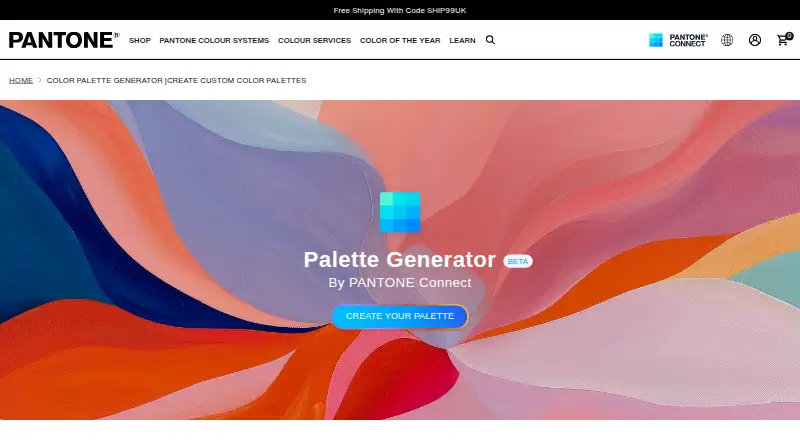
What Pantone Connect Palette Generator is
Pantone Connect Palette Generator creates color palettes from a mood, theme, or concept using semantic search and Pantone trend research. The beta is available to authenticated Pantone Connect users, including free-account holders, and Pantone says it is built with Microsoft Azure OpenAI. Generated palettes can be saved, edited, exported into a design workflow, downloaded for creative files or vendor specifications, and shared with a team. Connect provides access to more than 15,000 colors and their nearest RGB, CMYK, Hex, and L*a*b* equivalents. Basic account holders can save and share up to 10 palettes. Premium adds tools such as color extraction, conversion, harmonies, data, trending palettes, simulations, and accessibility support. The service is available on web, iOS, and Android, with an Adobe extension for Illustrator, InDesign, and Photoshop. Premium is required to use Pantone Libraries in Adobe Creative Cloud apps. Basic is free with an account; Premium Individual costs $29.99 a month or $89.99 a year, with automatic renewal unless canceled before the next billing date.
Who it suits
It suits designers and teams developing palettes from concepts and moving them into creative workflows. The free tier can suit account holders who need up to 10 saved and shared palettes.
What it does well
- Creates palettes from moods, themes, or concepts.
- Palettes can be edited, exported, downloaded, and shared.
- Connect provides access to over 15,000 colors.
- Available on web, iOS, Android, and Adobe extension.
- Basic tier is free with an account.
What to know first
- Basic limits saved and shared palettes to 10.
- Premium is required for Pantone Libraries in Adobe apps.
- The Palette Generator is in beta.
- Premium subscriptions automatically renew unless canceled.
Limits
Basic account holders can save and share up to 10 palettes. Premium is required to use Pantone Libraries in Adobe Creative Cloud apps; individual Premium costs $29.99 a month or $89.99 a year.
Plans
| Plan | Billed and limits | Price |
|---|---|---|
| Pantone Connect Basic | 15,000+ colors · Search, Pick and Measure · up to 10 saved/shared palettes | Free |
| Designer annual | per seat · color accuracy · brand colors · pre-production visualization | $195 a year |
| Insider annual | per seat · color trends · analysis · advanced color insights | $295 a year |
| Pantone Connect Premium — Individual monthly | Automatically renews monthly at the current price unless canceled before the next billing date. · Single-seat license · Premium features and unlimited palettes | $29.99 a month |
| Explorer monthly | per seat; monthly option only for single-seat plans · core Pantone tools · Adobe integration | $30 a month |
| Pantone Connect Premium — Individual yearly | Automatically renews yearly at the current price unless canceled before the next billing date. · Annual subscription · Premium features and unlimited palettes | $89.99 a year |
| Explorer annual | per seat · core Pantone tools · Adobe integration | $95 a year |
As pantone.com lists them, read 14 Oct 2026. The maker's own page has the final word.
Getting started
- Open the Pantone Connect Palette Generator page.
- Create or sign in to a Pantone Connect account; the beta is available to authenticated users, including free accounts.
- Use the beta to generate a palette from a mood, theme, or concept.
- Save, edit, export, download, or share the generated palette.
- Use Pantone Connect on the web, iOS, Android, or through its Adobe extension.
- Choose an individual Premium subscription for Premium features or Pantone Libraries in Adobe Creative Cloud apps.
Overview
Pantone Connect Palette Generator is a beta tool for building palettes from a mood, theme, or concept, aimed at designers and teams working with Pantone colors. It links concept-led generation to Pantone’s color libraries and a workflow for editing, exporting, and sharing palettes.
The key trade-off is tiered access: free accounts can try the beta but are limited to 10 saved palettes, while Pantone Libraries in Adobe Creative Cloud require Premium.
Key features
From concept to working palette
The generator uses semantic search and Pantone trend research to turn a concept into a palette; Pantone says it is built using Microsoft Azure OpenAI. The beta is open to authenticated Connect users, including free-account holders. Generated palettes can be saved, edited, and exported into design workflows. The generator page also describes downloading palettes for creative files or vendor color specifications and sharing them with a team. That makes it useful for moving from an initial direction to a shareable color reference, though Basic’s 10-palette cap may constrain ongoing projects.
Libraries and refinement tools
Pantone Connect provides over 15,000 colors and nearest RGB, CMYK, Hex, and L*a*b* equivalents. Premium adds Extract, Convert, Color Story, Color Data, Harmonies, Trending Palettes, Color Shades, Light & Dark Simulations, and Accessibility Support. Image extraction and accessibility checks are supported. The breadth suits work that needs both palette exploration and color-reference tools; Adobe library use is gated behind Premium.
Adobe and other platforms
The extension supports Illustrator, InDesign, and Photoshop, with Pantone PMS colors for Graphics and TCX colors for Fashion, Home, and Interiors. Connect is also available on the web and as iOS and Android apps. Pantone says it is designed for assistive technologies and mobile devices from the last ten years, while noting that its accessibility statement is not a warranty of full compliance. Technical support is available Monday through Friday, 9 a.m. to 5 p.m. EST through the app or support-page messaging.
Pricing
Pantone Connect is freemium, with a 7-day trial and paid plans from $29.99/user/mo. Basic is free with an account: access to 15,000+ colors and Search, Pick, and Measure tools, plus saving and sharing up to 10 palettes. It is a sensible way to try the beta and core color tools, but not enough for users who need unlimited saved palettes or Pantone Libraries in Adobe Creative Cloud.
Premium Individual monthly costs $29.99 a month for a single seat, Premium features, and unlimited palettes. It automatically renews monthly at the current price unless canceled before the next billing date. Premium Individual yearly costs $89.99 a year for an annual subscription, Premium features, and unlimited palettes; it automatically renews yearly at the current price unless canceled before the next billing date. The annual option is the lower-cost route for a continuing individual subscription, while monthly avoids committing to a year. Multi-seat licensing requires at least two seats; SSO-capable multi-seat licenses are handled through sales.
Platforms
Use Pantone Connect on the web, in its Adobe Extension Marketplace extension, or through its iOS and Android apps. The Adobe extension is the most relevant route for users whose design work is already in Illustrator, InDesign, or Photoshop.
Who it's for
Choose it if you build concepts into palettes and need Pantone references, common color equivalents, and a way to edit, export, or share results. It is especially apt for designers working across Graphics or Fashion, Home, and Interiors color systems. It is less suitable if you need more than 10 saved palettes without paying, or require Adobe Creative Cloud access to Pantone Libraries on the free tier.
Pros and cons
- Pros: Concept-based generation combines semantic search with Pantone trend research, then supports editing, export, and team sharing.
- Pros: The library spans over 15,000 colors and nearest equivalents in RGB, CMYK, Hex, and L*a*b*.
- Pros: Basic access lets users try the beta without paying, and Premium provides unlimited palettes.
- Cons: Basic saves and shares only up to 10 palettes.
- Cons: Pantone Libraries in Adobe Creative Cloud apps require Premium, adding a subscription cost for that workflow.
- Cons: Multi-seat licenses start at two seats, so they are not an option for a solo user seeking a team license.
Alternatives
Browse Color Palette Generators for a broader set of palette tools, or AI Color Palette Generators if AI-led generation is the priority. Pick Color Palette Generator AI instead if you want unlimited generations, every export format, shareable links, and an API without an account. ColorDesigner offers 12 free tools, saving up to five colors and five palettes, one project, and HEX export on its free plan. Colorfool is a free web option with no paywalled accessibility checks. ColorKit is another free color-tool option with a free account for saving. ColorMagic is free to use and says it offers unlimited palette generation, though it may show ads. Coolors is an alternative with extension, iOS, and web versions. KColor offers extension and web access, and Colordot is available on iOS and the web.
Verdict
Pantone Connect Palette Generator is a strong fit for designers who want to turn a concept into a Pantone-grounded palette and carry it into a design workflow. Its most persuasive advantage is the connection between generation, extensive color references, and editing and export tools. Look elsewhere if you need a generous free palette archive or want Adobe access to Pantone Libraries without Premium.
Verdict
The generator connects concept-led palette creation with editing, export, and sharing. Check the Basic palette limit and Premium requirement for Adobe Creative Cloud library use before choosing a tier.
Questions
Is Pantone Connect Palette Generator free?
The beta generator is available to authenticated Pantone Connect users, including free-account holders. Pantone Connect Basic is free with an account and allows saving and sharing up to 10 palettes.
How much does Premium cost?
Individual Premium costs $29.99 a month or $89.99 a year. Both subscriptions renew automatically unless canceled before the next billing date.
Which platforms are available?
Pantone Connect is available on the web, iOS, and Android, and as an Adobe extension for Illustrator, InDesign, and Photoshop.
Can I use Pantone Libraries in Adobe Creative Cloud apps on Basic?
No. Pantone Connect Premium is required to use Pantone Libraries in Adobe Creative Cloud apps.
What does Premium add?
Premium includes Extract, Convert, Color Story, Color Data, Harmonies, Trending Palettes, Color Shades, Light & Dark Simulations, and Accessibility Support, as well as unlimited palettes.
Does Pantone Connect offer a free trial?
Yes. The listed free trial lasts 7 days.
Facts from Pantone Connect Palette Generator's own pages
- Accessibility
- The app includes color-blindness previews, light and dark simulations, color harmonies and shade tools. · play.google.com, 14 Oct 2026
- Adobe applications
- The Adobe extension is used from Window > Extensions in Illustrator, InDesign or Photoshop. · support.pantone.com, 14 Oct 2026
- Adobe integrations
- The extension supports Adobe Illustrator, InDesign, and Photoshop, with Pantone PMS colors for Graphics and TCX colors for Fashion, Home, and Interiors. · support.pantone.com, 30 Sept 2026
- Adobe library change
- Pantone says Adobe's built-in libraries were outdated, leading both companies to remove preinstalled libraries and direct users to the Pantone Connect extension. · support.pantone.com, 14 Oct 2026
- Adobe workflow
- The generator connects with Pantone Connect's Adobe extension so palettes can be saved, edited and exported in Adobe Creative Cloud workflows. · pantone.com, 14 Oct 2026
- AI provider
- Pantone says the Palette Generator is built using Microsoft Azure OpenAI. · pantone.com, 30 Sept 2026
- Android data practices
- Google Play states that personal information may be collected or shared, data is encrypted in transit and deletion requests are supported. · play.google.com, 14 Oct 2026
- Android requirement
- The Android app requires Chrome to be installed on the device. · play.google.com, 14 Oct 2026
- Beta access
- The Palette Generator is marked beta and is available to authenticated Pantone Connect users, including free accounts. · pantone.com, 14 Oct 2026
- Collaboration
- Pantone says palettes can be shared with teams in real time and downloaded for creative files or vendor color specifications. · pantone.com, 14 Oct 2026
- Color conversion
- The service supplies nearest RGB, CMYK, Hex and L*a*b* equivalents and can convert between Pantone libraries. · support.pantone.com, 14 Oct 2026
- Color library
- Pantone Connect provides access to more than 15,000 current Pantone colors and libraries, with additions when new colors are released. · support.pantone.com, 14 Oct 2026
- Color measurement
- The mobile app can measure real-world colors when used with the separately sold Pantone Color Match Card. · play.google.com, 14 Oct 2026
- Color Story
- Color Story creates collages from one, three or five images and samples colors from those collages. · play.google.com, 14 Oct 2026
- Company founding
- Pantone's help center states that Lawrence Herbert founded Pantone in 1963 and launched the Pantone Matching System that year. · pantone.jp, 14 Oct 2026
- Company headquarters
- Pantone's listed world headquarters is 590 Commerce Boulevard, Carlstadt, New Jersey, USA. · xrite.com, 14 Oct 2026
- Company ownership
- Pantone's official history page says Pantone was acquired by X-Rite in October 2007; X-Rite became part of Veralto in 2023. · xrite.com, 14 Oct 2026
- Company size
- LinkedIn lists Pantone as a public design-services company with 51–200 employees and headquarters in Carlstadt, New Jersey. · linkedin.com, 14 Oct 2026
- Download and sharing
- The generator page says users can download palettes for creative files or vendor color specifications and share them with their team. · pantone.com, 30 Sept 2026
- Extension updates
- The Adobe plugin is cloud based and is intended to update automatically through Adobe Exchange, although permissions or installation settings can prevent automatic updates. · support.pantone.com, 14 Oct 2026
- Free tier limit
- Pantone Connect Basic lets account holders save and share up to 10 palettes. · support.pantone.com, 30 Sept 2026
- Free trial
- Pantone says first-time individual licenses include a 7-day free trial, with no charge until the trial ends. · support.pantone.com, 30 Sept 2026
- Image extraction
- Extract isolates colors from uploaded images or digital files and finds their nearest Pantone matches. · play.google.com, 14 Oct 2026
- Limit: Adobe installation
- Trustpilot reviewers report the paid plugin sometimes appears installed in Creative Cloud but cannot be found or used on Apple Silicon Macs. · uk.trustpilot.com, 14 Oct 2026
Where Pantone Connect Palette Generator stands on Freedom251
- Color Palette Generators#15 of 34
- AI Color Palette Generators#12 of 22