Freedom251 › AI Personal Assistants
PageLines
What PageLines is
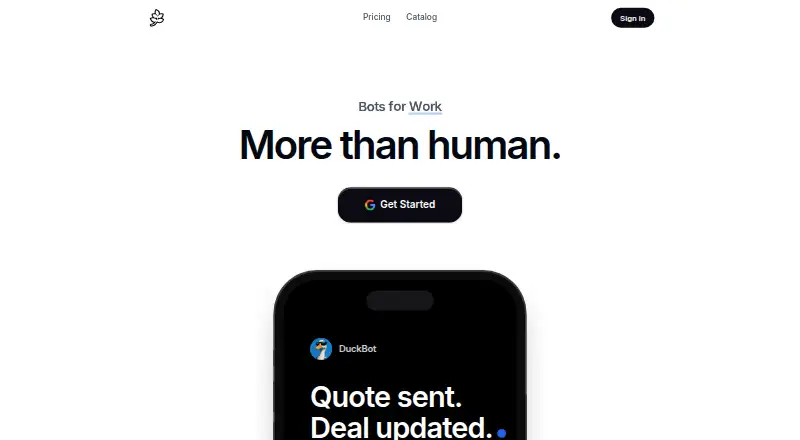
PageLines is a hosted AI assistant platform built around personal bots for recurring work. Each agent uses its own cloud computer, browser, and memory; users can watch or take over the computer. Users can create a skill once, share it across clients, and schedule it. Before sending, spending, or changing anything, the assistant asks for approval and shows its work on each run. Listed jobs include CRM updates, sales follow-ups, prospect research, campaign reports, call briefs, proposal drafts, inbox triage, and meeting scheduling. Its integrations page lists 125 tools, including Gmail, Google Calendar, Slack, Notion, HubSpot, Salesforce, Microsoft 365, and GitHub. Bots work with Slack, Telegram, iPhone, and voice. The free option includes one bot and 5,000 credits once, but has no browser and pauses when idle. Essential costs $49 a month per computer; Professional is $99 a month per computer and Business is $199 a month per computer. Any paid tier starts with 10 days free after a card is added. PageLines lists web, macOS, and iOS access.
Who it suits
PageLines suits people managing recurring work across email, calendars, sales, or CRM tasks. Teams may value scheduled shared skills, integrations, and approval before actions are taken.
What it does well
- Assistant asks before sending, spending, or changing
- Skills can be shared and scheduled
- Lists 125 integrations
- Free option includes one bot
What to know first
- Free bot has no browser
- Free option pauses when idle
- Paid plans are billed per awake computer
- Paid trial requires adding a card
Limits
The free option includes one bot and 5,000 credits once, uses standard models, has no browser, and pauses when idle. Paid tiers are billed per computer each month; the trial lasts 10 days and starts after a card is added.
Plans
| Plan | Billed and limits | Price |
|---|---|---|
| Free | No card; one bot · 5,000 credits once · standard models · no browser · pauses when idle | Free |
| Business | Per computer, monthly · 4× included usage · workspace analytics · team management and oversight · developer workspace and backups · collaboration tools | $199 a month |
| Essential | Per computer, monthly · Standard included usage · core assistant and standard tools · voice mode · own desktop and browser | $49 a month |
| Professional | Per computer, monthly · 2× included usage · residential IP · faster and more frequent routines · stronger models and faster servers | $99 a month |
As pagelines.com lists them, read 11 Oct 2026. The maker's own page has the final word.
Getting started
- Visit the PageLines website.
- Choose the free option or a paid workspace tier.
- For a paid tier trial, add a card to begin the 10-day trial.
- Set up a bot and connect the services needed for its work.
- Write a skill, share it across clients, and schedule it if needed.
- Use the web offering or the listed iOS and macOS apps; bots also work with Slack, Telegram, iPhone, and voice.
Overview
PageLines is a hosted AI assistant for handing repeat work to personal bots, from inbox triage to sales follow-ups. It is best suited to people who want scheduled assistants connected to business tools, while retaining a view of each run and a chance to approve consequential actions. Its cloud computer and recurring skills give it a clear role in ongoing workflows, but the per-computer subscription makes the cost important to weigh.
Key features
Each agent runs on a cloud computer with its own browser and memory, which users can watch or take over. That persistent workspace is useful for jobs that recur and need context, though it depends on a paid tier for browser access. Skills can be created once, shared across clients, and scheduled, making the setup more suitable for repeatable processes than one-off questions.
PageLines names CRM updates, prospect research, campaign reports, call briefs, proposal drafts, inbox triage, and meeting scheduling among its workflows. The integrations page lists 125 tools, including Gmail, Google Calendar, Slack, Notion, HubSpot, Salesforce, Microsoft 365, and GitHub. Bots also work with Slack, Telegram, iPhone, and voice, giving users several ways to interact with them.
The assistant asks before sending, spending, or changing anything, and shows its work on each run. That makes it a more considered fit for tasks with real-world consequences, though approval prompts limit fully unattended operation. PageLines says its agent is based on the open-source Hermes agent and open-weight models.
PageLines says it does not sell personal data and names GDPR, CCPA, and LGPD among the privacy laws it follows. Its policy describes encryption in transit and at rest, access controls, regular security assessments, secure infrastructure, and employee data-protection training. Google Workspace data is used to fulfill requests in real time, not permanently stored or used to train AI models; connected tokens are encrypted on PageLines servers. Support is available by email, Telegram, or Discord, and a person reads and replies to email inquiries.
Pricing
The Free plan costs nothing, requires no card, and includes one bot and 5,000 credits once, with standard models. It has no browser and pauses when idle, so it is a limited way to try the assistant rather than a capable option for persistent scheduled work.
Essential costs $49 a month per computer and includes standard usage, the core assistant and standard tools, voice mode, and its own desktop and browser. It is the entry paid tier for an individual who needs a persistent browser-equipped agent. Professional costs $99 a month per computer, with twice the included usage, residential IP, faster and more frequent routines, stronger models, and faster servers. It suits heavier recurring workloads where those upgrades matter.
Business costs $199 a month per computer and provides four times the included usage, workspace analytics, team management and oversight, a developer workspace and backups, and collaboration tools. It is the tier aimed at teams that need shared oversight and collaboration. The paid tiers are billed for each computer that is awake, so cost scales with the number of active computers. Any paid tier starts with 10 days free after a card is added.
Platforms
PageLines is available on iOS, macOS, and the web. Mobile apps are offered, and bots can also be reached through Slack, Telegram, and voice.
Who it's for
PageLines fits individuals and teams with recurring email, calendar, CRM, research, or reporting work who want an assistant to operate through connected tools while keeping approval over consequential actions. Its scheduled skills and broad integrations are most useful when the same process runs repeatedly. People looking for a free browser-enabled assistant, or a low-cost plan that does not scale with active computers, should look elsewhere.
Pros and cons
- Pros: Scheduled skills can be reused across clients, making routine jobs easier to repeat.
- Pros: Users can watch or take over the agent's cloud computer, and approval is requested before sending, spending, or changing anything.
- Pros: The 125 listed integrations include major email, calendar, collaboration, CRM, and development tools.
- Cons: The free plan has only 5,000 credits once, no browser, and pauses when idle, limiting it for ongoing work.
- Cons: Paid prices apply per awake computer, which can make multiple persistent agents costly.
- Cons: Paid access begins with a 10-day trial only after adding a card.
Alternatives
For a broader workflow-automation focus, compare the AI Workflow Automation Software directory; for assistant-focused options, see AI Personal Assistants.
Consider Vellum if you want a free plan with first tasks included and pay-as-you-go credits, plus a $30 a month Mighty plan. Camunda is another option, with a free self-managed development plan for local development and testing. Pipefy may suit process-based work: its Starter plan includes five processes, 10 users, 50 cards per month, 2 GB of storage, 500 database records, and five workflows.
Activepieces is worth considering for flow automation on a fixed free allowance: its free plan includes 1,000 credits a month and unlimited flows for one user. Bardeen offers monthly credit plans, including Basic at $10 a month for 100 credits and Premium at $50 a month for 1,000 credits. Datify has a free plan with unlimited manual use and no contact caps, which may suit manual prospecting.
FlowFn offers a free allowance of up to three workflows and 200 monthly platform AI credits. Latenode may fit users who want a free workflow plan with 10,000 CPU seconds monthly, five active workflows, and one parallel execution.
Verdict
Choose PageLines if you want personal bots to run scheduled, tool-connected work from a persistent cloud computer, with visibility and approval around consequential steps. Its strongest case is the combination of reusable skills, broad integrations, and user oversight. Look elsewhere if the free tier needs to do real browser work or if per-computer monthly billing does not fit your budget.
Verdict
PageLines combines personal bots, scheduled skills, integrations, and approval prompts for recurring work. The free option is limited, and paid workspace costs are charged per computer.
Questions
Is there a free plan?
Yes. The Free plan costs nothing with no card, one bot, and 5,000 credits once. It uses standard models, has no browser, and pauses when idle.
How much do paid plans cost?
Essential is $49 a month per computer, Professional is $99 a month per computer, and Business is $199 a month per computer.
How does the paid trial work?
Any paid tier starts with 10 days free after a card is added.
Which platforms are available?
PageLines lists web, macOS, and iOS. Bots also work with Slack, Telegram, iPhone, and voice.
What tools does it integrate with?
The integrations page lists 125 tools, including Gmail, Google Calendar, Slack, Notion, HubSpot, Salesforce, Microsoft 365, and GitHub.
What happens to Google Workspace data?
The privacy policy says Google Workspace data is used to fulfill requests in real time, is not permanently stored or used to train AI models, and connected tokens are encrypted on PageLines servers.
Facts from PageLines's own pages
- Approval
- The assistant asks before sending, spending, or changing anything and shows its work on each run. · pagelines.com, 11 Oct 2026
- Google data
- The privacy policy says Google Workspace data is used to fulfill requests in real time, is not permanently stored or used to train AI models, and connected tokens are encrypted on PageLines servers. · pagelines.com, 11 Oct 2026
- Integrations
- The integrations page lists 125 tools, including Gmail, Google Calendar, Slack, Notion, HubSpot, Salesforce, Microsoft 365, and GitHub. · pagelines.com, 11 Oct 2026
- Messaging and voice
- The homepage says bots work with Slack, Telegram, iPhone, and voice. · pagelines.com, 11 Oct 2026
- Models
- PageLines says its agent is built on the open-source Hermes agent and open-weight models. · pagelines.com, 11 Oct 2026
- Own computer
- Each agent runs on its own cloud computer with a browser and memory that users can watch or take over. · pagelines.com, 11 Oct 2026
- Pricing limits
- The free option includes one bot and 5,000 credits once, while the paid workspace tier is billed for each computer that is awake. · pagelines.com, 11 Oct 2026
- Privacy
- The privacy policy says PageLines does not sell personal data and lists GDPR, CCPA, and LGPD among the privacy laws it follows. · pagelines.com, 11 Oct 2026
- Product
- PageLines describes itself as a hosted AI assistant platform with personal bots that learn users’ jobs and handle recurring work. · pagelines.com, 11 Oct 2026
- Scheduled skills
- Users can write a skill once, share it across clients, and run it on a schedule. · pagelines.com, 11 Oct 2026
- Security
- The privacy policy lists encryption in transit and at rest, access controls, regular security assessments, secure infrastructure, and employee data-protection training. · pagelines.com, 11 Oct 2026
- Support
- PageLines says users can contact support by email, Telegram, or Discord, and that a person reads and replies to email inquiries. · pagelines.com, 11 Oct 2026
- Trial
- Any paid tier starts with 10 days free after a card is added. · pagelines.com, 11 Oct 2026
- Workflows
- Listed jobs include CRM updates, sales follow-ups, prospect research, campaign reports, call briefs, proposal drafts, inbox triage, and meeting scheduling. · pagelines.com, 11 Oct 2026
Where PageLines stands on Freedom251
- AI Personal Assistants#23 of 54
- AI Workflow Automation Software#14 of 30