Freedom251 › Controller Mapping Software

PadLink
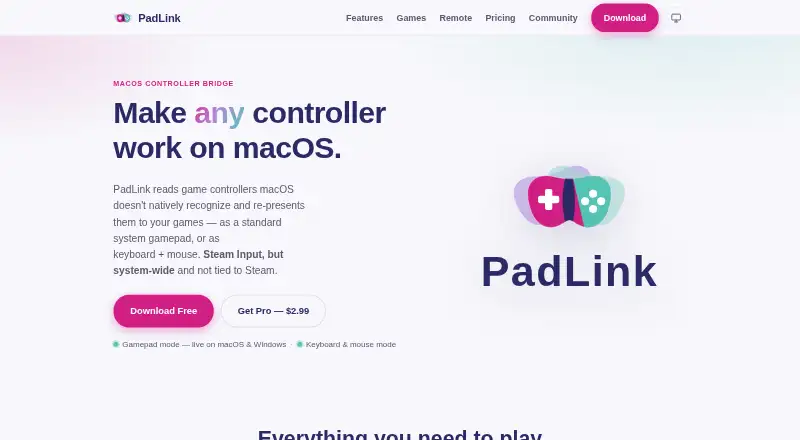
What PadLink is
PadLink converts controllers that macOS does not recognize into game input, routing each as a virtual DualShock 4 or as keyboard and mouse. Different controllers can use different output modes at once. Named mapping profiles let users bind buttons to keys and assign analog sticks to Mouse, Arrow Keys, WASD, or off. The app reads USB HID controllers through per-device profiles, and the maker says it adds profiles over time. A companion app for iOS and Android can turn a phone into a controller for a computer running PadLink on the same local network. The free Standard plan supports one active controller; Pro costs $2.99, paid once and allows up to four. Pro also includes ad-free Mobile Remote, Car Driving cockpit, and future updates. Its optional seven-day Pro trial requires no card or sign-up and allows up to two controllers. On Windows, virtual gamepad output depends on the third-party ViGEmBus driver, while keyboard-and-mouse output does not. The maker says desktop input is processed locally; free-tier Remote may show ads.
Who it suits
PadLink suits people using controllers with Mac or Windows games who need virtual gamepad or keyboard-and-mouse output. Its phone companion may suit users who want to use a phone as a controller on the same local network.
What it does well
- Maps buttons to keys and analog sticks to several controls.
- Supports virtual DualShock 4 and keyboard-and-mouse output.
- Free Standard plan supports one active controller.
- Pro allows up to four active controllers.
- Optional trial lasts seven days without card or sign-up.
What to know first
- Windows virtual gamepad output depends on ViGEmBus.
- Free-tier Mobile Remote may show ads.
- Trial supports up to two controllers.
Limits
Standard supports 1 active controller. The optional 7-day Pro trial supports up to 2 controllers at once; Pro supports up to 4 active controllers.
Plans
| Plan | Billed and limits | Price |
|---|---|---|
| Standard | 1 active controller · virtual gamepad and keyboard + mouse modes · ad-supported Mobile Remote | Free |
| Pro | one-time · Up to 4 active controllers · ad-free Mobile Remote · Car Driving cockpit · lifetime license with future updates | $2.99, paid once |
As padlink.nimets.com lists them, read 4 Oct 2026. The maker's own page has the final word.
Getting started
- Download PadLink for macOS or Windows.
- Install the iOS or Android companion app if you want to use a phone as a controller.
- Connect a USB HID controller and choose its output mode.
- Create or select a named mapping profile to assign buttons and analog-stick behavior.
- Use Standard for one active controller or buy Pro for up to four; the optional trial lasts 7 days and needs no card or sign-up.
PadLink turns controllers macOS does not recognize into input that games can use, and also lets a phone act as a controller for a computer on the same local network. It is best for Mac players who need flexible controller routing or keyboard-and-mouse mapping; its free plan suits a one-controller setup, while Pro makes more sense for multiple controllers or ad-free Remote.
Overview
PadLink’s central strength is its choice of output: a controller can appear as a virtual DualShock 4 or send keyboard-and-mouse input, and separate controllers can use different modes at the same time. That makes it more adaptable than a simple button-to-key mapper when a setup mixes gamepad and keyboard controls. Support is based on per-device USB HID profiles, however, so it is not a guarantee that every controller will work.
Key features
Named keyboard profiles bind buttons to keys and let users map analog sticks to mouse movement, arrow keys, WASD, or no output. This is useful for games without suitable controller support, but the payoff depends on configuring mappings that fit the game.
The iOS and Android Mobile Remote app turns a phone into a controller for a computer running PadLink on the same local network. It is a practical extra for a setup without another physical controller; free users should weigh that convenience against ads in Remote.
For macOS gamepad mode, the maker says PadLink uses an Apple-notarized DriverKit extension and requires no SIP changes, kernel extensions, or root access. Desktop input is processed locally, and desktop apps do not require an account or include analytics, advertising, or behavioral tracking, according to the maker. Free-tier Remote is different: it may show ads through LevelPlay, Google AdMob, and Unity Ads, whose providers may collect device and advertising identifiers and ad-interaction data. Pro activation also sends the license key, device name, and derived device identifier to Polar for license validation and management.
Windows users should distinguish the two output modes: virtual gamepad output relies on the third-party ViGEmBus driver, while keyboard-and-mouse output does not. That dependency makes PadLink a less direct choice for anyone who wants virtual gamepad output without installing that driver.
Pricing
Standard — free. The free plan allows 1 active controller and includes virtual gamepad and keyboard-and-mouse modes, plus ad-supported Mobile Remote. It is a sensible starting point for a single-controller setup, but not for users who need several active devices or an ad-free Remote.
Pro — $2.99, paid once. The one-time license raises the cap to 4 active controllers, removes Mobile Remote ads, and adds the Car Driving cockpit and a lifetime license with future updates. It suits multi-controller setups and users who want those extras without a recurring subscription. The opt-in Pro trial lasts 7 days, needs no card or sign-up, and permits up to 2 controllers at once; that cap is lower than Pro’s full allowance.
Platforms
PadLink supports macOS and Windows desktop apps, with iOS and Android for Mobile Remote. The mobile app works with a computer running PadLink on the same local network, rather than serving as a standalone computer-side mapper.
Who it's for
Choose PadLink if you play on a Mac with a controller that needs translation, want to mix virtual gamepad and keyboard-and-mouse output, or want to use a phone as a local-network controller. It is a weaker fit if you need more than one active controller on a free plan, expect every USB HID controller to be supported, or want Windows virtual-gamepad output without ViGEmBus.
Pros and cons
- Pro: Per-controller output modes let one device act as a virtual DualShock 4 while another maps to keyboard and mouse.
- Pro: The free plan includes both output modes, while Pro is a one-time license rather than a recurring subscription.
- Pro: macOS gamepad mode avoids SIP changes, kernel extensions, and root access, according to the maker.
- Con: Standard is capped at 1 active controller, making Pro necessary for multi-controller use.
- Con: Controller support depends on per-device profiles, and Windows virtual-gamepad output requires ViGEmBus.
- Con: Free-tier Remote is ad-supported, with ad providers potentially collecting device and advertising identifiers and interaction data.
Alternatives
Controller Mapping Software is a useful starting point for comparing more options. Consider these alternatives when their platform coverage, license, or requirements better match your setup:
- AntiMicroX is a free GPL v3 desktop application for Linux and Windows, a better fit if you need Linux support.
- ControllerBuddy is free and open-source under GNU GPL v3.0 for Linux and Windows, making it an option if those platforms and licensing terms suit you.
- DS4Windows is a free Windows 10-or-newer application that requires .NET 8.0 Desktop Runtime, Visual C++ Redistributable, and ViGEmBus; choose it if that Windows-specific setup fits.
- JoyShockMapper is a free download for Windows, with Linux users able to build it from source.
- OmniControl offers a no-time-limit, no-account free plan for Windows controller reading, mapping, and tuning; choose it if those capabilities are the priority.
- Steam Input is a free option for macOS, Windows, Linux, and API use.
- Joystick Gremlin is a free Windows option.
- JoyToKey is a Windows alternative with a free plan and trial; its license key costs $7.50 a month for continued usage after the trial period.
Verdict
PadLink is a strong choice for Mac players who need to adapt controllers that games do not recognize, especially when a setup combines multiple input styles or uses a phone as a controller. Its free one-controller plan makes a low-commitment starting point, and Pro’s $2.99 as a one-time license is compelling for users who need up to 4 active controllers or want ad-free Remote. Look elsewhere if you need broader assured controller coverage, a free multi-controller setup, or Windows virtual-gamepad output without ViGEmBus.
Verdict
PadLink offers flexible controller mapping, with a free one-controller plan and a one-time Pro license at $2.99, paid once. Windows users should note the ViGEmBus requirement for virtual gamepad output.
Questions
Is PadLink free?
Yes. Standard is free and supports 1 active controller, virtual gamepad and keyboard-and-mouse modes, and ad-supported Mobile Remote.
How much does Pro cost?
Pro costs $2.99, paid once. It supports up to 4 active controllers and includes ad-free Mobile Remote, Car Driving cockpit, and future updates.
Is there a free trial?
The opt-in Pro trial lasts 7 days, requires no card or sign-up, and allows up to 2 controllers at once.
Which platforms does PadLink support?
PadLink lists macOS, Windows, iOS, and Android. The iOS and Android companion app turns a phone into a controller for a computer running PadLink on the same local network.
Does Windows virtual gamepad mode need another driver?
Yes. Windows virtual-gamepad output depends on the third-party ViGEmBus driver. Keyboard-and-mouse output does not require it.
Who publishes PadLink?
PadLink is published by Nimets Technology and operated by Rath Socheat in Phnom Penh, Cambodia.
Facts from PadLink's own pages
- Controller support
- The app reads USB HID controllers using per-device profiles, and the maker says more profiles are added over time. · padlink.nimets.com, 4 Oct 2026
- Headquarters
- Phnom Penh, Cambodia · padlink.nimets.com, 28 Sept 2026
- License validation
- Pro activation sends the license key, device name, and derived device identifier to Polar to validate and manage the license. · padlink.nimets.com, 4 Oct 2026
- Maker
- PadLink is published by Nimets Technology and operated by Rath Socheat in Phnom Penh, Cambodia. · padlink.nimets.com, 4 Oct 2026
- Mapping
- Named keyboard-mapping profiles let users bind buttons to keys and map analog sticks to Mouse, Arrow Keys, WASD, or off. · padlink.nimets.com, 4 Oct 2026
- Mobile Remote
- The companion iOS and Android app turns a phone into a controller for a computer running PadLink on the same local network. · padlink.nimets.com, 4 Oct 2026
- Output modes
- Each controller can be routed as a virtual DualShock 4 or as keyboard and mouse, including using both modes at once across controllers. · padlink.nimets.com, 4 Oct 2026
- Platforms
- The maker lists macOS 13 or later and Windows 10/11 for desktop, and iOS 16 or later and Android 8 or later for PadLink Remote. · padlink.nimets.com, 4 Oct 2026
- Privacy
- Desktop input processing happens locally, and the maker says desktop apps do not require an account or include analytics, advertising, or behavioral tracking. · padlink.nimets.com, 4 Oct 2026
- Privacy limits
- Free-tier Remote may show ads through LevelPlay, Google AdMob, and Unity Ads, whose providers may collect device and advertising identifiers and ad interaction data. · padlink.nimets.com, 4 Oct 2026
- Purpose
- PadLink turns controllers macOS does not recognize into standard gamepad or keyboard-and-mouse input for games. · padlink.nimets.com, 4 Oct 2026
- Security
- The maker says macOS gamepad mode uses an Apple-notarized DriverKit extension and does not require SIP changes, kernel extensions, or root access. · padlink.nimets.com, 4 Oct 2026
- Support
- The maker says it replies to email questions within one business day and handles bugs, controller requests, and feature ideas through its public GitHub community. · padlink.nimets.com, 4 Oct 2026
- Trial limit
- The opt-in Pro trial lasts 7 days, needs no card or sign-up, and allows up to 2 controllers at once. · padlink.nimets.com, 4 Oct 2026
- Windows driver
- Windows virtual-gamepad output depends on the third-party ViGEmBus driver; keyboard-and-mouse output does not require it. · padlink.nimets.com, 4 Oct 2026
Where PadLink stands on Freedom251
- Controller Mapping Software#6 of 29