Freedom251 › Outlining Software
Orgzly Revived
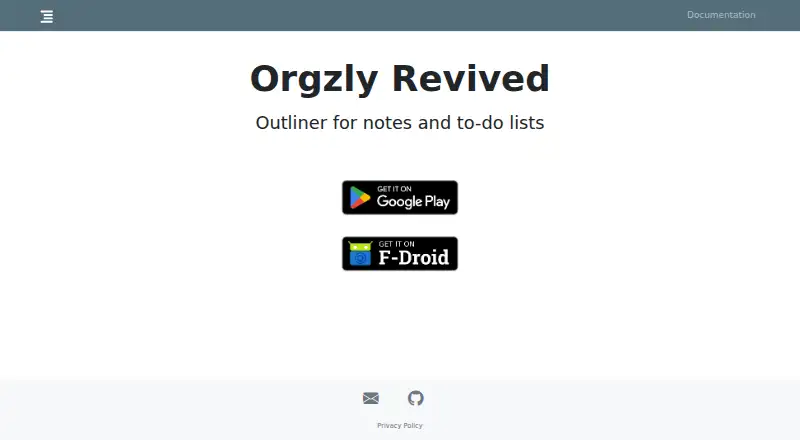
What Orgzly Revived is
Orgzly Revived is an Android outliner for taking notes and organizing to-do lists. It stores notebooks as plain-text files in Org mode format, which is also the format it supports for import and export. Notes can have schedules and deadlines, priorities, and tags, while searches can be saved for quick access. Templates are supported. Notebooks can synchronize with local directories, Dropbox, WebDAV, and experimental Git repositories. Synchronization is manual: users start it by tapping the Sync button. When local and remote notebooks conflict, the app offers force load or force save; it has no other in-app conflict resolution method. Dropbox synchronization is available in the Google Play version, while the FAQ says it is unavailable in the F-Droid version. The app is distributed through Google Play, F-Droid, and direct APK downloads from GitHub releases. Its FAQ identifies Android as the only available platform. Orgzly Revived is free, with a listed price of $0, and has no free trial. Its privacy policy says it does not collect or share user data; notebook data remains on the device unless repository synchronization is configured. Documentation publishes a SHA-256 signing certificate checksum and recommends checking it against the checksum on GitHub. The maker provides support by email at [email protected].
Who it suits
Orgzly Revived suits Android users who want a free outliner for notes and to-do lists stored as plain-text Org mode notebooks. It may work well for people who want local or repository-based notebook syncing and are comfortable starting sync manually.
What it does well
- Free Android app, listed as free.
- Stores notebooks as plain-text Org mode files.
- Supports schedules, deadlines, priorities, tags, saved searches, and templates.
- Can sync with local directories, Dropbox, WebDAV, and experimental Git repositories.
- Privacy policy says it does not collect or share user data.
- Available through Google Play, F-Droid, and direct APK downloads.
What to know first
- Android is the only available platform.
- Synchronization must be started manually.
- Notebook conflicts offer only force load or force save in-app.
- Dropbox sync is unavailable in the F-Droid version.
Limits
The free plan is the Android app, listed as free. Sync is manual, and notebook conflicts can only be handled with force load or force save; Dropbox sync is unavailable in the F-Droid version.
Plans
| Plan | Billed and limits | Price |
|---|---|---|
| Free | Android app · Dropbox sync is only available in the Google Play version | Free |
As orgzlyrevived.com lists them, read 7 Oct 2026. The maker's own page has the final word.
Getting started
- Choose a distribution route: Google Play, F-Droid, or a direct APK download from GitHub releases.
- Install the Android app.
- Create or import a notebook in Org mode format.
- Add notes, schedules, deadlines, priorities, or tags as needed.
- Set up a local directory, Dropbox, WebDAV, or experimental Git repository if you want to sync notebooks.
- Tap the Sync button to start synchronization.
Verdict
Pick Orgzly Revived if you want a free Android outliner that keeps notebooks in plain-text Org mode and supports several repository sync options. Look elsewhere if you need another platform or need synchronization to run automatically or resolve notebook conflicts through additional in-app choices.
Questions
How much does Orgzly Revived cost?
The Free plan is listed as free. There is no free trial.
Which platforms are available?
The FAQ says only the Android version is available.
What file format does it use?
Notebooks are plain-text Org mode files. Org mode (.org) is listed for both import and export.
How does notebook synchronization work?
Notebooks can sync with local directories, Dropbox, WebDAV, and experimental Git repositories. Sync must be started by tapping the Sync button.
Can I use Dropbox sync in every version?
No. Dropbox sync is available in the Google Play version and unavailable in the F-Droid version.
What does the privacy policy say?
It says Orgzly Revived does not collect or share user data. Notebook data stays on the device unless repository syncing is configured.
Facts from Orgzly Revived's own pages
- APK verification
- The documentation publishes a SHA-256 signing certificate checksum and recommends checking it against the checksum on GitHub. · orgzlyrevived.com, 7 Oct 2026
- Distribution
- The app is available through Google Play, F-Droid, and direct APK downloads from GitHub releases. · orgzlyrevived.com, 7 Oct 2026
- Dropbox availability
- Dropbox sync is available in the Google Play version; the FAQ says it is not available in the F-Droid version. · orgzlyrevived.com, 7 Oct 2026
- File format
- Notebooks are stored as plain-text files in Org mode format. · orgzlyrevived.com, 7 Oct 2026
- Note tools
- The app supports scheduling and deadlines, priorities, tags, and searches that can be saved for quick access. · f-droid.org, 7 Oct 2026
- Platform limit
- The FAQ says only the Android version is available. · orgzlyrevived.com, 7 Oct 2026
- Privacy
- The privacy policy says Orgzly Revived does not collect or share user data, and notebook data stays on the device unless the user sets up repository syncing. · orgzlyrevived.com, 7 Oct 2026
- Purpose
- Orgzly Revived is an outliner for taking notes and managing to-do lists. · orgzlyrevived.com, 7 Oct 2026
- Support
- The maker lists [email protected] as its contact email. · orgzlyrevived.com, 7 Oct 2026
- Sync behavior
- Synchronization is manual and must be started by tapping the Sync button. · orgzlyrevived.com, 7 Oct 2026
- Sync conflict limit
- When local and remote notebooks conflict, the app offers force load or force save; it has no other in-app conflict resolution method. · orgzlyrevived.com, 7 Oct 2026
- Sync options
- Notebooks can sync with local directories, Dropbox, WebDAV, and experimental Git repositories. · orgzlyrevived.com, 7 Oct 2026
Where Orgzly Revived stands on Freedom251
- Outlining Software#14 of 22