Freedom251 › Log Management Software
Oracle Cloud Infrastructure Logging
Visit Oracle Cloud Infrastructure Logging Alternatives Pricing
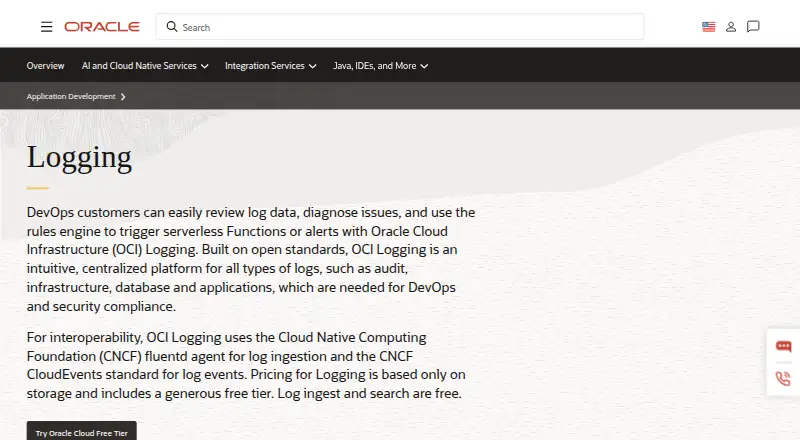
What Oracle Cloud Infrastructure Logging is
Oracle Cloud Infrastructure Logging is a managed service for collecting, searching, analyzing, exporting, and acting on logs. It ingests audit logs, OCI service logs, and custom application logs. Custom logs can come from OCI instances, Oracle Container Engine for Kubernetes, on-premises environments, and other cloud providers. Search tools provide SQL-like queries, filtering, aggregation, and visualization across infrastructure, application, audit, and database logs. The service also supports structured log parsing and log pipelines.
Logging is available through the OCI console, SDK, command-line interface, REST API, and Terraform. Connector Hub can route logs to Monitoring, Notifications, Streaming, third-party destinations such as Splunk, or Object Storage. Logs exported to Object Storage can be retained indefinitely. The Fluentd agent handles ingestion, and events are normalized to CloudEvents 1.0. Access is managed through log groups and Oracle Identity and Access Management policies; unauthorized requests are denied and audited. Logging is a cloud service available on web, Linux, Windows, and through an API. Oracle says it is available in all commercial regions.
Who it suits
Oracle recommends Logging for OCI customers who need diagnostic and troubleshooting information or want to ingest application logs. It also suits teams collecting logs from on-premises environments or other cloud providers alongside OCI sources.
What it does well
- Ingests audit, OCI service, and custom application logs.
- Search includes SQL-like queries, filtering, aggregation, and visualization.
- Connector Hub routes logs to Oracle and third-party destinations.
- Object Storage export supports indefinite log retention.
- Access policies deny and audit unauthorized requests.
What to know first
- The free tier includes 10 GB of log storage per month.
- Storage beyond the free allowance is priced by stored GB.
Limits
The Free tier includes the first 10 GB of log storage per month; log ingest and search are free. Pay as you go storage is $0.05 per GB stored per month, while log ingest and search remain free.
Plans
| Plan | Billed and limits | Price |
|---|---|---|
| Free allowance | billed monthly · 10 GB log storage per month | Free |
| Usage | billed monthly · Monthly storage-based pricing | $0.05 a month |
| Free tier | Always Free; available for an unlimited time · First 10 GB log storage per month free · log ingest and search free | Free |
| Pay as you go | $0.05 per GB stored per month · Storage is priced monthly · log ingest and search free | $0.05 a month |
As oracle.com lists them, read 22 Sept 2026. The maker's own page has the final word.
Getting started
- Open the Oracle Logging website or OCI console.
- Use the OCI console, SDK, command-line interface, REST API, or Terraform to access the service.
- Configure log sources, including OCI services or custom application sources.
- Choose the Free tier or Pay as you go storage plan.
Oracle Cloud Infrastructure Logging is a managed log service for collecting and analyzing OCI, audit and custom application data. It suits teams operating in Oracle Cloud that need to investigate across several log sources; its strongest case is broad collection and routing with free ingestion and search, while retained storage is metered.
Overview
Logging combines audit logs, OCI service logs and custom application logs in a distributed service. SQL-like queries, filters, aggregations and visualizations help teams examine infrastructure, application, audit and database events together, which is more useful for troubleshooting than collection alone.
Custom logs can originate on OCI instances, Oracle Container Engine for Kubernetes, on-premises systems and other cloud providers. Supported OCI sources include Network Flow Logs, Load Balancer, Object Storage, Functions, API Gateway and Events. This makes the service a practical hub for mixed OCI and application telemetry, although it remains a cloud-only choice.
Key features
Structured parsing and log pipelines support analysis and movement of events beyond basic ingestion. Connector Hub can route logs to Monitoring, Notifications, Streaming, Object Storage or third-party destinations such as Splunk. Teams can therefore connect log handling to follow-up services or preserve data elsewhere, rather than treating the logging console as the only endpoint.
Fluentd is used for ingestion, and events are normalized to CloudEvents 1.0. Access controls use log groups and Oracle Identity and Access Management policies; unauthorized requests are denied and audited. Logs can also be exported through Service Connector Hub to Object Storage buckets for indefinite retention, a useful option when the service's 30-day retention window is not enough.
Users can work through the OCI console, SDK, command-line interface, REST API or Terraform. Logging is available in commercial regions; government regions are described as coming soon.
Pricing
The Always Free tier costs nothing and remains available for an unlimited time. It includes the first 10 GB of log storage per month, with log ingestion and search free. This is a sensible starting point for modest workloads and evaluation, but the storage allowance is the key constraint for teams retaining larger volumes.
Pay as you go costs $0.05 a month, billed at $0.05 per GB stored per month. Ingestion and search remain free, so storage volume—not the act of sending or querying logs—is the stated cost driver. Readers should account for retained data when estimating ongoing spend. A separate Free allowance is also described as free, billed monthly, with 10 GB log storage per month; the Usage plan costs $0.05 a month with monthly storage-based pricing.
Platforms
Listed platforms are API, Linux, web and Windows. The available deployment option is cloud, which fits organizations comfortable running logging within OCI but excludes teams requiring a self-hosted installation.
Who it's for
Oracle recommends the service for OCI customers seeking diagnostic and troubleshooting information or wanting to ingest application logs. It is particularly apt when a team needs OCI service and custom sources in one searchable place, and when routing or Object Storage archival is part of its workflow. Organizations that need non-cloud deployment should choose another approach.
Pros and cons
- Broad log coverage: OCI service, audit and custom logs—including sources beyond OCI—can be analyzed together.
- Useful routing and retention options: Connector Hub supports several Oracle destinations, Splunk and Object Storage, with archival there available for indefinite retention.
- Free ingestion and search: The Always Free tier covers up to 10 GB of monthly storage, while those operations remain free on the paid usage plan.
- Storage drives ongoing cost: Pay-as-you-go storage is priced per GB per month, so larger retained volumes increase the bill.
- Cloud-only deployment: There is no self-hosted option for teams that require control outside a cloud service.
Alternatives
Browse Log Management Software for more options. Choose ELK Stack if self-managed Elastic Stack features or a self-hosted platform are more important than a managed OCI service. Google Cloud Logging is another freemium cloud logging option, with a stated first 50 GiB per project per month free for non-vended network log storage. Consider Amazon CloudWatch Logs for a paid service with a free plan and region-dependent, pay-as-you-go ingestion pricing.
Oracle Log Analytics is a related freemium Oracle option with a first 10 gigabytes of log storage free. Sumo Logic may suit teams whose needs fit its free allowance of 20 daily credits, seven-day log retention and up to three users. Choose Fluentd if you want a free, open-source data collector rather than this managed logging service. Grafana Loki offers a free self-hosted Loki option or a cloud free tier with 50 GB ingested monthly and 14-day retention. Logstash is a free alternative with a default distribution governed by the Elastic License.
Verdict
Choose Oracle Cloud Infrastructure Logging if you run OCI workloads and want one managed service for operational, audit and custom logs, with search, routing and archival pathways. Its free ingestion and search lower the barrier to use, but storage charges scale with retained volume, and its cloud-only deployment rules it out for teams that must host logging themselves.
Verdict
Choose Oracle Cloud Infrastructure Logging if you need a managed place to collect and analyze OCI and custom application logs, with routing and archival options. Look elsewhere if you need a non-cloud deployment; this service is offered as a cloud deployment.
Questions
Is Oracle Cloud Infrastructure Logging free?
Yes. Its Always Free tier is available for an unlimited time and includes the first 10 GB of log storage per month, with log ingest and search free.
What does the paid plan cost?
Pay as you go storage costs $0.05 per GB stored per month. Log ingest and search are free.
Which platforms can I use it on?
The listed platforms are API, Linux, web, and Windows. The service can also be used through the OCI console, SDK, command-line interface, REST API, and Terraform.
What log sources does it support?
It ingests audit logs, OCI service logs, and custom application logs. Listed service sources include Network Flow Logs, Load Balancer, Object Storage, Functions, API Gateway, and Events.
Where can logs be sent or archived?
Connector Hub can route logs to Monitoring, Notifications, Streaming, third-party destinations including Splunk, or Object Storage. Exporting to Object Storage supports indefinite retention.
How does it control access to logs?
Log groups and Oracle Identity and Access Management policies control access. Unauthorized requests are denied and audited.
Facts from Oracle Cloud Infrastructure Logging's own pages
- Archive export
- Yes · oracle.com, 22 Sept 2026
- Deployment options
- cloud · oracle.com, 22 Sept 2026
- Free plan
- Yes · oracle.com, 22 Sept 2026
- Ingestion sources
- Custom logs can come from OCI instances, Oracle Container Engine for Kubernetes, on-premises environments, and other cloud providers. · oracle.com, 7 Oct 2026
- Integrations
- Connector Hub can route logs to Monitoring, Notifications, Streaming, third-party destinations including Splunk, or Object Storage. · oracle.com, 7 Oct 2026
- Intended users
- Oracle recommends Logging for OCI customers who need diagnostic and troubleshooting information or want to ingest application logs. · oracle.com, 7 Oct 2026
- Log pipelines
- Yes · oracle.com, 22 Sept 2026
- Log types
- It ingests audit logs, OCI service logs, and custom application logs. · oracle.com, 7 Oct 2026
- Open standards
- OCI Logging uses the Fluentd agent for ingestion and normalizes events to the CloudEvents 1.0 format. · oracle.com, 7 Oct 2026
- Regional availability
- The FAQ says Logging is available in all commercial regions and that government regions are coming soon. · oracle.com, 7 Oct 2026
- Retention
- Logs can be exported to Object Storage buckets for indefinite retention through Service Connector Hub. · oracle.com, 7 Oct 2026
- Log retention
- 30 · oracle.com, 22 Sept 2026
- Search and analysis
- It provides SQL-like search, filtering, aggregation, and visualization across infrastructure, application, audit, and database logs. · oracle.com, 7 Oct 2026
- Security
- Log groups and Oracle Identity and Access Management policies control access to logs, and unauthorized requests are denied and audited. · oracle.com, 7 Oct 2026
- Paid from
- 0.05 · oracle.com, 22 Sept 2026
- Structured log parsing
- Yes · oracle.com, 22 Sept 2026
- Supported service logs
- The FAQ lists Network Flow Logs, Load Balancer, Object Storage, Functions, API Gateway, and Events as supported service log sources. · oracle.com, 7 Oct 2026
- Ways to use
- The service is available through the OCI console, SDK, command-line interface, REST API, and Terraform. · oracle.com, 7 Oct 2026
- What it does
- OCI Logging is a fully managed, distributed log management platform to ingest, search, analyze, export, and take action on logs. · oracle.com, 7 Oct 2026
Where Oracle Cloud Infrastructure Logging stands on Freedom251
- Log Management Software#11 of 111