Freedom251 › Log Management Software
Google Cloud Logging
What Google Cloud Logging is
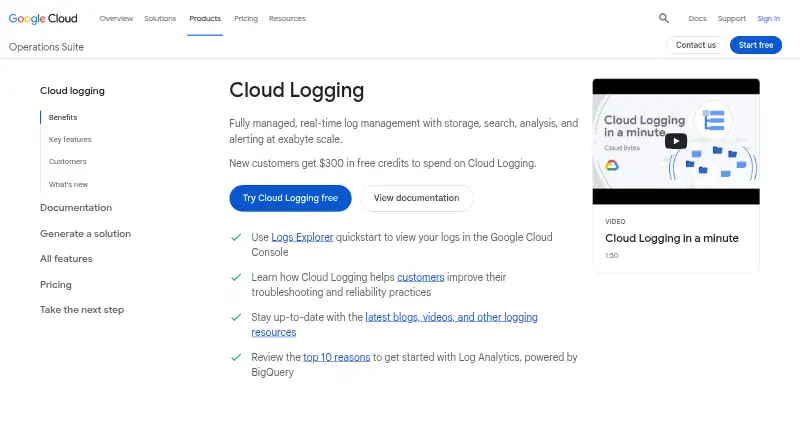
Google Cloud Logging is a cloud service for storing, searching, analyzing, and alerting on logs in real time. Logs Explorer supports query statements, sorting, histogram views, field exploration, and saved queries; Log Analytics enables SQL analysis using BigQuery. Google Cloud platform logs are ingested without setup, GKE workload logs are captured automatically, and the Ops Agent captures VM workload logs. Logs can be routed to external systems through Pub/Sub or archived in Cloud Storage. The service integrates with Cloud Monitoring, Error Reporting, and Cloud Trace. Its default retention period is 30 days, with longer retention listed at $0.01 a month, billed monthly according to retention. The first 50 GiB per project per month of standard logging storage is free; non-vended network log storage beyond that is listed at $0.50 a month as a one-time streaming charge. Vended network log storage is listed at $0.25 a month as a one-time streaming charge and includes up to 30 days in log buckets. Log Analytics and Logs Router are listed as free, though destination charges may apply for routed logs.
Who it suits
It suits teams that need cloud-based log search, analysis, alerting, routing, or archiving, especially those already using Google Cloud services. Teams should consider the listed storage and extended-retention charges when planning log use.
What it does well
- Logs Explorer supports queries, histograms, and saved queries.
- Log Analytics enables SQL analysis through BigQuery.
- Google Cloud platform logs are ingested without setup.
- Integrates with Cloud Monitoring, Error Reporting, and Cloud Trace.
- First 50 GiB per project per month of standard storage is free.
What to know first
- Default retention is 30 days.
- Storage charges apply beyond the free allotment.
- Retention beyond 30 days is charged monthly.
- Destination charges may apply to routed logs.
Limits
The first 50 GiB per project per month of standard logging storage is free. The default retention period is 30 days; keeping logs longer is listed at $0.01 a month, billed monthly according to retention. New Google Cloud customers are offered $300 in credits to spend on Cloud Logging.
Plans
| Plan | Billed and limits | Price |
|---|---|---|
| Logging storage (non-vended network logs) | One-time charge for streaming logs into log bucket storage · First 50 GiB/project/month free | $0.50 a month |
| Logging retention beyond default period | Billed monthly according to retention · Applies to logs retained more than 30 days | $0.01 a month |
| Log Analytics | No charge to upgrade a log bucket or issue SQL queries from the Log Analytics page | Free |
| Logs Router | Destination charges might apply to routed logs | Free |
| Free allotment | First 50 GiB per project each month · Logging storage · project-level allowance | Free |
| Log Router | No additional charge · Destination services may charge separately | Free |
| Logging retention | Billed monthly according to retention for logs retained more than 30 days. · Default retention period has no retention cost · no retention charges for the _Required log bucket, which has a fixed retention period of 400 days | $0.01 a month |
| Extended retention | $0.01/GiB per month beyond 30 days · Monthly retention billing · _Required bucket exempt | $0.01 a month |
The first 8 of 11 plans, as cloud.google.com lists them, read 24 Sept 2026. The maker's own page has the final word. Every plan
Getting started
- Visit the Google Cloud Logging website.
- Use the free plan, or consider the free trial and $300 in credits offered to new Google Cloud customers.
- Review Cloud Logging basics and select the log storage and retention approach you need.
- Use Logs Explorer to search and analyze logs, or Log Analytics for SQL queries.
- Set up log routing or Cloud Storage archiving if you need export destinations.
Google Cloud Logging is a managed service for collecting and working with logs in Google Cloud. It suits teams running Google Cloud workloads that want operational logs alongside monitoring and tracing. Its automatic collection and SQL analysis are useful strengths; cloud-only deployment and charges tied to volume and retention narrow its appeal.
Overview
The service combines log storage, search, analysis, alerting, and routing. Google Cloud platform logs arrive without setup, GKE workload logs are captured automatically, and the Ops Agent collects VM workload logs. That is a strong fit for teams already operating those workloads, but a cloud-only deployment rules it out for organizations that require self-hosting.
Logs Explorer offers query-based search, sorting, histograms, field exploration, and saved queries. Log Analytics uses BigQuery for SQL analysis, and logs can be accessed in BigQuery to correlate them with other business data. That gives both operators and analysts useful ways to investigate logs, especially where BigQuery is already part of the workflow.
Key features
- Collection and parsing: Automatic ingestion for Google Cloud and GKE logs reduces setup for common workloads, while the Ops Agent captures VM logs. Structured log parsing and 50 GB/day of included ingestion provide further capacity for routine collection.
- Routing and archiving: Logs Router can send logs to external systems through Pub/Sub, and Cloud Storage can archive them. Routing itself has no charge, but destination charges may apply.
- Regional controls: Regional log buckets keep and process workload log data in a selected region, with customizable access control and retention. This is useful when teams need to choose where their workload logs are handled.
- Audit records: Cloud Audit Logs records administrative activity and resource access; entries are immutable, and audit logs have 400 days of retention at no additional cost. Access depends on IAM permissions: the Logs Viewer role alone does not grant access to Data Access audit logs in the _Default bucket.
- Related services: Integrations with Cloud Monitoring, Error Reporting, and Cloud Trace help teams troubleshoot across services. Live log tailing is also supported.
Pricing
Cloud Logging is freemium, with a free plan and paid usage from $0.50. The first 50 GiB per project per month of standard logging storage is free. New Google Cloud customers can also receive $300 in free credits to spend on Cloud Logging. These allowances make it practical to begin without a storage bill, but sustained volume and longer retention change the cost picture.
- Logging storage: $0.50, paid once, a one-time charge for streaming logs into bucket storage, including up to 30 days of storage. The first 50 GiB per project per month is free, and querying and analyzing log data adds no charge.
- Vended network logs storage: $0.25 a month, a one-time charge for streaming network telemetry logs into bucket storage, including up to 30 days of bucket storage.
- Logging storage (non-vended network logs): $0.50 a month, a one-time charge for streaming logs into bucket storage; the first 50 GiB per project per month is free.
- Retention beyond the default period: $0.01 a month, billed monthly according to retention for logs kept beyond 30 days. Default retention has no retention cost, and the _Required bucket has a fixed 400-day period without retention charges.
- Log Analytics and Logs Router: Both are free. Upgrading a log bucket or issuing SQL queries through Log Analytics costs nothing; destination charges may still apply to routed logs.
The 30-day default is a sensible starting point for recent troubleshooting, but teams keeping ordinary logs longer should account for ongoing retention charges. Customers needing help getting started can contact sales.
Platforms
Cloud Logging is available through API, Linux, and web interfaces. Its deployment option is cloud, so it suits teams comfortable keeping this service in a managed cloud environment rather than running it themselves.
Who it's for
It is best for teams with Google Cloud, GKE, or VM workloads that want logs collected with little setup and analyzed in the same ecosystem as monitoring, tracing, and BigQuery. It is less suitable for organizations that need self-hosted deployment or want to avoid charges for storage beyond the free allowance and retention beyond 30 days.
Pros and cons
Pros
- Automatic collection for Google Cloud and GKE workloads, plus Ops Agent support for VMs, reduces configuration work across common Google Cloud sources.
- BigQuery-backed SQL analysis and correlation with business data add analytical flexibility without a charge for Log Analytics queries.
- Regional buckets offer control over where workload log data is kept and processed, along with customizable access and retention.
- Audit entries are immutable and have 400 days of retention at no additional cost.
Cons
- Cloud-only deployment excludes teams that require a self-hosted logging service.
- Storage and retention charges can grow beyond the 50 GiB monthly free storage allotment and 30-day default period.
- Routed logs can incur destination charges, so free routing does not guarantee free delivery to external systems.
- Data Access audit logs in the _Default bucket require IAM permissions beyond the Logs Viewer role, which can complicate access for users granted only that role.
Alternatives
Browse Log Management Software to compare more options. Choose ELK Stack when self-managed deployment across Linux, macOS, or Windows matters more than a cloud-only service. Consider Amazon CloudWatch Logs for a paid service with a free plan and API or web access. Oracle Cloud Infrastructure Logging is another freemium option, with a 10 GB monthly storage allowance on its free plan. Sumo Logic may suit smaller teams looking for a free tier with up to three users, 20 daily credits, and seven-day log retention. VictoriaLogs is worth considering when a free, self-hosted option is the priority. Kiwi Syslog Server offers a free self-hosted edition limited to five network devices, a 500-message buffer, and 10 display windows. Logmanager has a free plan with 100 GB of storage and unlimited users. OpenObserve offers a free plan with 200 GB/day ingestion and 15-day retention.
Verdict
Google Cloud Logging is a strong choice for teams running Google Cloud workloads that want automatic collection, BigQuery-backed analysis, and connected troubleshooting tools. Its main appeal is how those capabilities work together in a managed cloud service; look elsewhere if self-hosting is essential or long-term log retention at predictable cost is the priority.
Verdict
Google Cloud Logging combines log ingestion, exploration, analytics, routing, and archiving in a cloud service. The free storage allotment and 30-day default retention are useful reference points, but streaming and extended retention can incur listed charges.
Questions
Does Google Cloud Logging have a free plan?
Yes. The first 50 GiB per project per month is free for standard logging storage. New Google Cloud customers are also offered $300 in free credits to spend on Cloud Logging.
What does storage cost?
Logging storage is listed at $0.50, paid once as a one-time charge for streaming logs into log bucket storage, with the first 50 GiB per project per month free. Vended network logs storage is listed at $0.25 a month as a one-time streaming charge and includes up to 30 days of storage in log buckets.
How long are logs retained by default?
The listed default retention period is 30 days. Retention beyond 30 days is listed at $0.01 a month, billed monthly according to retention.
Can I analyze logs with SQL?
Yes. Log Analytics uses BigQuery for SQL analysis, and log data can also be accessed directly in BigQuery.
Which platforms are listed?
The listed platforms are API, Linux, and web. Cloud Logging is deployed in the cloud.
Can I export or archive logs?
Yes. Logs Router can export logs, including to external systems through Pub/Sub, and logs can be archived in Cloud Storage. Destination charges might apply to routed logs.
Facts from Google Cloud Logging's own pages
- Access requirements
- Viewing audit logs requires appropriate IAM permissions, and the Logs Viewer role alone does not allow access to Data Access audit logs in the _Default bucket. · docs.cloud.google.com, 4 Oct 2026
- Agent installation
- The Ops Agent can be installed on Compute Engine VMs through the console, shell scripts or fleet policies. · docs.cloud.google.com, 14 Oct 2026
- API protocols
- Google documents both REST and gRPC interfaces for Cloud Logging. · docs.cloud.google.com, 14 Oct 2026
- Archive export
- Yes · cloud.google.com, 24 Sept 2026
- Audit logging
- Cloud Audit Logs records administrative and data-access activity on a hardened audit trail that cannot be disabled by a rogue actor. · cloud.google.com, 14 Oct 2026
- Audit logs
- Cloud Audit Logs records administrative activity and resource access, and its log entries are immutable. · docs.cloud.google.com, 4 Oct 2026
- Audit retention
- The product page states that audit logs have 400 days of data retention at no additional cost. · cloud.google.com, 4 Oct 2026
- Capterra listing terms
- Capterra lists pricing as contact vendor, says a free trial is unavailable and says no free version is included. · capterra.com, 14 Oct 2026
- Collection scope
- It automatically collects Google Cloud resource logs and can receive application, on-premises and other-cloud logs. · docs.cloud.google.com, 14 Oct 2026
- Company founding and headquarters
- Gartner lists Google as founded in 1998 with headquarters in Mountain View, California. · gartner.com, 14 Oct 2026
- Deployment options
- cloud · cloud.google.com, 24 Sept 2026
- Developer licensing
- Google's Cloud Logging Python client repository is public and released under the Apache-2.0 license. · github.com, 14 Oct 2026
- Encryption
- Cloud Logging encrypts content at rest by default and supports customer-managed Cloud KMS keys for log buckets. · docs.cloud.google.com, 14 Oct 2026
- Error Reporting
- Error Reporting groups exceptions from logs into error groups and can notify users about new groups. · cloud.google.com, 14 Oct 2026
- Exports
- Logs Router can export logs, including to external systems through Pub/Sub, and logs can be archived in Cloud Storage. · cloud.google.com, 4 Oct 2026
- Free plan
- Yes · cloud.google.com, 24 Sept 2026
- Free usage
- Cloud Logging includes a free allotment of the first 50 GiB per project per month for standard logging storage. · cloud.google.com, 4 Oct 2026
- Getting started credit
- The product page offers new Google Cloud customers $300 in free credits to spend on Cloud Logging. · cloud.google.com, 4 Oct 2026
- Integrations
- Official integrations include Cloud Monitoring, Error Reporting, Cloud Trace, Pub/Sub, Cloud Storage and BigQuery. · cloud.google.com, 14 Oct 2026
- Legal maker
- Google services are provided by Google LLC, organized under Delaware law, with an address in Mountain View, California. · about.google, 14 Oct 2026
- Limit: interface and cost clarity
- The Gartner reviewer describes the interface as cluttered, some filters as hard to understand and cost information as difficult to reconcile with usage. · gartner.com, 14 Oct 2026
- Limit: Logs Explorer usability
- A TrustRadius reviewer says Logs Explorer is hard to navigate when searching for relevant logs. · trustradius.com, 14 Oct 2026
- Limit: mobile app dashboards
- An Apple App Store reviewer reports missing saved logging queries and dashboards plus limited access to Cloud Run function details. · apps.apple.com, 14 Oct 2026
- Limit: query experience
- G2 reviewers report that complex searches can be slow or difficult because of the query language and interface. · g2.com, 14 Oct 2026
Where Google Cloud Logging stands on Freedom251
- Log Management Software#8 of 111
- Log Analysis Software#6 of 24
- Log Monitoring Tools#8 of 28