Freedom251 › Log Management Software

OpenObserve
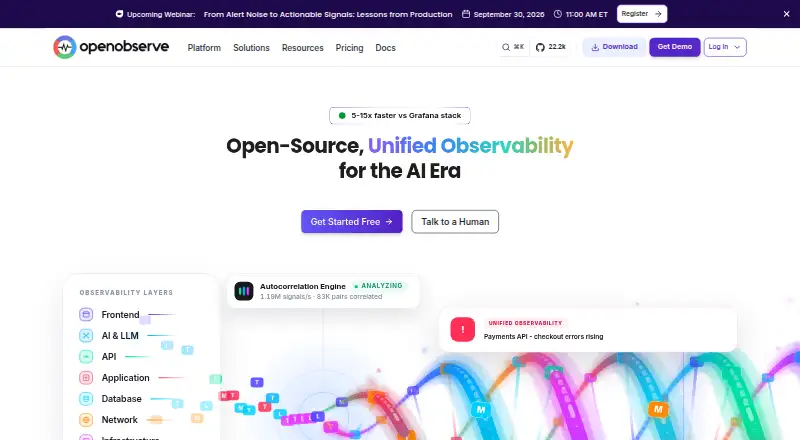
What OpenObserve is
OpenObserve is a web-based product for handling and viewing logs, with pipelines, structured parsing, live tailing and archive export. Its feature set covers several stages of log work: processing logs through pipelines, parsing structured data, following a live stream and exporting archives. The product lists both deployment options, so users can consider either approach. The Free plan costs nothing, billed monthly, and specifies ingestion of 200 GB/day with 15 days of retention. Enterprise offers custom capacity and retention plus commercial support, with pricing on request. OpenObserve separately lists log retention and data retention as 30 days, while the Free plan gives its own 15-day retention figure. Its listed platform is web. The product was founded in 2022 and is headquartered in Menlo Park, California, United States. The plan details distinguish a stated daily ingestion allowance for Free from custom capacity and retention for Enterprise.
Who it suits
OpenObserve may suit teams looking for web-based log pipelines, structured parsing, live log tailing and archive export. The Free plan gives a stated daily ingestion allowance, while Enterprise is positioned for custom capacity and commercial support.
What it does well
- Free plan lists 200 GB/day ingestion
- Supports structured log parsing
- Includes live log tailing and archive export
- Enterprise offers custom capacity and retention
What to know first
- Free plan specifies 15 days of retention
- Enterprise pricing is on request
- Enterprise capacity and retention are custom
Limits
The Free plan specifies 200 GB/day ingestion and 15 days of retention. Enterprise lists custom capacity and retention with commercial support, with pricing on request.
Plans
| Plan | Billed and limits | Price |
|---|---|---|
| Free | billed monthly · 200 GB/day ingestion · 15 days retention | Free |
| Enterprise | Custom capacity and retention · Commercial support | On request |
As openobserve.ai lists them, read 24 Sept 2026. The maker's own page has the final word.
Getting started
- Visit https://openobserve.ai/.
- Start with the Free plan at no cost, billed monthly.
- Use the web platform to access OpenObserve.
- Consider Enterprise for custom capacity and retention or commercial support; pricing is on request.
Verdict
OpenObserve brings pipeline processing, parsing, live viewing and archive export together for log work. Review the plan-specific retention terms, since Free specifies 15 days while the product also lists 30-day log and data retention.
Questions
Does OpenObserve have a free plan?
Yes. The Free plan costs nothing, billed monthly, and includes 200 GB/day ingestion with 15 days of retention.
What does Enterprise include?
Enterprise offers custom capacity and retention with commercial support. Pricing is on request.
Which platforms does OpenObserve list?
The listed platform is web.
What log features does it offer?
It lists log pipelines, structured log parsing, live log tailing, and archive export.
What deployment options are available?
OpenObserve lists both deployment options.
Where is OpenObserve based?
It was founded in 2022 and is headquartered in Menlo Park, California, United States.
Facts from OpenObserve's own pages
- Archive export
- Yes · openobserve.ai, 24 Sept 2026
- Deployment options
- both · openobserve.ai, 24 Sept 2026
- Founded
- 2022 · openobserve.ai, 28 Sept 2026
- Free plan
- Yes · openobserve.ai, 24 Sept 2026
- Headquarters
- Menlo Park, California, United States · openobserve.ai, 28 Sept 2026
- Live log tailing
- Yes · openobserve.ai, 24 Sept 2026
- Log pipelines
- Yes · openobserve.ai, 24 Sept 2026
- Structured log parsing
- Yes · openobserve.ai, 24 Sept 2026
Where OpenObserve stands on Freedom251
- Log Management Software#34 of 111
- Synthetic Monitoring#15 of 43
- Application Performance & Observability - Enterprise Software#10 of 26
- Alert Management Software#16 of 36
- Kubernetes Monitoring#30 of 54
- Observability Platforms#17 of 30
- Runtime Monitoring Software#32 of 56
- Log Analysis Software#14 of 24
- Log Monitoring Tools#17 of 28
- Metrics Monitoring Tools#25 of 37
- Container Monitoring#34 of 49