Freedom251 › Email Parsing Software
OptiExtract
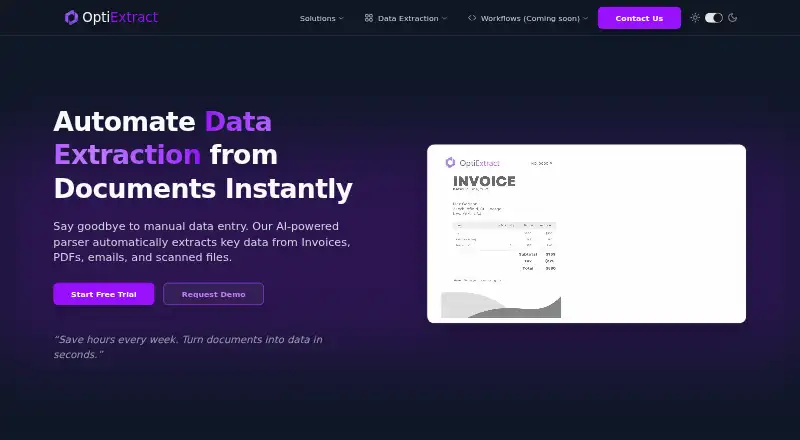
What OptiExtract is
OptiExtract is an AI-powered parser that extracts data from invoices, PDFs, emails, and scanned files. Users can upload documents or send them to a custom email address. To define fields, they highlight the information they need, and the AI learns from that selection to build a custom template. Supported inputs include PDFs, scans, DOCX files, and images. The site lists exports to Google Sheets and Excel, plus Webhooks, Zapier, API, email, and CRM connections. Finance examples include invoices, receipts, purchase orders, and bank statements, with two-way matching; other named uses cover logistics and operations, human resources, insurance, and general administration. OptiExtract says data is encrypted and GDPR-compliant by design and uses Google Cloud infrastructure. Pro costs $149 a month and includes 2,000 documents per month; Premium costs $299 a month and includes 5,000 documents per month. Starter lists 10 documents per month, while Enterprise uses volume pricing.
Who it suits
OptiExtract may suit teams in finance, logistics and operations, human resources, insurance, or administration that need to extract document data. Its upload, email, and integration options may fit different intake workflows.
What it does well
- Accepts PDFs, scans, DOCX files, and images.
- Builds templates from user-highlighted data.
- Exports to Google Sheets and Excel.
- Offers Webhooks, Zapier, and API integrations.
- A free trial is available.
What to know first
- Starter lists 10 documents per month.
- Pro costs $149 a month.
- Premium costs $299 a month.
Limits
Starter allows 10 documents per month with community support. Pro includes 2,000 documents per month for 149.00 USD monthly, while Premium includes 5,000 documents per month for 299.00 USD monthly.
Plans
| Plan | Billed and limits | Price |
|---|---|---|
| Pro | $149/mo · Unlimited templates · All integrations · 2,000 docs/mo · Email & Chat support · Dedicated onboarding | $149 a month |
| Premium | $299/mo · Everything in Pro · 5,000 docs/mo · Priority Email & Chat support · Advanced Analytics · Custom API Rate Limits | $299 a month |
| Starter | Contact · 10 documents/month · All core features · Community support | On request |
| Enterprise | Volume Pricing · Custom volume & pricing · Dedicated API access · SLA & Compliance · On-premise deployment · 24/7 Premium support · Dedicated Account Manager | On request |
As optiextract.com lists them, read 4 Oct 2026. The maker's own page has the final word.
Getting started
- Open the OptiExtract website
- Start the available free trial
- Upload documents or send them to your custom parsing email address
- Highlight the fields you need so the AI can build a template
- Choose a plan based on document volume and support needs
- Connect exports or integrations such as Google Sheets, Excel, webhooks, Zapier, API, email, or CRM
Verdict
OptiExtract combines custom extraction templates with document uploads, email intake, and several listed integrations. Review the plan document limits and listed prices against your team’s needs.
Questions
Is there a free trial?
Yes. OptiExtract offers a free trial, but the listed facts do not give its duration.
Is there a free plan?
No. OptiExtract is paid; Starter is listed with contact-based pricing and 10 documents per month.
What does Pro cost?
Pro costs $149 a month and includes 2,000 documents monthly, unlimited templates, all integrations, email and chat support, and dedicated onboarding.
What does Premium cost?
Premium costs $299 a month and includes 5,000 documents monthly, advanced analytics, custom API rate limits, and priority email and chat support.
Which file types can OptiExtract process?
It supports PDFs, scans, DOCX files, images, invoices, emails, and other listed document inputs.
Is OptiExtract available through an API?
Yes. It is available on the web and through an API, with webhook, Zapier, email, and CRM connections also listed.
Facts from OptiExtract's own pages
- Availability
- The site labels Workflows as coming soon. · optiextract.com, 4 Oct 2026
- Document processing
- OptiExtract says its AI-powered parser extracts data from invoices, PDFs, emails, and scanned files. · optiextract.com, 4 Oct 2026
- Exports and integrations
- The site lists exports to Google Sheets and Excel, plus Webhooks, Zapier, and API integrations. · optiextract.com, 4 Oct 2026
- File formats
- The product supports PDFs, scans, DOCX files, and images. · optiextract.com, 4 Oct 2026
- Finance use case
- For finance teams, the site describes extracting data from invoices, receipts, purchase orders, and bank statements, with two-way matching. · optiextract.com, 4 Oct 2026
- Input methods
- Users can upload documents or send them to a custom email address for parsing. · optiextract.com, 4 Oct 2026
- Intended users
- The site names finance, logistics and operations, human resources, insurance, and general administration teams as use cases. · optiextract.com, 4 Oct 2026
- Other connections
- The site also lists email and CRM connections. · optiextract.com, 4 Oct 2026
- Security
- OptiExtract says data is encrypted and GDPR-compliant by design, and that it uses Google Cloud infrastructure. · optiextract.com, 4 Oct 2026
- Support
- The listed support ranges from community support on Starter to email and chat support on Pro and priority email and chat support on Premium. · optiextract.com, 4 Oct 2026
- Template creation
- Users highlight the data they need, and the AI learns and builds custom templates. · optiextract.com, 4 Oct 2026
- Trial
- The site offers a free trial but does not state its duration on the page. · optiextract.com, 4 Oct 2026
Where OptiExtract stands on Freedom251
- Email Parsing Software#19 of 22