Freedom251 › Plumbing Software
Opsler
What Opsler is
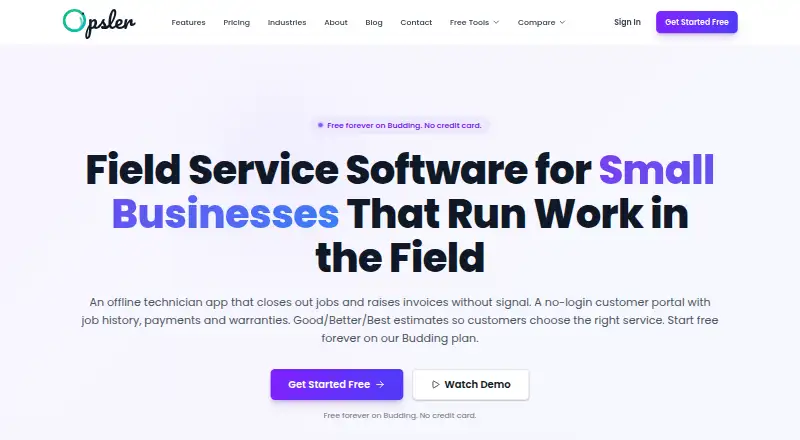
Opsler is field service management software for scheduling and dispatch, customer management, invoicing, and technician work. It documents 42 features across sales, scheduling, field work, customers, billing, inventory, and reporting. Technicians using the Field Agent app can access assigned jobs, update status, complete checklists, capture photos and signatures, create invoices, and record payments offline, then sync later. A customer portal uses a token link without a login for tracking technician ETA, estimate approval with OTP verification and a signature, job and invoice history, payments, technician messages, and warranty checks. Accounting data can be exported for manual import to QuickBooks Online, Xero, or generic CSV; live two-way accounting sync is not provided. Opsler says it charges no platform fee for payments, leaving businesses to use their own processor and rates. The free Budding plan includes two seats and 50 jobs per month. Pro costs $25 a month and includes all 42 features, with no seat minimum and a 14-day trial.
Who it suits
Opsler is aimed at service businesses with 5 to 100 technicians, including HVAC, plumbing, electrical, appliance repair, pest control, and cleaning companies. It suits teams that need technician job tools and customer access to job details and payments.
What it does well
- Field Agent supports offline job work and later syncing.
- Customer portal offers ETA tracking and estimate approval.
- Free Budding plan includes two seats.
- Pro includes all 42 documented features.
- Opsler states it charges no platform fee for payments.
What to know first
- Budding is limited to 50 jobs per month.
- Accounting exports require manual import.
- Live two-way accounting sync is not provided.
- Pro costs $25 a month.
Limits
Budding is free forever and allows two seats, 50 jobs per month, 100 inventory items, and one inventory location. Pro costs $25 a month and removes caps on jobs, inventory items, and locations; it includes a 14-day trial.
Plans
| Plan | Billed and limits | Price |
|---|---|---|
| Budding | Free forever · 2 seats (1 admin + 1 technician) · 50 jobs/month · unlimited customers · 100 inventory items · 1 inventory location · 21 core features | Free |
| Pro | Billed monthly; no annual commitment · No seat minimum · 14-day trial · all 42 features · no cap on jobs, inventory items or locations · priority support and setup assistance | $25 a month |
| Lifetime | One payment · 5 permanent seats · additional seats $25/seat/month · all 42 features · future features included · 25 GB storage | $499, paid once |
As opsler.com lists them, read 30 Sept 2026. The maker's own page has the final word.
Getting started
- Visit the Opsler website.
- Install from a browser on Windows, Mac, Android, or iPhone.
- Start with the free Budding plan or choose a paid plan.
- Use the 14-day trial for Pro, if selecting that plan.
Overview
Opsler is field service management software for service businesses coordinating technicians, customer communication and billing. It is best suited to growing teams with several technicians; its offline field tools and customer portal are strong practical assets, while the free plan’s two-seat and 50-job monthly caps quickly constrain a working operation.
Its coverage spans sales, scheduling, field work, customers, billing, inventory and reporting, with 42 features documented. A dispatch board, online booking, estimates, work orders, invoice payments and GPS or route tracking put the main service workflow in one platform.
Key features
Field work without a connection
The Field Agent app lets technicians open assigned jobs, change status, complete checklists, capture photos and signatures, create invoices and record payments offline, then sync later. That is a meaningful advantage for teams working at sites with unreliable connectivity, since core job updates need not wait for a signal.
Customer portal and reviews
Customers can use a token link without creating an account to follow technician ETA, see job and invoice history, pay, message technicians and check warranties. Estimate approvals use OTP verification and a signature, adding a confirmation step to customer authorization. After jobs, Opsler emails a rating link and offers a Google review option regardless of rating; low scores of 1–3 also open a six-category feedback survey.
Accounting and payments
Opsler exports QuickBooks Online, Xero or generic CSV files for manual import, but does not offer live two-way accounting sync. Businesses wanting continuously synchronized books should look elsewhere or be prepared to handle imports. Opsler says it charges no platform fee for payments and lets businesses use their own processor and rates, which leaves processor choice with the business.
Security and account retention
Opsler states that it encrypts data in transit with TLS 1.2+ and at rest with AES-256, and conducts regular security audits with access controls. After cancellation, account data is retained for 90 days before deletion unless earlier deletion is requested.
Pricing
The free Budding plan is free forever and includes two seats—one admin and one technician—50 jobs per month, unlimited customers, 100 inventory items, one inventory location and 21 core features. It is a useful way for a very small operation to start, but the job, seat and inventory limits make it a poor fit for a busy or expanding crew.
Pro costs $25 a month, billed monthly with no annual commitment, and has no seat minimum. It includes a 14-day trial, all 42 features, no cap on jobs, inventory items or locations, plus priority support and setup assistance. This is the clearest fit for teams that have outgrown Budding or need the complete feature set without a long-term contract.
Lifetime costs 499.00 USD as one payment and includes five permanent seats, all 42 features, future features and 25 GB of storage. Additional seats cost $25/seat/month, so the one-time price does not cover a larger team indefinitely. It may suit a five-seat business seeking a one-off software payment, but expanding past that size introduces recurring seat charges.
Platforms
Opsler supports Android, iOS, macOS, web and Windows. It installs from a browser on Windows, Mac, Android and iPhone devices rather than through an app store, a distinction for organizations that standardize software installation through app marketplaces. Opsler offers email support and live chat during 9am–6pm EST business hours, and says it typically responds within a few hours.
Who it's for
Opsler is aimed at 5-to-100-technician service businesses, including HVAC, plumbing, electrical, appliance repair, pest control and cleaning companies. Its broad workflow and offline field app make it a stronger match for teams managing jobs through completion and payment than for solo operators who can work within the free plan’s two-seat ceiling. Plumbing businesses can also compare Plumbing Software.
Pros and cons
- Pros: Offline job updates, checklists, photos, signatures, invoices and payment records help technicians keep work moving without connectivity.
- Pros: A no-login customer link combines ETA tracking, approvals, payment, messaging and job history in one customer-facing flow.
- Pros: Pro removes job, inventory and location caps, has no seat minimum and carries no annual commitment.
- Cons: The free plan is limited to two seats and 50 jobs per month, which can be restrictive for the service businesses Opsler targets.
- Cons: Accounting exports require manual import, so businesses seeking live two-way synchronization will need another workflow.
- Cons: Lifetime includes just five permanent seats; each additional seat costs $25/seat/month.
Alternatives
FieldBench is worth comparing for a smaller team: its free plan has one user and up to 20 jobs per month, alongside 50 pricebook items and 20 active equipment records. Opsler’s free tier permits two seats and 50 jobs, so it offers more room for a small crew, while FieldBench’s stated free-plan equipment and pricebook allowances may be more relevant to a business focused on those records.
ServiceM8 is another free-plan option, with one user, 30 jobs per month, 10c per SMS and 10 AI uses per day. Opsler’s free plan has a higher job allowance and a second seat, while ServiceM8 supports macOS alongside Android and iOS.
Contractor+ may suit businesses prioritizing lead and client tracking: its free FREEDOM plan supports up to 250 leads and clients, with up to five estimates or invoices per month across web, mobile and tablet. Opsler instead allows unlimited customers and 50 jobs monthly on its free tier.
OpenFieldPro is a free, self-hosted option with no limits on users, technicians, customers, jobs, invoices, locations or core operational features.
OpenProperty is a free web-based alternative.
BigChange uses custom pricing and includes support, CRM, job scheduling, a mobile app, live tracking, quotes and invoices, business intelligence and collaboration tools.
ServiceWorks is a paid alternative; its Bronze plan costs $150 a month.
Commusoft offers paid plans such as Go Paperless, with job tracking, custom forms and operational control, and Customer Journey, with commercial contracts, optimized scheduling and online booking.
Verdict
Opsler is a strong choice for a multi-technician service business that wants offline field work, customer self-service and billing tools in one system. The Pro plan is the practical route once a crew exceeds the free tier’s tight job or seat limits. Look elsewhere if live accounting sync is essential, or if a larger team needs more than five seats without recurring seat charges.
Verdict
Opsler combines scheduling, field work, customer communication, and billing tools for service businesses. Check the free plan's job limit and the manual accounting export workflow against your needs.
Questions
Is there a free plan?
Yes. Budding is free forever and includes two seats, 50 jobs per month, unlimited customers, 100 inventory items, and one inventory location.
How much does Opsler cost?
Pro costs $25 a month. Lifetime costs $499, paid once.
Which platforms does Opsler support?
It lists Android, iOS, macOS, web, and Windows. Installation is from a browser rather than an app store.
Does Opsler have a free trial?
Yes. Pro includes a 14-day trial.
Which accounting integrations are available?
Opsler exports to QuickBooks Online, Xero, or generic CSV for manual import. It does not provide live two-way accounting sync.
What does the Lifetime plan include?
It includes five permanent seats, all 42 features, future features, and 25 GB storage. Additional seats cost $25/seat/month.
Facts from Opsler's own pages
- Accounting integrations
- Opsler exports QuickBooks Online, Xero or generic CSV files for manual import; it does not provide a live two-way accounting sync. · opsler.com, 30 Sept 2026
- Customer portal
- Customers receive a no-login token link to track technician ETA, approve estimates with OTP verification and a signature, view job and invoice history, pay, message technicians and check warranties. · opsler.com, 30 Sept 2026
- Data retention
- After subscription cancellation, Opsler retains account data for 90 days before deletion unless earlier deletion is requested. · opsler.com, 30 Sept 2026
- Device installation
- Opsler installs from a browser on Windows, Mac, Android and iPhone devices rather than through an app store. · opsler.com, 30 Sept 2026
- Feature set
- Opsler documents 42 features covering sales, scheduling, field work, customers, billing, inventory and reporting. · opsler.com, 30 Sept 2026
- Offline work
- The Field Agent app lets technicians access assigned jobs, update status, complete checklists, capture photos and signatures, create invoices and record payments without a connection, then sync later. · opsler.com, 30 Sept 2026
- Payments
- Opsler states it charges a 0% platform fee and lets businesses use their own payment processor and rates. · opsler.com, 30 Sept 2026
- Product
- Opsler is a field service management platform for scheduling, dispatch, invoicing, customer management and technician work. · opsler.com, 30 Sept 2026
- Review requests
- After each job, Opsler emails customers a rating link and offers a Google review option regardless of the rating; ratings of 1–3 stars also open a six-category feedback survey. · opsler.com, 30 Sept 2026
- Security
- Opsler states that data is encrypted in transit with TLS 1.2+ and at rest with AES-256, with regular security audits and access controls. · opsler.com, 30 Sept 2026
- Support
- Opsler offers email support, live chat during 9am–6pm EST business hours and states it typically responds within a few hours. · opsler.com, 30 Sept 2026
- Target customers
- Opsler says it is built for 5-to-100-technician service businesses such as HVAC, plumbing, electrical, appliance repair, pest control and cleaning. · opsler.com, 30 Sept 2026
Where Opsler stands on Freedom251
- Plumbing Software#4 of 34