Freedom251 › Real Estate Transaction Management Software
OPEX for Real Estate
What OPEX for Real Estate is
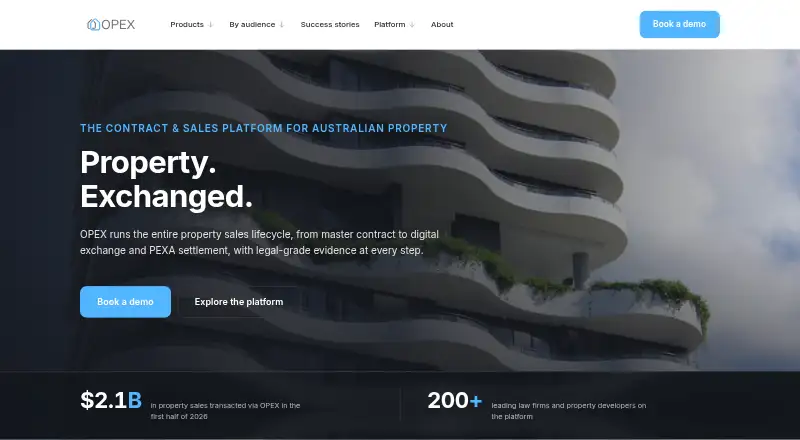
OPEX for Real Estate manages Australian property sales from project setup and master contracts through sales, exchange and settlement. The platform brings contract preparation, signing, project tracking and settlement calculations into one workflow for law firms, developers, agents and banks. Firms can assemble master contracts from their own documents, reuse special conditions, track versions and fill merge fields automatically. Live dashboards show projects, lots, exchanged value, deposits, available stock and upcoming settlements. Buyers, vendors, guarantors and witnesses can sign using a secure link verified by SMS, with remote witnessing built in. For settlement, a calculator covers rates, water, land tax, owners corporation and penalty interest, then produces a settlement statement. OPEX can create PEXA Projects workspaces and carry contract and settlement details through to completion. It also provides a versioned REST API and webhooks for projects, contracts, e-signing, trust accounting and settlement workflows. OPEX states that it is ISO 27001 certified, hosts data in Australia, encrypts data in transit and at rest, and supports tenant isolation, role-based permissions and Microsoft Entra ID single sign-on. Pricing is available by contacting OPEX. The company offers a demo, a walkthrough with its Australian team and free onboarding, including help with initial projects and master contracts.
Who it suits
OPEX for Real Estate suits law firms, developers, agents and banks managing Australian property sales and settlement workflows. It is especially relevant to teams that need reusable contracts, electronic signing, project dashboards or PEXA Projects integration.
What it does well
- Build master contracts with reusable conditions and automatic merge fields.
- Track projects, deposits, available stock and settlements in live dashboards.
- Support remote signing and witnessing through SMS-verified links.
- Calculate settlement adjustments and produce a settlement statement.
- Connect to PEXA Projects and access a versioned API with webhooks.
- Free onboarding includes help with initial projects and master contracts.
What to know first
- Pricing is available only by contacting OPEX.
- Several named integrations are tailored possibilities confirmed per engagement.
Plans
| Plan | Billed and limits | Price |
|---|---|---|
| OPEX for Real Estate | Pricing available by contacting OPEX; book a demo | On request |
As opex.com.au lists them, read 9 Oct 2026. The maker's own page has the final word.
Getting started
- Visit the OPEX website.
- Book a demo or request pricing from OPEX.
- Arrange a walkthrough with the Australian team.
- Use the free onboarding to set up initial projects and master contracts.
- Access the platform on the web or through its API.
Verdict
Choose OPEX for Real Estate if your organization manages Australian property sales and needs contracts, signing and settlement in a connected workflow. Teams should look elsewhere if they require a published price before speaking with the provider or need certainty on a tailored integration before discussing its scope.
Questions
How much does OPEX for Real Estate cost?
Pricing is available by contacting OPEX. The site offers a demo.
What platforms does OPEX support?
OPEX for Real Estate is available on the web and through an API.
Can buyers and other parties sign electronically?
Yes. Buyers, vendors, guarantors and witnesses can sign from any device through an SMS-verified secure link. Remote witnessing is built in.
Does OPEX integrate with PEXA?
OPEX can create PEXA Projects workspaces and carry contract and settlement information through to completion.
What other integrations are available?
OPEX offers two-way Insite Logic sync. Actionstep, Smokeball, Clio, Unity, iManage, NetDocuments and SEND Payments are described as tailored possibilities, with scope and availability confirmed per engagement.
Who makes OPEX for Real Estate?
The site identifies the company as OPEX Contracts Pty Limited, with a team working across Sydney, Melbourne, Brisbane and Sofia.
Facts from OPEX for Real Estate's own pages
- API
- The versioned REST API and webhooks support projects, contracts, e-signing, trust accounting and settlement workflows. · opex.com.au, 9 Oct 2026
- Audience
- The platform is used by law firms, developers, agents and banks. · opex.com.au, 9 Oct 2026
- Contract generation
- Master contracts can be assembled from the firm's documents, with reusable special conditions, version history and automatically filled merge fields. · opex.com.au, 9 Oct 2026
- Dashboards
- Live dashboards track projects, lots, exchanged value, deposits, available stock and upcoming settlements. · opex.com.au, 9 Oct 2026
- Identity and audit
- The platform supports Microsoft Entra ID single sign-on and records transaction events in audit reports, with SHA-512 fingerprints for completed PDFs. · opex.com.au, 9 Oct 2026
- Maker
- The site identifies the company as OPEX Contracts Pty Limited and says the team works across Sydney, Melbourne, Brisbane and Sofia. · opex.com.au, 9 Oct 2026
- Other integrations
- OPEX offers two-way Insite Logic sync; integrations with Actionstep, Smokeball, Clio, Unity, iManage, NetDocuments and SEND Payments are described as tailored possibilities whose scope and availability are confirmed per engagement. · opex.com.au, 9 Oct 2026
- PEXA integration
- OPEX can create PEXA Projects workspaces and carry contract and settlement information through to completion. · opex.com.au, 9 Oct 2026
- Purpose
- OPEX for Real Estate manages Australian property sales from project setup and master contracts through sales, exchange and settlement. · opex.com.au, 9 Oct 2026
- Security
- OPEX states that it is ISO 27001 certified, hosts data in Australia, encrypts data in transit and at rest, and provides tenant isolation and role-based permissions. · opex.com.au, 9 Oct 2026
- Settlement
- The settlement calculator handles rates, water, land tax, owners corporation and penalty interest, then produces a settlement statement. · opex.com.au, 9 Oct 2026
- Signing
- Buyers, vendors, guarantors and witnesses can sign from any device through a secure link verified by SMS, with remote witnessing built in. · opex.com.au, 9 Oct 2026
- Support and onboarding
- OPEX offers a walkthrough with its Australian team and says onboarding is free, including help setting up initial projects and master contracts. · opex.com.au, 9 Oct 2026
- Volume
- OPEX says it is designed for exchanging hundreds or thousands of contracts simultaneously and has no document size limit for signing. · opex.com.au, 9 Oct 2026