OpenNoteScanner
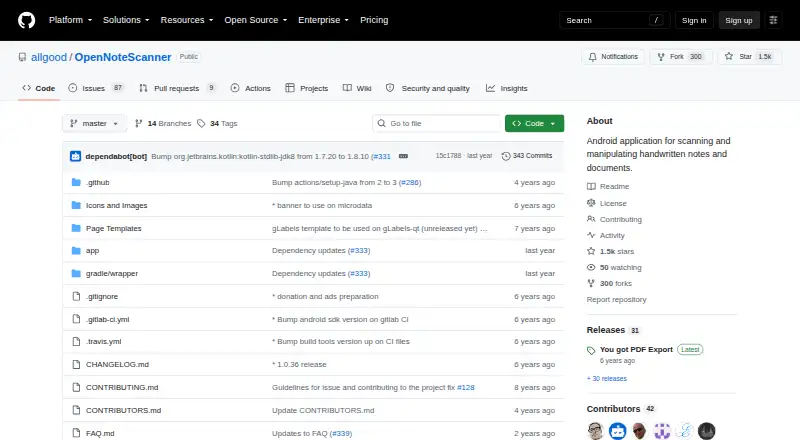
What OpenNoteScanner is
OpenNoteScanner is a free Android application for turning handwritten notes and printed documents into digital scans. It automatically finds document edges against contrasting surfaces and corrects perspective to create a top-down view. A printed template with a QR code can support instant scanning. Results can be exported as PDFs or shared as images, and other applications can launch OpenNoteScanner when they request images. Scanned files remain in the device’s internal storage; the project says this location cannot be moved to an SD card. Android 5.0 or newer and OpenCV Manager are required. Installation sources include Google Play, Amazon App Store, F-Droid, and GitHub releases. Google Play downloads collect anonymous usage data by default, with a setting to change that. That version displays AdMob ads and offers in-app donation purchases. The project uses GNU General Public License version 3.
Who it suits
OpenNoteScanner suits Android users scanning notes, receipts, artwork, and other printed documents. It is useful when PDF export or image sharing is needed without a paid plan.
What it does well
- Free Android scanning application
- Automatic edge detection and perspective correction
- Exports scans as PDF or images
- QR template enables instant scanning
- Available through several installation sources
What to know first
- No iOS app is listed
- Requires Android 5.0 and OpenCV Manager
- Storage cannot be moved to an SD card
- Google Play version shows ads
Plans
| Plan | Billed and limits | Price |
|---|---|---|
| OpenNoteScanner | Android app · Google Play version is ad-supported | Free |
As github.com lists them, read 11 Oct 2026. The maker's own page has the final word.
Verdict
OpenNoteScanner focuses on straightforward document capture from Android devices. Its automatic framing, PDF export, and multiple distribution channels are balanced by Android-only support and fixed internal storage.
Facts from OpenNoteScanner's own pages
- Android app
- Yes · github.com, 22 Sept 2026
- Android requirement
- The project requires Android 5.0 or newer and OpenCV Manager to capture and manipulate images. · github.com, 11 Oct 2026
- App integration
- The app can be launched by other applications that request images. · github.com, 11 Oct 2026
- Auto capture
- Yes · github.com, 22 Sept 2026
- Downloads
- The project lists Google Play, Amazon App Store, F-Droid, and GitHub releases as installation sources. · github.com, 11 Oct 2026
- Edge detection
- It automatically detects document edges against contrasting surfaces. · github.com, 11 Oct 2026
- Export and sharing
- Scans can be exported as PDF or shared as images. · github.com, 11 Oct 2026
- Founded
- 2016 · github.com, 28 Sept 2026
- Free plan
- Yes · github.com, 22 Sept 2026
- Google Play version
- The Google Play version uses AdMob to show ads and Google Play in-app purchases for donations. · github.com, 11 Oct 2026
- Headquarters
- Caçador, Santa Catarina, Brazil · github.com, 28 Sept 2026
- Intended use
- The app is described for scanning handwritten notes and printed documents, including receipts and artwork. · f-droid.org, 11 Oct 2026
- iOS app
- No · github.com, 22 Sept 2026
- License
- The software is licensed under GNU General Public License version 3. · github.com, 11 Oct 2026
- Perspective correction
- It corrects perspective to produce a 90-degree top-down view. · github.com, 11 Oct 2026
- Privacy
- The app collects anonymous usage data by default for Google Play downloads, and that setting can be changed in the app settings. · github.com, 11 Oct 2026
- Purpose
- OpenNoteScanner scans handwritten notes and printed documents using a mobile device. · github.com, 11 Oct 2026
- QR scanning
- It supports a printed page template with a QR code for instant scanning. · github.com, 11 Oct 2026
- Storage
- Scanned documents are stored on device in internal storage, and the FAQ says the storage location cannot be changed to an SD card. · github.com, 11 Oct 2026
- Support
- The FAQ lists GitHub, Telegram, and email as maintainer contact channels. · github.com, 11 Oct 2026
Where OpenNoteScanner stands on Freedom251
- Scanner apps#65 of 76
- Mobile Scanning Apps#66 of 76