
OpenNAS
What OpenNAS is
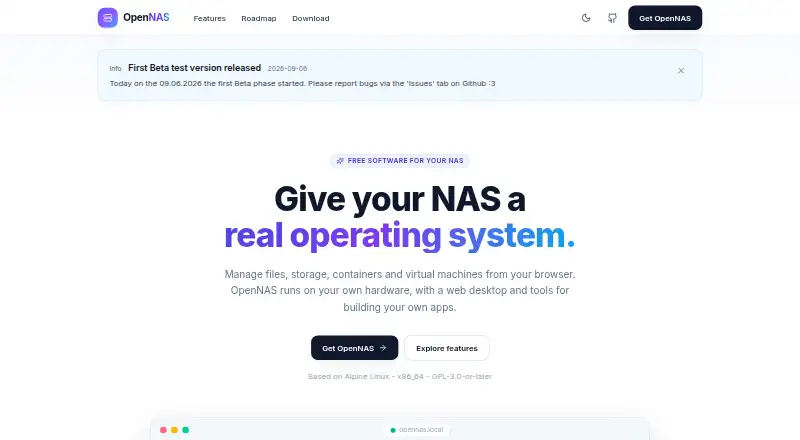
OpenNAS is a free NAS operating system with a browser-based desktop for managing files, storage, Docker containers, and virtual machines on your own hardware. File Station supports transfers, previews for images, video, audio, and several document types, ZIP operations, recycle-bin recovery, and expiring password-protected public links. Storage tools show S.M.A.R.T. health, RAID status, and volume usage, and provide disk initialization and configurable storage for VMs and containers. Container Manager handles Docker containers and images, logs, resource statistics, and docker-compose stacks. Virtual machines use KVM/QEMU, with ISO booting, qcow2 disks, and an in-browser noVNC console. Package Center offers self-hosted services including Jellyfin, Nextcloud, Pi-hole, Vaultwarden, Gitea, Home Assistant, Portainer, and Immich. Sharing supports SMB/CIFS, NFS, and AFP. OpenNAS is based on Alpine Linux, targets x86_64, and is licensed GPL-3.0-or-later. Installation requires compatible 64-bit x86_64 hardware, at least 2 GB RAM, and an 8 GB or larger USB stick. The current download is version 0.9.0-beta.1.
Who it suits
OpenNAS suits self-hosters with compatible x86_64 hardware who want a browser-based way to manage files, storage, containers, and virtual machines. Its app catalog and network sharing features may also suit people running self-hosted services at home or in other environments.
What it does well
- Free and open source.
- Manages Docker containers and KVM/QEMU virtual machines.
- Supports SMB/CIFS, NFS, and AFP.
- Includes a catalog of self-hosted services.
What to know first
- Current download is a beta release.
- Targets x86_64 hardware only.
- Installer requires at least 2 GB RAM.
- Arm64 images are planned or under consideration.
Limits
The free plan is the x86_64 beta installer for self-hosting on your own hardware. The current installer is version 0.9.0-beta.1.
Plans
| Plan | Billed and limits | Price |
|---|---|---|
| Free | Free and open source · x86_64 beta installer · self-hosted on own hardware | Free |
As opennas.eu lists them, read 2 Oct 2026. The maker's own page has the final word.
Getting started
- Use a compatible 64-bit x86_64 desktop, mini PC or server with at least 2 GB RAM.
- Prepare a system disk, optional data disks and an 8 GB or larger USB stick.
- Get the current x86_64 installer, version 0.9.0-beta.1.
- Boot the installer using UEFI or BIOS.
OpenNAS is a self-hosted NAS operating system that combines file sharing, storage administration, Docker, virtual machines and installable services in one web desktop. It is aimed at self-hosters and home-lab operators who want to run several kinds of workloads on their own server. The main attraction is breadth at no software cost; the main qualification is that the current x86_64 installer remains a beta release.
Overview
OpenNAS runs on compatible 64-bit x86_64 hardware and is based on Alpine Linux under the GPL-3.0-or-later license. The web interface brings routine NAS work and more advanced homelab administration together, rather than limiting the machine to file storage. That makes it a strong fit for an owner who wants one appliance for shares, containers, virtual machines and self-hosted applications. It is a less suitable choice for Arm64 systems or deployments that require a mature, settled installer today.
Key features
File Station covers uploads, downloads and previews for images, video, audio, PDF, DOCX, CSV and code files. ZIP operations, recycle-bin recovery and expiring, password-protected public links make it practical for both local housekeeping and controlled outside sharing.
SMB/CIFS, NFS and AFP sharing, Time Machine targets, per-share recycle bins, Avahi discovery and WS-Discovery support mixed networks and Apple backup workflows. Storage administration exposes S.M.A.R.T. health, RAID status and per-volume usage, while disk initialization and configurable storage assignments cover container and virtual-machine workloads. Snapshots and storage pools add useful protection and organization for a server that holds more than a simple shared folder.
Container Manager works with Docker containers and images, imports docker-compose stacks, and displays CPU and memory statistics alongside logs. KVM/QEMU support adds ISO booting, qcow2 disks and an in-browser noVNC console. Together, these features suit a home lab running both packaged services and full guest operating systems; a reader seeking only basic file serving may find the wider platform unnecessary.
Package Center provides one-click deployment for services such as Jellyfin, Nextcloud, Pi-hole, Vaultwarden, Gitea, Home Assistant, Portainer and Immich. The SDK is aimed at publishers as well as users: sandboxed iframe apps can use postMessage, per-app storage, notifications, files and identity, with Ed25519 signing and publisher verification. That gives an app ecosystem a security model, although the roadmap still includes a broader app store and publishing system.
Security and administration are unusually broad for a free NAS platform. WebAuthn passkeys, OIDC single sign-on, role-based administration, signed packages, trusted publishers, an unprivileged backend, decoy routes and automatic IP blocking address different parts of access control. SSH and authorized-key management, log viewing, TLS certificates, SMTP testing, resource monitoring, power controls and an opennas CLI keep common server tasks in the same desktop.
Pricing
| Plan | Price | Includes |
|---|---|---|
| Free | free | Free and open source; x86_64 beta installer; self-hosted on your own hardware |
There is no paid tier or subscription renewal to budget for. The trade-off is operational: hardware, disks and administration remain your responsibility, and the free installer is currently version 0.9.0-beta.1. UEFI and BIOS boot are supported, but the installer requires a compatible x86_64 desktop, mini PC or server, at least 2 GB of RAM, a system disk, optional data disks and an 8 GB-or-larger USB stick.
Platforms
OpenNAS is a Linux-based, self-hosted platform managed through the web. Its current installer targets x86_64 only; Arm64 images are planned, so owners of ARM boards should look elsewhere for now.
Who it's for
Choose OpenNAS if you are a self-hoster building a home server or lab and want shares, Docker, KVM/QEMU guests and a catalog of popular services under one browser interface. It is particularly compelling when you value open-source licensing, passkeys or OIDC, and the ability to extend the system with signed apps. Readers needing commercial support, an established stable release or ARM hardware should consider another platform. Documentation and contribution links are provided through GitHub, with support reachable at [email protected].
Pros and cons
Pros
- Broad workload coverage: file services, storage pools, snapshots, Docker and KVM/QEMU coexist in one administration surface.
- Useful sharing controls: expiring password-protected links, recycle bins and multiple network protocols handle varied household and small-team needs.
- Strong security scope: passkeys, OIDC, roles, signed packages and automatic IP blocking go beyond basic NAS access.
- Ready-made services: one-click options include media, collaboration, password-management, home-automation and development tools.
Cons
- Beta software: version 0.9.0-beta.1 is a risk for production storage where release maturity matters.
- x86_64 restriction: current hardware support excludes ARM systems until planned Arm64 images arrive.
- Self-hosting overhead: you supply the server, disks, backups and ongoing administration; the free price does not remove those obligations.
Alternatives
For a broad directory of options, see NAS Software. Pick ZimaOS instead if you want a freemium product spanning Android, iOS, desktop and web clients, with its free ZimaOS plan including the Zima Client, Thunderbolt support and Developer Mode. TrueNAS is the better-known free-software-download route for any x86 hardware with community support. Choose napp-it for a free noncommercial home plan limited to three servers, or NovaNAS if a Debian 13 base and a 2 GB RAM minimum suit your build. OSNEXUS QuantaStor fits noncommercial, educational or testing deployments up to 80 TB raw capacity and four servers per grid. DPlaneOS is an AGPLv3 option for hardware you own. PetaSAN follows an open-source, self-support model, while TurnKey File Server provides a ready-to-use Debian-based file-server image.
Verdict
OpenNAS is a strong choice for an x86_64 self-hoster who wants one free system for NAS duties, containers, virtual machines and popular self-hosted apps. Its integrated tooling and security controls are the reason to choose it. Look elsewhere if you need Arm64 support or a stable, production-proven release rather than a beta installer.
Verdict
OpenNAS combines NAS administration, container management, virtual machines, and self-hosted apps in a browser-based desktop. It is free, but its current installer is a beta for x86_64 hardware.
Questions
How much does OpenNAS cost?
Its Free plan costs nothing.
Which platforms does it support?
OpenNAS is listed for Linux, self-hosted use and web access. It targets x86_64 hardware.
Is OpenNAS open source?
Yes. It is licensed GPL-3.0-or-later and is based on Alpine Linux.
What hardware does installation require?
The installer requires a compatible 64-bit x86_64 computer, at least 2 GB RAM, a system disk and an 8 GB or larger USB stick. Data disks are optional.
What file-sharing protocols are supported?
OpenNAS supports SMB/CIFS, NFS and AFP, with Time Machine targets.
Facts from OpenNAS's own pages
- App development
- The SDK supports sandboxed iframe apps with postMessage capabilities, per-app storage, notifications, files and identity, plus Ed25519 signing and publisher verification. · opennas.eu, 2 Oct 2026
- Audience and support
- The project describes itself as made for self-hosters, provides GitHub documentation and contribution links, and lists [email protected]. · github.com, 2 Oct 2026
- Authentication
- Security features include WebAuthn passkeys, OIDC single sign-on, admin and user roles, signed packages, trusted publishers, an unprivileged backend, decoy routes and automatic IP blocking. · opennas.eu, 2 Oct 2026
- Containers
- Container Manager manages Docker containers and images, streams CPU and memory statistics and logs, and imports docker-compose stacks. · opennas.eu, 2 Oct 2026
- File management
- File Station supports uploads, downloads, previews for images, video, audio, PDF, DOCX, CSV and code, ZIP operations, recycle-bin restoration, and expiring password-protected public links. · opennas.eu, 2 Oct 2026
- Hardware requirements
- The installer requires a compatible 64-bit x86_64 desktop, mini PC or server, at least 2 GB RAM, a system disk plus optional data disks, and an 8 GB or larger USB stick. · opennas.eu, 2 Oct 2026
- Included apps
- Package Center offers one-click self-hosted services including Jellyfin, Nextcloud, Pi-hole, Vaultwarden, Gitea, Home Assistant, Portainer and Immich. · opennas.eu, 2 Oct 2026
- Installation limit
- The current download is version 0.9.0-beta.1 for x86_64, and both UEFI and BIOS boot are supported. · opennas.eu, 2 Oct 2026
- License
- OpenNAS is based on Alpine Linux, targets x86_64, and is licensed GPL-3.0-or-later. · opennas.eu, 2 Oct 2026
- Network protocols
- File sharing supports SMB/CIFS, NFS and AFP, with Time Machine targets, per-share recycle bins, Avahi discovery and WS-Discovery. · opennas.eu, 2 Oct 2026
- Purpose
- OpenNAS is a free NAS operating system with a browser-based web desktop for files, storage, containers and virtual machines. · opennas.eu, 2 Oct 2026
- Roadmap
- Arm64 images, LDAP integration, an app store and publishing, PCIe/GPU passthrough, more translations and other additions are planned or under consideration. · opennas.eu, 2 Oct 2026
- Storage
- Storage features include S.M.A.R.T. health monitoring, RAID status, per-volume usage bars, disk initialization and configurable storage for VMs and containers. · opennas.eu, 2 Oct 2026
- System administration
- The web desktop provides SSH and authorized-key management, SMTP test sending, log viewing, TLS certificate management, an opennas CLI, resource monitoring and power controls. · opennas.eu, 2 Oct 2026
- Virtual machines
- OpenNAS provides KVM/QEMU virtual machines with ISO booting, qcow2 disks and an in-browser noVNC console. · opennas.eu, 2 Oct 2026
Where OpenNAS stands on Freedom251
- NAS Software#8 of 21