NovaNAS
What NovaNAS is
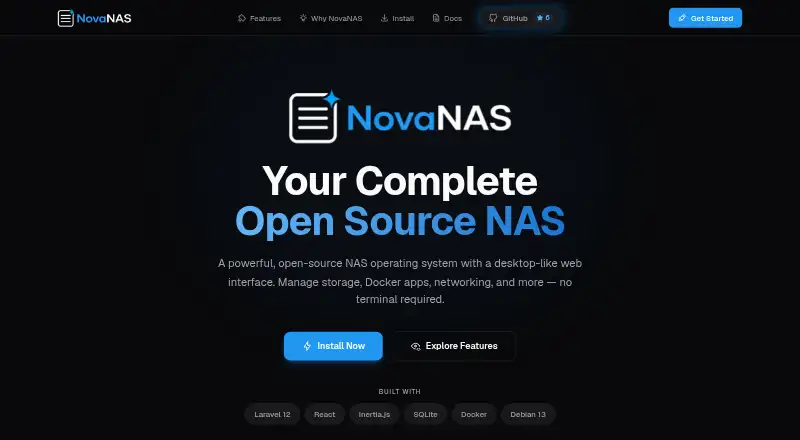
NovaNAS is a free, open-source NAS operating system managed through a desktop-like web interface. Its browser file manager supports browsing, uploads, downloads, and previews, while storage options include ZFS, EXT4, RAID management, and SMB/CIFS and NFS shared folders with access controls. A community app store offers one-click Docker app deployment, including Plex, Nextcloud, and Pi-hole. The project describes automated backups to external drives or cloud storage, as well as backups between NovaNAS systems using API key authentication. Network and security features include UFW firewall management, DynDNS, automatic Let's Encrypt certificates, and WebAuthn/FIDO2 passkey login. A monitoring view covers CPU, memory, disk, and network activity in real time. NovaNAS currently supports Debian 13 only; the installer is intended for a fresh system, not an existing one. Minimum requirements are 2 GB RAM, a 1-core CPU, and a 20 GB system drive, plus data drives. Virtualization, historical monitoring, and scheduled tasks are listed as coming soon.
Who it suits
NovaNAS is for people setting up DIY hardware or home and small-business storage who can use a fresh Debian 13 system. It may suit users looking for browser-managed storage, Docker apps, and backup options.
What it does well
- Free and open source.
- Supports ZFS, EXT4, and RAID management.
- One-click Docker app deployment from a community store.
- Automated backups include external, cloud, and NovaNAS destinations.
- Provides real-time system resource monitoring.
What to know first
- Debian 13 is the only supported operating system.
- Installation is intended for a fresh system.
- Requires at least 2 GB RAM and a 20 GB system drive.
- Virtualization and scheduled tasks are not yet available.
Limits
NovaNAS is free, with no trial required. Its current platform is limited to Debian 13; installation is for a fresh system, and role-based permissions are not yet available. Virtualization, historical resource monitoring, and scheduled tasks are listed as coming soon.
Plans
| Plan | Billed and limits | Price |
|---|---|---|
| NovaNAS | Open-source NAS operating system; requires Debian 13; minimum 2GB RAM, 1-core CPU, and 20GB system drive plus data drives | Free |
As novanas.org lists them, read 4 Oct 2026. The maker's own page has the final word.
Getting started
- Prepare a fresh Debian 13 system with at least 2 GB RAM, a 1-core CPU, and a 20 GB system drive, plus data drives.
- Visit the NovaNAS website for the project and installation information.
- Install NovaNAS on the fresh system.
- Manage the NAS through its desktop-like web interface.
NovaNAS is a free, open-source NAS operating system for people building storage on dedicated hardware. It suits technically minded home users and small businesses that want storage and Docker apps managed in a browser. Its strongest case is the breadth of NAS tools in one interface; its Debian-only, fresh-install setup is a hard boundary.
Overview
NovaNAS brings file access, storage administration and app deployment together in a desktop-like web interface. Support for ZFS and EXT4, RAID management, and SMB/CIFS and NFS shares gives it a substantial base for a home or small-business NAS.
Installation requires a fresh Debian 13 system; the installer is not intended for an existing system, and Debian 13 is the only supported operating system. That makes NovaNAS a poor fit for users who need to preserve a current server or install on a different platform. The stated minimum is 2 GB of RAM, a one-core CPU and a 20 GB system drive, in addition to data drives.
Key features
Files, storage and apps
The browser-based file manager supports browsing, uploading, downloading and previewing files. SMB/CIFS and NFS shares include access controls, while ZFS, EXT4 and RAID management cover common storage needs. User management is present, but permissions are currently limited to administrators; role-based permissions are coming soon. That limits its suitability for households or small teams that need distinct access levels.
The community app store provides one-click deployment of Docker applications such as Plex, Nextcloud and Pi-hole. This is useful for users who want to run common services alongside file storage without deploying each app separately. Virtual machines are not supported, and virtualization support is still coming soon.
Backups, security and monitoring
NovaNAS supports automated backups to external drives or cloud storage, plus network backups between NovaNAS systems using API key authentication. Those options help users build a backup routine around removable or remote destinations, though the platform's backup features do not replace a considered recovery plan.
Security and network tools include UFW firewall management, DynDNS, automatic Let's Encrypt certificates, and passwordless WebAuthn/FIDO2 passkey login. Real-time CPU, memory, disk and network monitoring helps administrators keep an eye on system activity. Historical monitoring and scheduled tasks are listed as coming soon, so users who need those capabilities now should look elsewhere.
Pricing
NovaNAS: free. The plan is a free, open-source NAS operating system, with no free trial because the software is already free. It requires Debian 13, at least 2 GB RAM, a one-core CPU and a 20 GB system drive, plus data drives. There are no paid tiers or plan-based feature limits described; the practical cost is providing compatible hardware and dedicating a fresh system to the installation.
Platforms
NovaNAS is available for Linux, self-hosted use and web access, with an API platform also listed. In practice, its operating-system support is currently limited to Debian 13, so the broader platform labels should not be read as support for other Linux distributions.
Who it's for
NovaNAS is aimed at DIY users setting up serious home or small-business storage who can dedicate hardware to Debian 13 and want storage, backups, monitoring and Docker applications in one web interface. It is less suitable for administrators who need multiple supported operating systems, virtual machines, or role-based access controls today.
Pros and cons
Pros
- Broad NAS essentials: ZFS and EXT4, RAID management, and SMB/CIFS and NFS sharing cover storage and file access in one system.
- Apps alongside storage: One-click Docker deployment includes familiar options such as Plex, Nextcloud and Pi-hole.
- Flexible backup destinations: Automated backups can target external drives or cloud storage, with API-key-authenticated backups between NovaNAS systems.
- No software charge: The operating system is free and open source, without separate pricing tiers.
Cons
- Fresh Debian 13 install required: It cannot be casually added to an existing system, and no other operating system is supported.
- Admin-only permissions for now: Role-based access is still forthcoming, limiting use where different users need different rights.
- No virtual machines: Virtualization support is coming soon, so it cannot serve as a VM host today.
- Some administration tools remain forthcoming: Historical resource monitoring and scheduled tasks are not yet available.
Alternatives
Choose ZimaOS if you want a free plan with a broader range of listed platforms, including Android, iOS, macOS and Windows as well as Linux and self-hosting. TrueNAS is another free community option, with a download for any x86 hardware and community support.
napp-it offers a free home-use plan capped at three servers, with no capacity limit and no support; it may suit noncommercial users comfortable with that server cap. OSNEXUS QuantaStor has a free Community Edition capped at 80 TB raw capacity and four servers per storage grid, for non-commercial, educational and testing use.
DPlaneOS is a free AGPLv3 community option for hardware you own. OpenNAS offers a free, open-source x86_64 beta installer for self-hosted hardware. PetaSAN is a free, open-source storage platform with a self-support model. TurnKey File Server comes from a project that provides ready-to-use Debian-based system images built from free software components.
For more options, browse NAS Software.
Verdict
NovaNAS is a compelling free choice for DIY users who can dedicate a fresh Debian 13 machine to home or small-business storage. Its combination of storage management, Docker apps, backups and security tools is a strong reason to choose it. Look elsewhere if you need to preserve an existing installation, run another operating system, host virtual machines or manage differentiated user permissions now.
Verdict
NovaNAS brings storage management, app deployment, backups, and monitoring into a web interface. Its current Debian 13 and fresh-install requirements are important constraints to check before setup.
Questions
How much does NovaNAS cost?
The NovaNAS plan is free. The project describes the software as completely free and open source.
Which operating system does NovaNAS support?
Debian 13 is currently the only supported operating system. The installer is intended for a fresh Debian 13 system.
What hardware does it require?
The minimums are 2 GB RAM, a 1-core CPU, and a 20 GB system drive, plus data drives.
Can NovaNAS deploy applications?
Yes. Its community app store supports one-click deployment of Docker applications, including Plex, Nextcloud, and Pi-hole.
Does NovaNAS support virtual machines?
No. Virtualization support is listed as coming soon.
Where can users get support?
The project points users to its documentation and GitHub Issues for support and bug reports.
Facts from NovaNAS's own pages
- Apps
- The community app store offers one-click deployment of Docker apps, including Plex, Nextcloud, and Pi-hole. · novanas.org, 4 Oct 2026
- Audience
- The site describes NovaNAS as a free, open-source option for DIY hardware and serious home or small-business storage. · novanas.org, 4 Oct 2026
- Authentication
- The project README lists passwordless WebAuthn/FIDO2 passkey authentication. · github.com, 4 Oct 2026
- Backup
- The README describes automated backups to external drives or cloud storage and NovaNAS-to-NovaNAS backups using API key authentication. · github.com, 3 Oct 2026
- Backups
- The project README describes automated backup to external drives or cloud storage and NovaNAS-to-NovaNAS network backup using API key authentication. · github.com, 4 Oct 2026
- Coming soon
- Virtualization support and scheduled tasks are listed as coming soon on the site. · novanas.org, 4 Oct 2026
- File management
- Its web file manager supports browsing, uploading, downloading, and previewing files. · novanas.org, 4 Oct 2026
- File sharing
- NovaNAS supports SMB/CIFS and NFS sharing with access controls. · github.com, 3 Oct 2026
- Installation limit
- The installer is intended for a fresh Debian 13 system and the site says not to run it on an existing system. · novanas.org, 4 Oct 2026
- Monitoring
- The site describes real-time CPU, memory, disk, and network monitoring; historical monitoring and alerting are marked coming soon. · novanas.org, 4 Oct 2026
- Network and security
- Listed features include UFW firewall management, DynDNS, automatic Let's Encrypt certificates, and WebAuthn/FIDO2 passkey login. · github.com, 3 Oct 2026
- Platform limit
- The README says Debian 13 is currently the only supported operating system. · github.com, 3 Oct 2026
- Price
- The site describes NovaNAS as completely free and open source. · novanas.org, 3 Oct 2026
- Product
- NovaNAS is an open-source NAS operating system managed through a desktop-like web interface. · novanas.org, 4 Oct 2026
- Purpose
- NovaNAS is an open-source NAS operating system managed through a desktop-like web interface. · novanas.org, 3 Oct 2026
- Security
- The site lists UFW firewall controls, DynDNS, and automatic Let's Encrypt SSL/TLS certificate management. · novanas.org, 4 Oct 2026
- Storage
- NovaNAS supports ZFS and EXT4 pools, RAID management, and SMB/CIFS and NFS shared folders. · novanas.org, 4 Oct 2026
- Support
- The README points users to documentation and GitHub Issues for support and bug reports. · github.com, 3 Oct 2026
- Support and permissions
- The project README says role-based user permissions are coming soon and currently limited to admins; it lists documentation and GitHub issues for support. · github.com, 4 Oct 2026
- System requirements
- The installer is designed for a fresh Debian 13 system with at least 2 GB RAM, a 1-core CPU, and a 20 GB system drive. · novanas.org, 3 Oct 2026
Where NovaNAS stands on Freedom251
- NAS Software#4 of 21