Freedom251 › Invoice Processing Software
OpenInvoice
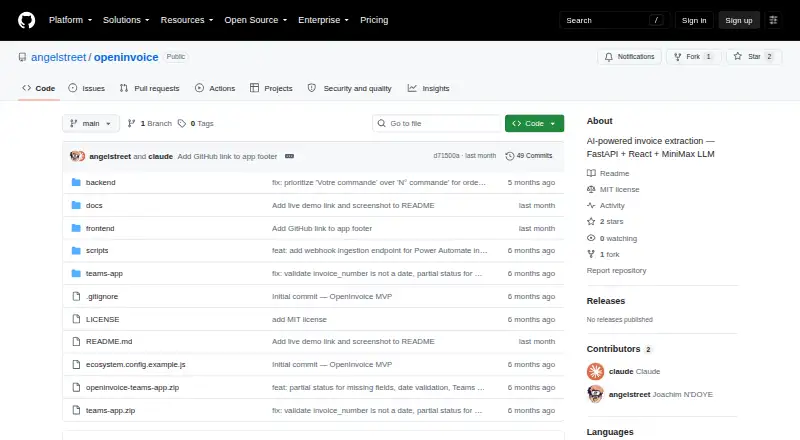
What OpenInvoice is
OpenInvoice extracts structured information from PDF and image invoices for review and export. It identifies supplier and client details, invoice number and date, totals, tax, currency, SIRET, VAT and client numbers, and line items. Users can compare the extracted fields with the original document, correct them, and export data as CSV or JSON. Its processing sequence tries regex patterns and invoice2data templates, then uses a MiniMax M2.7 language-model fallback when required fields are missing. The project lists English, French, German, and Swiss invoice formats, alongside more than 190 vendor-specific templates. A dashboard tracks volume, success rates, supplier distribution, and LLM costs. The API supports extraction, webhook ingestion, document management, CSV export, dashboard statistics, and quality metrics. Typical integrations include Microsoft Teams, Outlook or email through Power Automate, OneDrive or SharePoint, and webhooks. The code is free and open source; deployment, integration, and ongoing support are paid services. The quick start lists Python 3.11+, Node.js 18+, Tesseract OCR, and poppler-utils as prerequisites.
Who it suits
OpenInvoice suits organizations that need invoice data extracted for review, correction, and export, especially those planning to connect it with accounting, ERP, Microsoft 365, or email workflows. It can be deployed on a customer's infrastructure.
What it does well
- Extracts invoice fields including line items
- Review and correction alongside the original document
- Exports CSV and JSON
- Lists more than 190 vendor-specific templates
- API includes webhook ingestion and quality metrics
What to know first
- Quick start requires Python 3.11+ and Node.js 18+
- Tesseract OCR and poppler-utils are prerequisites
- Deployment, integration, and ongoing support are paid services
Limits
The code is free and open source, while deployment, integration, and ongoing support are paid services. The MiniMax M2.7 fallback is estimated at about $0.001 per invoice; most invoices are said to resolve through earlier processing layers without LLM cost.
Plans
| Plan | Billed and limits | Price |
|---|---|---|
| OpenInvoice | Free and open source code; paid deployment, integration, and ongoing support are offered as a B2B service | Free |
As github.com lists them, read 9 Oct 2026. The maker's own page has the final word.
Getting started
- Visit the OpenInvoice GitHub website.
- Prepare Python 3.11 or later, Node.js 18 or later, Tesseract OCR, and poppler-utils.
- Choose SQLite, the default database, or PostgreSQL.
- Optionally configure Clerk authentication.
- Deploy on your own infrastructure and connect your invoice sources or integrations.
OpenInvoice is open-source software for turning invoice PDFs and images into structured records. It suits organisations that can run software themselves and need a reviewable workflow connected to internal systems. Its strongest case is controlled, custom invoice processing rather than a turnkey hosted service.
Overview
The application extracts supplier, client, invoice number, date, total, tax, currency, SIRET, VAT number, client number and line items. Staff can compare the captured values with the original document, correct mistakes and export the result as CSV or JSON. That verification step is valuable where an incorrect amount or tax identifier would create downstream accounting work.
OpenInvoice is offered as an API, web application and self-hosted project. The maker describes deployments on customer infrastructure and integrations with ERP, accounting, Microsoft 365 and email-ingestion systems. Clerk authentication is optional; SQLite is the default database, with PostgreSQL available as an option. Running it requires Python 3.11 or newer, Node.js 18 or newer, Tesseract OCR and poppler-utils, so it is better suited to a technical team than to a business seeking an immediate SaaS setup.
Key features
Layered extraction
Processing starts with regex patterns and invoice2data templates, then uses a MiniMax M2.7 LLM fallback when required fields are still missing. The staged design can keep routine invoices away from the model; the maker estimates fallback use at about $0.001 per invoice. That can control variable AI spend, although model-based processing remains an additional operational dependency.
Formats, review and exports
English, French, German and Swiss invoice formats are listed alongside more than 190 vendor-specific templates. Users can correct fields beside the source document before exporting CSV or JSON, making the system practical for exception handling rather than blind OCR. Line-item capture is included, which helps when invoice totals alone are insufficient for accounting or purchasing workflows.
Monitoring and integration
The dashboard records processing volume, success rates, supplier distribution and LLM costs. API endpoints cover extraction, webhook ingestion, document management, CSV export, dashboard statistics and quality metrics. Typical connections include Microsoft Teams, Outlook or email through Power Automate, OneDrive or SharePoint, and direct webhooks. These options support automation around an existing Microsoft or finance stack, but designing and maintaining those connections may require engineering work.
Pricing
OpenInvoice — free. The code is free and open source. Deployment, integration and ongoing business support are paid services, so the zero software price does not represent a managed implementation or a guaranteed support arrangement. There are no published seat, document or usage caps for the free code plan; infrastructure and any paid services remain your responsibility.
Platforms
OpenInvoice runs as a web application, exposes an API and can be self-hosted. The stated prerequisites make Linux-style server administration and a maintained OCR/runtime stack part of the deployment decision, even though users access the finished workflow through the web interface or API.
Who it's for
Choose it when you need invoice fields and line items extracted into systems you control, want staff to verify exceptions, or need webhook and API integration with ERP, accounting or Microsoft 365 workflows. It is also a fit for teams that value open-source code and can budget separately for deployment and support.
Look elsewhere if you want a fully managed service with a simple consumption bill, minimal infrastructure work or a clearly packaged support plan. The runtime prerequisites and integration responsibilities make OpenInvoice a poor match for teams without software operations capacity.
Pros and cons
- Pros: Free, open-source code can be deployed on your infrastructure; review and correction occur beside the original invoice; extraction includes line items and regional identifiers; API, webhooks, exports and quality metrics support custom workflows; layered processing can avoid LLM charges for invoices resolved by templates and patterns.
- Cons: Deployment requires Python, Node.js, OCR and PDF tooling; paid deployment, integration and continuing support are separate from the free code; self-hosting leaves infrastructure and maintenance with your organisation; LLM fallback introduces a variable processing cost when earlier layers fail.
Alternatives
Invoice Processing Software is the broader category to compare when OpenInvoice's self-hosted model is not the right fit.
Veryfi Invoices OCR API is a better choice for a hosted, multi-platform API with Android and iOS support, though its Starter plan requires a $500 monthly minimum commitment.
invoice2data suits users wanting free, self-hosted extraction with no paid tiers or stated usage limits, but without OpenInvoice's combined review dashboard and workflow scope.
Gemina Invoice OCR API fits API-only usage with a free-forever starter allowance and low-cost paid tiers.
Invofox is worth choosing when a hosted or self-hosted service with a 500-page free tier and pre-trained document models is preferable.
Nanonets Invoice OCR is an option for teams seeking a managed API with email integration and a credit-based starter offer.
Parseur is suited to email-centric parsing and a small free allowance of 20 pages per month for one user.
ABBYY FlexiCapture for Invoices is the alternative to consider when an enterprise vendor-led deployment is preferred.
AppZen is another paid, enterprise subscription option with fees set by services agreement.
Verdict
OpenInvoice is a strong choice for technically capable teams that want open-source invoice extraction, human verification and an API they can connect to their own systems. Its main reason to look elsewhere is the operational burden: deployment, integration and ongoing support are paid services, while self-hosting prerequisites and maintenance remain part of the job.
Verdict
OpenInvoice combines invoice extraction with review, exports, API access, and dashboard metrics. The code is free and open source, while deployment and continued business support are paid services.
Questions
Is OpenInvoice free?
The OpenInvoice plan is listed as free, and the code is free and open source. Deployment, integration, and ongoing support are offered as paid services.
What invoice information can it extract?
Fields include supplier and client details, invoice number and date, total, tax, currency, SIRET, VAT number, client number, and line items.
Can I review and export extracted data?
Yes. Users can review and correct extracted fields alongside the original document, then export data to CSV or JSON.
What integrations are listed?
Typical integrations include Microsoft Teams, Outlook or email via Power Automate, OneDrive or SharePoint, and webhook ingestion.
What does the API support?
The documented API supports invoice extraction, webhook ingestion, document management, CSV export, and dashboard statistics and quality metrics.
What does the quick start require?
It lists Python 3.11 or later, Node.js 18 or later, Tesseract OCR, and poppler-utils as prerequisites.
Facts from OpenInvoice's own pages
- API
- The documented API supports invoice extraction, webhook ingestion, document management, CSV export, and dashboard statistics and quality metrics. · github.com, 9 Oct 2026
- Authentication and database
- Clerk authentication is optional and the project lists SQLite as the default database with PostgreSQL as an option. · github.com, 9 Oct 2026
- Dashboard
- The dashboard tracks volume, success rates, supplier distribution, and LLM costs. · github.com, 9 Oct 2026
- Deployment
- The maker describes deploying OpenInvoice on a customer's infrastructure and integrating it with ERP, accounting, Microsoft 365, and email ingestion systems. · github.com, 9 Oct 2026
- Extracted fields
- It extracts supplier, client, invoice number, date, total, tax, currency, SIRET, VAT number, client number, and line items. · github.com, 9 Oct 2026
- Integrations
- Typical integrations listed are Microsoft Teams, Outlook or email via Power Automate, OneDrive or SharePoint, and webhook ingestion. · github.com, 9 Oct 2026
- Languages and templates
- It lists English, French, German, and Swiss invoice formats, plus more than 190 vendor-specific templates. · github.com, 9 Oct 2026
- License and support
- The code is described as free and open source, while deployment, integration, and ongoing support are offered as paid services; inquiries go to [email protected]. · github.com, 9 Oct 2026
- LLM cost
- The README estimates the MiniMax LLM fallback at about $0.001 per invoice and says most invoices resolve through earlier layers with no LLM cost. · github.com, 9 Oct 2026
- Processing pipeline
- Extraction cascades through regex patterns, invoice2data templates, and a MiniMax M2.7 LLM fallback when required fields are missing. · github.com, 9 Oct 2026
- Purpose
- OpenInvoice extracts structured data from PDF or image invoices. · github.com, 9 Oct 2026
- Review and export
- Users can review and correct extracted fields alongside the original document and export data to CSV or JSON. · github.com, 9 Oct 2026
- Runtime requirements
- The quick start lists Python 3.11+, Node.js 18+, Tesseract OCR, and poppler-utils as prerequisites. · github.com, 9 Oct 2026
Where OpenInvoice stands on Freedom251
- Invoice Processing Software#8 of 30
- NES Emulators#15 of 26