Freedom251 › Document Management Software

OpenDocMan
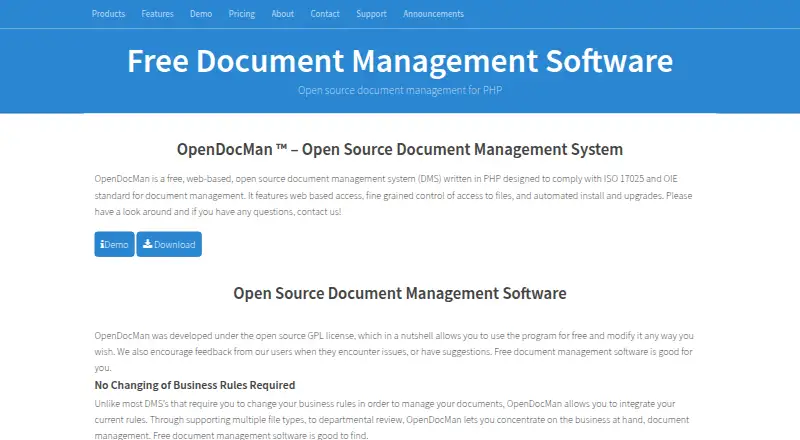
What OpenDocMan is
OpenDocMan is a web-based document management system that companies can use to organize files and manage review workflows. It is written in PHP, GPL-licensed, and designed to support ISO 17025 document-management requirements. Users can upload files through a browser, attach metadata and custom properties, sort them by department or category, lock them while editing, and consult revision history. Review tools cover scheduled document checks and expiration, reviewer approval or rejection, and email notices around the review process. Search can filter by author, department, or category, or query metadata, filenames, and comments without external indexing. Administrators can set per-file and departmental access, assign among three user roles, and set a maximum upload size. OpenDocMan stores files on the web server where it runs; listed requirements include PHP 8.2 and MySQL 8+ or MariaDB 10.0+, with an automatic installer and updater. The free Community plan is self-installed and allows unlimited users. The project serves audiences from individuals and small organizations to public institutions and large companies.
Who it suits
It suits organizations that need browser-based document storage, review workflows, revision history, and granular access controls. The project describes users ranging from individuals and small businesses to nonprofits, schools, government agencies, and large companies.
What it does well
- Free Community plan allows unlimited users
- Supports custom metadata and revision history
- Automates review, approval, and expiration workflows
- Searches metadata without external indexing
- Offers per-file and departmental access controls
What to know first
- Requires a web server and PHP database environment
- Maximum upload size may require PHP server changes
- Some listed extensions are paid
Plans
| Plan | Billed and limits | Price |
|---|---|---|
| OpenDocMan Community | On-premises · Self-installed · Unlimited users · File locking · Custom metadata | Free |
| OpenDocMan Enterprise | Annual subscription · On-premises · Automated installation · Unlimited users · File locking · Custom metadata · Easy updates | On request |
As opendocman.com lists them, read 11 Oct 2026. The maker's own page has the final word.
Getting started
- Visit https://www.opendocman.com/ and get the Community edition.
- Prepare a web server with PHP 8.2 and MySQL 8+ or MariaDB 10.0+.
- Install OpenDocMan on the server; the feature list includes an automatic installer and updater.
- Upload documents through a browser and organize them with metadata, departments, or categories.
- Set access controls, user roles, and any administrator file-size limit.
OpenDocMan is a free, open-source document management system for organizations that want browser-based control over files and review processes. It is best suited to teams able to run and maintain a PHP web server and database. Its unlimited-user Community plan is compelling, but the self-hosted setup and server-side upload requirements make it less suitable for buyers seeking a managed service.
Overview
Written in PHP and released under the GPL, OpenDocMan is designed to help organizations meet ISO 17025 document-management requirements. It stores files on the web server where it runs, so the organization keeps its documents on its own infrastructure rather than relying on a hosted file service. That control comes with operational responsibility: deployment requires a compatible web server, PHP, and MySQL or MariaDB.
The project describes an audience ranging from individuals and small businesses to nonprofits, educational institutions, government agencies, and large enterprises. Its current stable release is version 2.10.0, dated 08/31/2026.
Key features
Document control and review
Users can upload any file type through a browser, attach metadata and custom properties, organize documents by department or category, lock files while editing, and track revision history. Together, these tools support controlled document handling without limiting teams to a particular file format. Locking and revision history are especially useful where edits need to be coordinated and prior versions retained.
Automated review workflows can route documents for approval or rejection, manage file expiration, and send email notifications before and after review. That makes OpenDocMan a stronger fit for organizations with recurring document-control steps than a basic shared folder, though the information available does not establish how configurable those workflows are.
Search and permissions
Users can browse by author, department, or category, or search across metadata, filenames, comments, and those same organizational fields. Search works without external indexing, keeping the system's search function within its own deployment.
Per-file and departmental access controls, three user roles, and URL-parameter obfuscation provide several layers of access management. The granular controls are useful when teams need to restrict documents by person or department; organizations should still assess whether the available roles match their permission model.
Deployment and extensions
The feature page specifies PHP 8.2, MySQL 8+ or MariaDB 10.0+, and an automatic installer and updater. The FAQ also says the system can run on Linux, Unix, Windows, or Mac systems capable of running PHP, MySQL, and a web server, with installations reported on both IIS and Apache. Administrators can set OpenDocMan's maximum upload size, but larger uploads may also require changes to PHP server settings. This gives administrators control over limits, but means upload capacity is not determined by the application setting alone.
Community forum support is available, with paid support for organizations that need professional help. Listed plug-ins include a free HelloWorld example and paid extensions for tasks such as individual file expiration, export, and user import; the plug-in page says these extensions work with OpenDocMan 1.2.6 and later.
Pricing
| Plan | Price | What it includes |
|---|---|---|
| OpenDocMan Community | free | On-premises, self-installed deployment; unlimited users; file locking; custom metadata |
| OpenDocMan Enterprise | Custom pricing; billed Annual subscription | On-premises deployment; automated installation; unlimited users; file locking; custom metadata; easy updates |
Community is the clear starting point for teams that can install and maintain the software themselves: there is no user cap, and the plan includes core document controls. Enterprise keeps the unlimited-user allowance and adds automated installation and easy updates, which may suit organizations that want a more supported deployment. Its annual subscription price is custom, and the Enterprise Suite includes one year of professional support with an option to extend. Neither plan is described as hosted.
Platforms
OpenDocMan is listed for Linux, macOS, Windows, web, and self-hosted use. Those operating-system options describe where a compatible server environment may run; the application itself is web-based and depends on PHP, a web server, and MySQL or MariaDB.
Who it's for
Choose OpenDocMan if your organization needs document review, expiration handling, revision history, and detailed file access controls without paying per user—and has the technical capacity to operate its own server. Its stated ISO 17025 focus may also make it relevant to teams working with that standard's document-management requirements.
Look elsewhere if you need a managed cloud service, or if server configuration and maintenance are not acceptable parts of the purchase. Organizations that routinely handle large files should account for the possibility of adjusting PHP upload settings as well as the application's own file-size limit.
Pros and cons
Pros
- Unlimited users on the free plan: Community does not impose a seat cap, making it practical to extend access across departments without per-user charges.
- Document-control tools in one system: File locking, revision history, metadata, approvals, and expiration workflows address more than storage alone.
- Search without external indexing: Teams can search across document properties and comments without deploying a separate indexing service.
- Self-hosted control: Files are stored on the local server, giving organizations control over their own deployment and storage environment.
Cons
- Requires technical ownership: The organization must provide and maintain a compatible web server, PHP, and database environment.
- Large uploads may need server changes: Raising the application limit alone may not be enough; PHP settings can also constrain uploads.
- Enterprise pricing is custom: Buyers cannot compare its annual cost with Community before requesting pricing.
- Some extensions are paid: Organizations needing functions such as export or user import may face additional costs.
Alternatives
Compare document management software if you want to survey the broader category before settling on a self-hosted system.
- Group-Office is worth considering if mobile access matters: it lists Android and iOS support alongside self-hosted and desktop platforms. Its Community plan is free for unlimited users, while Professional is €439 a month.
- LogicalDOC may fit teams that need API access: its free Community plan includes SOAP and REST APIs, advanced search, a web UI, and basic access control.
- OpenKM is another freemium document-management option with a free plan and free trial.
- Invenio is a free open-source alternative for organizations looking for software available across API, Linux, macOS, self-hosted, and web environments.
- SeedDMS is a free option whose stated plan has no user or document limits.
- Transkribus is another freemium choice, with a free plan based on 50 credits.
- FlinkISO may suit teams seeking a broader on-premises QMS: its free plan covers all QMS modules and unlimited concurrent users.
- EPrints is a free, open-source option for organizations able to self-install on a suitable Linux-based server.
Verdict
OpenDocMan is a strong choice for organizations that need structured document reviews and granular access controls without a per-user bill, and can manage their own PHP-based deployment. Its free unlimited-user plan is the main reason to choose it; the server requirements, upload configuration, and lack of a published Enterprise price are reasons to look elsewhere if you want a turnkey or easily budgeted service.
Verdict
OpenDocMan combines file organization, review workflows, and access controls in a self-hosted system with a free unlimited-user plan. Setup depends on a compatible web server and database environment, and upload limits can require server configuration.
Questions
Is OpenDocMan open source?
Yes. The project is GPL-licensed.
What does the Community plan cost?
OpenDocMan Community is listed as free.
What is included in the Community plan?
It is on-premises and self-installed, with unlimited users, file locking, and custom metadata.
What server environment does it require?
The listed environment includes PHP 8.2 and MySQL 8+ or MariaDB 10.0+. Files are stored locally on the web server.
Can administrators control upload size?
Yes. Administrators can set a maximum file size. Larger uploads may also require PHP server-setting changes.
What support is available?
The maker lists community forum support and paid support. Enterprise Suite includes one year of professional support, with an option to extend.
Facts from OpenDocMan's own pages
- Access controls
- Listed security features include per-file user and departmental access controls, three user roles, and URL-parameter obfuscation. · opendocman.com, 11 Oct 2026
- Current release
- The download page lists version 2.10.0, dated 08/31/2026, as the latest stable version. · opendocman.com, 11 Oct 2026
- Deployment
- OpenDocMan runs on a web server and stores files locally on that server; its feature page lists PHP 8.2, MySQL 8+ or MariaDB 10.0+, and an automatic installer and updater. · opendocman.com, 11 Oct 2026
- File management
- Users can upload any file type through a browser, add metadata and custom document properties, assign departments or categories, lock files during editing, and view revision history. · opendocman.com, 11 Oct 2026
- File size limit
- Administrators can set an OpenDocMan maximum file size, and larger uploads may also require changing PHP server settings. · opendocman.com, 11 Oct 2026
- Headquarters
- Galt, California, USA · opendocman.com, 28 Sept 2026
- Integrations and extensions
- The maker lists plug-ins including a free HelloWorld example and paid extensions for individual file expiration, export, user import, and other tasks; the page says its plug-ins are for OpenDocMan 1.2.6 and later. · opendocman.com, 11 Oct 2026
- License and audience
- The project is GPL-licensed and describes users ranging from individuals and small businesses to nonprofits, educational institutions, government agencies, and Fortune 500 companies. · opendocman.com, 11 Oct 2026
- Purpose
- OpenDocMan is a free, web-based, open-source document management system written in PHP and designed to help companies meet ISO 17025 document-management requirements. · opendocman.com, 11 Oct 2026
- Search
- Search supports browsing by author, department, or category and full searches across metadata, author, department, category, filename, and comments without external indexing. · opendocman.com, 11 Oct 2026
- Support
- The maker lists community forum support and paid support; its Enterprise Suite page says the service includes one year of professional support, with the option to extend. · opendocman.com, 11 Oct 2026
- Supported environments
- The FAQ says it can run on Linux, Unix, Windows, or Mac systems that can run PHP, MySQL, and a web server, and notes successful installations on IIS as well as Apache. · opendocman.com, 11 Oct 2026
- Workflow
- The system supports automated document review and file expiration, reviewer approval or rejection, and email notifications before and after review. · opendocman.com, 11 Oct 2026
Where OpenDocMan stands on Freedom251
- Document Management Software#9 of 63