Freedom251 › Receipt Management Software
Open Receipt OCR
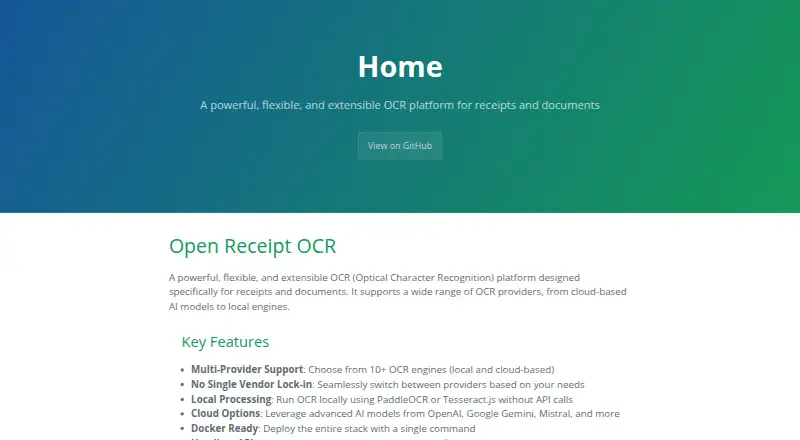
What Open Receipt OCR is
Open Receipt OCR is a free, open-source platform for extracting text from receipts and other documents. Users upload a receipt image, select an OCR provider, view the extracted text, and copy or download the result. It supports more than 10 local and cloud OCR engines, including PaddleOCR, Tesseract.js, Gemini, OpenAI, Mistral, and AWS Textract. PaddleOCR Local and Tesseract.js can process files without API calls. Vision models can also run locally through llama.cpp, which requires a separate llama-server.
A REST API supports file uploads, checking job status and results, listing jobs, and deleting jobs or files. Uploaded files can be stored locally or in OneDrive through Microsoft Graph. Secrets can be read from environment variables or managed through Infisical. The documented setup requires Node.js 18 or higher and Redis; Docker and Docker Compose are optional for containerized deployment. The API does not currently require authentication, and the documentation recommends adding API key authentication for production deployments. Rate limiting and webhooks are not implemented, so the documentation recommends polling for job status. Support is available through GitHub Issues and the project documentation.
Who it suits
Open Receipt OCR suits people who need to extract text from receipts or documents using a choice of local and cloud OCR engines. It may also fit teams that want a REST API, local file storage or OneDrive storage, and control over deployment.
What it does well
- Offers more than 10 local and cloud OCR engines.
- PaddleOCR Local and Tesseract.js can run without API calls.
- Users can copy or download extracted text.
- REST API covers uploads, results, job listings, and deletion.
- Files can be stored locally or in OneDrive.
What to know first
- The API currently does not require authentication.
- Rate limiting and webhooks are not implemented.
- Setup requires Node.js 18 or higher and Redis.
- Local llama.cpp vision processing requires a separate llama-server.
Getting started
- Open the project website.
- Set up Node.js 18 or higher and Redis.
- Optionally use Docker and Docker Compose for containerized deployment.
- Choose an OCR provider and upload receipt or document images.
- Use the web interface or REST API to retrieve results.
Verdict
Choose Open Receipt OCR if you want a free OCR platform with multiple provider options, a REST API, and local processing choices. Its current lack of API authentication, rate limiting, and webhooks may make it a poor fit for deployments that need those controls without additional work.
Questions
Is Open Receipt OCR free?
Yes. The project is described as free and open source.
Which OCR engines does it support?
It supports more than 10 local and cloud engines, including PaddleOCR, Tesseract.js, Gemini, OpenAI, Mistral, and AWS Textract.
Can it process images without API calls?
PaddleOCR Local and Tesseract.js can run without API calls. Local vision models can also run through llama.cpp, which requires a separate llama-server.
What does the REST API support?
It supports uploading files, checking job status and results, listing jobs, and deleting jobs or files.
Where can uploaded files be stored?
Files can be stored locally or in OneDrive through Microsoft Graph.
What does setup require?
The documented setup requires Node.js 18 or higher and Redis. Docker and Docker Compose are optional for containerized deployment.
Facts from Open Receipt OCR's own pages
- API
- A REST API supports uploading one or more files, checking job status and results, listing jobs, and deleting jobs or files. · iursevla.github.io, 11 Oct 2026
- API limitations
- Rate limiting and webhooks are not implemented; the documentation says to poll the job endpoint for status updates. · iursevla.github.io, 11 Oct 2026
- Deployment
- The project documents deployment with Docker Compose and requires Redis for background job processing. · iursevla.github.io, 11 Oct 2026
- Deployment requirements
- The documented setup requires Node.js 18 or higher and Redis; Docker and Docker Compose are optional for containerized deployment. · iursevla.github.io, 4 Oct 2026
- Jobs and exports
- Users can upload receipt images, choose an OCR provider, view extracted text, and download or copy results. · iursevla.github.io, 4 Oct 2026
- License
- The site describes the project as open source and directs readers to the repository for license details. · iursevla.github.io, 4 Oct 2026
- Local processing
- PaddleOCR Local and Tesseract.js can process OCR without API keys; PaddleOCR Local downloads about 300 MB of model files on first use. · iursevla.github.io, 11 Oct 2026
- OCR providers
- It supports more than 10 local and cloud OCR engines, including PaddleOCR, Tesseract.js, Gemini, OpenAI, Mistral, and AWS Textract. · iursevla.github.io, 4 Oct 2026
- Operational limits
- Rate limiting and webhooks are not implemented; the documentation recommends polling job status. · iursevla.github.io, 4 Oct 2026
- Provider choice
- The project lists local PaddleOCR, Tesseract.js and llama.cpp, plus cloud providers including TabScanner, Gemini, OpenAI, Mistral, xAI Grok, AWS Textract and PaddleOCR API. · iursevla.github.io, 11 Oct 2026
- Purpose
- Open Receipt OCR is an OCR platform designed for receipts and documents, with local and cloud OCR providers. · iursevla.github.io, 11 Oct 2026
- Secret management
- Secrets can be read from environment variables or managed through Infisical, which the guide lists as supporting audit logs, rotation and team collaboration. · iursevla.github.io, 11 Oct 2026
- Security limitation
- The API currently requires no authentication, and its documentation recommends adding API key authentication for production deployments. · iursevla.github.io, 11 Oct 2026
- Storage integration
- Uploaded files can be stored locally or in OneDrive through Microsoft Graph. · iursevla.github.io, 4 Oct 2026
- Storage integrations
- Files can be stored locally by default or in OneDrive through Microsoft Graph. · iursevla.github.io, 11 Oct 2026
- Support
- The project directs users to GitHub Issues and its documentation for questions and common issues. · iursevla.github.io, 11 Oct 2026
- Workflow
- Users can upload receipt images, choose a configured OCR provider, view extracted text, and download or copy results. · iursevla.github.io, 11 Oct 2026
Where Open Receipt OCR stands on Freedom251
- Receipt Management Software#27 of 27