Freedom251 › Application Deployment Software

Open Computer Orchestration
What Open Computer Orchestration is
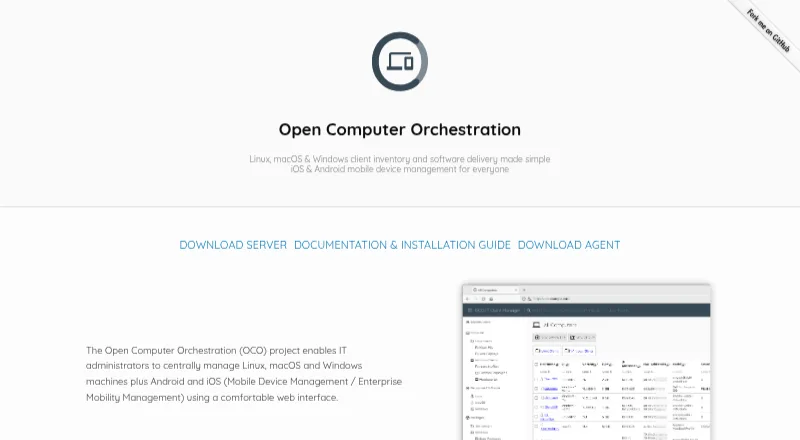
Open Computer Orchestration (OCO) manages Linux, macOS, and Windows computers, as well as Android and iOS devices, through a web interface. It provides inventory, software deployment, patch management, policies, installed-software lists, and permissions organized by roles. For software jobs, it records exit codes and command output. OCO can automate operating-system installation and produce custom reports, while its JSON-RPC API supports customization and workflow automation. Extensions include scheduled Wake On Lan and kiosk shutdown, automatic package creation, and PC installation workflows. OCO is open source and self-hosted on premise; users can run their own server or request a cloud-hosted trial. The server runs on any Linux distribution and uses MariaDB, Apache2, and PHP 7.3 or newer. The documented admin client supports Chromium-based browsers and Firefox version 80 or newer. The free plan covers up to 20 devices. A license is required for commercial environments managing more than 20 computers; the Enterprise license is €299 a year per additional device for one year, with individual conditions available on request.
Who it suits
OCO suits organizations managing a mix of desktop computers and mobile devices that can operate a Linux server. It is particularly relevant to administrators who need deployment controls, policies, role permissions, and custom reporting.
What it does well
- Manages computers and Android and iOS devices
- Tracks software job exit codes and output
- Includes a JSON-RPC API
- Free plan covers up to 20 devices
What to know first
- Commercial use above 20 computers requires a license
- Self-hosted server requires MariaDB, Apache2, and PHP 7.3 or newer
- Enterprise license is €299 a year per additional device
Limits
The free plan covers 20 managed devices. The listed Enterprise license applies to additional devices beyond those 20 and costs €299 a year per device, billed for one year; the pricing note also says paid plans start at €2.99 per year.
Plans
| Plan | Billed and limits | Price |
|---|---|---|
| Free (up to 20 devices) | 20 managed devices | Free |
| Enterprise license | per device for one year · Applies to additional devices beyond the 20 free devices; individual conditions available on request | €299 a year |
As oco.sieber.systems lists them, read 29 Sept 2026. The maker's own page has the final word.
Getting started
- Visit the OCO website.
- Choose whether to run your own server or request a cloud-hosted trial.
- For self-hosting, prepare a Linux server with MariaDB, Apache2, and PHP 7.3 or newer.
- Open the admin client in Chromium-based browser version 80 or newer, or Firefox version 80 or newer.
- Use the free plan for up to 20 managed devices; review the Enterprise license for additional devices.
Overview
Open Computer Orchestration (OCO) brings desktop and mobile-device administration into one web interface, with coverage from inventory through software deployment and operating-system installation. Its mix of deployment tracking, policy controls, and automation makes it useful for teams managing varied fleets that want to run the management server themselves.
The trade-off is operational responsibility: OCO is self-hosted, and commercial use above 20 computers requires a license. Teams without Linux server capacity, or those seeking a hosted management service, should weigh that burden before choosing it.
For more options in this category, see Application Deployment Software.
Key features
- Fleet inventory and software control: OCO tracks computers and installed software across Linux, macOS, Windows, Android, and iOS. Administrators can deploy software, patch third-party apps, schedule deployments, and remove applications remotely, making it broader than a tool focused only on patching.
- Deployment visibility: Each software job records its exit code and command output. That gives administrators concrete execution results to review when a rollout does not go as expected.
- Policy and access controls: Policies and fine-grained roles and permissions help organizations govern both device configuration and administrative access. Custom reports add a way to shape operational reporting.
- Automation and extensibility: OCO can automate operating-system installation and exposes a JSON-RPC API for workflows and customization. Extensions cover scheduled Wake On Lan, kiosk shutdown, package creation, and PC installation workflows.
Pricing
OCO uses a freemium model, with a free plan and a paid license. The Free plan costs nothing and covers up to 20 managed devices, making it a useful starting point for small deployments. The project page states that commercial environments managing more than 20 computers need a license, so the free cap is not a path to unlimited commercial use.
The Enterprise license costs €299 a year, billed per device for one year, and applies to additional devices beyond the 20 free devices. Individual conditions are available on request. The annual term and per-device billing matter as fleets expand; the headline plan does not make larger deployments a flat-fee purchase. A free trial is offered, and a cloud-hosted trial can be requested.
Platforms
The management scope includes Linux, macOS, and Windows computers plus Android and iOS devices. OCO is self-hosted on premise: its server runs on any Linux distribution and uses MariaDB, Apache2, and PHP 7.3 or newer. The documented admin client supports Chromium-based browsers and Firefox, version 80 or newer. This flexibility across managed devices is balanced by a server stack the organization must operate.
Who it's for
OCO suits organizations that need a single system for mixed computer and mobile fleets, especially those that value deployment records, role controls, custom reporting, and installation automation. It is a stronger fit for teams comfortable maintaining Linux infrastructure than for small organizations that want a vendor-operated service. Commercial users with more than 20 computers should budget for the per-device annual license and confirm individual terms.
Pros and cons
- Pro: It combines inventory, deployment, patching, remote removal, and OS-installation automation across desktop and mobile platforms, reducing the need to separate those tasks by device type.
- Pro: Job exit codes and command output provide useful deployment-level evidence, while policies and fine-grained roles support administrative oversight.
- Pro: The open-source, self-hosted model and JSON-RPC API give technically capable teams room to adapt workflows and integrations.
- Con: Organizations must operate a Linux server with MariaDB, Apache2, and PHP 7.3 or newer; self-hosting adds infrastructure and maintenance work.
- Con: Commercial deployments beyond 20 computers require a per-device annual license, and individual conditions may need to be arranged.
Alternatives
- FileWave is worth comparing for teams that want a paid product with a free Community Edition covering up to 15 computers, 15 tablets, and 15 Chrome devices.
- Fleet is an alternative for organizations looking for open-source fleet management with a free version that Fleet says will always be free.
- ManageEngine Patch Manager Plus may fit teams focused on patch management, with a free edition for up to 20 workstations and five servers.
- KintoHub offers a free plan for three services with 256 MB each, up to 1 GB persistent data, and up to three shared vCPU; it is a different option for readers comparing service-hosting plans.
- OPSI is a self-hosted alternative with a free Community plan for unlimited devices, core features, and one worker process.
- Patch My PC is a narrower option for Windows desktop and server updates, with a free Home Updater for non-commercial use.
- Pckgr RMM is another freemium option to consider.
- Pushlink is another freemium option to consider.
Verdict
Choose OCO if you need cross-platform device management with deployment, patching, reporting, and automation, and have the capacity to run its Linux server. Its broad management scope and open-source self-hosting are the main reasons to choose it; the server upkeep and paid-license threshold are the reasons to look elsewhere if you want hosted simplicity or expect a larger commercial fleet.
Verdict
OCO combines cross-platform device management with deployment, patching, reporting, and automation options. Its self-hosted setup and commercial license threshold are important considerations as deployments grow.
Questions
Is OCO open source?
Yes. OCO is open source and can be self-hosted on premise.
Is there a free plan?
Yes. The free plan covers up to 20 managed devices.
What does the Enterprise license cost?
It is listed at €299 a year per additional device, billed for one year. The pricing note says paid plans start at €2.99 per year.
Which devices does OCO manage?
It manages Linux, macOS, and Windows computers, as well as Android and iOS devices.
Can I use OCO without hosting it myself?
The project says users can request a cloud-hosted trial. OCO is otherwise described as self-hosted on premise.
What support is available?
Commercial support, environment-specific adjustments, and custom report development are available by arrangement.
Facts from Open Computer Orchestration's own pages
- API
- The project provides a JSON-RPC API for customization and workflow automation. · oco.sieber.systems, 29 Sept 2026
- Automated installation
- The product can automate operating system installation. · oco.sieber.systems, 29 Sept 2026
- Browser support
- The documented admin client supports Chromium-based browsers version 80 or newer and Firefox version 80 or newer. · github.com, 29 Sept 2026
- Extensions
- Extensions include scheduled Wake On Lan and kiosk shutdown, automatic package creation, and PC installation workflow automation. · oco.sieber.systems, 29 Sept 2026
- Headquarters
- Dresden, Germany · oco.sieber.systems, 23 Sept 2026
- Hosting and source
- OCO is self-hosted on premise and its source code is open source; the site says users can run their own server or request a cloud-hosted trial. · oco.sieber.systems, 29 Sept 2026
- Inventory and deployment
- It provides computer inventory, software deployment and patch management, and tracks each software job’s exit code and command output. · oco.sieber.systems, 29 Sept 2026
- License limit
- The project page states that a license is required to manage more than 20 computers in a commercial environment. · github.com, 29 Sept 2026
- Policies and access
- Features include policy management, installed software lists, and a fine-grained permission and role system. · oco.sieber.systems, 29 Sept 2026
- Purpose
- OCO centrally manages Linux, macOS, and Windows computers plus Android and iOS devices through a web interface. · oco.sieber.systems, 29 Sept 2026
- Reports
- OCO supports custom reports. · oco.sieber.systems, 29 Sept 2026
- Server requirements
- The server can run on any Linux distribution and uses MariaDB, Apache2, and PHP 7.3 or newer. · github.com, 29 Sept 2026
- Support
- The vendor offers commercial support, environment-specific adjustments, and custom report development by arrangement. · oco.sieber.systems, 29 Sept 2026
Where Open Computer Orchestration stands on Freedom251
- Application Deployment Software#14 of 44