Freedom251 › Authenticator apps
OneLogin Protect
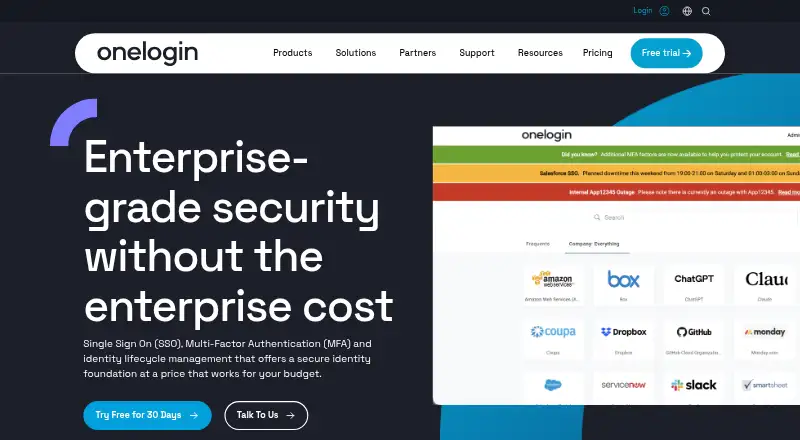
What OneLogin Protect is
OneLogin Protect is a mobile authenticator app that adds a one-time password as an authentication factor. It is available for Android and iOS, with compatibility also listed for Android Wear and Apple watchOS. Users can approve a push notification to send the OTP and sign in automatically. If a push notification does not arrive, they can open the app to view an OTP that changes every 30 seconds. Protect supports multiple OneLogin accounts and third-party services using the otpauth standard. Listed examples include corporate VPN and WiFi, G Suite, Office 365, and Salesforce. OneLogin says its app catalog contains more than 6,000 pre-integrated applications. For Salesforce deployments, Protect can block access from devices such as jailbroken phones or phones without a device lock. Administrators can set policies requiring OTP and select which configured factors are available. OneLogin describes Protect as a free app, and its 30-day free trial includes adding Protect as an authentication factor. Android backup and restore support was discontinued as of April 2023.
Who it suits
It suits OneLogin users and people protecting compatible third-party accounts who want push approval or a manually viewed OTP. Administrators can use OneLogin policies to require OTP and select available configured factors.
What it does well
- Available for Android and iOS.
- Push approvals can send an OTP and sign in automatically.
- Manual OTPs change every 30 seconds.
- Supports multiple OneLogin accounts and otpauth services.
- OneLogin describes the app as free.
What to know first
- Android backup and restore support was discontinued in April 2023.
- The listed 30-day trial applies to OneLogin authentication features.
Plans
| Plan | Billed and limits | Price |
|---|---|---|
| Basic | 5 apps for Identity Lifecycle Management | On request |
| Basic | 5 apps for Identity Lifecycle Management | On request |
| Essentials | Unlimited Identity Lifecycle Management | On request |
| Essentials | Unlimited Identity Lifecycle Management | On request |
| Business | All Essentials plan features · SmartFactor Authentication · Desktop MFA · HR Directories · RADIUS · VLDAP | On request |
| Business | All Essentials plan features · SmartFactor Authentication · Desktop MFA · HR Directories · RADIUS · VLDAP | On request |
| Enterprise | All Business plan features · LDAP Directory Sync · Delegated Administration · Multiple Brands · API Access Management | On request |
| Enterprise | All Business plan features · LDAP Directory Sync · Delegated Administration · Multiple Brands · API Access Management | On request |
As onelogin.com lists them, read 21 Sept 2026. The maker's own page has the final word.
Getting started
- Visit the OneLogin Protect product page.
- Install the app on an Android or iOS device.
- Add Protect as an authentication factor; the 30-day trial includes this option.
- Configure a user policy to require OTP and select available factors.
Verdict
OneLogin Protect offers push approvals and changing OTPs across OneLogin and otpauth-compatible services. Android users should note that backup and restore support has been discontinued.
Questions
Is OneLogin Protect free?
OneLogin describes Protect as a free mobile OTP app. A 30-day free trial also includes adding Protect as an authentication factor.
Which platforms are supported?
The app is listed for Android and iOS, with Android Wear and Apple watchOS compatibility also listed.
Can it work with services outside OneLogin?
Yes. Protect supports third-party services using the otpauth standard, with corporate VPN and WiFi, G Suite, Office 365, and Salesforce given as examples.
What happens if a push notification does not arrive?
Users can open the app and manually view an OTP that changes every 30 seconds.
Does Protect support Android backup and restore?
OneLogin's Android support article says backup and restore support was discontinued as of April 2023.
Who makes OneLogin Protect?
The maker is OneLogin, founded in 2009 and headquartered in San Francisco, California, United States.
Facts from OneLogin Protect's own pages
- Access controls
- For Salesforce deployments, OneLogin says Protect can prevent risky devices, including jailbroken phones and devices without a device lock, from accessing applications. · onelogin.com, 29 Sept 2026
- App catalog
- OneLogin says its app catalog contains more than 6,000 pre-integrated applications, including Salesforce, Office 365, and G Suite. · onelogin.com, 29 Sept 2026
- Backup limitation
- OneLogin's Android support article says backup and restore support was discontinued as of April 2023. · support.onelogin.com, 29 Sept 2026
- Code type
- totp · support.onelogin.com, 21 Sept 2026
- Compliance
- OneLogin says its SOC 2 Type 2 report covers security, availability, confidentiality, and privacy, and that audits are performed annually. · onelogin.com, 29 Sept 2026
- Example services
- The product page names corporate VPN and WiFi, G Suite, Office 365, and Salesforce as examples of services protected with a second factor. · onelogin.com, 29 Sept 2026
- Founded
- 2009 · onelogin.com, 28 Sept 2026
- Free app
- OneLogin describes Protect as its free mobile OTP app. · onelogin.com, 29 Sept 2026
- Free plan
- Yes · support.onelogin.com, 21 Sept 2026
- Headquarters
- San Francisco, California, United States · onelogin.com, 28 Sept 2026
- Manual OTP
- If a push notification does not arrive, users can open the app and manually view an OTP that changes every 30 seconds. · support.onelogin.com, 29 Sept 2026
- Mobile platforms
- OneLogin lists the app as available for Android and iOS. · onelogin.com, 29 Sept 2026
- Multiple accounts
- OneLogin says Protect supports multiple OneLogin accounts and third-party services using the otpauth standard. · onelogin.com, 29 Sept 2026
- Policy setting
- OneLogin user policies can require OTP and let administrators select which configured authentication factors are available. · support.onelogin.com, 29 Sept 2026
- Purpose
- OneLogin Protect is a mobile authenticator app that provides a one-time password as an additional authentication factor. · support.onelogin.com, 29 Sept 2026
- Push approvals
- Yes · support.onelogin.com, 21 Sept 2026
- Push sign-in
- Users can accept a push notification to send the OTP and sign in automatically. · onelogin.com, 29 Sept 2026
- Supported platforms
- iOS,Android · support.onelogin.com, 21 Sept 2026
- Trial
- OneLogin describes a 30-day free trial that includes adding OneLogin Protect as an authentication factor. · onelogin.com, 29 Sept 2026
- Watch compatibility
- The product page lists Android Wear and Apple watchOS compatibility. · onelogin.com, 29 Sept 2026
Where OneLogin Protect stands on Freedom251
- Authenticator apps#30 of 111
- Single Sign-On Software#17 of 34