Freedom251 › Self-Service Password Reset Software
JumpCloud Protect
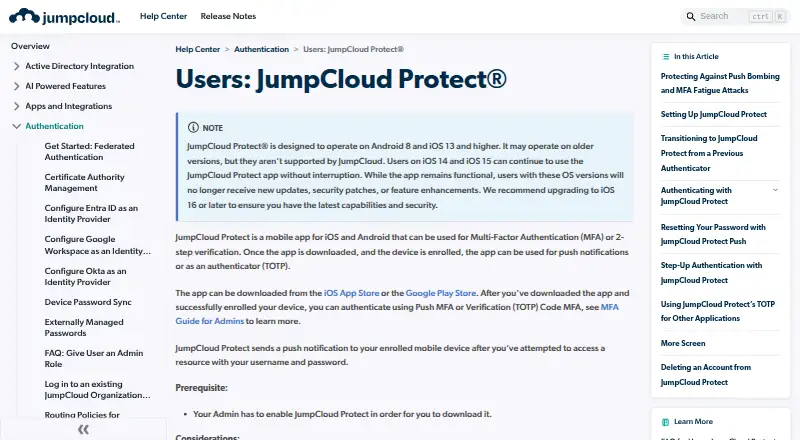
What JumpCloud Protect is
JumpCloud Protect is an iOS and Android app for multi-factor authentication and two-step verification. It supports push approvals and time-based one-time password (TOTP) codes, which users enroll in separately. Push authentication can protect the User Portal, SAML SSO apps, device logins, and password resets; administrators can also enable it for the Admin Portal and Windows, Mac, and Linux device logins. TOTP can authenticate users to a local account without an internet connection. Each user can enroll Protect on only one device. Administrators can choose whether biometric verification is never required, required when enabled on the device, or always required. To limit repeated prompts, JumpCloud blocks more than one push notification per resource in a 60-second period, with exceptions for RADIUS and LDAP attempts. The app supports iOS 13 and later and Android 8.0 and later, and is not optimized for tablets. JumpCloud offers a 30-day free platform trial with 24×7 Premium Support during the trial. MFA pricing is $3 a year (price per user per month, billed annually) or $4 a month (price per user per month, billed monthly).
Who it suits
Protect suits people using JumpCloud who need mobile push or TOTP verification for portals, apps, device logins, or password resets. Administrators can configure biometric requirements and enable device login protection.
What it does well
- Supports push MFA and TOTP codes.
- TOTP works for local account login without internet.
- Push prompts are limited per resource within 60 seconds.
- Administrators can configure biometric verification.
- JumpCloud offers a 30-day platform trial.
What to know first
- Each user can enroll on only one device.
- The app is not optimized for tablets.
- Users in China cannot download it from Google Play.
- Android push may not work where Google Cloud Messaging is blocked.
Limits
Each user can enroll Protect on only one device. The app requires iOS 13 or later or Android 8.0 or later and is not optimized for tablets; Android download and push availability have additional limits in China.
Plans
| Plan | Billed and limits | Price |
|---|---|---|
| Multi-Factor Authentication (MFA) — annual | Price per user per month, billed annually · MFA feature pricing shown on JumpCloud pricing page | $3 |
| Multi-Factor Authentication (MFA) — monthly | Price per user per month, billed monthly · MFA feature pricing shown on JumpCloud pricing page | $4 a month |
As jumpcloud.com lists them, read 4 Oct 2026. The maker's own page has the final word.
Getting started
- Visit the JumpCloud Protect end-user support page.
- Install the app on a supported iOS or Android device.
- Enroll separately for push MFA and TOTP as needed.
- Ask an administrator to enable Protect for the portals, applications or device logins you need.
- Use the 30-day JumpCloud platform trial if evaluating the service.
Verdict
Protect offers push and offline TOTP authentication across supported portals, apps, and device logins. Check the one-device enrollment limit and platform requirements, especially if using a tablet or Android in China.
Questions
Is JumpCloud Protect free?
The app is associated with a free plan, and JumpCloud also offers a 30-day free trial of its platform. MFA feature pricing is shown separately at $3 a year billed annually or $4 a month billed monthly.
Which authentication methods does it support?
It supports mobile push approvals and time-based one-time password codes. Users enroll for the methods separately.
Can TOTP work without internet access?
Yes. TOTP can be used to authenticate to a local account without internet access.
Which operating systems are supported?
The app supports iOS 13 and later and Android 8.0 and later. It is not optimized for tablets.
Can a user enroll more than one device?
No. A user can enroll JumpCloud Protect on only one device.
What does MFA cost?
The annual option is $3 a year, described as a per-user monthly price billed annually. The monthly option is $4 a month, described as a per-user monthly price billed monthly.
Facts from JumpCloud Protect's own pages
- Authentication methods
- The app supports push MFA and time-based one-time password (TOTP) codes, which users enroll in separately. · jumpcloud.com, 4 Oct 2026
- Biometric verification
- Admins can configure mobile biometric verification as never required, required if enabled on the device, or always required. · jumpcloud.com, 4 Oct 2026
- China availability limit
- The admin guide says users in China cannot download Protect from Google Play and Android push notifications may not work where Google Cloud Messaging is blocked. · jumpcloud.com, 4 Oct 2026
- Code type
- totp · jumpcloud.com, 21 Sept 2026
- Data collection
- The app collects diagnostic data for troubleshooting and improvement, states that it does not collect user information, and lets users turn data sharing off. · jumpcloud.com, 4 Oct 2026
- Device login
- Admins can enable Protect for login to the Admin Portal, User Portal, and Windows, Mac, and Linux devices. · jumpcloud.com, 4 Oct 2026
- Enrollment limit
- A user can enroll JumpCloud Protect on only one device. · jumpcloud.com, 4 Oct 2026
- Free plan
- Yes · jumpcloud.com, 21 Sept 2026
- Multi-device sync
- No · jumpcloud.com, 21 Sept 2026
- Offline TOTP
- Users can authenticate to their local account without internet access while TOTP MFA remains enforced. · jumpcloud.com, 4 Oct 2026
- Platform requirements
- The admin guide lists support for iOS 13 and later and Android 8.0 and later, and says the app is not optimized for tablets. · jumpcloud.com, 4 Oct 2026
- Protected access
- Mobile push is supported for the User Portal, SAML SSO apps, device logins, and password reset. · jumpcloud.com, 4 Oct 2026
- Purpose
- JumpCloud Protect is a mobile app for iOS and Android used for multi-factor authentication or two-step verification. · jumpcloud.com, 4 Oct 2026
- Push approvals
- Yes · jumpcloud.com, 21 Sept 2026
- Push security
- JumpCloud blocks more than one push notification per resource within a 60-second period, with exceptions for RADIUS and LDAP attempts. · jumpcloud.com, 4 Oct 2026
- Security assurance
- JumpCloud states that its open directory platform completed a SOC 2 Type 2 examination and achieved ISO 27001 certification. · jumpcloud.com, 4 Oct 2026
- Security controls
- JumpCloud says it uses TLS 1.2 and above for data in transit and encrypts databases and applications containing sensitive data at rest. · jumpcloud.com, 4 Oct 2026
- Supported platforms
- iOS,Android · jumpcloud.com, 21 Sept 2026
- Team administration
- Yes · jumpcloud.com, 21 Sept 2026
- Trial and support
- JumpCloud offers a 30-day free trial of its platform and includes 24×7 Premium Support during the trial. · jumpcloud.com, 4 Oct 2026
Where JumpCloud Protect stands on Freedom251
- Self-Service Password Reset Software#5 of 23
- Authenticator apps#29 of 111
- Identity and Access Management Software#16 of 45
- Single Sign-On Software#14 of 34
- Authentication Software#15 of 31