Freedom251 › Authenticator apps
ForgeRock Authenticator
What ForgeRock Authenticator is
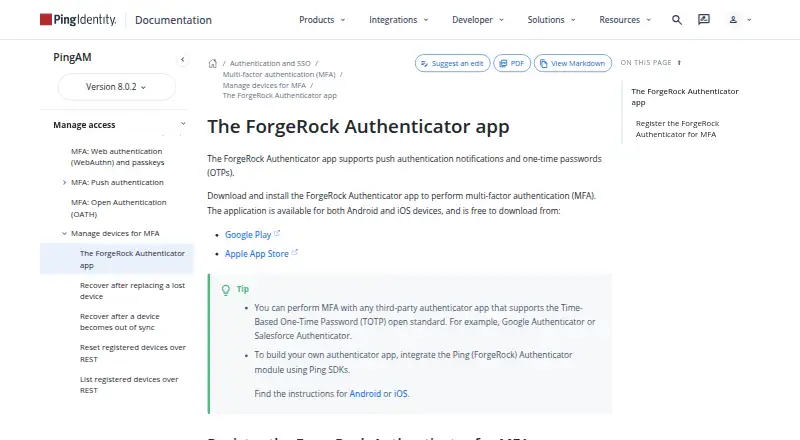
ForgeRock Authenticator is a free Android and iOS app for multi-factor authentication using push notifications and one-time passwords. Supported OTP types include OATH HOTP and TOTP. Users can register multiple accounts and multiple authentication methods within each account, registering the app with an identity provider for each method; QR code registration is available. OTP registration does not require internet access, but push notification registration does. Recovery codes for a registered push device appear only once, so users need to save them separately in case the device is lost, stolen, or broken. The app can be used in PingOne Advanced Identity Cloud and PingAM authentication journeys. PingAM also supports third-party apps that use the TOTP open standard, including Google Authenticator and Salesforce Authenticator. Ping recommends switching to its PingID mobile app for MFA. Developers can use the Ping (ForgeRock) Authenticator module to add TOTP, HOTP, and push functionality to their apps; listed SDKs include Android, iOS, and JavaScript. PingAM’s default is no encryption of device settings, though administrators can configure encryption.
Who it suits
The app suits Android and iOS users setting up push or OTP authentication for supported Ping services. Developers can also use the authenticator module to add these methods to their own apps.
What it does well
- Free to download on Android and iOS.
- Supports push notifications, HOTP, and TOTP.
- Can register multiple accounts and methods.
- OTP registration does not require internet access.
What to know first
- Push registration requires internet access.
- Push recovery codes are shown only once.
- Ping recommends PingID instead for MFA.
- PingAM defaults to no encryption of device settings.
Limits
Push notification registration requires internet access. Recovery codes for a registered push device are shown only once.
Plans
| Plan | Billed and limits | Price |
|---|---|---|
| ForgeRock Authenticator | Free to download · Android and iOS | Free |
As docs.pingidentity.com lists them, read 12 Oct 2026. The maker's own page has the final word.
Getting started
- Download the free app for Android or iOS.
- Register the app with an identity provider for each authentication method, using a QR code if available.
- Use an internet connection to register push notifications; OTP registration can be completed without one.
- Save push-device recovery codes separately when they are displayed.
Verdict
ForgeRock Authenticator supports several MFA methods and multiple accounts, but push setup has an internet requirement and recovery codes need separate safekeeping. Ping recommends its PingID mobile app instead.
Questions
How much does ForgeRock Authenticator cost?
The app is free to download for Android and iOS.
Which authentication methods does it support?
It supports push notifications and one-time passwords, including OATH HOTP and TOTP.
Can I register more than one account?
Yes. The app can hold multiple accounts, with multiple authentication methods in each.
Does OTP setup require internet access?
No. OTP registration does not require internet access, but push notification registration does.
Which services can it work with?
It can be used in PingOne Advanced Identity Cloud and PingAM authentication journeys. PingAM can also use third-party apps supporting the TOTP open standard.
What app does Ping recommend for MFA instead?
Ping recommends switching to the PingID mobile app for MFA.
Facts from ForgeRock Authenticator's own pages
- Account support
- The app can register multiple accounts and multiple authentication methods within each account. · docs.pingidentity.com, 11 Oct 2026
- Alternative apps
- PingAM documentation says third-party apps that support the TOTP open standard, such as Google Authenticator or Salesforce Authenticator, can be used for MFA. · docs.pingidentity.com, 12 Oct 2026
- Audience
- Ping describes its company as an enterprise identity and access management and identity security platform provider. · pingidentity.com, 11 Oct 2026
- Authentication methods
- It supports push authentication notifications and one-time passwords, including HOTP and TOTP. · docs.pingidentity.com, 12 Oct 2026
- Code type
- totp and hotp · docs.pingidentity.com, 21 Sept 2026
- Compatible servers
- The product page lists PingOne, PingOne Advanced Identity Cloud, PingAM, and PingFederate as supported servers. · docs.pingidentity.com, 12 Oct 2026
- Compatible services
- The app can be used in PingOne Advanced Identity Cloud and PingAM authentication journeys. · docs.pingidentity.com, 11 Oct 2026
- Device policy
- Authenticator app policies can prevent operation on rooted devices, for example. · docs.pingidentity.com, 12 Oct 2026
- Download
- The app is free to download for Android and iOS. · docs.pingidentity.com, 11 Oct 2026
- Free plan
- Yes · docs.pingidentity.com, 21 Sept 2026
- Internet requirement
- Internet access is required to register for push notifications, while OTP registration does not require an internet connection. · docs.pingidentity.com, 11 Oct 2026
- Multiple accounts
- The app can register multiple accounts and multiple authentication methods within each account. · docs.pingidentity.com, 12 Oct 2026
- Offline OTP
- An internet connection is not required to register for OTP authentication, but internet access is required to register for push notifications. · docs.pingidentity.com, 12 Oct 2026
- Product direction
- Ping recommends switching to the PingID mobile app, which supports one-time passcodes and push notifications from Advanced Identity Cloud and AM. · docs.pingidentity.com, 12 Oct 2026
- Purpose
- The app provides multi-factor authentication for users logging in to protected resources. · docs.pingidentity.com, 12 Oct 2026
- Push approvals
- Yes · docs.pingidentity.com, 21 Sept 2026
- Recovery
- The documentation instructs users to save recovery codes separately because they are shown only once and can be used if a device is lost, stolen, or broken. · docs.pingidentity.com, 12 Oct 2026
- Registration
- Users register the app with an identity provider once for each authentication method and can register by scanning a QR code. · docs.pingidentity.com, 12 Oct 2026
- SDK integration
- Customers can integrate the Authenticator module into their own apps using Ping ForgeRock SDKs for Android, iOS, and JavaScript. · docs.pingidentity.com, 12 Oct 2026
- Security configuration
- PingAM allows administrators to configure encryption for stored OATH device profiles, including AES-256/HMAC-SHA-512 or AES-128/HMAC-SHA-256 with RSA key wrapping; its default is no encryption of device settings. · docs.pingidentity.com, 11 Oct 2026
- Server and SDK support
- The authenticator module lists PingOne, PingOne Advanced Identity Cloud, PingAM, and PingFederate as server support, and Android, iOS, and JavaScript SDKs. · docs.pingidentity.com, 11 Oct 2026
- Support
- Ping directs users to its Support Portal to submit a support request and to its Support Center for legacy ForgeRock product resources. · pingidentity.com, 12 Oct 2026
- Supported platforms
- iOS,Android · docs.pingidentity.com, 21 Sept 2026
- Third-party support
- AM can use third-party authenticator apps that support the TOTP open standard, including Google Authenticator and Salesforce Authenticator. · docs.pingidentity.com, 11 Oct 2026
Where ForgeRock Authenticator stands on Freedom251
- Authenticator apps#28 of 111