Freedom251 › AI Vector Generators
OmniSVG
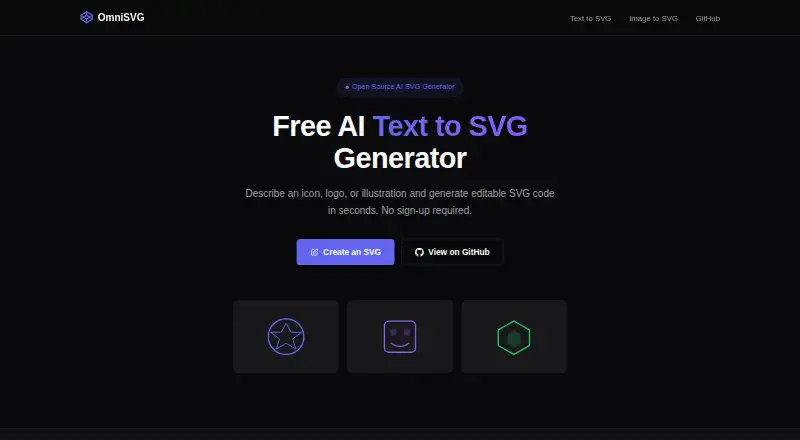
What OmniSVG is
OmniSVG creates scalable SVG graphics from natural-language descriptions and converts PNG, JPG, BMP, and WebP images into editable SVG. Image uploads can be up to 5 MB. Generated graphics can be previewed, downloaded, or copied as code for editing in an SVG-compatible tool. The free online demo does not require an account, shows the remaining daily generations in the browser, and allows five generations per day. The research project also supports character-reference SVG generation. It combines a pretrained Qwen-VL vision-language model with an SVG tokenizer and introduces MMSVG-2M, a dataset containing two million annotated SVG assets. The code is licensed under Apache License 2.0. The repository provides local Gradio deployment instructions using Python 3.10, Cairo, and CUDA 12.1-tested dependencies, and links to an online Hugging Face Spaces demo. Listed model downloads range from 7.69 GB to 17.2 GB; reported inference memory use is 17 GB for OmniSVG1.1_4B and 26 GB for OmniSVG1.1_8B. A community-contributed ComfyUI plugin is also listed.
Who it suits
OmniSVG suits web developers, UI/UX designers, content creators, and people producing print or merchandise graphics who need SVG output. Its local deployment instructions may also interest users comfortable with the listed development dependencies and model downloads.
What it does well
- Creates SVGs from text and image inputs.
- Generated vectors can be previewed, downloaded, or copied as code.
- Free demo allows five generations daily without an account.
- Code is licensed under Apache License 2.0.
- Supports character-reference SVG generation.
What to know first
- Image uploads are limited to 5 MB.
- Free demo is limited to five generations per day.
- Largest listed model download is 17.2 GB.
- Reported inference memory use reaches 26 GB.
Limits
The free demo allows five generations per day and image uploads up to 5 MB. Local inference has substantial listed GPU memory requirements: 17 GB for OmniSVG1.1_4B and 26 GB for OmniSVG1.1_8B.
Plans
| Plan | Billed and limits | Price |
|---|---|---|
| Free | Free demo; no account required · 5 free generations per day · image uploads up to 5 MB | Free |
As omnisvg.net lists them, read 30 Sept 2026. The maker's own page has the final word.
Getting started
- Open the OmniSVG website or the online Hugging Face Spaces demo.
- Use the free demo without creating an account.
- Enter a natural-language description or upload a PNG, JPG, BMP, or WebP image up to 5 MB.
- Preview the generated SVG, then download it or copy its code.
- For local use, follow the repository's Gradio installation instructions with Python 3.10, Cairo, and the listed dependencies.
OmniSVG turns written descriptions and raster images into editable vector artwork. It is best suited to designers and developers who need SVG output and are comfortable refining it in a compatible editor—or setting up a local model. The no-account demo is convenient for occasional work, but its daily cap and the hardware demands of local inference limit its appeal for sustained production.
Overview
OmniSVG covers two practical routes to vector graphics: generate artwork from a natural-language description or convert a raster image. Results can be previewed, downloaded as SVG, or copied as code for further editing. That handoff is useful when SVG compatibility matters, but the tool is focused on creating vector assets rather than providing a broader design environment.
The browser demo requires no account and shows the remaining daily generations. It allows five generations per day, so it is easy to try but better suited to occasional creation than repeated prompt iteration. Image uploads are capped at 5 MB, which makes the converter a better fit for smaller source assets than larger files.
Key features
Text, image, and character-reference workflows
The project supports Text-to-SVG, Image-to-SVG, and Character-Reference SVG generation. Text generation suits users starting from an idea, while image conversion offers a way to turn supported PNG, JPG, BMP, or WebP files into editable vector output. Character-reference generation adds another supported workflow, though the daily demo allowance makes extensive experimentation difficult.
Editable output and local deployment
SVG files can be downloaded or copied as code, leaving users free to continue editing in an SVG-compatible tool. The project also provides instructions for a local Gradio deployment, with Python 3.10, Cairo, and CUDA 12.1-tested dependencies. That route offers an option beyond the browser demo, but it is a technical setup rather than a lightweight alternative for users without a suitable environment.
The project combines a pretrained Qwen-VL vision-language model with an SVG tokenizer and introduces MMSVG-2M, a dataset of two million annotated SVG assets. These details give context to its generation approach; for prospective local users, the more immediate consideration is resource use. The repository reports 26 GB of GPU memory for OmniSVG1.1_8B inference and 17 GB for OmniSVG1.1_4B. Listed model downloads range from 7.69 GB to 17.2 GB, making local deployment a substantial commitment. The code is licensed under Apache License 2.0, and the project links to an online Hugging Face Spaces demo. A community-contributed ComfyUI plugin is also listed.
Pricing
Free: free. The demo includes five generations per day, image uploads up to 5 MB, and no account requirement. This is a sensible way to try both the prompt and conversion workflows without paying or signing up, but the daily quota is a clear constraint for regular production or batch work. No paid plan is provided.
Platforms
OmniSVG is available on the web and supports Linux, macOS, and self-hosted use. The browser demo is the simplest starting point; local use involves the project's Gradio deployment instructions and demanding GPU memory requirements. That makes the self-hosted option more suitable for technically equipped users than for anyone seeking a quick desktop installation.
Who it's for
Web developers, UI/UX designers, content creators, and people making print or merchandise graphics are among the project's target audiences. It is a reasonable fit when the deliverable needs to be an editable SVG and the free daily allowance is enough for the work. Users who need frequent generations, larger image uploads, or a ready-made general-purpose design workspace should look elsewhere.
Pros and cons
- Pros: Text generation and raster conversion both lead to editable SVG output, which supports further work in compatible tools.
- Pros: The demo requires no account, and the free plan provides five daily generations.
- Cons: Five generations per day can restrict iteration and makes high-volume use a poor fit.
- Cons: Image uploads stop at 5 MB, and local inference requires substantial GPU memory.
Alternatives
For a broader set of options, browse AI Vector Generators.
- AnnoMotion may suit users who want multiple generators and a credit-based free offer: it provides 15 free credits after email verification, eight free daily credits, and all generators open.
- Wix Logo Maker is worth considering when the goal is logo creation and monthly AI credits matter; its free plan offers 120 credits per month, capped at 30 per day, with up to 20 logos estimated.
- CleanVector is an alternative for users who want browser tools alongside limited SVG downloads: its free plan includes 10 credits a month, one permanent SVG download, unlimited PNG exports, and a color editor.
- Modulify AI Logo Maker is a more focused option for logo work, with one free logo generation per day and a watermarked preview.
- PlusVector may fit users seeking API access with a small free allowance; its Tinker plan includes five credits per month and up to three templates.
- SmartSVG offers a larger recurring free allowance for users who can work within weekly credits: 30 per week, with AI generation costing 10 and SVG conversion costing five.
- SVG.new is a relevant alternative for users who want a built-in vector editor; its free plan includes three vectorizations per day, full-color SVG output, and SVG downloads for personal use.
- SVGtoCode is another option to consider for SVG-related work.
Verdict
Choose OmniSVG if you want text- or image-based vector creation, editable SVG output, and a free demo without an account. Its main advantage is the combination of those workflows; its main drawback is that five daily generations and a 5 MB upload ceiling leave little room for heavier use. Local deployment is an option for users equipped to handle the setup and GPU requirements, but casual creators and anyone needing higher-volume output should compare alternatives.
Verdict
OmniSVG offers both text-to-vector creation and image conversion, with editable SVG output and a no-account demo. The daily generation allowance, upload cap, and substantial listed model and memory requirements are worth considering.
Questions
What does OmniSVG cost?
The Free plan costs nothing. It includes five generations per day.
Do I need an account to use the online demo?
No. The free demo does not require an account and shows the remaining daily generations in the browser.
Which image formats can it convert?
It accepts PNG, JPG, BMP, and WebP files up to 5 MB and outputs editable SVG.
Can I run OmniSVG locally?
The repository provides local Gradio deployment instructions using Python 3.10, Cairo, and CUDA 12.1-tested dependencies.
Is OmniSVG open source?
The OmniSVG code is licensed under Apache License 2.0.
What generation modes does it support?
The project supports Text-to-SVG, Image-to-SVG, and Character-Reference SVG generation.
Facts from OmniSVG's own pages
- Community integration
- The repository lists a community-contributed ComfyUI OmniSVG plugin. · github.com, 30 Sept 2026
- Dataset
- The project introduces MMSVG-2M, a multimodal dataset containing two million richly annotated SVG assets. · omnisvg.github.io, 30 Sept 2026
- Editing and export
- Generated SVGs can be previewed, downloaded, or copied as code for editing in an SVG-compatible tool. · omnisvg.net, 30 Sept 2026
- Generation modalities
- The research project supports Text-to-SVG, Image-to-SVG, and Character-Reference SVG generation. · omnisvg.github.io, 30 Sept 2026
- Image conversion
- The image converter accepts PNG, JPG, BMP, and WebP files up to 5 MB and outputs editable SVG. · omnisvg.net, 30 Sept 2026
- License
- The OmniSVG code is licensed under Apache License 2.0. · github.com, 30 Sept 2026
- Local deployment
- The repository provides local Gradio deployment and installation instructions using Python 3.10, Cairo, and CUDA 12.1-tested dependencies. · github.com, 30 Sept 2026
- Model architecture
- OmniSVG uses a pretrained Qwen-VL vision-language model together with an SVG tokenizer. · omnisvg.github.io, 30 Sept 2026
- Model downloads
- The repository lists OmniSVG1.1_8B at 17.2 GB, OmniSVG1.1_4B at 7.69 GB, and OmniSVG-3B at 8.49 GB. · github.com, 30 Sept 2026
- No account
- The free demo does not require an account and displays the remaining daily generations in the browser. · omnisvg.net, 30 Sept 2026
- Online demo
- The repository links to an online Hugging Face Spaces demo. · github.com, 30 Sept 2026
- Performance limit
- The repository reports 26 GB GPU memory usage for OmniSVG1.1_8B inference and 17 GB for OmniSVG1.1_4B. · github.com, 30 Sept 2026
- Project affiliations
- The project lists Fudan University and StepFun as the authors’ affiliations. · omnisvg.github.io, 30 Sept 2026
- Text generation
- OmniSVG converts natural-language descriptions into clean, scalable SVG graphics. · omnisvg.net, 30 Sept 2026
- Use cases
- The site lists web developers, UI/UX designers, content creators, and print or merchandise users as target audiences. · omnisvg.net, 30 Sept 2026
Where OmniSVG stands on Freedom251
- AI Vector Generators#6 of 26