Freedom251 › Reverse ETL Tools
Omnata Sync
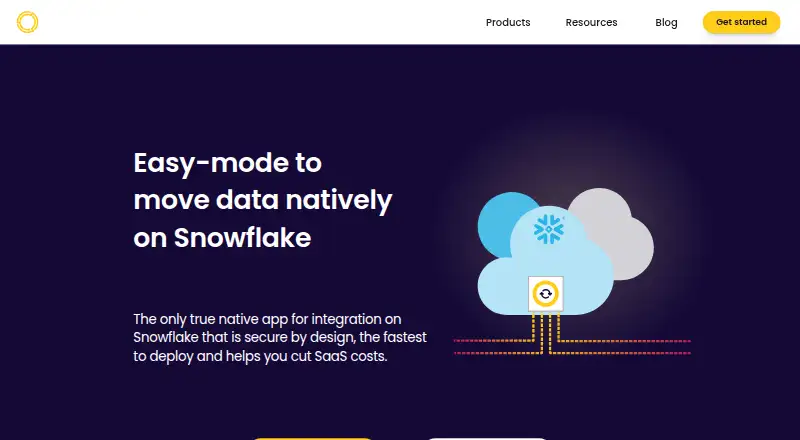
What Omnata Sync is
Omnata Sync connects Snowflake with SaaS applications and databases through a Snowflake Native App. It supports inbound and outbound scheduled syncs, and can sync in both directions when a connector allows it. The product lists no-code configuration, incremental syncs, rate-limit optimisation and a history of record changes. Its Streamlit administration interface runs on a warehouse selected by the customer.
The connector catalog includes Airtable, HubSpot, Jira, Salesforce, Shopify, Slack, Zendesk and Zoho CRM, along with database connectors. Omnata also offers a Python plugin SDK for building connectors with open-source connector libraries or custom APIs. Each customer has a dedicated app instance in their Snowflake account. Configuration, sync history and record data are stored in tables within that instance. The app starts without access to customer tables or objects; permissions are granted during configuration, and some account-level permissions require approval gates. Omnata identifies the maker as Omnata Pty Ltd, founded in Australia. The Sync Engine and plugins are available through Snowflake Marketplace with a 30-day free trial. Plugin charges are based on active sync directions and endpoint connections, with no additional charges for data, objects or refreshes.
Who it suits
Omnata Sync suits Snowflake customers who need scheduled data movement between Snowflake and SaaS apps or databases for analytics and downstream use. It is also suited to teams that want to build custom connectors with Python, open-source connector libraries or custom APIs.
What it does well
- Supports inbound, outbound and connector-dependent two-way syncs.
- Offers no-code setup, incremental syncs and rate-limit optimisation.
- Record changes have a full history.
- Dedicated app instances and sync data reside in the customer’s Snowflake account.
- Plugin pricing excludes extra charges for data, objects and refreshes.
What to know first
- The Sync Engine’s free listing does not include plugins.
- Paid plugin pricing is based on active directions and endpoint connections.
- Some plugins have custom pricing.
- Enhanced support SLAs require an add-on.
Limits
The free Sync Engine listing does not include plugins, which are installed separately. The Google Sheets plugin is listed as free with unlimited syncs and connections, and the Slack plugin has a free first direction with charges listed for additional directions or connections. Paid plugin charges depend on active sync directions and endpoint connections; some plugins are custom priced.
Plans
| Plan | Billed and limits | Price |
|---|---|---|
| Google Sheets plugin | $0.00/day · Unlimited syncs and connections · bi-directional | Free |
| Sync Engine | Free Snowflake Native App listing; plugins are installed separately | Free |
| Slack plugin | $0.00/day · Bi-directional · $0.00/day for first direction and additional direction or connection | Free |
| Paid plugins | Per plugin per day, only when syncs are active · Flat daily fee per sync direction and endpoint connection · no extra charges for data, objects or refreshes · some plugins are custom priced | On request |
As omnata.com lists them, read 7 Oct 2026. The maker's own page has the final word.
Getting started
- Open the Omnata website.
- Find the Sync Engine and plugin listings in Snowflake Marketplace.
- Use the 30-day free trial for the Sync Engine and plugins.
- Install the Sync Engine; install plugins separately.
- Configure permissions for the customer tables and objects the app needs.
- Set up a sync using a listed connector or a custom plugin.
Verdict
Choose Omnata Sync if your data workflows center on Snowflake and you need connectors for SaaS apps or databases. Its native app model keeps configuration and sync data in the customer’s Snowflake account. Check the applicable plugin pricing before relying on a paid connector, since some are custom priced.
Questions
Does Omnata Sync have a free plan?
Yes. The Sync Engine has a free Snowflake Native App listing, and the Google Sheets and Slack plugins are listed with free options. Plugins are installed separately from the Sync Engine.
Is there a free trial?
Yes. The Sync Engine and plugins are offered through Snowflake Marketplace listings with a 30-day free trial.
How is paid plugin pricing calculated?
Paid plugins are billed per plugin per day when syncs are active. Pricing uses active sync directions and endpoint connections, with no extra charges for data, objects or refreshes; some plugins are custom priced.
Which platforms does Omnata Sync support?
The listed platform is web. The app is a Snowflake Native App, and its listings are available through Snowflake Marketplace.
Can teams build their own connectors?
Yes. Omnata offers a Python plugin SDK and supports plugins built with open-source connector libraries or custom APIs.
Who makes Omnata Sync?
The maker is Omnata Pty Ltd, which identifies itself as founded in Australia.
Facts from Omnata Sync's own pages
- Company
- The site identifies the maker as Omnata Pty Ltd and says the company was founded in Australia; it does not state a founding year or headquarters address on the pages reviewed. · omnata.com, 7 Oct 2026
- Custom connectors
- Omnata offers a Python plugin SDK and supports building plugins with open-source connector libraries or custom APIs. · omnata.com, 7 Oct 2026
- Data storage
- Configuration, sync history, and record data are stored in Snowflake tables inside the native app instance, which Omnata says it cannot access. · docs.omnata.com, 7 Oct 2026
- Integrations
- The plugin catalog lists connectors including Airtable, HubSpot, Jira, Salesforce, Shopify, Slack, Zendesk, and Zoho CRM, as well as database connectors. · omnata.com, 7 Oct 2026
- Intended users
- The product is positioned for Snowflake customers seeking to integrate SaaS apps or databases for analytics and downstream use. · omnata.com, 7 Oct 2026
- Permissions
- The app starts without privileges to customer tables or objects, which are granted during configuration; required account-level privileges also have approval gates for certain uses. · docs.omnata.com, 7 Oct 2026
- Pricing limits
- Plugin pricing is based on active sync directions and endpoint connections, with no extra usage charges for data, objects, or refreshes. · omnata.com, 7 Oct 2026
- Purpose
- Omnata Sync moves data between Snowflake and SaaS applications using a Snowflake Native App, without standalone middleware. · omnata.com, 7 Oct 2026
- Security architecture
- Each customer gets a dedicated app instance within their Snowflake account, and installing it does not give Omnata access to that account. · docs.omnata.com, 7 Oct 2026
- Support
- Standard support is included with Omnata plugins, and enhanced support SLAs are available as an add-on by contacting the company. · omnata.com, 7 Oct 2026
- Sync directions
- It supports inbound and outbound data syncs, including bi-directional syncs where a connector supports them. · omnata.com, 7 Oct 2026
- Sync features
- The product page lists no-code configuration, incremental syncs, rate-limit optimisation, and full record change history. · omnata.com, 7 Oct 2026
- Trial
- The Sync Engine and plugins are offered through Snowflake Marketplace listings with a 30-day free trial. · omnata.com, 7 Oct 2026
- User interface
- The app includes an administration UI built with Streamlit that runs on a warehouse chosen by the user. · docs.omnata.com, 7 Oct 2026
Where Omnata Sync stands on Freedom251
- Reverse ETL Tools#13 of 29