Freedom251 › AI Meeting Assistants
OLVA
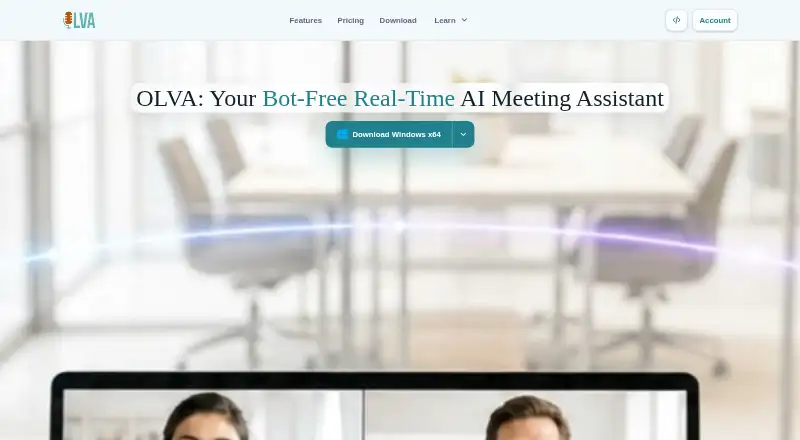
What OLVA is
OLVA is an AI meeting assistant that transcribes conversations, detects questions, generates contextual answers and coaching prompts, and keeps searchable meeting memory. Its desktop app captures from the user’s device without joining a meeting as a participant, and works alongside Zoom, Google Meet, Microsoft Teams, Slack huddles and Webex. Users can supply notes and PDF, text, Markdown, DOCX or PPTX files as meeting context, within a plan’s shared word limit. Calendar integrations are available. The product listing states 87 transcription languages; its default Soniox speech provider supports 60 spoken languages with automatic detection and multiple selected languages. Pro and Ultra include Notion, Slack, Google Drive and outbound webhooks; Plus does not. The iOS and Android apps use the microphone for in-person conversations, but do not capture audio from another app. OLVA says it does not store meeting audio or video on its systems, while transcripts and other materials are handled under its Privacy Policy. Plus costs $14.99 a month, Pro $24.99 a month, and Ultra $99.99 a month.
Who it suits
OLVA may suit people with frequent or customer-facing meetings, including founders, consultants and sales teams. It also supports in-person conversations through its mobile apps.
What it does well
- Desktop capture does not join as a meeting participant.
- Works alongside five named meeting services.
- Meeting context accepts notes and several document formats.
- Calendar integrations are available.
What to know first
- Mobile apps do not capture another app’s system audio.
- Plus excludes Notion, Slack, Google Drive and webhooks.
- Context is subject to a shared word limit.
Limits
Plus includes 15 hours of meeting time per month and a 10k-word meeting-context limit. Pro includes unlimited meeting time and 50k words of context; Ultra includes unlimited meeting time and 500k words. Basic and Teams have no listed price, and Basic is described as including a free trial.
Plans
| Plan | Billed and limits | Price |
|---|---|---|
| Plus | Billed every month at this list price. · 15 hours meeting time/month · 10k-word meeting context · full meeting history | $14.99 a month |
| Pro | Billed every month at this list price. · Unlimited meeting time · 50k-word meeting context · Notion, Slack, Google Drive and outbound webhooks | $24.99 a month |
| Teams | Privacy and security reviews · Priority support and onboarding · Team and admin controls | On request |
| Enterprise+ | Advanced security and compliance · Audit logs and data exports · Custom integrations and API access · Dedicated account manager | On request |
| Basic | 2 hours meeting time/month · 5k-word meeting context · meeting history and post-meeting Q&A for last 7 days | Free |
| Ultra | Billed every month at this list price. · Unlimited meeting time · 500k-word meeting context · dedicated account and technical success manager | $99.99 a month |
As olva.ai lists them, read 10 Oct 2026. The maker's own page has the final word.
Getting started
- Visit https://olva.ai/.
- Choose a plan: Basic has a free trial; Plus, Pro and Ultra have listed monthly prices.
- Install OLVA on Android, iOS, macOS or Windows.
- Use desktop OLVA alongside a supported meeting service, or use a mobile app's microphone for an in-person conversation.
- Add notes or supported documents as meeting context within your plan's shared word limit.
Verdict
OLVA offers live meeting support across desktop and mobile, with contextual answers and searchable memory. Check plan limits and mobile audio capture before choosing it.
Questions
Is there a free plan?
Basic is listed with a free trial and essential meeting features. The listed pricing model is paid, and no Basic price is provided.
How much do the paid plans cost?
Plus is $14.99 a month, Pro is $24.99 a month and Ultra is $99.99 a month. Each is billed monthly at the listed price.
Which platforms does OLVA support?
OLVA is available on Android, iOS, macOS and Windows. Mobile apps use the microphone for in-person conversations and do not capture another app's system audio.
Which meeting services does desktop OLVA work with?
It works alongside Zoom, Google Meet, Microsoft Teams, Slack huddles and Webex without joining as a participant.
What languages does it support?
The product lists 87 transcription languages. Its default Soniox speech provider supports 60 spoken languages, with automatic detection and multiple selected languages.
Who makes OLVA?
The FAQ identifies OLVA as an AI meeting assistant by Mindle Inc.
Facts from OLVA's own pages
- Bot-free capture
- OLVA captures from the user's device without appearing as a meeting participant. · olva.ai, 10 Oct 2026
- Calendar integrations
- Yes · olva.ai, 22 Sept 2026
- Free plan
- No · olva.ai, 22 Sept 2026
- Integrations
- Pro and Ultra include Notion, Slack, Google Drive and outbound webhooks; Plus does not include those integrations. · olva.ai, 10 Oct 2026
- Intended users
- OLVA describes Pro as suited to heavy meeting weeks, customer-facing roles, founders, consultants and sales teams. · olva.ai, 10 Oct 2026
- Transcription languages
- 87 · olva.ai, 22 Sept 2026
- Languages
- The default Soniox speech provider supports 60 spoken languages with automatic detection and multiple selected languages. · olva.ai, 10 Oct 2026
- Live answers
- It follows the live transcript, detects questions and can generate contextual answers and coaching prompts during a meeting. · olva.ai, 10 Oct 2026
- Maker
- The FAQ identifies OLVA as an AI meeting assistant by Mindle Inc. · olva.ai, 10 Oct 2026
- Meeting capture
- desktop · olva.ai, 22 Sept 2026
- Meeting context
- Users can add notes and PDF, text, Markdown, DOCX or PPTX files as meeting context, subject to the plan's shared word limit. · olva.ai, 10 Oct 2026
- Meeting platforms
- Zoom,Google Meet,Microsoft Teams,Slack huddles,Webex,in-person · olva.ai, 22 Sept 2026
- Meeting services
- Desktop OLVA works alongside Zoom, Google Meet, Microsoft Teams, Slack huddles and Webex without joining as a participant. · olva.ai, 10 Oct 2026
- Mobile limitation
- The iOS and Android apps use the microphone for in-person conversations and do not capture another app's system audio. · olva.ai, 10 Oct 2026
- Privacy
- OLVA states that it does not store meeting audio or video on its systems, while transcripts, documents, prompts and outputs are handled under its Privacy Policy. · olva.ai, 10 Oct 2026
- Purpose
- OLVA provides live meeting intelligence, including transcription, question detection, answers, coaching and searchable meeting memory. · olva.ai, 10 Oct 2026
- Screen sharing
- Desktop Incognito is a Pro and Ultra feature that hides the OLVA window from supported screen-sharing capture, but is not a guarantee against every capture or detection tool. · olva.ai, 10 Oct 2026
- Slide decks
- OLVA can generate editable PowerPoint decks, but generation uses feature credits and the app quotes the cost before generation. · olva.ai, 10 Oct 2026
- Summaries and action items
- Yes · olva.ai, 22 Sept 2026
- Transcription
- Yes · olva.ai, 22 Sept 2026
Where OLVA stands on Freedom251
- AI Meeting Assistants#21 of 82
- Meeting Intelligence Software#13 of 33