Freedom251 › GPU Overclocking Software
nvcontrol
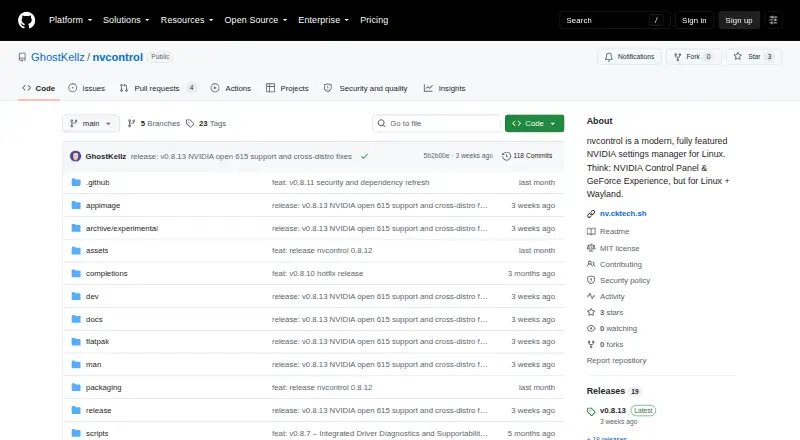
What nvcontrol is
nvcontrol is a free, MIT-licensed NVIDIA GPU settings manager for Linux designed for Wayland. It includes a GUI and terminal dashboard, with controls for digital vibrance, display color, VRR/G-SYNC, HDR, overclocking, fan control, and power management. The project lists KDE Plasma, GNOME, Hyprland, Sway, and Pop!_OS COSMIC as supported compositors.
Listed GPU families include RTX 50, 40, 30, and 20 series, plus GTX 16 and 10 series, with support dependent on driver and hardware. Matching NVIDIA open modules and userland are required, and Linux kernel 6.6 or later is recommended. The driver guide identifies open driver 610 as its primary target and points users on 590 and earlier to an older vibrance-compatible build. Read-only diagnostics cover CUDA, Ollama, local AI/ML workload fit, and environment setup. CLI workflows can produce diagnostics and support bundles, with options to redact paths and identifiers. Installation instructions cover Arch Linux, Fedora/Nobara, Pop!_OS, Debian/Ubuntu, and building from source. The project warns that experimental overclocking and voltage modification may cause instability or hardware damage; the MIT license supplies the software without warranty.
Who it suits
nvcontrol suits Linux users managing NVIDIA GPUs in Wayland setups, particularly on the compositors and GPU families it lists. Users should check driver compatibility and the warning about experimental tuning before using those controls.
What it does well
- Free and MIT-licensed.
- Offers both GUI and terminal dashboard.
- Includes fan and power management controls.
- Lists support for several Wayland compositors.
- Support bundles can redact paths and identifiers.
What to know first
- Requires matching NVIDIA open modules and userland.
- Kernel 6.6 or later is recommended.
- Support varies with hardware and drivers.
- Experimental tuning may cause instability or hardware damage.
Limits
The free software requires matching NVIDIA open modules and userland, and GPU support varies by driver and hardware. Overclocking and voltage modification are experimental and may cause instability or hardware damage.
Plans
| Plan | Billed and limits | Price |
|---|---|---|
| Free | Linux NVIDIA GPU control software; MIT-licensed | Free |
As github.com lists them, read 4 Oct 2026. The maker's own page has the final word.
Getting started
- Review the project's driver guide for compatibility with your NVIDIA driver.
- Check that matching NVIDIA open modules and userland are available; Linux kernel 6.6 or later is recommended.
- Follow the installation instructions for Arch Linux, Fedora/Nobara, Pop!_OS, Debian/Ubuntu, or build from source.
- Launch the GUI application or terminal dashboard.
- Use CLI diagnostics or support bundle workflows if needed, with options to redact paths and identifiers.
Verdict
nvcontrol brings GPU controls and read-only diagnostics to supported Linux setups, with both graphical and terminal interfaces. Check the driver guide and hardware compatibility, and treat experimental tuning as a risk.
Questions
How much does nvcontrol cost?
It is free, with a Free plan listed as free.
Which operating system does it support?
It is for Linux and is designed for Wayland.
Which GPUs are listed?
RTX 50, 40, 30, and 20 series and GTX 16 and 10 series are listed; support varies by driver and hardware.
What driver setup does it require?
Matching NVIDIA open modules and userland are required. Linux kernel 6.6 or later is recommended; the driver guide targets NVIDIA open driver 610 and directs users of 590 and earlier to an older vibrance-compatible build.
Is nvcontrol open source?
Yes. It is provided under the MIT License, whose text says the software is supplied without warranty.
What installation routes are covered?
Instructions cover Arch Linux, Fedora/Nobara, Pop!_OS, Debian/Ubuntu, and building from source.
Facts from nvcontrol's own pages
- AI diagnostics
- Read-only diagnostics cover CUDA, Ollama, local AI/ML workload fit, and environment setup. · github.com, 4 Oct 2026
- Compositors
- It lists KDE Plasma, GNOME, Hyprland, Sway, and Pop!_OS COSMIC as supported compositors. · github.com, 4 Oct 2026
- Controls
- It provides digital vibrance, display color controls, VRR/G-SYNC, HDR, overclocking, fan control, and power management. · github.com, 4 Oct 2026
- Distribution
- Installation instructions cover Arch Linux, Fedora/Nobara, Pop!_OS, Debian/Ubuntu, and building from source. · github.com, 4 Oct 2026
- Driver compatibility
- The driver guide identifies NVIDIA open driver 610 as the current primary target and directs users of 590 and earlier to an older vibrance-compatible build. · github.com, 4 Oct 2026
- Driver requirements
- The README says matching NVIDIA open modules and userland are required and recommends Linux kernel 6.6 or later. · github.com, 4 Oct 2026
- Experimental controls
- The README warns that overclocking and voltage modification are experimental and may cause instability or hardware damage. · github.com, 4 Oct 2026
- GPU support
- The project lists RTX 50, 40, 30, and 20 series plus GTX 16 and 10 series, with support varying by driver and hardware. · github.com, 4 Oct 2026
- Interfaces
- The project includes a terminal dashboard and a GUI application. · github.com, 4 Oct 2026
- Purpose
- nvcontrol is an NVIDIA GPU settings manager for Linux designed for Wayland. · github.com, 4 Oct 2026
- Security and license
- The repository provides the software under the MIT License, whose text says it is supplied without warranty. · github.com, 4 Oct 2026
- Support
- The CLI provides diagnostics and support bundle workflows, including options to redact paths and identifiers. · github.com, 4 Oct 2026
Where nvcontrol stands on Freedom251
- GPU Overclocking Software#15 of 19