Freedom251 › Daily Planner Apps

NotePlan
What NotePlan is
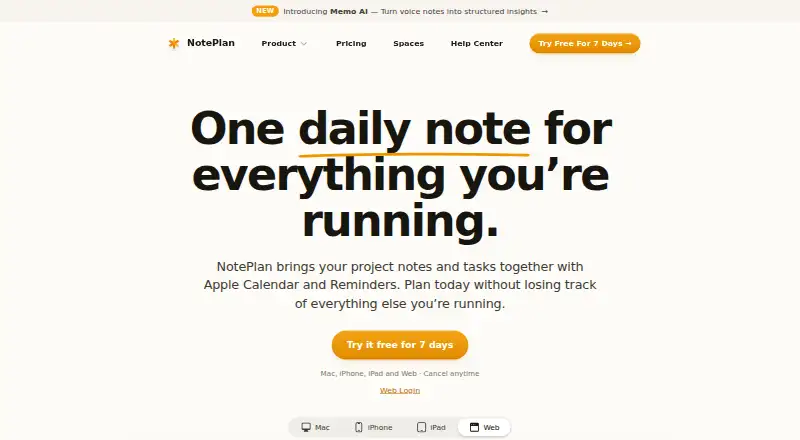
NotePlan combines notes, tasks, and calendar information in one workspace for planning projects. Daily notes place tasks and meeting notes beside a calendar view, while project notes connect plans and decisions to daily work. Tasks can be dragged onto a timeline as time blocks. Planning formats include daily, weekly, monthly, and yearly notes, plus project Kanban boards. Apple Calendar events and Reminders can appear alongside notes, and completing a reminder in NotePlan updates it in Reminders. Google Calendar can be connected to view and create events with daily notes. Notes are plain Markdown files stored on the device, remain available offline, and can be exported together in one folder. NotePlan supports note sharing and real-time collaboration, plugins, templates, and visual customization. It runs on iOS, macOS, and the web, including Windows browser access. AI features cover handwriting transcription, note assistance, and voice-to-text. Annual pricing is $8.33 a year, billed 99 annually; Monthly is $12 a month.
Who it suits
It suits people who want notes, tasks, calendars, reminders, and project planning together. Users needing offline Markdown files, collaboration, or browser access on Windows can use the listed platforms and features.
What it does well
- Combines notes, tasks, and calendars
- Offline Markdown storage and export
- Daily through yearly planning views
- Project Kanban boards and time blocking
- Supports Apple and Google calendar connections
What to know first
- No free plan
- Native Android version is not planned
- Annual plan requires 99 USD paid annually
- AI prompts are sent to OpenAI when initiated
Plans
| Plan | Billed and limits | Price |
|---|---|---|
| Annual | $99 paid annually · All devices · 7-day trial · Cancel anytime | $99 a year |
| Monthly | Monthly · All devices · 3-day trial · Cancel anytime | $12 a month |
As noteplan.co lists them, read 7 Oct 2026. The maker's own page has the final word.
Verdict
NotePlan brings project planning, calendar coordination, offline Markdown notes, and collaboration into one workspace. Its iOS, macOS, and web availability is broad, but Android users are limited to the stated browser-related path.
Facts from NotePlan's own pages
- AI features
- The features page describes AI for handwriting transcription, note assistance, and voice-to-text; the privacy policy says AI prompts are sent to OpenAI when users initiate those features. · noteplan.co, 7 Oct 2026
- Android
- The Help Center says a native Android version is not planned; its page describes browser access as a possible future option. · help.noteplan.co, 7 Oct 2026
- Apple sync
- The site says notes sync between devices through the user's iCloud account, while shared Spaces are an exception to its statement that data does not route through its servers. · noteplan.co, 7 Oct 2026
- Calendar and reminders
- Apple Calendar events and Reminders appear alongside notes, and checking off a reminder in NotePlan updates it in Reminders. · noteplan.co, 7 Oct 2026
- Company
- The privacy policy identifies NotePlan LLC as a Delaware limited-liability company with its principal place of business in Sheridan, Wyoming. · noteplan.co, 7 Oct 2026
- Customization
- The product supports plugins, reusable templates, and customization of fonts, colors, formatting, and Markdown styles. · noteplan.co, 7 Oct 2026
- Daily planning
- Daily notes combine tasks and meeting notes with a calendar view beside them. · noteplan.co, 7 Oct 2026
- Free plan
- No · noteplan.co, 20 Sept 2026
- Google Calendar
- The features page says users can connect Google Calendar to view and create events alongside daily notes. · noteplan.co, 7 Oct 2026
- Integrations
- Apple Calendar,Apple Reminders,Google Calendar,iCloud,Shortcuts · noteplan.co, 20 Sept 2026
- Markdown and offline use
- Notes are plain Markdown files stored on the device, and NotePlan says they remain accessible offline and exportable in one folder. · noteplan.co, 7 Oct 2026
- Note sharing
- Yes · noteplan.co, 20 Sept 2026
- Offline access
- Yes · noteplan.co, 20 Sept 2026
- Planning views
- The product supports daily, weekly, monthly, and yearly notes, plus project Kanban boards. · noteplan.co, 7 Oct 2026
- Supported platforms
- web,macos,ios · noteplan.co, 20 Sept 2026
- Privacy and data
- The privacy policy says notes are stored locally and synced through CloudKit, iCloud Drive, or Supabase depending on configuration, and that calendar and reminder data is not sent to NotePlan's servers. · noteplan.co, 7 Oct 2026
- Projects and time blocking
- Project notes link plans and decisions to daily work, and tasks can be dragged onto a timeline as time blocks. · noteplan.co, 7 Oct 2026
- Purpose
- NotePlan brings notes, tasks, and calendar together in a single workspace for planning and managing projects. · noteplan.co, 7 Oct 2026
- Real-time collaboration
- Yes · noteplan.co, 20 Sept 2026
- Paid from
- 8.33 · noteplan.co, 20 Sept 2026
- Support
- The pricing page lists 24/7 email and Discord support. · noteplan.co, 7 Oct 2026
- Windows access
- NotePlan is available on Windows through its web app at app.noteplan.co. · help.noteplan.co, 7 Oct 2026
Where NotePlan stands on Freedom251
- Daily Planner Apps#111 of 137
- Notes apps#70 of 83
- Note And Writing Apps#27 of 32
- Note-taking apps#188 of 216
- AI Note-Taking Apps#41 of 42