Freedom251 › No-Code Database Software
NocoDB
What NocoDB is
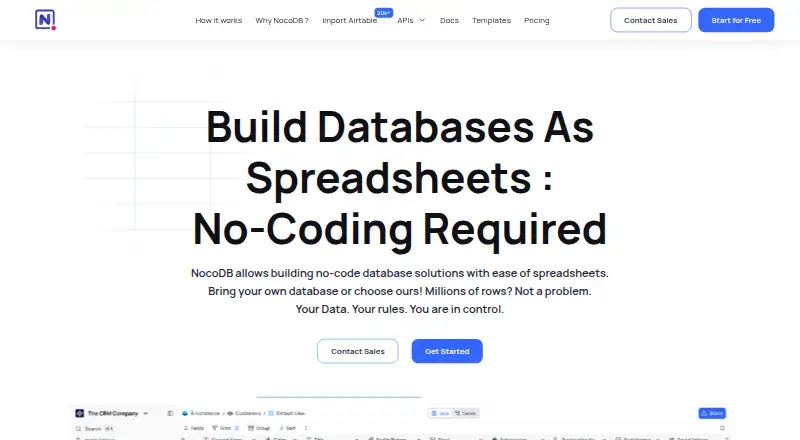
NocoDB provides a spreadsheet-style interface for creating online databases from scratch or working with Postgres and MySQL data. Its views include Grid, Kanban, Gallery, Form, and Calendar, and data can be accessed through interactive interfaces, APIs, and SQL. The maker lists CRM, project management, operations, and inventory management as use cases. Documented database integrations include NocoDB, MySQL, PostgreSQL, SQL Server, and Oracle; listed AI providers include OpenAI, Claude, and Google. APIs and webhooks support integrations and custom automations. NocoDB can be self-hosted on Linux, macOS, or Windows, including through a Docker quickstart with Docker Desktop. The maker says users can connect their own Postgres or MySQL and work with millions of rows. The hosted Free plan includes up to three users, 1,000 records, 1 GB of storage, 100 automation runs, and 1,000 APIs per month. Community is free for self-deployment with unlimited records, storage, and seats. Plus costs $12 per user per month, billed annually; external database connections are not supported on that plan. The Community Fair Code license permits internal self-hosting; offering the software as a hosted or managed service to others may require a commercial license.
Who it suits
NocoDB suits teams that want a spreadsheet-style way to work with databases for CRM, projects, operations, or inventory. It also fits teams considering self-hosting, provided they review the Community license limits.
What it does well
- Grid, Kanban, Gallery, Form, and Calendar views.
- Data access through interfaces, APIs, and SQL.
- Free Community plan has unlimited seats and records.
- Can self-host on Linux, macOS, or Windows.
- Maker says users can work with millions of rows.
What to know first
- Hosted Free is limited to three users.
- Hosted Free includes 1,000 records and 1 GB storage.
- Plus does not support external database connections.
- Third-party hosted service may require a commercial license.
Limits
The hosted Free plan is limited to three users, 3 editor seats, 10 commenter seats, 1,000 records, 1 GB of storage, 100 automation runs, and 1,000 APIs per month. Plus costs $12 per user per month when billed annually, and does not support external database connections. Free self-deployed Community has unlimited records, storage, and seats.
Plans
| Plan | Billed and limits | Price |
|---|---|---|
| Free | Free for up to 3 users · 3 editor seats · 10 commenter seats · 1,000 records · 1 GB storage · 100 automation runs · 1,000 APIs/month | Free |
| Community | forever, self-deployed · Unlimited records and storage · unlimited seats · free, fair-code, run anywhere | Free |
| Plus | billed annually · Per seat · $108/month for unlimited seats · 50,000 records · 20 GB storage · 30,000 automation runs · 100,000 APIs/month · external database connections not supported | $12 a month |
| Business | billed annually · Per seat · $216/month for unlimited seats · 300,000 records · 100 GB storage · 120,000 automation runs · 1,000,000 APIs/month · 10 external database connections | $24 a month |
| Scale | billed annually · Per seat · 3 minimum seats · 1 million records · 5 million APIs/month · 240,000 automation runs · 150 GB storage | $45 a month |
| Enterprise | Tailored plan · schedule a call · dedicated CSM · white-glove onboarding · SCIM · air-gapped installation · priority support | On request |
As nocodb.com lists them, read 8 Oct 2026. The maker's own page has the final word.
Getting started
- Visit the NocoDB website.
- Choose the hosted service or a self-hosted deployment.
- For self-hosting, use Linux, macOS, or Windows; the Docker quickstart works with Docker Desktop.
- Create a database from scratch or connect Postgres or MySQL where supported by your plan.
- Choose a plan based on its seats, records, storage, and usage allowances.
Verdict
NocoDB pairs familiar spreadsheet-style views with database connections, APIs, and self-hosting options. Compare the hosted plan limits, paid-plan database connection rules, and licensing terms with the intended setup.
Questions
Is NocoDB free?
Yes. Its hosted Free plan costs nothing, with limits on users, records, storage, automation runs, and API use. Community is also free for self-deployment, with unlimited records, storage, and seats.
How much do paid plans cost?
Plus is $12 a month per seat, billed annually; Business is $24 a month per seat, billed annually; and Scale is $45 a month per seat, billed annually. Enterprise is tailored, with no price listed.
Which platforms can I use?
The listed platforms are API, Linux, macOS, self-hosted, web, and Windows. Self-hosting is available on Linux, macOS, and Windows.
Can NocoDB connect to existing databases?
NocoDB can connect to Postgres or MySQL. Documentation also lists NocoDB, MySQL, PostgreSQL, SQL Server, and Oracle among database integrations; Plus does not support external database connections.
Can I self-host it for free?
Community is a free, self-deployed plan with unlimited records, storage, and seats. The Community Fair Code license permits internal self-hosting; providing NocoDB as a hosted or managed service to third parties may require a commercial license.
Which plans include security and enterprise support features?
Business lists SAML single sign-on. Scale lists row-level security and audit logs. Enterprise includes an air-gapped installation option, a dedicated customer success manager, white-glove onboarding, and priority support.
Facts from NocoDB's own pages
- Automation
- The product page lists APIs and webhooks for integrations and custom automations. · nocodb.com, 8 Oct 2026
- Company
- NocoDB's About page identifies Naveen as Founder & CEO and describes the company as a small, dedicated team. · nocodb.com, 8 Oct 2026
- Data access
- Users can access data through interactive interfaces, APIs, and SQL. · nocodb.com, 8 Oct 2026
- Data sources
- NocoDB documentation lists database integrations including NocoDB, MySQL, PostgreSQL, SQL Server, and Oracle, and AI providers including OpenAI, Claude, and Google. · product-feed.nocodb.com, 8 Oct 2026
- Enterprise security
- Enterprise includes an air-gapped installation option described as requiring no internet dependency, outbound calls, telemetry, or license phone-home. · nocodb.com, 8 Oct 2026
- Licensing limit
- The Community Fair Code license permits internal self-hosting; offering NocoDB as a hosted or managed service to third parties may require a commercial license. · nocodb.com, 8 Oct 2026
- Product
- NocoDB provides a spreadsheet-style interface for creating online databases from scratch or connecting to Postgres or MySQL. · nocodb.com, 8 Oct 2026
- Scale
- The maker says users can connect their own Postgres or MySQL and work with millions of rows. · nocodb.com, 8 Oct 2026
- Security controls
- The pricing page lists SAML single sign-on for Business and row-level security and audit logs for Scale. · nocodb.com, 8 Oct 2026
- Self-hosting
- NocoDB can be self-hosted on Linux, macOS, or Windows, and its Docker quickstart works across platforms with Docker Desktop. · nocodb.com, 8 Oct 2026
- Support
- Enterprise includes a dedicated customer success manager, white-glove onboarding, onboarding support, and priority support. · nocodb.com, 8 Oct 2026
- Use cases
- The maker describes use cases including CRM, project management, operations, and inventory management. · nocodb.com, 8 Oct 2026
- Views
- Its listed views include Grid, Kanban, Gallery, Form, and Calendar. · nocodb.com, 8 Oct 2026
Where NocoDB stands on Freedom251
- No-Code Database Software#15 of 40