Freedom251 › No-code app builders

NocoBase
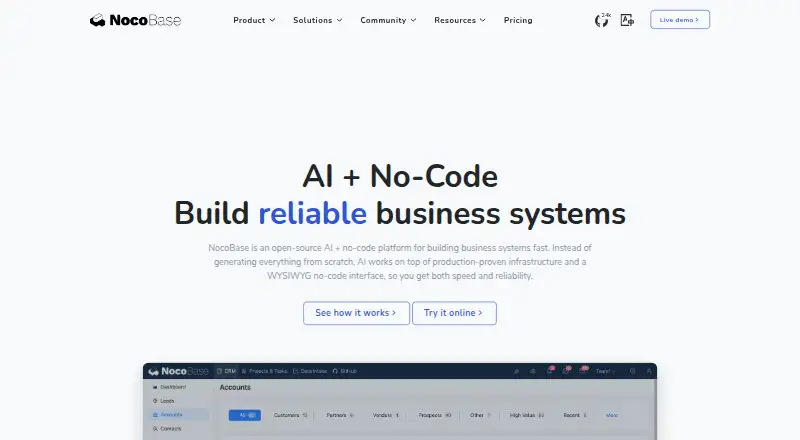
What NocoBase is
NocoBase is an open-source, AI-powered no-code platform for creating business systems and internal tools. Teams configure applications in a WYSIWYG interface, with a data model at the center: page blocks and actions are kept separate from the data sources they use. It supports an app interface builder, relational data, permission controls, API access, and visual workflow automation built from triggers and actions. Its workflows can connect with external systems, and AI employees are part of the platform and can be extended through plugins. NocoBase documents API keys, SSO options including SAML, OIDC, CAS, and LDAP, as well as webhooks, HTTP requests, and connections to several external database types. It uses JWT for server-side API authentication and scrypt to store user passwords. Private deployments do not need to contact third-party services by default, and NocoBase says it does not collect user information. Installation guidance covers Docker and PostgreSQL, MySQL, and MariaDB. The Community Edition is free, with unlimited applications, users, and data volume; its branding remains and it includes community support. Paid editions add dedicated support, and Professional and Enterprise licenses permit building applications for clients. NocoBase is available for web, API, Linux, macOS, Windows, and self-hosted use.
Who it suits
NocoBase suits teams building internal business systems that need relational data, access controls, and configurable workflows. It can also fit organizations that want private deployment or agencies developing applications for clients under Professional or Enterprise licensing.
What it does well
- Free Community Edition includes unlimited applications, users, and data volume.
- Visual workflows use triggers, actions, and external system integrations.
- Supports API keys, SSO protocols, webhooks, and HTTP requests.
- Private deployments need no third-party communication by default.
- AI employees can be extended through plugins.
- Offers Docker installation and PostgreSQL, MySQL, and MariaDB configurations.
What to know first
- Community Edition retains NocoBase branding.
- Community Edition support is community support.
- Standard licensing is limited to authorized internal company use.
- Commercial sandbox trial is valid for 48 hours by default.
Limits
The free Community Edition keeps NocoBase branding and includes community support. The Standard Edition is limited to authorized internal company use; its listed price is $800 a month, billed as a one-time payment for lifetime use, with a 1-year upgrade period. The commercial-plugin sandbox is valid for 48 hours by default.
Plans
| Plan | Billed and limits | Price |
|---|---|---|
| Community Edition | Unlimited applications, users, and data volume · NocoBase branding remains · community support | Free |
| Standard Edition | One-time payment for lifetime use; 1-year upgrade period · Internal company use · custom branding · external MySQL and PostgreSQL data sources · large-volume Excel import/export | $800, paid once |
| Professional Edition | 1-year upgrade period · Client applications · advanced AI employee capabilities · SSO · advanced workflows · record history · dedicated usage consulting | $8,000, paid once |
| Enterprise Edition | Contact the maker; 1-year support period · Cluster deployment · audit logs · additional external data sources · multi-application and multi-space architecture · dedicated support | On request |
As nocobase.com lists them, read 7 Oct 2026. The maker's own page has the final word.
Getting started
- Visit https://www.nocobase.com/ to get started.
- Choose the Community Edition or a paid edition; the Community Edition is free.
- Use the 48-hour sandbox with commercial plugins if you want to explore the trial.
- Follow the installation guide for Docker deployment and configure PostgreSQL, MySQL, or MariaDB.
- Install on Windows, Mac, or Linux, or use the web and self-hosted platforms.
Verdict
Choose NocoBase if you want to configure internal business tools around relational data, workflows, and permission controls, with self-hosting options. The free Community Edition provides unlimited applications, users, and data volume, while client application development requires Professional or Enterprise licensing. Teams needing dedicated support should consider a paid edition.
Questions
Is NocoBase free?
Yes. The Community Edition costs nothing and includes unlimited applications, users, and data volume. It retains NocoBase branding and includes community support.
What are the listed paid plan prices?
Standard Edition is listed at $800 a month, billed as a one-time payment for lifetime use, with a 1-year upgrade period. Professional Edition is listed at $8,000 a month as a lifetime license, also with a 1-year upgrade period. Enterprise Edition has a 1-year upgrade period.
Which platforms does NocoBase support?
Its listed platforms are API, Linux, macOS, self-hosted, web, and Windows. The installation guide also names Windows, Mac, and Linux.
Is NocoBase open source?
Yes. NocoBase is described as an open-source, AI-powered no-code platform.
Can NocoBase be used to build applications for clients?
Professional and Enterprise editions may be used to develop applications for clients. Standard Edition is limited to authorized internal company use.
What support comes with the plans?
Community Edition includes community support. Paid editions list dedicated support with first-response times of 24 hours for Standard, 12 hours for Professional, and 4 hours for Enterprise.
Facts from NocoBase's own pages
- AI
- AI employees are built into the platform and can be extended through its plugin system. · nocobase.com, 7 Oct 2026
- Commercial licensing
- The Standard Edition is limited to authorized internal company use, while Professional and Enterprise editions may be used to develop applications for clients. · nocobase.com, 7 Oct 2026
- Data modeling
- The platform is data-model driven, with page blocks and actions decoupled from their data sources. · nocobase.com, 7 Oct 2026
- Deployment
- The installation guide provides Docker deployment instructions and supports PostgreSQL, MySQL, and MariaDB configurations. · docs.nocobase.com, 7 Oct 2026
- Desktop operating systems
- The getting-started guide states that Windows, Mac, and Linux are supported for installation. · docs.nocobase.com, 7 Oct 2026
- Free plan
- Yes · nocobase.com, 22 Sept 2026
- Integrations
- NocoBase documents API keys, SSO protocols including SAML, OIDC, CAS, and LDAP, workflow webhooks and HTTP requests, and connections to several external database types. · docs.nocobase.com, 7 Oct 2026
- Private deployment
- The security guide says private deployments do not need to communicate with third-party services by default and that NocoBase does not collect user information. · docs.nocobase.com, 7 Oct 2026
- Product
- NocoBase is an open-source, AI-powered no-code platform for building business systems and internal tools through configuration and a WYSIWYG interface. · docs.nocobase.com, 7 Oct 2026
- Security
- The security guide says NocoBase uses JWT for server-side API authentication and stores user passwords using scrypt. · docs.nocobase.com, 7 Oct 2026
- Support
- Community Edition includes community support; paid editions list dedicated support periods and first-response times of 24 hours, 12 hours, and 4 hours for Standard, Professional, and Enterprise respectively. · nocobase.com, 7 Oct 2026
- Trial
- The pricing page offers a sandbox with commercial plugins that is valid for 48 hours by default. · nocobase.com, 7 Oct 2026
- Workflows
- The documentation describes visual workflow automation, including triggers, actions, and integrations with external systems. · docs.nocobase.com, 7 Oct 2026
Where NocoBase stands on Freedom251
- No-code app builders#47 of 177
- No-Code Database Software#13 of 40