
NaiveSystems Analyze
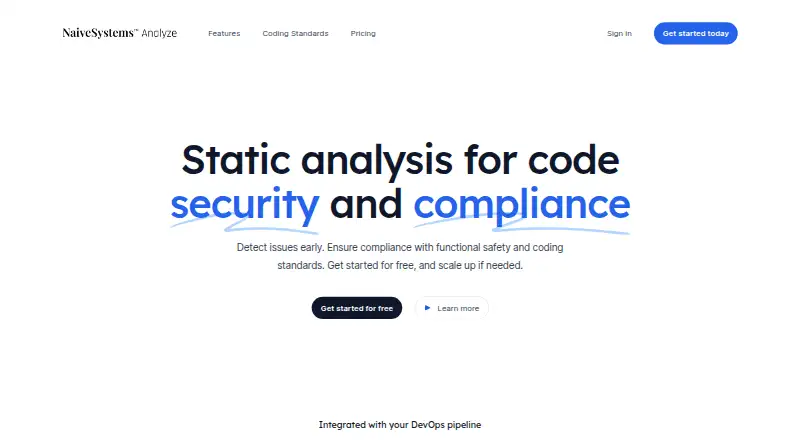
What NaiveSystems Analyze is
NaiveSystems Analyze is a static analysis tool for finding security issues in source code and checking compliance with functional safety and coding standards. It uses syntax trees, symbolic execution, and context-sensitive interprocedural data-flow analysis to identify issues such as null pointer dereferences, memory leaks, tainted data, and buffer overflows. Filters, suppressions, and baselines help teams focus on critical defects, and its diagnostics give guidance for resolving severe issues.
The listed standards include MISRA C:2012, MISRA C++:2008, AUTOSAR C++14, the complete CERT C and C++ rule set, CWE Top 25, and OWASP Top 10 coverage. The page displays GitHub, GitLab, Gerrit, Jenkins, and Buildbot as DevOps pipeline integrations. Containerized analyzers and a free, open-source runner support on-premises deployment; the vendor says this keeps source code and privacy under the user's control. The Free plan is for individuals and small teams, supports GCC and Clang, and allows up to 100,000 lines of code and four CPUs on one node. Enterprise includes all available coding standards, unlimited lines of code, CPUs, and nodes, plus SSO and priority support. Windows and macOS support is for Enterprise customers. The listed platforms also include Linux and self-hosted deployment, and analyzers for languages beyond C and C++ are in development.
Who it suits
NaiveSystems Analyze suits DevOps and DevSecOps teams working with C or C++ who need code security checks or coding-standard compliance. Its stated use cases include automotive, medical device, and embedded development, while on-premises deployment may suit teams that want source code and privacy under their control.
What it does well
- Finds security issues including leaks, tainted data, and buffer overflows.
- Covers MISRA, AUTOSAR, CERT, CWE Top 25, and OWASP Top 10.
- Free plan supports commercial and non-commercial use.
- Open-source runner supports on-premises deployment.
- Integrations include GitHub, GitLab, Gerrit, Jenkins, and Buildbot.
- Filters, suppressions, and baselines help prioritize defects.
What to know first
- Free plan is limited to 100,000 lines of code.
- Free plan allows up to four CPUs on one node.
- Windows and macOS support is for Enterprise customers.
- Analyzers for languages beyond C and C++ are in development.
Limits
The Free plan supports up to 100,000 lines of code and four CPUs on one node, and includes MISRA C and C++ rules. Enterprise adds all available coding standards and unlimited lines, CPUs, and nodes.
Plans
| Plan | Billed and limits | Price |
|---|---|---|
| Free | FOSS on-premises runner · MISRA C/C++ · up to 100,000 lines · up to 4 CPUs on one node · commercial or non-commercial use | Free |
| Enterprise | Everything in Free · all available coding standards · unlimited lines · unlimited CPUs and nodes · SSO · priority support | On request |
As naive.systems lists them, read 21 Oct 2026. The maker's own page has the final word.
Getting started
- Visit https://naive.systems/.
- Choose the Free plan for individuals and small teams, or Enterprise for its listed capabilities.
- Use the free open-source runner and containerized analyzers for on-premises deployment.
- Configure analysis for source code using GCC or Clang on Free; other compilers are supported in Enterprise.
- Connect the analysis workflow with a displayed integration such as GitHub, GitLab, Gerrit, Jenkins, or Buildbot.
NaiveSystems Analyze is a static-analysis tool for finding security defects and checking coding standards in C and C++ source code. It is best suited to DevOps and DevSecOps teams building safety-conscious automotive, medical-device, and embedded software. Its specialist focus is a strength; the free plan’s code and compute caps make scale the key trade-off.
Overview
Analyze combines syntax-tree analysis, symbolic execution, and context-sensitive data-flow analysis across function calls to identify issues such as null pointer dereferences, memory leaks, tainted data, and buffer overflows. That focus makes it a more natural fit for teams managing security and functional-safety risks than for buyers seeking a general-purpose code-quality tool.
Filters, suppressions, and baselines help teams narrow attention to critical defects, while actionable diagnostics support remediation. IDE support and integrations with GitHub, GitLab, Gerrit, Jenkins, and Buildbot can bring analysis into everyday development and CI/CD workflows. Custom security rules are supported.
Key features
Standards coverage includes MISRA C:2012, MISRA C++:2008, AUTOSAR C++14, the complete CERT C and C++ rule sets, CWE Top 25, and OWASP Top 10. This breadth is valuable for projects with explicit coding-standard or security requirements. Free includes MISRA C and C++ rules; Enterprise is needed for all available standards.
Containerized analyzers and a free, open-source runner support on-premises deployment. Keeping source code and privacy under the user’s control is a practical advantage for teams that cannot send code to an outside service. Some components are open source, but Analyze is not presented as wholly open source.
GCC and Clang are supported in Free, while support for other compilers is reserved for Enterprise. Analyzers for languages beyond C and C++ are in development, so teams with mixed-language portfolios should not treat it as a broad-language solution today.
Pricing
Free: free. Intended for individuals and small teams, it includes the FOSS runner for on-prem installation, MISRA C and C++ rules, commercial or non-commercial use, up to 100,000 lines of code, and up to 4 CPUs on one node. There is no seat cap stated, but code volume and compute are meaningful limits for larger projects or parallel workloads.
Enterprise: custom pricing. It includes all available coding standards, unlimited lines of code, unlimited CPUs and nodes, SSO, and priority support. This is the clear step up for larger deployments, teams needing broader standards or compiler support, and organizations requiring Windows or macOS support. The price is not public, so buyers will need a quote to compare its cost.
Platforms
Linux and self-hosted deployment are supported, with on-premises installation enabled by the open-source runner. Windows and macOS support is for Enterprise customers, so Free users should not assume equivalent desktop-platform coverage. GCC and Clang are the supported Free compilers; other compilers require Enterprise.
Who it's for
Analyze is most compelling for C and C++ teams in automotive, medical-device, and embedded development that need static security analysis alongside coding-standard checks. DevOps and DevSecOps teams can use its integrations to fit checks into CI/CD, while teams with source-control or privacy constraints may value on-premises deployment. It is a weaker fit for organizations that need broad language coverage now, or need uncapped analysis without Enterprise pricing.
Pros and cons
- Pros: Focused detection for security defects and safety-related coding standards suits risk-sensitive C and C++ work.
- Pros: On-premises deployment and an open-source runner let teams retain control of source code.
- Pros: Free permits commercial use and offers a meaningful starting allocation of 100,000 lines and 4 CPUs.
- Cons: Free is limited to MISRA C and C++ rules, GCC and Clang, one node, and 4 CPUs; larger or broader needs push teams toward Enterprise.
- Cons: Enterprise pricing is custom, making budget comparison less direct.
- Cons: Beyond C and C++ is not yet covered by the developing analyzers, limiting its usefulness for polyglot codebases.
Alternatives
Browse SAST Tools for more options. Choose Semgrep Code instead if its free package’s allowance of up to 10 repositories, 10 contributors, and 60 AI credits better matches your needs. Snyk Open Source is an alternative for teams focused on open-source dependency analysis, with its Free plan covering five projects.
MobSF is a free open-source framework with a paid Professional plan. Flawfinder is a free GPL-2.0+ option. NodeJsScan is a free, self-hosted open-source tool with Docker or local setup. Bandit is free software under Apache License 2.0. Bearer offers a free and open SAST CLI with no numeric limits stated. Brakeman is a free vulnerability scanner for Ruby on Rails applications, with free non-commercial use described in its GitHub README.
Verdict
Choose NaiveSystems Analyze for C and C++ projects where security defects, functional-safety standards, and keeping code on premises are central concerns. Its focused analysis and usable Free allowance make it a credible starting point; look elsewhere if you need broad language coverage, or budget for Enterprise if uncapped scale, all standards, SSO, or Windows and macOS support are essential.
Verdict
Choose NaiveSystems Analyze if your team works with C or C++ and needs static security analysis or coding-standard checks, especially for the listed safety-critical and embedded use cases. The Free plan has code and CPU limits; Enterprise is the option for unlimited scale, all available standards, SSO, priority support, or Windows and macOS support.
Questions
Is NaiveSystems Analyze free?
Yes. The Free plan is listed as free and supports commercial or non-commercial use.
Which languages and compilers does it support?
The listed analysis is for C and C++. Free supports GCC and Clang, while Enterprise supports other compilers. Analyzers for languages beyond C and C++ are in development.
Which coding standards does it cover?
The page lists MISRA C:2012, MISRA C++:2008, AUTOSAR C++14, the complete CERT C and C++ rule set, CWE Top 25, and OWASP Top 10 coverage.
Can it run on-premises?
Yes. Containerized static analyzers and a free, open-source runner support on-premises deployment.
Which platforms are supported?
The listed platforms are Linux, macOS, self-hosted, and Windows. Windows and macOS support is for Enterprise customers.
What does Enterprise include?
Enterprise includes all available coding standards, unlimited lines of code, unlimited CPUs and nodes, SSO, and priority support.
Facts from NaiveSystems Analyze's own pages
- Analysis
- It uses syntax trees, symbolic execution, and context-sensitive interprocedural data-flow analysis to find issues including null pointer dereferences, memory leaks, tainted data, and buffer overflows. · naive.systems, 7 Oct 2026
- AUTOSAR
- AUTOSAR C++14 compliance checking is supported. · naive.systems, 21 Oct 2026
- Build requirements
- The source-build instructions specify Fedora 37, Go 1.18 or later, and Bazel 6.0 or later. · github.com, 21 Oct 2026
- Build support
- Makefiles, CMake projects, and Keil MDK projects are documented as supported workflows. · github.com, 21 Oct 2026
- CERT
- The vendor says the complete CERT C and CERT C++ rule sets are supported. · naive.systems, 21 Oct 2026
- Community operating system
- The Community Edition officially supports Linux with Podman; its published images are Fedora-based. · github.com, 21 Oct 2026
- Company financing
- The same recruitment page says the company had received angel investment from Huachuang Capital, Liuhe Ventures, and River Delta investors. · xsb.seiee.sjtu.edu.cn, 21 Oct 2026
- Company founder
- ChinaVenture identifies Jia Xiao as Naive Systems’ founder and CEO. · chinaventure.com.cn, 21 Oct 2026
- Company founding
- ChinaVenture reports that Naive Systems was founded in 2021. · chinaventure.com.cn, 21 Oct 2026
- Company location
- A Shanghai Jiao Tong University recruitment page identifies Shanghai Naive Systems Co., Ltd. and gives a Shanghai Minhang address. · xsb.seiee.sjtu.edu.cn, 21 Oct 2026
- Compilers and languages
- GCC and Clang are supported in Free; other compilers are supported in Enterprise, and the page says analyzers for languages beyond C and C++ are in development. · naive.systems, 7 Oct 2026
- Containers
- Community users can run published container images with Podman or Docker. · github.com, 21 Oct 2026
- CWE and OWASP
- The site lists CWE Top 25 and OWASP Top 10 coverage. · naive.systems, 21 Oct 2026
- CWE filtering
- MITRE’s compatibility record says findings can be filtered with CWE identifiers and linked from a finding to the corresponding CWE page. · cwe.mitre.org, 21 Oct 2026
- CWE update cadence
- The CWE compatibility submission says the analyzer is usually updated monthly and its CWE coverage representation is updated with it. · cwe.mitre.org, 21 Oct 2026
- Deployment and privacy
- Containerized static analyzers and a free, open-source runner support on-premises deployment, which the vendor says keeps source code and privacy under the user's control. · naive.systems, 7 Oct 2026
- Documentation depth
- The project wiki includes command-line flags, Windows and macOS instructions, CMake and Keil guides, and custom-checker guidance. · github.com, 21 Oct 2026
- G2 pricing disclosure
- G2 says pricing details are unavailable on its listing. · g2.com, 21 Oct 2026
- GitHub Actions
- The project provides an official GitHub Actions workflow for Google C++ Style checking. · github.com, 21 Oct 2026
- Headquarters
- Shanghai, China · naive.systems, 28 Sept 2026
- IDE integration
- Analysis output can be viewed with a Visual Studio Code extension. · github.com, 21 Oct 2026
- Independent product description
- ChinaVenture describes NaiveSystems Analyze as a static-analysis product intended to find software quality and security problems early in development. · chinaventure.com.cn, 21 Oct 2026
- Integrations
- The homepage displays Git, GitHub, GitLab, Gerrit, Jenkins, and Buildbot as DevOps integrations. · naive.systems, 21 Oct 2026
- Intended users
- The page identifies DevOps and DevSecOps teams and highlights automotive, medical device, and embedded development use cases. · naive.systems, 7 Oct 2026
Where NaiveSystems Analyze stands on Freedom251
- SAST Tools#4 of 26