Freedom251 › Ruby Static Analysis Tools
Brakeman
What Brakeman is
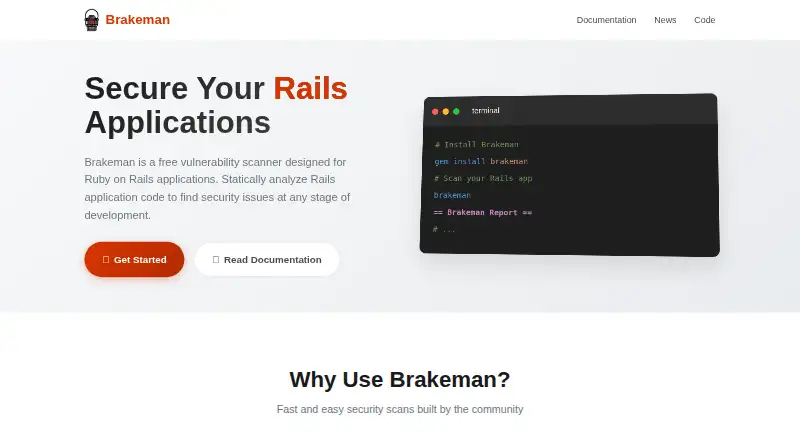
Brakeman is a static analysis scanner for finding potential security vulnerabilities in Ruby on Rails application code. It is built to recognize Rails patterns and conventions, with warning categories that include SQL injection, cross-site scripting, command injection, cross-site request forgery, path traversal, and unsafe deserialization. You can install it as a Ruby gem, through Bundler, or with Docker, and run it from the command line or as a Ruby library. It produces text, HTML, JSON, JUnit XML, and Markdown reports; JSON is recommended for automation. Each warning receives a High, Medium, or Weak confidence estimate, but false positives are possible because the scanner has to infer what code means. Brakeman supports automated runs and documents integrations including Ruby LSP, Guard, Vim ALE, GitHub Actions, and Jenkins. The project says it should work with Rails 2.3.x through 8.x and requires Ruby 3.2.0 or later. The --faster option disables some features and can cause missed vulnerabilities.
Who it suits
Brakeman suits Rails teams that want automated source-code security analysis and report formats for development or CI workflows. Users should be prepared to review warnings, since false positives are possible.
What it does well
- Targets Rails-specific vulnerability patterns
- Offers five report formats
- Supports command-line and Ruby library use
- Integrates with GitHub Actions and Jenkins
What to know first
- Requires Ruby 3.2.0 or later
- False positives can occur
- --faster may miss vulnerabilities
Limits
The free plan is listed as free, and the scanner is free for non-commercial use. The --faster option disables some features and may cause vulnerabilities to be missed.
Plans
| Plan | Billed and limits | Price |
|---|---|---|
| Brakeman | Free vulnerability scanner for Ruby on Rails applications; GitHub README says free for non-commercial use | Free |
As brakemanscanner.org lists them, read 9 Oct 2026. The maker's own page has the final word.
Getting started
- Visit the Brakeman website.
- Use Ruby 3.2.0 or later.
- Install Brakeman as a Ruby gem, through Bundler, or with Docker.
- Run it against Ruby on Rails application code.
- Choose a report format; JSON is recommended for automation.
Verdict
Brakeman focuses on security analysis for Rails code and offers multiple ways to install, report results, and automate scans. Its warnings need human judgment, and the faster mode trades some coverage for speed.
Questions
How much does Brakeman cost?
The listed plan costs nothing. The GitHub README says it is free for non-commercial use.
What does Brakeman scan?
It analyzes Ruby on Rails application source code for potential security vulnerabilities.
Which Ruby and Rails versions does it support?
It requires Ruby 3.2.0 or later and should work with Rails 2.3.x through 8.x.
What report formats can it produce?
Reports can be output as text, HTML, JSON, JUnit XML, or Markdown. JSON is recommended for automation.
Can Brakeman produce false positives?
Yes. Its documentation cautions that false positives can occur because it must infer the meaning of application code.
Where can users get community help?
The project links to GitHub Discussions for questions and GitHub Issues for bug reports.
Facts from Brakeman's own pages
- Automation
- Brakeman is designed for automated runs and documents integrations including Ruby LSP, Guard, Vim ALE, and Jenkins. · brakemanscanner.org, 9 Oct 2026
- CI integrations
- The project README also points to GitHub Actions and a Jenkins/Hudson plugin for continuous integration. · github.com, 9 Oct 2026
- Compatibility
- The project README says Brakeman should work with Rails 2.3.x through 8.x and requires Ruby 3.2.0 or later to run. · github.com, 9 Oct 2026
- Confidence ratings
- Warnings have High, Medium, or Weak confidence levels, which estimate how likely a warning is to represent a problem. · github.com, 9 Oct 2026
- Detection coverage
- The documented warning types include SQL injection, cross-site scripting, command injection, cross-site request forgery, path traversal, and unsafe deserialization. · brakemanscanner.org, 9 Oct 2026
- False positives
- The documentation cautions that Brakeman can produce false positives because it can only guess at the meaning of application code. · brakemanscanner.org, 9 Oct 2026
- Install options
- Brakeman can be installed as a Ruby gem, through Bundler, or using Docker. · brakemanscanner.org, 9 Oct 2026
- Latest release
- The homepage lists Brakeman 8.1.0, dated September 2026, with updates to SonarQube reporting and validation regex warnings. · brakemanscanner.org, 9 Oct 2026
- Library use
- Although designed as a command-line application, Brakeman can also be run as a Ruby library with Brakeman.run. · brakemanscanner.org, 9 Oct 2026
- Performance option
- The --faster option disables some features and may cause Brakeman to miss vulnerabilities. · github.com, 9 Oct 2026
- Purpose
- Brakeman is a static analysis scanner that checks Ruby on Rails application code for potential security vulnerabilities. · brakemanscanner.org, 9 Oct 2026
- Rails focus
- It is built specifically for Rails and understands Rails patterns, conventions, and common vulnerability patterns. · brakemanscanner.org, 9 Oct 2026
- Reports
- It can output text, HTML, JSON, JUnit XML, and Markdown reports; JSON is recommended for automation. · brakemanscanner.org, 9 Oct 2026
- Support
- The project links users to GitHub Discussions and Issues for community questions and bug reports. · brakemanscanner.org, 9 Oct 2026
Where Brakeman stands on Freedom251
- Ruby Static Analysis Tools#2 of 21
- Static Analysis Tools#5 of 38
- Static Application Security Testing Sast#7 of 24
- Static Application Security Testing Software#8 of 25
- SAST Tools#9 of 26