Freedom251 › Legal E-Filing Software
MyFileRunner
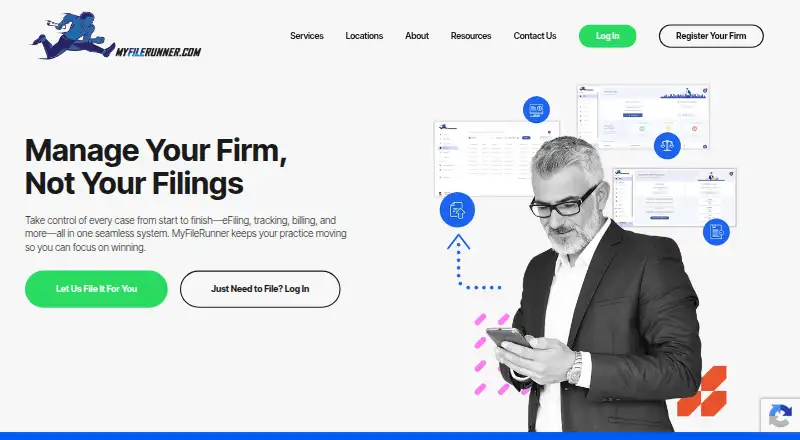
What MyFileRunner is
MyFileRunner provides law firms with eFiling, eService, case tracking, and billing tools. A firm can submit filings itself or use File4Me, which handles filing and clerk interactions. The company says its eFiling service currently supports Texas, California, and Illinois. The platform centralizes eFiled records, gives real-time filing status updates, and tracks deadlines. Its eService option supports online document delivery, progress tracking, and proof of delivery. Billing reports can be organized by case, attorney, jurisdiction, date, or category. MyFileRunner says it can integrate with existing legal practice management tools and work with a firm’s IT department on customized integrations. Document conversion upon upload is listed as free, and the company advertises free 24/7/365 technical support and unlimited training and filing walk-throughs. The web service lists self-service eFiling at $6, paid once, with additional court fees. File4Me options cost $25, paid once for completion within 24 hours, $40, paid once by 5 pm the same day, or $70, paid once within one hour.
Who it suits
MyFileRunner suits attorneys, paralegals, legal assistants, firm administrators, and other professionals who file regularly. Its eFiling coverage is currently listed for Texas, California, and Illinois.
What it does well
- Tracks filing status and deadlines
- eService includes proof of delivery
- Billing reports can be organized by case or attorney
- Advertises free round-the-clock technical support
What to know first
- eFiling coverage is limited to three listed states
- Self-service filings have additional court fees
- File4Me requires all filing documents and information before work begins
Limits
Free eServices may still involve court fees where applicable. Standard Self Service eFiling costs $6, paid once, with additional court fees. File4Me costs 25.00 USD, 40.00 USD or $70, paid once, and requires all filing documents and information before work can begin.
Plans
| Plan | Billed and limits | Price |
|---|---|---|
| eServices | free · document delivery and proof of service | Free |
| File4Me Gold | per filing · completed within 24 hours · all required documents and information must be supplied | $25, paid once |
| File4Me Gold Tier | Per filing; completed within 24 hours · All documents and information needed to file are required before filing can begin; terms and conditions apply | $25, paid once |
| File4Me Platinum Tier | Per filing; completed by 5 pm same day · All documents and information needed to file are required before filing can begin; terms and conditions apply | $40, paid once |
| File4Me Platinum | per filing · completed by 5 pm same day · all required documents and information must be supplied | $40, paid once |
| Standard Self Service eFiling | per filing · additional court fees apply | $6, paid once |
| File4Me Diamond Tier | Per filing; completed within 1 hour · All documents and information needed to file are required before filing can begin; terms and conditions apply | $70, paid once |
| File4Me Diamond | per filing · completed within 1 hour · all required documents and information must be supplied | $70, paid once |
As myfilerunner.com lists them, read 15 Oct 2026. The maker's own page has the final word.
Getting started
- Visit https://myfilerunner.com/.
- Use the web service.
- Choose free eServices, Standard Self Service eFiling, or a File4Me tier for a filing.
- For File4Me, provide all documents and information needed before filing can begin.
MyFileRunner is a web-based filing and case-services platform for legal teams. It best suits firms handling recurring filings in Texas, California, or Illinois that want to choose between submitting work themselves and paying for filing assistance. Its strongest case is the combination of filing, eService, tracking, and billing tools; the per-filing charges and limited state coverage narrow its appeal.
Overview
Firms can eFile on their own or use File4Me, which handles filing and clerk interactions. That choice lets teams trade staff time for a defined service fee, but the service is a poor fit for filings outside Texas, California, and Illinois. MyFileRunner also centralizes eFiled records, provides real-time status updates and deadline tracking, and offers billing reports sortable by case, attorney, jurisdiction, date, or category.
Its eService supports online document delivery, progress tracking, and proof of delivery. The company says it uses industry-standard encryption and compliance measures during filing, and advertises free 24/7/365 technical support plus unlimited training and filing walk-throughs. Those support options may help teams adopting a new workflow; payments by major credit card or eCheck remain subject to court acceptance.
Key features
Self-service and managed filing
Standard Self Service eFiling costs $6 per filing, with additional court fees. It gives firms direct control at a predictable service price, making it the sensible option when staff can handle submission and do not need File4Me. The assisted tiers take on filing and clerk interactions, but every tier requires all documents and information before work can begin, so a tight turnaround depends on having a complete filing ready.
Tracking, reporting, and integrations
Status and deadline tracking, along with rejection alerts, give filing teams a way to follow work after submission. Billing reports can help administrators organize filing costs across several useful dimensions. MyFileRunner says it can integrate with existing legal practice management tools and work with a firm’s IT department on customized integrations; that is relevant for firms seeking fit with established systems, though the platform remains web-only.
Pricing
MyFileRunner uses a freemium model, but its free eService offer is not a free self-service eFiling tier. Court fees may apply where applicable, and the $6.00 USD self-service charge is only the flat service fee.
| Plan | Price | What it includes and who it suits |
|---|---|---|
| eServices | free | Full-service eService, document delivery, and proof; court fees may apply. A fit for teams needing service and delivery proof rather than filing assistance. |
| Standard Self Service eFiling | $6, paid once | Flat fee per filing; additional court fees apply. Best for teams prepared to submit filings themselves. |
| File4Me Gold Tier | $25, paid once | Per filing, completed within 24 hours. A lower-cost assisted option when that window works. |
| File4Me Platinum Tier | $40, paid once | Per filing, completed by 5 pm the same day. Suits work needing same-day completion. |
| File4Me Diamond Tier | $70, paid once | Per filing, completed within 1 hour. The fastest stated option, at the highest service fee. |
All File4Me tiers require the complete filing materials before work begins, and terms and conditions apply. The faster options cost more, so they make most sense when the time saved matters more than the fee. Document conversion upon upload is free.
Platforms
MyFileRunner supports web use. That suits teams working through a browser, but firms seeking a native mobile or desktop platform should look elsewhere.
Who it's for
The service is aimed at attorneys, paralegals, legal assistants, firm administrators, and other professionals who file regularly. It is most compelling for teams with matters in its three supported states that want both self-service and managed filing options, plus eService or centralized status and billing workflows.
Pros and cons
- Pros: Self-service and three assisted turnaround tiers let firms match filing effort and speed to the case.
- Pros: eService includes document delivery and proof, while tracking and reporting cover filing status, deadlines, and billing organization.
- Pros: Free round-the-clock technical support and unlimited training can support teams adopting the platform.
- Cons: eFiling coverage is limited to Texas, California, and Illinois.
- Cons: Court fees can add to both free eService and paid self-service costs, and File4Me adds a separate per-filing fee.
- Cons: Managed filing cannot begin until all required documents and information are supplied.
Alternatives
- Legal E-Filing Software is a useful starting point for comparing filing services.
- LegalAtoms is worth considering when its free domestic-violence application and online collaboration tools suit the work better than MyFileRunner’s filing and case-service mix.
- Court File America offers free self-administration through a web service; consider it when managing filings yourself matters more than MyFileRunner’s File4Me assistance.
- eFileTexas.gov provides free basic e-filing and e-service functionality, with transaction and service fees potentially applying; it is an option for Texas users seeking the state-provided service rather than MyFileRunner’s assisted tiers.
- eLawServices has a free basic plan that cannot submit word processor files and has no fax service; it may suit users whose filing needs fit those constraints.
- US Legal PRO offers per-submission eFile 4 Me pricing at 39.99 USD, with complexity affecting the price; consider it when comparing assisted filing options.
- CM/ECF adds no fee for filing documents over the Internet, though existing court filing fees and PACER charges for viewing documents still apply; it may suit users seeking that federal court filing system.
- eFileIL is another free web-based option to consider for Illinois filing.
- eLodgment is another free web-based option to consider.
Verdict
Choose MyFileRunner if your legal team files regularly in Texas, California, or Illinois and values a choice between lower-cost self-service and managed filing with stated turnaround tiers. Its combination of eService, tracking, and billing reports strengthens the case for a recurring workflow. Look elsewhere if your filings fall outside those states or if court fees and per-filing assistance charges make the service a poor fit.
Verdict
MyFileRunner combines self-service filings with managed File4Me options, plus eService and case tracking. Confirm court fees and that the filing falls within its listed state coverage before selecting a service.
Questions
Is MyFileRunner free?
The eServices plan is free. Court fees may apply where applicable, and self-service eFiling and File4Me have per-filing charges.
How much does eFiling cost?
Standard Self Service eFiling costs $6, paid once, with additional court fees. File4Me tiers cost 25.00 USD, 40.00 USD or $70, paid once.
Which states does it support?
The company says its eFiling services currently support Texas, California and Illinois.
What does File4Me do?
File4Me handles filing and clerk interactions. Its listed tiers offer completion within 24 hours, by 5 pm the same day, or within one hour.
Does MyFileRunner integrate with legal practice management tools?
The company says it integrates with existing legal practice management tools and can work with a firm's IT department on customized integrations.
Which platforms does MyFileRunner support?
MyFileRunner runs on the web.
Facts from MyFileRunner's own pages
- API and SDKs
- No official public API or SDK is documented; an independent API analysis describes its proposed endpoints as hypothetical and says official API access is not available publicly. · supergood.ai, 15 Oct 2026
- Billing reports
- Reports can organize filing and billing information by case, attorney, jurisdiction, date, or category. · myfilerunner.com, 3 Oct 2026
- Case management
- The platform centralizes eFiled records, deadlines, case materials and filing-status updates. · myfilerunner.com, 15 Oct 2026
- Case tracking
- The platform centralizes eFiled records and provides real-time filing status updates and deadline tracking. · myfilerunner.com, 3 Oct 2026
- Company headquarters
- LinkedIn lists headquarters in Austin, Texas, with the primary address at 12600 Hill Country Boulevard. · linkedin.com, 15 Oct 2026
- Company history
- A company history page says development and partnerships began in 2003 and the first electronic filing was submitted in 2004. · myfilerunner.wordpress.com, 15 Oct 2026
- Company legal name
- The service agreement names County Road Software, Inc. as the legal entity doing business as MyFileRunner.com. · app.myfilerunner.com, 15 Oct 2026
- Company size
- LinkedIn lists MyFileRunner as a privately held legal-services company with 11–50 employees. · linkedin.com, 15 Oct 2026
- Corporate billing
- Corporate billing consolidates charges into monthly invoices and can give firms up to 45 days to pay. · myfilerunner.com, 15 Oct 2026
- Documentation depth
- Public documentation consists mainly of FAQs, state filing policies, guides, videos and a Freshdesk knowledge base. · myfilerunner.freshdesk.com, 15 Oct 2026
- Document conversion
- Uploaded documents can be converted automatically into text-searchable PDFs. · myfilerunner.com, 15 Oct 2026
- eService
- The eService product delivers documents electronically and supplies read receipts and proof of service. · myfilerunner.com, 15 Oct 2026
- Filing options
- Customers can submit filings themselves or use File4Me, which handles filing and clerk interactions. · myfilerunner.com, 3 Oct 2026
- Full-service filing
- File4Me lets MyFileRunner staff submit documents, prepare them to court standards and communicate with clerks for the customer. · myfilerunner.com, 15 Oct 2026
- Headquarters
- Bee Cave, Texas, United States · myfilerunner.com, 28 Sept 2026
- Independent government listing
- The Texas eFile provider comparison lists MyFileRunner as an electronic service provider offering filing, eService, tracking, document storage and 24/7 support. · efiletexas.gov, 15 Oct 2026
- Integrations
- MyFileRunner says it integrates with major legal practice-management, billing and document-management systems and can create custom integrations with a firm’s IT team. · myfilerunner.com, 15 Oct 2026
- Intended users
- The company identifies attorneys, paralegals, legal assistants, firm administrators, and other professionals who file regularly as users it serves. · myfilerunner.com, 3 Oct 2026
- Licence and ownership
- The terms identify County Road Software, Inc. as the operator and state that the service and its materials are proprietary and protected by intellectual-property rights. · app.myfilerunner.com, 15 Oct 2026
- Limit: API access
- The independent API report treats integrations as a design exercise rather than documenting a production API, limiting confirmed developer extensibility. · supergood.ai, 15 Oct 2026
- Limit: business verification
- BBB lists MyFileRunner as not accredited and not rated because requested background information was not verified. · bbb.org, 15 Oct 2026
- Limit: geographic coverage
- The current website advertises filing coverage in only three states, so firms filing elsewhere may need another provider. · myfilerunner.com, 15 Oct 2026
- Limit: review evidence
- G2 says it has insufficient MyFileRunner reviews to provide buying insights, so there is little independently verified review feedback. · g2.com, 15 Oct 2026
- Mobile access
- The FAQ describes the service as mobile-friendly for managing filings away from a desktop. · myfilerunner.com, 15 Oct 2026
Where MyFileRunner stands on Freedom251
- Legal E-Filing Software#9 of 22