Freedom251 › Legal E-Filing Software
eLodgment
What eLodgment is
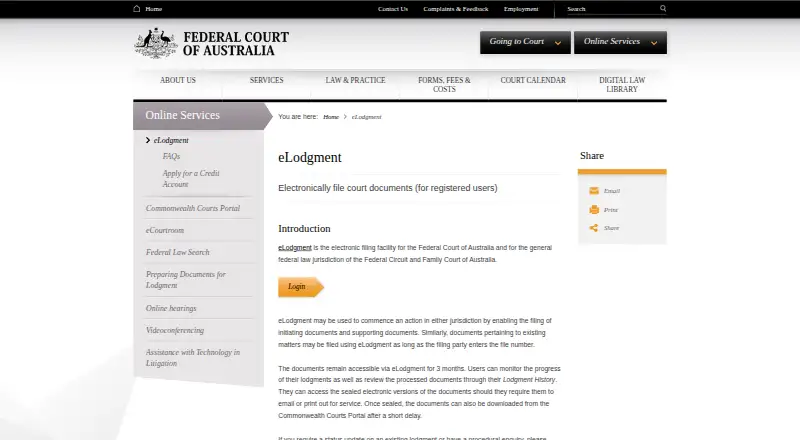
eLodgment is a free web service for electronically filing documents in Federal Court of Australia and Federal Circuit and Family Court of Australia General Federal Law proceedings. Practitioners, law firms, corporate bodies, and self-represented litigants can register. Users may lodge initiating or supporting documents, or file on an existing matter if they know its file number; third parties such as interveners cannot lodge documents on a file through the service. Registered users can submit any day or time, although documents received after 4:30pm are deemed filed the next business day. Lodgment History lets users monitor progress and retrieve processed documents, which remain accessible for three months. Large-volume users can create reusable templates. Uploads include .docx, .pdf, .rtf, .xls, .xlsx, and .jpg, with a 30MB limit per file; PDF Portfolios and PDFs with Attachments are not accepted. There is no fee to use eLodgment, but certain filing types may incur court fees. It shares single sign-on with eCourtroom.
Who it suits
eLodgment suits eligible practitioners, firms, corporate bodies, and self-represented litigants filing in the covered Australian federal courts. It does not allow third parties such as interveners to lodge documents on a file.
What it does well
- No fee to use the service.
- Users can lodge any day and at any time.
- Lodgment History tracks progress and retrieves processed documents.
- Large-volume users can create reusable templates.
What to know first
- Documents remain accessible for only three months.
- Each upload is limited to 30MB.
- PDF Portfolios and PDFs with Attachments are disallowed.
- Some filing types may incur court fees.
Limits
There is no fee to use eLodgment, but particular document types may incur court fees. Each uploaded file can be no larger than 30MB; PDF Portfolios and PDFs with Attachments are not accepted. Processed documents remain available in eLodgment for three months.
Plans
| Plan | Billed and limits | Price |
|---|---|---|
| eLodgment | No fee to use the service · court fees may apply to particular document types | Free |
As fedcourt.gov.au lists them, read 7 Oct 2026. The maker's own page has the final word.
Getting started
- Open the eLodgment website.
- Register as a first-time user and wait for approval, which may take up to one business day.
- Sign in and lodge an initiating or supporting document, or enter the file number for an existing matter.
- Upload files accepted by the checklist, within the 30MB per-file limit.
- Check Lodgment History to follow progress and retrieve processed documents.
eLodgment is a specialist browser-based filing channel for Australia’s Federal Court and Federal Circuit and Family Court General Federal Law matters. It is best for practitioners, firms, corporate bodies and self-represented litigants who already work in those jurisdictions. Its zero service charge and filing-status history are compelling, provided your document, timing and filer eligibility fit the court’s rules.
Overview
Registered users can submit initiating and supporting documents, or add documents to an existing matter when they know the file number. Coverage is deliberately narrow: the Federal Court of Australia and General Federal Law proceedings in the Federal Circuit and Family Court of Australia. That focus makes it a sensible direct route for those courts, but not a replacement for a multi-jurisdiction filing platform.
Registration is mandatory for first-time users, and approval may take up to one business day. Practitioners, law firms, corporate bodies and self-represented litigants can register. Interveners and other third parties cannot lodge documents on a file through eLodgment, which may require a different filing arrangement.
Key features
Filing and timing
Once registered, users may lodge on any day and at any time. A submission received after 4:30pm is deemed filed on the next business day, so uploading late in the day is unsuitable when same-day filing status matters. The service accepts .docx, .pdf, .rtf, .xls, .xlsx and .jpg files, with a 30MB maximum per file. PDF Portfolios and PDFs containing Attachments are disallowed, an important pre-upload check for bundles and exported case files.
Tracking, retrieval and templates
Lodgment History lets users follow processing and retrieve processed documents. Access lasts three months, so firms needing a permanent archive should move records into their own document system. Large-volume users can build customisable templates that retain standard data for later lodgments; this can reduce repetitive entry for recurring filings, while offering little benefit for occasional one-off users.
Connected court workflow
eLodgment and eCourtroom use single sign-on. Participants can file from an eCourtroom discussion and access accepted documents there, a useful handoff for matters already managed in that environment. eLodgment does not provide electronic service, so filing and serving documents remain separate responsibilities.
Payments and protection
The service itself has no usage fee, although particular document types may attract court fees. Applicable charges can be paid by credit card or, subject to approval, through a court account invoiced monthly. The Court says SSL with 128-bit keys protects the connection; card details are encrypted and sent to ANZ rather than stored by the Court or its technology provider.
Pricing
| Plan | Price | What it includes |
|---|---|---|
| eLodgment | free | No fee to use the service; court fees may apply to particular document types. |
There is no paid tier or free trial. The free plan is the complete service, making it appropriate for eligible court users who want the court’s own filing channel. Budget for statutory court fees where they apply, plus the registration wait before a first filing.
Platforms
eLodgment runs on the web. Its single-sign-on connection with eCourtroom is useful to participants in that system, but the filing service is not presented as a native mobile application.
Who it's for
Choose eLodgment if you file in the covered Australian federal courts, qualify as a practitioner, firm, corporate body or self-represented litigant, and value direct status tracking without a platform charge. It is particularly practical for repeat filers who can reuse templates and for teams already using eCourtroom.
Look elsewhere if you need electronic service, work outside the stated jurisdictions, must file as an intervener, or routinely handle files larger than 30MB per upload. Late-day deadline work also needs careful scheduling because of the 4:30pm deemed-filing rule.
Pros and cons
Pros
- No service charge: access costs nothing, although court charges can still apply.
- Any-time submission: registered users can lodge beyond office hours, with a clear next-business-day rule after 4:30pm.
- Status history: processing can be monitored and accepted documents retrieved for three months.
- Reusable templates: large-volume users can save standard data for repeat lodgments.
- eCourtroom connection: shared sign-on and filing from discussions reduce switching between the two court services.
Cons
- Restricted scope: only the named Federal Court and General Federal Law proceedings are covered.
- Filer exclusions: interveners and other third parties cannot lodge on a file.
- Upload constraints: 30MB per file and no PDF Portfolios or PDFs with Attachments.
- Short retrieval window: documents remain in Lodgment History for three months.
- No electronic service: filing does not also distribute documents to other parties.
Alternatives
For a broader comparison of filing products, see Legal E-Filing Software.
LegalAtoms is the better fit for users who need Android, iOS, browser and extension access, with a freemium domestic-violence workflow.
CM/ECF suits filers seeking a free web and desktop electronic-filing system where existing court filing fees still apply and PACER viewing charges may arise.
MyFileRunner is worth considering when free eServices and document delivery are more important than a court-specific channel; its Standard Self Service eFiling plan costs $6 a month.
Court File America offers free self-administered efiling with your own card, while an EFSP fee may be added to court filing fees.
eFileTexas.gov is the relevant choice for Texas state filing, with basic e-filing and e-service and possible transaction or service fees.
eLawServices provides a free basic plan but excludes word-processor uploads and fax service; its 2.99 USD monthly plan adds broader functions.
iDocket eFile has no iDocket service fee, though statutory fees and a 2.89% state e-filing card transaction fee may apply.
CrimsonLogic Digital Filing is an alternative web filing service with pricing not stated.
Verdict
eLodgment is the right choice for eligible Australian federal-court filers who want a free, direct submission route with status tracking and reusable templates. Choose another service when you need wider court coverage, electronic service, intervener access, or a longer in-system document archive.
Verdict
eLodgment provides free electronic filing for specified federal court proceedings, with status tracking and reusable templates for large-volume users. Check the file eligibility, upload restrictions, and applicable court fees before filing.
Questions
How much does eLodgment cost?
There is no fee to use the service. Particular document types may incur court fees payable by card or an approved court account.
Who can register and file?
Practitioners, law firms, corporate bodies and self-represented litigants can register. Interveners and other third parties cannot lodge documents on a file through eLodgment.
Which courts and proceedings does it cover?
It covers Federal Court of Australia proceedings and General Federal Law proceedings in the Federal Circuit and Family Court of Australia.
What file types and sizes can I upload?
The checklist accepts .docx, .pdf, .rtf, .xls, .xlsx and .jpg files up to 30MB each. PDF Portfolios and PDFs with Attachments are disallowed.
Can I use eLodgment from a phone or tablet?
The listed platform is web.
How long does registration approval take?
First-time users must register, and approval may take up to one business day.
Facts from eLodgment's own pages
- Availability
- Registered users can lodge documents any day and at any time, while lodgments received after 4:30pm are deemed filed the next business day. · fedcourt.gov.au, 7 Oct 2026
- Document access
- Users can monitor lodgment progress and retrieve processed documents from Lodgment History, but documents remain accessible in eLodgment for three months. · fedcourt.gov.au, 7 Oct 2026
- Eligible users
- Practitioners, law firms, corporate bodies, and self-represented litigants can register, but third parties such as interveners cannot lodge documents on a file through eLodgment. · fedcourt.gov.au, 7 Oct 2026
- Fees
- There is no fee to use eLodgment, although filing particular document types may incur court fees payable by card or account. · fedcourt.gov.au, 7 Oct 2026
- File constraints
- The checklist allows .docx, .pdf, .rtf, .xls, .xlsx, and .jpg uploads, with a 30MB limit per file, and disallows PDF Portfolios and PDFs with Attachments. · fedcourt.gov.au, 7 Oct 2026
- Filing capabilities
- Users can lodge initiating and supporting documents and file documents on existing matters when they know the file number. · fedcourt.gov.au, 7 Oct 2026
- Integration
- eLodgment and eCourtroom share single sign-on, and participants can file documents from an eCourtroom discussion and access accepted documents there. · fedcourt.gov.au, 7 Oct 2026
- Payment options
- Users can pay applicable fees by credit card or, if approved, use a court account invoiced monthly. · fedcourt.gov.au, 7 Oct 2026
- Purpose
- eLodgment is a web-based service for electronically filing documents in Federal Court and Federal Circuit and Family Court General Federal Law proceedings. · fedcourt.gov.au, 7 Oct 2026
- Registration
- First-time users must register, and approval may take up to one business day. · fedcourt.gov.au, 7 Oct 2026
- Security
- The Court says eLodgment uses SSL with 128-bit keys and that card details are encrypted and transmitted to ANZ without being stored by the Court or its technology service provider. · fedcourt.gov.au, 7 Oct 2026
- Support
- Users can contact their local Federal Court registry for lodgment status or procedural questions and email [email protected] about registration or using the service. · fedcourt.gov.au, 7 Oct 2026
- Templates
- Large-volume users can create customisable templates that save standard data for reuse in future lodgments. · fedcourt.gov.au, 7 Oct 2026
Where eLodgment stands on Freedom251
- Legal E-Filing Software#6 of 22