My NES
What My NES is
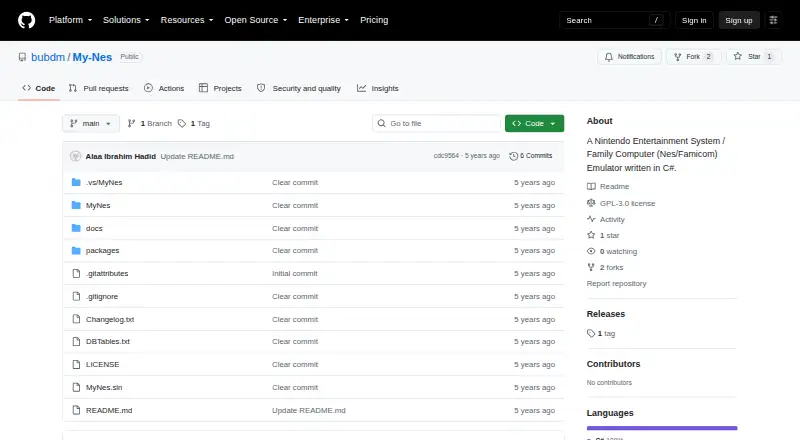
My NES is a portable, open-source NES and Famicom emulator for Windows, written in C#. It emulates the console’s CPU, audio, and picture processing, supports NTSC, PALB, and DENDY formats, and implements about 97% of known documented mappers. The project says it passes most known NES hardware behavior tests without workarounds, though some games may fail because of an unimplemented mapper or an emulation bug. Its built-in launcher organizes games, displays information using NesCart DB, and can record ratings and play time. Features include saving and loading states, snapshots, audio recording, and Game Genie. It supports four-player joypads through a keyboard, joystick, or Xbox 360 controller, and can upscale video beyond Full HD. The emulator is multithreaded; the project reports 60 fps on older Windows machines. My NES is freeware under GNU GPL version 3, listed as free. It usually comes in a portable package and saves settings and user files in Documents. It requires Windows that can run .NET Framework 4, plus DirectX and the Microsoft C++ Runtime.
Who it suits
My NES may suit Windows users looking for a portable NES or Famicom emulator with save states, controller options, and game-library tracking. It requires .NET Framework 4, DirectX, and the Microsoft C++ Runtime.
What it does well
- Open-source freeware under GNU GPL version 3
- Supports save states, snapshots, and audio recording
- Four-player joypads can use several controller types
- Portable package usually runs after extraction
What to know first
- Some games may fail due to mapper gaps or bugs
- Requires .NET Framework 4, DirectX, and Microsoft C++ Runtime
- Windows only; Linux alternative is a separate emulator
Limits
Some games may not work because of an unimplemented mapper or an emulation bug. The project implements about 97% of known documented mappers.
Plans
| Plan | Billed and limits | Price |
|---|---|---|
| My NES | Open-source .NET freeware · GPL-3.0 | Free |
As github.com lists them, read 5 Oct 2026. The maker's own page has the final word.
Getting started
- Open the My NES GitHub project page.
- Download the portable package and extract it.
- Run it on Windows that can use .NET Framework 4, DirectX, and the Microsoft C++ Runtime.
- Use the built-in launcher to organize and open games.
Verdict
My NES combines core NES emulation with a game launcher and several play and save features. Its documented mapper coverage is broad but incomplete, so some games may not work.
Questions
Is My NES free?
Yes. It is .NET freeware under GNU GPL version 3, with a free plan listed as free.
Which platform does it support?
My NES is listed for Windows. The requirements include Windows that can run .NET Framework 4, DirectX, and the Microsoft C++ Runtime.
Is My NES open source?
The project describes it as open-source software licensed under GNU GPL version 3.
What game and save features does it include?
Its launcher organizes games, displays information from NesCart DB, and can record ratings and play time. It can save and load states, take snapshots, and record game audio.
Which controllers and video formats does it support?
It supports four-player joypads through a keyboard, joystick, or Xbox 360 controller, as well as NTSC, PALB, and DENDY formats.
Will every game work?
No guarantee is given: the project notes that some games may not work because of an unimplemented mapper or an emulation bug.
Facts from My NES's own pages
- Accuracy
- The project says the emulator passes most known NES hardware behavior tests without workarounds. · github.com, 5 Oct 2026
- Compatibility
- The project says it implements about 97% of known and documented mappers. · github.com, 5 Oct 2026
- Controllers
- It supports four-player joypads through a keyboard, joystick, or Xbox 360 controller, and includes Game Genie. · github.com, 5 Oct 2026
- Emulation
- The specification lists NES CPU, audio and picture processing, NTSC, PALB and DENDY formats, and about 97% of known documented mappers. · github.com, 5 Oct 2026
- Game data
- The launcher uses NesCart DB for game information. · github.com, 5 Oct 2026
- Game database
- The emulator uses NesCart DB for game information. · github.com, 5 Oct 2026
- Game launcher
- Its built-in launcher organizes games, displays game information, and can record ratings and play time. · github.com, 5 Oct 2026
- Game library
- Its built-in launcher organizes games, displays game information, and records ratings and play time. · github.com, 5 Oct 2026
- License
- The project describes My NES as .NET freeware licensed under GNU GPL version 3. · github.com, 5 Oct 2026
- Limitations
- The project notes that some games may not work because of an unimplemented mapper or an emulation bug. · github.com, 5 Oct 2026
- Linux alternative
- For Linux users or performance issues, the README points to My C Nes, a separate C-language command-line emulator with the same emulation features. · github.com, 5 Oct 2026
- Performance
- The project says the emulator is multithreaded and has been tested at 60 fps on older Windows machines. · github.com, 5 Oct 2026
- Portable use
- The project says it usually comes in a portable package that can be run by extracting it, and saves settings and user files in Documents. · github.com, 5 Oct 2026
- Purpose
- My NES is a portable, open-source NES/Famicom emulator written in C#. · github.com, 5 Oct 2026
- Requirements
- The listed requirements include Windows that can run .NET Framework 4, .NET Framework 4, DirectX, and the Microsoft C++ Runtime. · github.com, 5 Oct 2026
- Save features
- The emulator can save and load states, take game snapshots, and record game audio. · github.com, 5 Oct 2026
- Support
- The project asks users to report game problems through the linked My-Nes GitHub issues page. · github.com, 5 Oct 2026
- Video and audio
- It supports NTSC, PALB, and DENDY formats, and can upscale video beyond Full HD. · github.com, 5 Oct 2026
Where My NES stands on Freedom251
- NES Emulators#11 of 26