Jnes
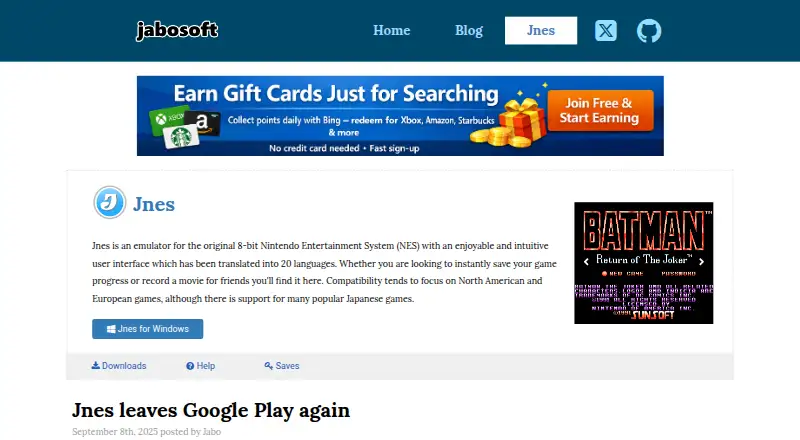
What Jnes is
Jnes is a Windows program that emulates the original 8-bit Nintendo Entertainment System. It can save game progress, record gameplay movies to share with other Jnes users, and convert recordings to AVI with video and audio. Cheat support covers Game Genie and Pro Action Replay codes, including entering multiple codes together. A Cheat Search feature examines game memory values so users can create their own codes. Compatibility is focused on North American and European games, with support for many popular Japanese games. The ROM browser can show game artwork, although artwork is not included with the software. Its interface is translated into 20 languages. The downloads page lists Windows version 1.2.1, dated January 15, 2017, as well as x64 binaries. Jnes is free to download and use, but its freeware terms prohibit selling or commercially distributing it. The maker says its Android app was removed from Google Play in late 2024 and Android is no longer supported.
Who it suits
Jnes may suit Windows users who want to play compatible NES games and save progress or record gameplay. Its cheat search and code support may also appeal to users who want to create or use game cheats.
What it does well
- Free to download and use.
- Can save game progress.
- Records movies and converts them to AVI.
- Supports Game Genie and Pro Action Replay codes.
- Interface is translated into 20 languages.
What to know first
- Windows is the only supported platform listed.
- Artwork is not included with the software.
- Listed version 1.2.1 dates to January 15, 2017.
- Commercial sale or distribution is not allowed.
Limits
The freeware plan is free to download and use, but it cannot be sold or distributed through commercial channels. Windows is the supported platform; Android is no longer supported.
Plans
| Plan | Billed and limits | Price |
|---|---|---|
| Freeware | Free to download and use · Cannot be sold or distributed through commercial channels | Free |
As jabosoft.com lists them, read 3 Oct 2026. The maker's own page has the final word.
Getting started
- Visit the Jnes website.
- Download a Windows release, including the listed x64 binaries.
- Install and run Jnes on Windows.
- Use the free-to-download freeware under its noncommercial distribution terms.
Verdict
Jnes combines NES emulation with save features, movie recording, and cheat tools in a free Windows download. Its compatibility focus, older listed release, and discontinued Android support are worth noting.
Questions
How much does Jnes cost?
Jnes is freeware, listed as free. It is free to download and use, but cannot be sold or distributed through commercial channels.
Which platforms support Jnes?
Windows is the supported platform. The maker says Android will no longer be supported.
Can Jnes save game progress and record gameplay?
Yes. It can instantly save progress and record gameplay movies for sharing with other Jnes users. Recordings can be converted to AVI with video and audio.
Which games does Jnes support?
Compatibility focuses on North American and European games, with support for many popular Japanese games.
Does Jnes include game artwork?
No. The ROM browser can display artwork, but Jnes does not include artwork with the software.
Who makes Jnes?
Jnes is made by Jabosoft. The maker describes emulator development as a hobby pursued in free time.
Facts from Jnes's own pages
- Android availability
- The maker says the Android app was removed from Google Play in late 2024 and Android will no longer be a supported platform. · jabosoft.com, 3 Oct 2026
- Artwork
- The ROM browser can display game artwork, but Jnes does not include artwork with the software. · jabosoft.com, 3 Oct 2026
- Cheat codes
- Jnes supports Game Genie and Pro Action Replay codes, including multiple codes in one entry. · jabosoft.com, 3 Oct 2026
- Cheat search
- The Cheat Search feature lets users search game memory values and create their own cheat codes. · jabosoft.com, 3 Oct 2026
- Downloads
- The downloads page lists Windows releases, including version 1.2.1 dated January 15, 2017, and x64 binaries. · jabosoft.com, 3 Oct 2026
- Game compatibility
- Compatibility focuses on North American and European games, with support for many popular Japanese games. · jabosoft.com, 3 Oct 2026
- Languages
- Its user interface is translated into 20 languages. · jabosoft.com, 3 Oct 2026
- Maker and support context
- The maker describes emulator development as a hobby pursued in free time and says the software is freely available to download and enjoy. · jabosoft.com, 3 Oct 2026
- Movie conversion
- Jnes supports converting recorded movies to AVI with video and audio. · jabosoft.com, 3 Oct 2026
- Movie recording
- Jnes can record gameplay movies for sharing with other Jnes users. · jabosoft.com, 3 Oct 2026
- Release history
- The downloads page says Jnes was originally released in 1999 and that builds before version 1.0 are archived and no longer available for download. · jabosoft.com, 3 Oct 2026
- Save progress
- The product page says users can instantly save game progress. · jabosoft.com, 3 Oct 2026
- What it does
- Jnes emulates the original 8-bit Nintendo Entertainment System (NES). · jabosoft.com, 3 Oct 2026
Where Jnes stands on Freedom251
- NES Emulators#9 of 26