
MWeb
by MWeb
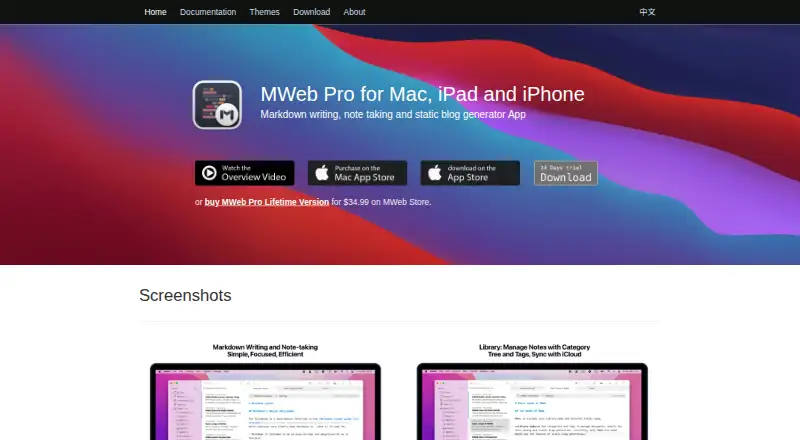
What MWeb is
MWeb is a Markdown-focused app for writing, note-taking, and publishing on macOS, iPadOS, and iOS. Its editor supports CommonMark and GitHub Flavored Markdown features, including tables, code blocks, math formulas, task lists, and footnotes. Folders mode manages Markdown files, searches document contents, and keeps referenced images together. Library mode organizes notes with category trees and tags, while allowing one note to appear in several categories. iCloud CloudKit synchronizes the Library across devices, and the Library remains in a local folder for backup. MWeb can publish documents or notes to services such as WordPress, Metaweblog API, Evernote, Blogger, Tumblr, Yuque, Ghost, and Medium. Image uploads can use listed hosting and storage services. Documents and notes export to PDF, EPUB, or images; macOS PDF export supports a table of contents. MWeb Pro for macOS can generate static blogs from Library categories, including math, Mermaid, and ECharts support.
Who it suits
MWeb suits writers and note-takers who use Markdown and want publishing, image-hosting, synchronization, or export options. It also fits macOS users creating static blogs from organized notes.
What it does well
- Markdown editor supports tables, formulas, and task lists
- Library syncs across devices with iCloud CloudKit
- Publishes to WordPress, Ghost, Medium, and others
- Exports to PDF, EPUB, or images
- Static blog generation supports math, Mermaid, and ECharts
What to know first
- Paid product with pricing listed from $34.99
- Lifetime license allows activation on two Macs
- MWeb Pro 4 requires macOS 10.13 or later
- License is nonrefundable
Limits
The listed MWeb Pro Lifetime Version costs 34.99 USD once and permits activation on two Macs. MWeb Pro static-blog generation is described for macOS, and the license is nonrefundable.
Plans
| Plan | Billed and limits | Price |
|---|---|---|
| MWeb Pro Lifetime | Lifetime version; no regular payments · 2 Macs | $34.99 a month |
| MWeb Pro Lifetime Version | Lifetime · License allows activation on 2 Macs · No refunds · Major version updates included | $34.99, paid once |
As mweb.im lists them, read 20 Sept 2026. The maker's own page has the final word.
Getting started
- Open the MWeb website
- Choose the listed paid MWeb Pro lifetime version if it fits your needs
- Install MWeb on macOS, iPadOS, or iOS
- Create documents in Folders mode or notes in Library mode
- Connect a publishing or image-hosting service from the listed integrations
- Use iCloud CloudKit for Library synchronization across devices
Verdict
MWeb combines Markdown editing with structured note management, publishing connections, exports, and image-hosting integrations. Its two-Mac license limit and paid, nonrefundable licensing matter when planning a setup.
Questions
Which platforms does MWeb support?
MWeb supports macOS, iPadOS, and iOS. MWeb Pro 4 is compatible with macOS 10.13 High Sierra and later.
How much does MWeb cost?
MWeb is paid, with pricing listed from $34.99. The MWeb Pro Lifetime Version is listed at 34.99 USD once.
What publishing services can MWeb use?
Listed publishing integrations include WordPress, MetaWeblog API, WordPress.com, Evernote, Ghost, Yuque, Blogger, Medium, Tumblr, and SSPAI Matrix.
Does MWeb synchronize notes?
Its Library uses iCloud CloudKit for cross-device synchronization and is stored locally in a folder for backup.
How many Macs does the lifetime license cover?
The listed lifetime license allows activation on two Macs, includes major version updates, and is nonrefundable.
Facts from MWeb's own pages
- Document management
- Folders mode can manage Markdown documents, search their contents, and store referenced images together. · mweb.im, 9 Oct 2026
- Exports
- MWeb can export documents or notes to PDF, EPUB, or images; PDF exports on macOS support a table of contents. · mweb.im, 9 Oct 2026
- Founded
- 2015 · mweb.im, 28 Sept 2026
- Image hosting integrations
- MWeb lists image upload support for imgur, Qiniu, SM.MS, Tencent COS, Youpai, Alibaba OSS, and custom APIs. · mweb.im, 9 Oct 2026
- Integrations
- WordPress,MetaWeblog API,WordPress.com,Evernote,Ghost,Yuque,SSPAI Matrix,Blogger,Medium,Tumblr,Imgur,Qiniu,SM.MS,Tencent COS,Youpai,Alibaba OSS,Amazon S3,Azure Blob,Cloudflare R2 · mweb.im, 20 Sept 2026
- License
- The MWeb Store license is sent by email, can be active on two Macs, and is nonrefundable. · mweb.im, 9 Oct 2026
- Markdown editor
- The editor supports CommonMark and GitHub Flavored Markdown features including tables, code blocks, math formulas, task lists, and footnotes. · mweb.im, 9 Oct 2026
- Notes
- Library mode organizes notes with category trees and tags, and allows one note to belong to multiple categories. · mweb.im, 9 Oct 2026
- Note sharing
- Yes · mweb.im, 20 Sept 2026
- Platforms
- The maker describes MWeb as using native AppKit technology on macOS and UIKit technology on iOS/iPadOS. · mweb.im, 9 Oct 2026
- Privacy
- The privacy policy states that the MWeb app does not collect information from users or analyze their information. · mweb.im, 9 Oct 2026
- Product
- MWeb is a Markdown-focused writing, note-taking, and publishing app. · mweb.im, 9 Oct 2026
- Publishing integrations
- MWeb can publish documents or notes to WordPress, Metaweblog API, Evernote, Blogger, Tumblr, Yuque, sspai Matrix, Ghost, and Medium. · mweb.im, 9 Oct 2026
- Paid from
- 34.99 · mweb.im, 20 Sept 2026
- Static blogs
- MWeb Pro for macOS can generate static blogs from Library categories, including support for math formulas, Mermaid, and ECharts. · mweb.im, 9 Oct 2026
- Support
- The maker says it usually replies to questions within 1–3 business days. · mweb.im, 9 Oct 2026
- Sync and storage
- The Library uses iCloud CloudKit for cross-device synchronization and is stored locally in a folder for backup. · mweb.im, 9 Oct 2026
- System requirement
- MWeb Pro 4 is compatible with macOS 10.13 High Sierra and later. · mweb.im, 9 Oct 2026
Where MWeb stands on Freedom251
- Markdown editors#27 of 31
- Note-taking apps#206 of 216
- Text App#24 of 24