Munki
What Munki is
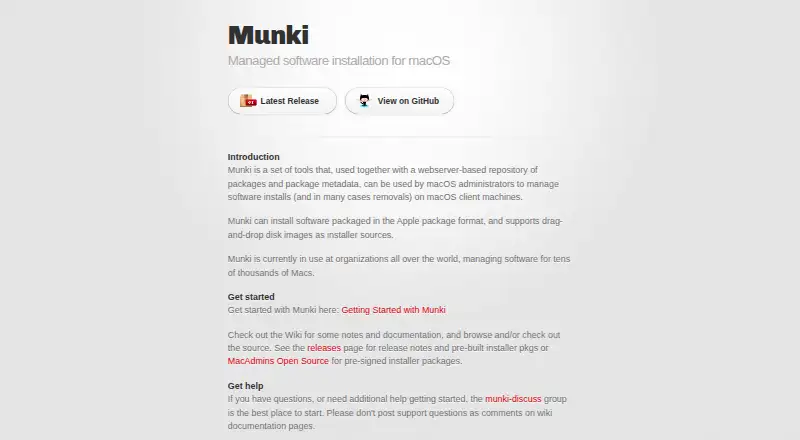
Munki is a free set of tools for macOS administrators to manage software installs and, in many cases, removals on Mac client machines. It uses a web server repository for packages and package metadata, and can install Apple package files and software supplied in drag-and-drop disk images. Munki can install many Apple Software Updates on Intel Macs and prompt users about pending Apple updates on Intel and Apple silicon Macs. On client machines, Managed Software Center shows updates and installation progress, and provides an App Store-like place to install or remove optional software. Administrator tools import packages, build metadata and catalogs, and work with manifest files. A repository server can run on macOS, Linux, Windows, or a NAS appliance, and the repository can be cloud-hosted. However, the computer used to administer the server must run macOS and have Munki admin tools, while each managed client needs Munki tools. The project says it is used to manage software for tens of thousands, perhaps hundreds of thousands, of Macs. Only the current or latest version is actively supported.
Who it suits
Munki suits macOS administrators managing software installs and removals across Mac client machines. Administrators need a macOS machine with Munki admin tools, and every managed client needs Munki tools.
What it does well
- Manages software installs and many removals
- Supports Apple packages and drag-and-drop disk images
- Managed Software Center shows updates and install progress
- Repository hosting supports several server platforms and cloud hosting
What to know first
- Server administration requires macOS and Munki admin tools
- Each managed client needs Munki tools installed
- Only the current or latest version is actively supported
Plans
| Plan | Billed and limits | Price |
|---|---|---|
| Munki | Open source software management tools for macOS | Free |
As munki.org lists them, read 5 Oct 2026. The maker's own page has the final word.
Getting started
- Set up a web server repository for packages and package metadata, either on a supported server or in the cloud.
- Use a macOS computer with Munki admin tools installed to administer the server.
- Import software packages and create package metadata, catalogs, and manifest files.
- Install Munki tools on each macOS client machine to manage its software.
- Use Managed Software Center on clients to view updates and optional software.
Verdict
Munki provides administrators with repository, package, and manifest tools alongside a client interface for updates and optional software. It is free, but setup requires Munki tools on the administration machine and every managed client.
Questions
How much does Munki cost?
Munki is free. Its listed plan is free.
Is Munki open source?
Yes. The project README describes Munki as an open source project that originated at Walt Disney Animation Studios.
Which operating systems does Munki manage?
Munki manages macOS client machines. Its server can run on a platform that supports a web server, including macOS, Linux, Windows, or a NAS appliance.
Does Munki offer a free trial?
No. The listed facts say there is no free trial; Munki is free.
What does an administrator need to use Munki?
The machine used to administer a Munki server must run macOS and have the Munki admin tools installed. Munki tools must also be installed on each managed client.
Where can users get help with Munki?
The project directs users to the munki-discuss Google Group for questions and help getting started. It says not to post support questions as GitHub code issues.
Facts from Munki's own pages
- Admin requirement
- The machine used to administer a Munki server must run macOS and have the Munki admin tools installed. · github.com, 5 Oct 2026
- Admin tools
- Munki includes tools to import software packages, create package metadata and catalogs, and manipulate manifest files. · github.com, 5 Oct 2026
- Apple updates
- Munki can install many Apple Software Updates on Intel Macs and prompt users to install pending Apple updates on Intel and Apple silicon Macs. · github.com, 5 Oct 2026
- Client interface
- Managed Software Center notifies users about updates, shows install progress, and provides an App Store-like source for optional software installs and removals. · github.com, 5 Oct 2026
- Client requirement
- Munki tools must be installed on each client machine managed for software updates and packages. · github.com, 5 Oct 2026
- Install sources
- Munki can install software in Apple package format and software distributed in drag-and-drop disk images. · github.com, 5 Oct 2026
- Origin
- The project README describes Munki as an open source project originated by Walt Disney Animation Studios. · github.com, 5 Oct 2026
- Purpose
- Munki is a set of tools for macOS administrators to manage software installs and, in many cases, removals on macOS client machines. · munki.org, 5 Oct 2026
- Repository
- Munki uses a webserver-based repository of packages and package metadata. · munki.org, 5 Oct 2026
- Scale
- The project says Munki is used by organizations around the world to manage software for tens of thousands, perhaps hundreds of thousands, of Macs. · github.com, 5 Oct 2026
- Security
- The Munki 7.3.0 release page says the release was signed and notarized by MacAdmins Open Source. · github.com, 5 Oct 2026
- Server options
- A Munki server can run on any platform that supports a web server, including macOS, Linux, Windows, and NAS appliances, and the repository can be hosted in the cloud. · github.com, 5 Oct 2026
- Support
- The project directs users to the munki-discuss Google Group for questions and help getting started, and says not to post support questions as GitHub code issues. · github.com, 5 Oct 2026
- Version support
- Only the current or latest version of Munki is actively supported. · github.com, 5 Oct 2026
Where Munki stands on Freedom251
- App Installation#8 of 24
- Application Deployment Software#21 of 44
- Mac Management Software#12 of 24