Freedom251 › AI Video Editing Software

Munch
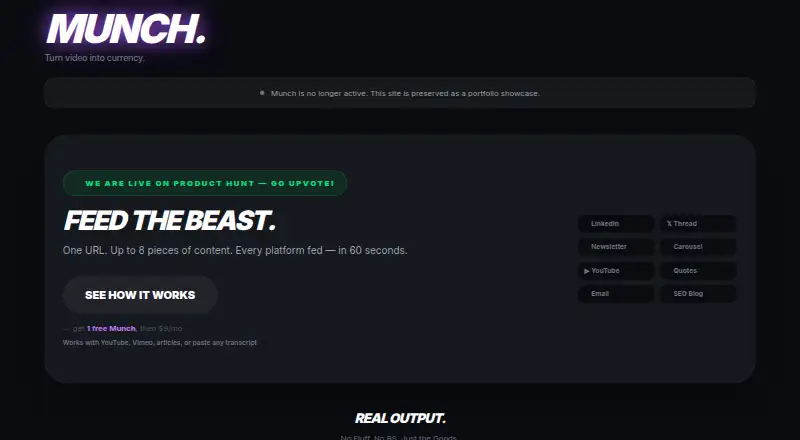
What Munch is
Munch uses Claude AI to turn YouTube or Vimeo links, article URLs, and pasted transcripts into social and marketing content. A Munch can generate up to eight outputs in about 30–60 seconds, with time depending on video length. Formats include LinkedIn posts, X threads, newsletter sections, carousel guides, YouTube descriptions and tags, pull quotes, and marketing emails; SEO blog posts are available on Small Business and higher. Users can choose from 16 output languages, six brand voice presets, three output lengths, and custom brand instructions. YouTube videos must be public and have captions enabled, though a transcript can be pasted if extraction fails. Pro and higher offer webhook or Zapier delivery; Buffer scheduling for LinkedIn and X starts at Small Business. Sign-up includes one free Munch without a credit card. Creator costs $9 a month, billed monthly, while Pay As You Go costs 9.00 USD once, with no subscription needed. Subscription Munches reset each billing cycle and do not roll over; Pay As You Go Munches do not expire. Munch says it uses encryption to protect data, does not use inputs or outputs to train AI models, and does not retain data beyond an AI processing request. Stripe handles payment processing; Munch says it does not see or store card numbers, CVV, or billing details.
Who it suits
Munch suits people turning videos, articles, or transcripts into social and marketing copy in multiple formats. It may fit creators who want language, length, or brand voice choices, with higher plans adding integrations, scheduling, or SEO blog posts.
What it does well
- Generates up to eight content outputs per Munch.
- Supports 16 output languages.
- Offers six brand voice presets and custom instructions.
- One free Munch at sign-up; no card required.
- Pay As You Go Munches do not expire.
What to know first
- YouTube extraction requires public videos with captions enabled.
- Subscription Munches do not roll over.
- Creator costs $9 a month, billed monthly.
- Pay As You Go costs 9.00 USD once.
Limits
The free sign-up includes one Munch. Creator provides 25 Munches per month at $9 a month, while subscription Munches reset each billing cycle and do not roll over; Pay As You Go provides 20 Munches for $9.00 USD once and they do not expire.
Plans
| Plan | Billed and limits | Price |
|---|---|---|
| Solopreneur | Billed monthly · 55 Munches/month · 30 Ask the Beast questions/mo | $19 a month |
| Enterprise / Agency | Billed monthly · Unlimited Munches (50/day cap) · 300 Ask the Beast questions/mo · 4 team seats · Priority processing | $299 a month |
| Pro | Billed monthly · 130 Munches/month · 60 Ask the Beast questions/mo · Webhook / Zapier integration | $49 a month |
| Creator | Billed monthly · 25 Munches/month · 7 outputs per Munch · 15 Ask the Beast questions/mo | $9 a month |
| Pay As You Go | No subscription needed · 20 Munches · Munches never expire | $9, paid once |
| Small Business | Billed monthly · 330 Munches/month · SEO Blog Post · 100 Ask the Beast questions/mo · 2 team seats · Buffer scheduling | $99 a month |
As munch.video lists them, read 11 Oct 2026. The maker's own page has the final word.
Getting started
- Open https://munch.video/ in a web browser
- Sign up for an account; one Munch is available at no charge and no credit card is required
- Provide a public YouTube or Vimeo link, article URL, or pasted transcript
- Choose output languages, voice presets, output length, or custom brand instructions
- Select a plan if you need additional Munches or integrations
- Connect webhook or Zapier on Pro+ plans, or Buffer on Small Business+ plans
Verdict
Munch converts source material into a range of social and marketing formats, with output and integration options varying by plan. It offers one free Munch, and paid options include a 9.00 USD monthly Creator plan and a 9.00 USD one-time Pay As You Go option.
Questions
How much does Munch cost?
Creator costs $9 a month, and Pay As You Go costs $9.00 USD once for 20 Munches. Other monthly plans are Solopreneur at $19.00, Pro at $49.00, Small Business at $99.00, and Enterprise / Agency at $299 a month.
Is there a free plan?
Sign-up includes one Munch at no charge, and no credit card is required.
What can Munch process?
You can submit YouTube or Vimeo links, article URLs, or pasted transcripts. Public YouTube videos need captions enabled for extraction.
Which platforms does Munch support?
Munch is available on the web. Pro and higher plans support webhook or Zapier delivery, while Small Business and higher plans include Buffer scheduling for LinkedIn and X.
Do Munches expire?
Subscription Munches reset each billing cycle and do not roll over. Pay As You Go Munches do not expire.
Does Munch create SEO blog posts?
SEO blog posts are included on the Small Business plan and higher.
Facts from Munch's own pages
- Data and AI
- Munch says it does not use user inputs or outputs to train AI models and that AI processing calls do not retain data beyond the request. · munch.video, 11 Oct 2026
- Free access
- The site offers sign-up with one Munch at no charge and says no credit card is required. · munch.video, 11 Oct 2026
- Generation
- One Munch generates a set of up to eight content outputs in about 30–60 seconds, depending on video length. · munch.video, 11 Oct 2026
- Input requirement
- Munch works with public YouTube videos that have captions enabled; users can paste a transcript manually if extraction fails. · munch.video, 11 Oct 2026
- Integrations
- Pro and higher plans can send outputs to a webhook or Zapier, while Small Business and higher plans include Buffer scheduling for LinkedIn and X. · munch.video, 11 Oct 2026
- Languages and voice
- Munch supports 16 output languages, six brand voice presets, three output lengths, and custom brand instructions. · munch.video, 11 Oct 2026
- Output formats
- Outputs include LinkedIn posts, X threads, newsletter sections, carousel guides, YouTube descriptions and tags, pull quotes, marketing emails, and, on Small Business and above, SEO blog posts. · munch.video, 11 Oct 2026
- Payment handling
- The maker says Stripe handles payment processing and Munch does not see or store card numbers, CVV, or billing details. · munch.video, 11 Oct 2026
- Purpose
- Munch turns YouTube or Vimeo links, article URLs, or pasted transcripts into social and marketing content using Claude AI. · munch.video, 11 Oct 2026
- Security
- Munch says it uses HTTPS/TLS, HSTS, database encryption at rest, and AES-256-GCM encryption for stored secrets and integration credentials. · munch.video, 11 Oct 2026
- Support
- Munch says it replies to support questions, bug reports, and billing issues within 48 hours. · munch.video, 11 Oct 2026
- Usage limits
- Subscription Munches reset each billing cycle and do not roll over, while Pay As You Go Munches do not expire. · munch.video, 11 Oct 2026
Where Munch stands on Freedom251
- AI Video Editing Software#17 of 32
- Podcast Clip Makers#16 of 30