Freedom251 › AI video generators
Vidio.ai
by Vidio.ai
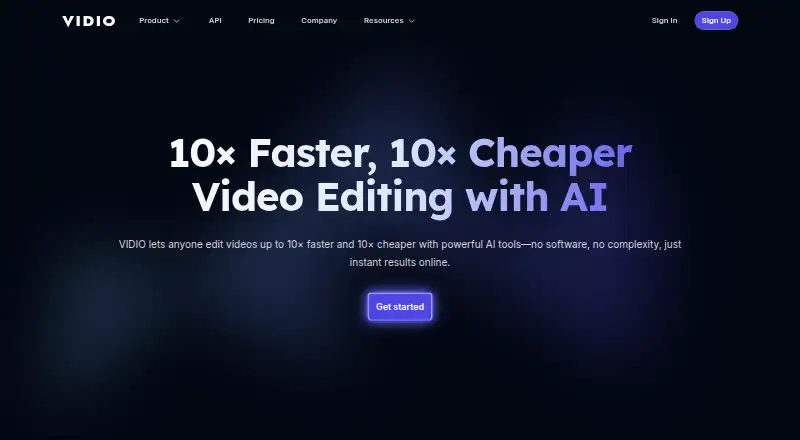
What Vidio.ai is
Vidio.ai makes videos from text prompts or images and offers access through an API. It supports output up to 4K, while the available resolution, file size, number of simultaneous jobs, and credits depend on the plan. The Basic plan has three daily uploads, a 1 GB file-size limit, one concurrent job, and 720p output. Pro 20 provides 20 credits, 4 GB files, two concurrent jobs, and 1080p output for $8 a month or $96 a year. Business 400 provides 400 credits, 8 GB files, five concurrent jobs, and 4K output for $40 a month or $480 a year. Studio 2000 provides 2,000 credits, 16 GB files, ten concurrent jobs, and 4K output for $160 a month or $1,920 a year. Monthly paid plans are cancel anytime; annual plans are billed annually and marked 20% off. Vidio.ai was founded in 2023 and is headquartered in Creve Coeur, Missouri, United States.
Who it suits
Vidio.ai suits people who want to generate video from text or images and can work through an API. Its plan limits offer different allowances for credits, file sizes, concurrent jobs, and output resolution.
What it does well
- Generates video from text and images.
- Offers API access.
- Output resolution reaches 4K on listed plans.
- Monthly paid plans are cancel anytime.
- Annual plan options are marked 20% off.
What to know first
- Basic output is limited to 720p.
- Basic allows one concurrent job and 1 GB files.
- No price is listed for the Basic plan.
Limits
Basic allows three daily uploads, files up to 1 GB, one concurrent job, and 720p output. The listed paid plans range from 20 to 2,000 credits, 4 GB to 16 GB files, two to ten concurrent jobs, and 1080p or 4K output.
Plans
| Plan | Billed and limits | Price |
|---|---|---|
| Pro 20 annual | 20% off; billed annually · 20 credits · 4 GB file size · 2 concurrent jobs · 1080p output | $96 a year |
| Business 400 annual | 20% off; billed annually · 400 credits · 8 GB file size · 5 concurrent jobs · 4K output | $480 a year |
| Studio 2000 annual | 20% off; billed annually · 2,000 credits · 16 GB file size · 10 concurrent jobs · 4K output | $1,920 a year |
| Basic | 10 messages/month · watermarked output · limited features | Free |
| Pro 20 | A$144 billed annually · 20 credits · 2×–6× faster processing · no watermark · customer support | A$12 a month |
| Studio 2000 | A$2,880 billed annually · 2,000 credits · API access · 2× faster processing than Business · 12-hour customer support | A$240 a month |
| Business 400 | A$672 billed annually · 400 credits · extended specs and limits · 24-hour customer support | A$56 a month |
As vidio.ai lists them, read 20 Sept 2026. The maker's own page has the final word.
Getting started
- Visit the Vidio.ai website.
- Use its API as the listed platform.
- Choose the Basic plan or a paid plan based on its listed limits.
- For a paid plan, choose monthly or annual billing.
Verdict
Choose Vidio.ai if you need text-to-video or image-to-video generation through an API, with plan options up to 4K output. Check the plan limits against your expected credits, file sizes, and simultaneous jobs; the Basic plan is capped at 720p.
Questions
Does Vidio.ai have a free plan?
Yes. The Basic plan is free and allows three daily uploads, files up to 1 GB, one concurrent job, and 720p output.
How much do the paid plans cost?
Pro 20 is $8 a month or $96 a year. Business 400 is $40 a month or $480 a year, and Studio 2000 is $160 a month or $1,920 a year.
Can Vidio.ai generate video from images?
Yes. It supports both image-to-video and text-to-video.
What is the maximum output resolution?
Output can reach 4K on the listed Business 400 and Studio 2000 plans.
What platform does Vidio.ai list?
Its listed platform is API, and API access is available.
Who makes Vidio.ai?
Vidio.ai is made by Vidio.ai, founded in 2023 and headquartered in Creve Coeur, Missouri, United States.
Facts from Vidio.ai's own pages
- API
- The developer quickstart describes an API workflow for uploading footage, generating highlight reels, and rendering outputs, with access currently limited to Studio and higher plans. · dev.vidio.ai, 21 Oct 2026
- API access
- Yes · vidio.ai, 20 Sept 2026
- API limits
- The quickstart says uses beyond highlight-reel creation require an access request. · dev.vidio.ai, 21 Oct 2026
- API scope
- The API reference documents Python client methods for file upload, highlight-reel jobs, job-status checks, rendering, and waiting for completion. · dev.vidio.ai, 21 Oct 2026
- Billing limit
- Subscription credits expire at the end of the billing cycle and do not roll over. · vidio.ai, 21 Oct 2026
- Company founding
- LinkedIn lists the company as founded in 2023. · linkedin.com, 21 Oct 2026
- Company size
- LinkedIn lists VIDIO as a privately held company with 2–10 employees. · linkedin.com, 21 Oct 2026
- Documentation and support
- VIDIO provides a searchable support center with setup, billing, refund, background-tool, and Premiere XML export articles, plus an AI help assistant. · vidio.ai, 21 Oct 2026
- Founded
- 2023 · vidio.ai, 28 Sept 2026
- Free plan
- Yes · vidio.ai, 20 Sept 2026
- Headquarters
- Creve Coeur, Missouri, United States · vidio.ai, 28 Sept 2026
- Image-to-video
- Yes · vidio.ai, 20 Sept 2026
- Integrations
- The site describes clips for TikTok, Reels, and Shorts, social-media imports on paid plans, and XML export for Premiere Pro. · vidio.ai, 21 Oct 2026
- iOS app listing
- Apple lists an iPhone and iPad app named AI Video Generator: VIDIOAI, provided by Joy Sarkar, separately from the VIDIO web service. · apps.apple.com, 21 Oct 2026
- iOS requirements
- The listed app requires iOS 17.6 or later on iPhone and iPadOS 17.6 or later on iPad. · apps.apple.com, 21 Oct 2026
- Key feature: audio cleanup
- VIDIO can remove background noise, hum, and echo from talking-head videos and podcasts. · vidio.ai, 21 Oct 2026
- Key feature: automatic editing
- Its automatic editor finds useful moments in recordings, removes pauses, and adds music and transitions. · vidio.ai, 21 Oct 2026
- Key feature: background replacement
- Its background tool replaces the room behind a person without requiring a green screen. · vidio.ai, 21 Oct 2026
- Key feature: captions
- The service offers animated, word-by-word captions synchronized to speech and says it supports more than 40 languages. · vidio.ai, 21 Oct 2026
- Key feature: privacy blur
- The site describes automatic blurring for faces, license plates, and screens in footage. · vidio.ai, 21 Oct 2026
- Key feature: publishing analysis
- The publishing tools score hooks and click appeal, suggest posting times, and generate titles, descriptions, and tags. · vidio.ai, 21 Oct 2026
- Key feature: short clips
- VIDIO can turn long videos or streams into vertical clips with captions for Shorts, TikTok, and Reels. · vidio.ai, 21 Oct 2026
- Key feature: VibeEdit
- VibeEdit lets users request edits through chat and applies them to the editing timeline. · vidio.ai, 21 Oct 2026
- Key feature: video enhancement
- The editor can upscale footage to 4K and sharpen or brighten blurry and dim clips. · vidio.ai, 21 Oct 2026
Where Vidio.ai stands on Freedom251
- AI video generators#57 of 242
- AI Video Editing Software#18 of 32
- Video Intro Maker Software#18 of 30
- AI Slideshow Makers#16 of 22