Freedom251 › Mutation Testing Tools
MuJava
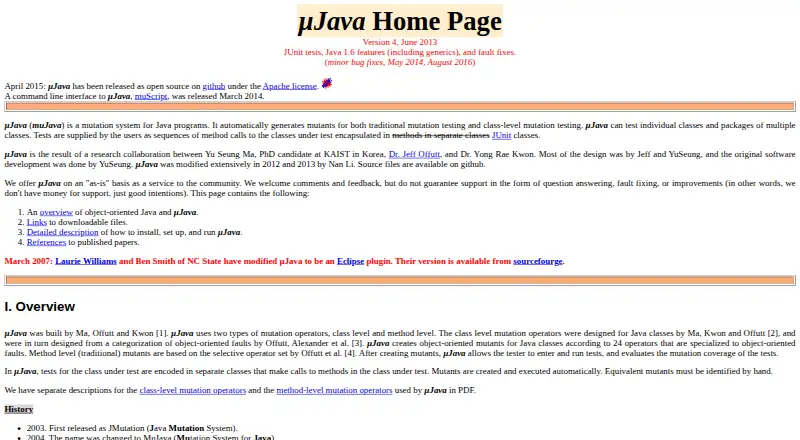
What MuJava is
MuJava is a free, open-source tool that automatically generates mutants for Java programs for method-level and class-level mutation testing. It can test an individual class or a package containing multiple classes, then run tests against generated mutants and evaluate mutation coverage. Its object-oriented support includes 24 class-level operators, alongside method-level operators. Tests must be JUnit test cases with public test classes and methods that call the class under test; JUnit test suites are not supported. Equivalent mutants need to be identified manually, and the documentation says they typically make up 5% to 20% of mutants. Version 4 supports Java 1.6 language features such as generics, annotations, enumerations, varargs, enhanced for-each loops, and static imports. The documented setup uses two JAR files and a configuration file, with Java CLASSPATH and PATH configuration. The workflow uses Java GUI applications; a command-line interface called muScript was released in March 2014. MuJava is listed for Linux, macOS, and Windows, and is provided as-is under the Apache license.
Who it suits
MuJava may suit students and researchers working on Java mutation testing with JUnit test cases. It is less suited to projects that depend on JUnit test suites or expect maintained support guarantees.
What it does well
- Generates method-level and class-level mutants.
- Supports testing individual classes and multi-class packages.
- Evaluates mutation coverage by running tests against mutants.
- Free and open source under the Apache license.
What to know first
- JUnit test suites are not supported.
- Equivalent mutants require manual identification.
- Maintainers provide the software as-is without support guarantees.
Limits
The free plan is provided as-is. Tests must be JUnit test cases rather than JUnit test suites, and equivalent mutants must be identified manually; documentation says these typically account for 5% to 20% of mutants.
Plans
| Plan | Billed and limits | Price |
|---|---|---|
| µJava | Open source under Apache license · provided as-is | Free |
As albany.edu lists them, read 8 Oct 2026. The maker's own page has the final word.
Getting started
- Open the University at Albany MuJava page.
- Obtain the two JAR files and configuration file described in the setup instructions.
- Configure Java CLASSPATH and PATH.
- Prepare public JUnit test classes and methods that call the classes under test.
- Use the Java GUI workflow to generate mutants and run tests, or use muScript for command-line access.
MuJava is a free Java mutation-testing tool for developers, students and researchers who want to assess JUnit tests against generated code variants. Its class-level operators and mutation-coverage workflow are useful strengths, but the narrow test format and manual review of equivalent mutants make it a poor fit for teams that need broader test integration or guaranteed support.
Overview
MuJava generates method-level and class-level mutants for Java programs, then runs tests against those variants to evaluate mutation coverage. It works on individual classes or packages containing multiple classes, making it relevant when a team wants to examine whether tests detect changed behavior, not just whether they pass on the original code.
The object-oriented emphasis is a clear advantage: 24 class-level mutation operators complement method-level operators. That focused scope comes with a constrained test workflow, however. MuJava accepts JUnit test cases but not JUnit test suites, which may rule it out for projects organized around suites.
Key features
Mutation generation and coverage
After creating mutants, MuJava runs tests against them and evaluates mutation coverage. This offers a structured way to gauge how well a test set detects changes. It does not settle every result automatically: equivalent mutants must be identified by hand, and they typically make up 5% to 20% of mutants. That manual work matters most when analyzing larger outputs.
JUnit workflow and Java support
Tests are public JUnit test classes and methods containing sequences of calls to the classes under test. Version 4 supports Java 1.6 language features such as generics, annotations, enumerations, varargs, enhanced for-each loops and static imports. This gives it a defined workflow for Java code using those features, but not a general-purpose test integration model.
Setup and interface
The documented setup requires two JAR files, a configuration file, and configuration of Java CLASSPATH and PATH. The workflow uses Java GUI applications to generate and run mutants; a command-line interface called muScript was released in March 2014. The setup is therefore more involved than simply adding a test plugin, and the CLI gives command-line users another route without changing the underlying test constraints.
Pricing
MuJava is free: the µJava plan costs nothing and is open source under the Apache license. There is no free trial because the software is already available at no cost. The maintainers provide it as-is and do not guarantee answers to questions, fixes for faults or improvements, so users should be prepared to manage issues themselves.
Platforms
MuJava supports Linux, macOS and Windows. Its supported language is Java, and its test framework is JUnit. The maker page also says an Eclipse plugin was created in 2007, but the central workflow is documented around the Java GUI applications and muScript.
Who it's for
MuJava suits Java students, researchers and developers who want a free way to examine mutation coverage with JUnit test cases, especially when class-level mutation operators are useful. Its maker describes it as a community service used by students and researchers. It is less suitable for teams that require JUnit suites, active support commitments or less manual handling of results.
Pros and cons
- Pros: Free and Apache-licensed, with 24 class-level operators plus method-level mutation testing.
- Pros: Evaluates mutation coverage for individual classes and multi-class packages across Linux, macOS and Windows.
- Cons: JUnit suites are unsupported; tests must use public JUnit test classes and methods.
- Cons: Equivalent mutants require manual identification, typically involving 5% to 20% of generated mutants.
- Cons: As-is support offers no guarantee of answers, fixes or improvements, while setup requires Java path configuration.
Alternatives
For other options, browse Mutation Testing Tools. Choose ArcMutate instead if you want a freemium alternative with a free plan and trial, including an open-source-project license. Mutant may suit users who want a free full-featured option for public repositories or a commercial plan priced per developer. For a free, MIT-licensed mutation-testing option across Linux, macOS and Windows, consider Mutatest.
go-mutesting is a free Go mutation-testing framework, so it is the relevant choice when the target language is Go rather than Java. LittleDarwin is another free Java mutation-analysis framework. MutPy is a free option when Python is the language in use. pymute is a free option installed with Cargo that requires Rust and Cargo. pytest-gremlins is a free MIT-licensed Python package that requires Python 3.11 or later.
Verdict
Choose MuJava if you need free Java mutation testing with class-level operators and can work within its JUnit test-case workflow. The main reasons to look elsewhere are the unsupported JUnit suites, manual equivalent-mutant triage and lack of guaranteed support.
Verdict
MuJava provides Java-focused mutation testing with a defined JUnit test-case workflow and mutation coverage evaluation. Its test-suite restriction and as-is support terms are important considerations.
Questions
How much does MuJava cost?
The listed plan costs nothing. The project is open source under the Apache license.
Which programming language does MuJava support?
MuJava is for Java programs. Version 4 supports Java 1.6 language features.
Which test framework does it use?
MuJava uses JUnit test cases. JUnit test suites are not supported.
What platforms are listed?
MuJava is listed for Linux, macOS, and Windows.
Who maintains or supports MuJava?
The maker offers MuJava as-is and does not guarantee answers to questions, fault fixes, or improvements.
Can it be used from the command line?
A command-line interface called muScript was released in March 2014. The documented workflow also uses Java GUI applications.
Facts from MuJava's own pages
- CLI
- A command-line interface called muScript was released in March 2014. · albany.edu, 8 Oct 2026
- Command line
- A command line interface called muScript was released in March 2014. · albany.edu, 8 Oct 2026
- Coverage
- After generating mutants, µJava runs tests and evaluates their mutation coverage. · albany.edu, 8 Oct 2026
- Eclipse
- The maker page says an Eclipse plugin version was created by Laurie Williams and Ben Smith of NC State in 2007. · albany.edu, 8 Oct 2026
- Equivalent mutants
- Equivalent mutants must be identified by hand, and the documentation says 5% to 20% of mutants are typically equivalent. · albany.edu, 8 Oct 2026
- Founded
- 2003 · albany.edu, 28 Sept 2026
- Installation
- The documented setup uses two JAR files and a configuration file, and requires configuring Java CLASSPATH and PATH. · albany.edu, 8 Oct 2026
- Intended users
- The maker describes MuJava as a service to the community and says it has been used by students and researchers. · albany.edu, 8 Oct 2026
- Interface
- The documented workflow uses Java GUI applications to generate and run mutants. · albany.edu, 8 Oct 2026
- Java compatibility
- Version 4 supports JUnit tests and Java 1.6 language features, including generics, annotations, enumerations, varargs, enhanced for-each loops, and static imports. · albany.edu, 8 Oct 2026
- Language support
- Version 4 supports Java 1.6 language features including generics, annotations, enumerations, varargs, enhanced for-each loops, and static imports. · albany.edu, 8 Oct 2026
- License
- The project was released as open source under the Apache license in April 2015. · albany.edu, 8 Oct 2026
- Mutation operators
- It creates object-oriented mutants using 24 class-level operators and also supports method-level operators. · albany.edu, 8 Oct 2026
- Platforms
- The download instructions say MuJava can run on Unix, Linux, and Windows, and provide Mac setup instructions. · albany.edu, 8 Oct 2026
- Purpose
- MuJava automatically generates mutants for Java programs for traditional method-level and class-level mutation testing. · albany.edu, 8 Oct 2026
- Support
- The maintainers offer MuJava as-is and do not guarantee question answering, fault fixing, or improvements. · albany.edu, 8 Oct 2026
- Test evaluation
- MuJava runs tests against generated mutants and evaluates mutation coverage. · albany.edu, 8 Oct 2026
- Test framework
- Tests are provided as JUnit test classes containing methods that call the class under test; JUnit test suites are not supported. · albany.edu, 8 Oct 2026
- Test integration
- Tests are written as JUnit test cases containing sequences of method calls to the classes under test. · albany.edu, 8 Oct 2026
- Test limitation
- JUnit test suites are not supported; test sets must be JUnit test cases with public test classes and methods. · albany.edu, 8 Oct 2026
- Test scope
- It can test individual Java classes and packages containing multiple classes. · albany.edu, 8 Oct 2026
Where MuJava stands on Freedom251
- Mutation Testing Tools#3 of 25