Freedom251 › Password Managers
mSecure
by mSecure
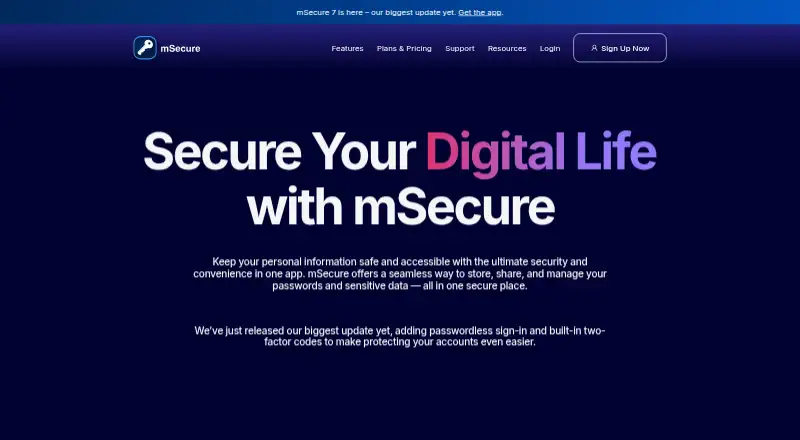
What mSecure is
mSecure is a password manager and secure data vault for passwords, accounts, credit cards, documents, and other sensitive records. It runs on iOS, Android, macOS, and Windows, with a Chrome extension. The app supports passkeys, built-in one-time passwords for two-factor codes, password generation, autofill, biometric unlocking, and a Security Center that flags weak, reused, and aging passwords. Records can be organized with templates, tags, search, sorting, custom fields, icons, filters, and vaults. mSecure says it uses end-to-end AES-256 encryption and zero-knowledge architecture, without storing the account password or account key on its servers. Cloud and Wi-Fi sync, backup, and restore are available. Sharing selected records requires Premium, Family, or Team access for both users and mSecure Cloud syncing. The Family plan has five licenses, with one administrator and four additional users, each using a separate database. Plans are Essentials at $1.99 a month, Premium at $2.99 a month, Family at $5.99 a month, and Team at $19.88 a month. A 30-day trial is offered.
Who it suits
mSecure suits individuals, families, and teams managing passwords and sensitive records across desktop and mobile devices. Its sharing, family licensing, passkey support, and business administration cover different account-management needs.
What it does well
- Passkey and built-in one-time-password support
- End-to-end AES-256 and zero-knowledge design
- Cloud and Wi-Fi synchronization
- Family plan includes five licenses
- Security Center flags weak and reused passwords
What to know first
- Passwordless account login is not supported
- Record sharing requires qualifying plans and cloud sync
- Paid plans range from 1.99 to 19.88 USD monthly
- Chrome access requires an extension
Plans
| Plan | Billed and limits | Price |
|---|---|---|
| Team | $19.88/month · Device syncing and Sharing Center included | $19.88 a month |
| Essentials | $1.99/month or $19.99/year · Device syncing included · Sharing Center not included | $1.99 a month |
| Essentials | $1.99/month or $19.99/year · Device syncing included · Sharing Center not included | $19.99 a year |
| Premium | $2.99/month or $29.99/year · Device syncing and Sharing Center included | $2.99 a month |
| Premium | $2.99/month or $29.99/year · Device syncing and Sharing Center included | $29.99 a year |
| Family | $5.99/month or $59.99/year · Device syncing and Sharing Center included | $5.99 a month |
| Family | $5.99/month or $59.99/year · Device syncing and Sharing Center included | $59.99 a year |
As msecure.com lists them, read 11 Oct 2026. The maker's own page has the final word.
Verdict
mSecure combines password management, encrypted storage, synchronization, and plan-based sharing across major platforms. Review the sharing requirements and subscription tiers to match your household or team setup.
Facts from mSecure's own pages
- Business admin controls
- Yes · msecure.com, 21 Sept 2026
- Company and location
- The site identifies the maker as mSeven Software LLC and lists an address in Lake Oswego, Oregon. · msecure.com, 11 Oct 2026
- Encryption
- mSecure says it uses end-to-end AES-256 encryption and zero-knowledge architecture, and that it does not store the account password or account key on its servers. · msecure.com, 11 Oct 2026
- Family plan size
- A Family plan has five licenses: one administrator and up to four additional users, each with their own database. · support.msecure.com, 11 Oct 2026
- Family plan
- Yes · msecure.com, 21 Sept 2026
- Free plan
- No · msecure.com, 21 Sept 2026
- Free trial
- New accounts receive access to all mSecure features for 30 days at no cost, with no credit card required; after the trial, a subscription is needed. · msecure.com, 11 Oct 2026
- Headquarters
- Lake Oswego, Oregon, United States · msecure.com, 28 Sept 2026
- Organization
- Users can organize records with customizable templates, tags, search, sorting, custom fields, icons, filters, and vaults. · msecure.com, 11 Oct 2026
- Passkeys and OTPs
- The app supports storing passkeys and built-in one-time passwords for two-factor authentication codes. · msecure.com, 11 Oct 2026
- Passkey support
- Yes · msecure.com, 21 Sept 2026
- Passwordless account login
- No · msecure.com, 21 Sept 2026
- Password tools
- Its features include password generation, autofill for websites and apps, biometric unlock, and a Security Center that flags weak, reused, and aging passwords. · msecure.com, 11 Oct 2026
- Product
- mSecure is a password manager and secure data vault for passwords, accounts, credit cards, documents, and other sensitive information. · msecure.com, 11 Oct 2026
- Secure sharing
- Yes · msecure.com, 21 Sept 2026
- Sharing requirements
- Sharing selected records requires both users to have Premium or be on a Family or Team plan, and to enable mSecure Cloud syncing. · support.msecure.com, 11 Oct 2026
- Support
- mSecure offers chat support, a knowledge base, community forums, and ticket submission. · support.msecure.com, 11 Oct 2026
- Supported platforms
- The maker lists mSecure for iOS, Android, Mac, and Windows. · msecure.com, 11 Oct 2026
- Sync and recovery
- The app supports cloud and Wi-Fi sync across devices, plus backup and restore. · msecure.com, 11 Oct 2026
Where mSecure stands on Freedom251
- Password Managers#23 of 104