Freedom251 › Password Managers
PearPass
by PearPass
What PearPass is
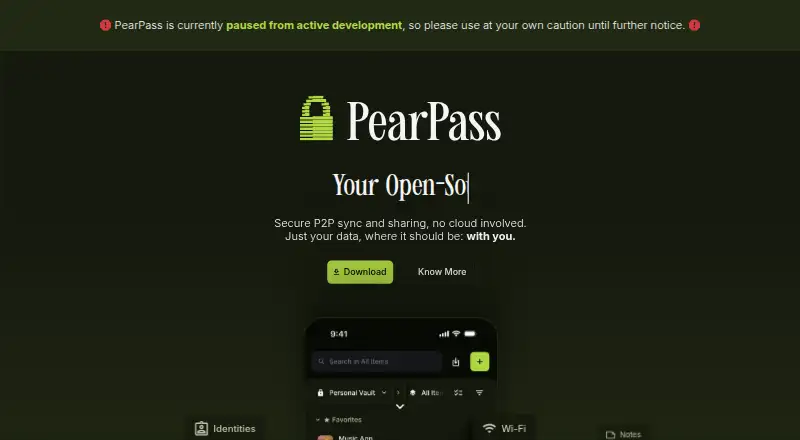
PearPass is an open-source password and identity manager that keeps credentials on a user’s device and syncs vaults directly between that user’s devices through peer-to-peer technology. Its maker says syncing uses a private, encrypted network without centralized servers. The vault can hold identities, logins, credit cards, notes, recovery phrases, Wi-Fi details, and passkeys; passkeys stay on the user’s hardware. PearPass also stores and generates TOTP authenticator codes, generates passwords, and can lock the vault automatically after a configurable period of inactivity.
Users can import credentials from 1Password, LastPass, Bitwarden, and other password managers. Its Chromium extension supports autofill in Chrome, Edge, Brave, and Opera, but the desktop app must be running to access the local vault. PearPass is available for Windows, macOS, Linux, iOS, and Android, as well as Chromium browsers. The maker says an independent security audit by Secfault Security was followed by fixes and a retest that confirmed the identified issues were addressed. PearPass is free and the maker is based in San Salvador, El Salvador.
Who it suits
PearPass suits people who want to manage passwords, passkeys, and other private records across their own devices without centralized vault syncing. It may also suit users moving from another password manager, or those who want browser autofill and TOTP codes in the vault.
What it does well
- Free and open-source across desktop and mobile platforms.
- Peer-to-peer vault syncing avoids centralized servers.
- Stores passkeys, TOTP codes, and multiple personal record types.
- Imports credentials from 1Password, LastPass, and Bitwarden.
- Autofill works in Chrome, Edge, Brave, and Opera.
What to know first
- Browser autofill requires the desktop app to be running.
- Intel Mac builds are deprecated and have no guaranteed stability.
Limits
The Chromium extension requires the PearPass desktop app to be running. Intel Mac builds are deprecated, no longer actively tested or officially supported, and have no guaranteed stability.
Plans
| Plan | Billed and limits | Price |
|---|---|---|
| PearPass | Completely free · Open source · Cross-platform | Free |
As pass.pears.com lists them, read 11 Oct 2026. The maker's own page has the final word.
Getting started
- Visit the PearPass website.
- Choose the app for Windows, macOS, Linux, iOS, or Android.
- Install the Chromium extension if you want browser autofill.
- Run the desktop app when using the extension to access vault credentials.
- Import credentials from a supported password manager if needed.
Verdict
Choose PearPass if you want a free, open-source vault that syncs directly between your devices and can hold more than passwords. Look elsewhere if you need browser autofill without a running desktop app or dependable support for Intel Mac builds.
Questions
Is PearPass free?
Yes. PearPass is completely free, and its listed plan is free.
Which platforms does it support?
PearPass lists apps for Windows, macOS, Linux, iOS, and Android, plus a Chromium extension. The installation guide specifies Windows 10+, macOS 12.0+, iOS 16.6+, Android 10+, and Linux requirements.
Is PearPass open source?
Yes. PearPass is described as an open-source password and identity manager.
Can I import passwords from another manager?
PearPass supports imports from 1Password, LastPass, Bitwarden, and other password managers.
Which browsers support autofill?
The Chromium extension supports Chrome, Microsoft Edge, Brave, and Opera. The PearPass desktop app must be running to access credentials.
Who makes PearPass?
The maker is PearPass, headquartered in San Salvador, El Salvador.
Facts from PearPass's own pages
- Authenticator codes
- PearPass can store and generate TOTP authenticator codes for two-factor authentication in the vault. · docs.pass.pears.com, 11 Oct 2026
- Browser integration
- The Chromium extension supports autofill in Chrome, Edge, Brave, and Opera, and requires the desktop app to be running. · pass.pears.com, 11 Oct 2026
- Browser support
- The Chromium extension supports autofill in Chrome, Microsoft Edge, Brave, and Opera. · pass.pears.com, 11 Oct 2026
- Data types
- The product page lists identities, logins, credit cards, notes, recovery phrases, and Wi-Fi as item types. · pass.pears.com, 11 Oct 2026
- Encryption
- The product page says PearPass uses open-source encryption with cryptographic primitives from Libsodium. · pass.pears.com, 11 Oct 2026
- Extension requirement
- The browser extension requires the PearPass desktop app to be running to access credentials in the local vault. · pass.pears.com, 11 Oct 2026
- Free
- The documentation says PearPass is completely free. · docs.pass.pears.com, 11 Oct 2026
- Free plan
- Yes · pass.pears.com, 20 Sept 2026
- Headquarters
- San Salvador, El Salvador · pass.pears.com, 28 Sept 2026
- Import
- PearPass says users can import credentials from 1Password, LastPass, Bitwarden, and other password managers. · pass.pears.com, 11 Oct 2026
- Imports
- PearPass supports importing credentials from 1Password, LastPass, Bitwarden, and other password managers. · pass.pears.com, 11 Oct 2026
- Maker
- PearPass is made available by Tether Data, S.A. de C.V., whose terms list its registered office in San Salvador, El Salvador. · pass.pears.com, 11 Oct 2026
- Other security features
- PearPass offers a password generator and configurable automatic vault locking after inactivity. · pass.pears.com, 11 Oct 2026
- Passkeys
- PearPass stores passkeys locally on the user's hardware. · pass.pears.com, 11 Oct 2026
- Passkey support
- Yes · pass.pears.com, 20 Sept 2026
- Password and identity manager
- PearPass is an open-source password and identity manager that stores credentials locally on the user’s device. · docs.pass.pears.com, 11 Oct 2026
- Password generator
- PearPass can generate high-entropy passwords on the user’s device. · pass.pears.com, 11 Oct 2026
- Passwordless account login
- No · pass.pears.com, 20 Sept 2026
- Peer-to-peer sync
- PearPass syncs vaults directly between a user’s devices using peer-to-peer technology, without centralized servers. · docs.pass.pears.com, 11 Oct 2026
- Platform limitation
- The installation guide says Intel Mac builds are deprecated, are no longer actively tested or officially supported, and have no guaranteed stability. · docs.pass.pears.com, 11 Oct 2026
- Privacy claim
- The maker says PearPass stores data on users’ devices and does not use centralized infrastructure or servers for vault syncing. · docs.pass.pears.com, 11 Oct 2026
- Product
- PearPass is an open-source password and identity manager that stores credentials locally and syncs them across devices using peer-to-peer technology, without centralized servers. · docs.pass.pears.com, 11 Oct 2026
- Secure sharing
- Yes · pass.pears.com, 20 Sept 2026
- Security audit
- The maker says PearPass underwent an independent security audit by Secfault Security; the published report says identified issues were fixed and confirmed in a retest. · pass.pears.com, 11 Oct 2026
Where PearPass stands on Freedom251
- Password Managers#25 of 104