Freedom251 › Email Alias Services

AliasVault
by AliasVault
What AliasVault is
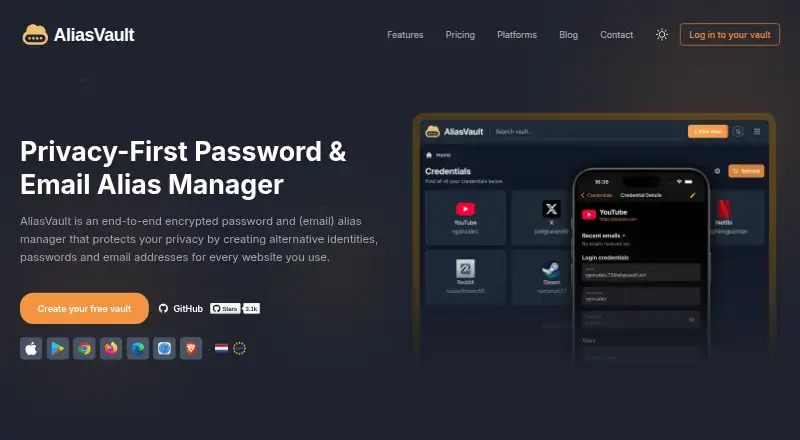
AliasVault is a password manager with email aliases and a built-in two-factor authenticator. Its Free plan lists password management, aliases, offline mode, device synchronization and all product features, though no price is listed. The product supports passkeys and passwordless account login. It is available on the web, Android and iOS, with browser extensions for Chrome, Firefox, Edge and Safari; self-hosting is also listed. The product’s stated features focus on managing passwords and aliases: secure sharing and business admin controls are not available. AliasVault lists its headquarters in the Netherlands and its founding year as 2024. Premium is described with higher alias and email-storage limits and VIP alias domains, while Family is described for households with up to six accounts. Both plans are marked as coming soon, and no prices are listed for them.
Who it suits
AliasVault may suit individuals looking for password management alongside email aliases and a built-in authenticator. It is also available to people who prefer self-hosting or browser extensions.
What it does well
- Free plan lists all product features.
- Includes email aliases and a built-in authenticator.
- Supports offline use and device synchronization.
- Available through four listed browser extensions.
- Supports passkeys and passwordless login.
What to know first
- Secure sharing is not available.
- Business admin controls are not available.
- Premium and Family plans are coming soon.
- No plan prices are listed.
Plans
| Plan | Billed and limits | Price |
|---|---|---|
| Free | All product features · Password management · Email aliases · Built-in 2FA authenticator · Full offline mode · Device synchronization | On request |
| Premium | Higher alias and email-storage limits · VIP alias domains · Coming soon | On request |
| Family | Premium benefits for households · Up to 6 accounts · Coming soon | On request |
As aliasvault.com lists them, read 16 Sept 2026. The maker's own page has the final word.
Getting started
- Visit the AliasVault website.
- Choose the web, Android, or iOS option, install a browser extension, or use the self-hosted option.
- Start with the Free plan, which includes password management, aliases, the authenticator, offline mode, and synchronization.
AliasVault is a password manager that pairs saved credentials with email aliases and a built-in two-factor authenticator. It best suits people who want those tools together across devices or on a self-hosted setup. Its free plan covers the core features, but missing secure sharing and business controls make it a poor fit for teams.
Overview
AliasVault brings password management, email aliases and authentication into one account, with passwordless login and passkey support. The combination is useful for individuals who want to separate sign-ups from their main email while keeping credentials and 2FA in the same service. Full offline mode and device synchronization also make it more than a browser-only alias tool.
The trade-off is a focus on individual use: secure sharing and business admin controls are absent. Premium and Family are marked as coming soon, so the Free plan is the only plan described as available.
Key features
- Password management: Core password storage is included in Free, alongside all product features. That makes the no-cost plan broad in scope, though its published description gives no quota or cap to weigh against other password managers.
- Email aliases: Aliases help keep a personal address separate from sign-up addresses. Higher alias and email-storage limits are reserved for Premium, so users with heavier alias needs may eventually need an upgrade; Premium is not yet available.
- Built-in 2FA: The authenticator keeps two-factor codes alongside password management, reducing the need to split these functions across separate apps.
- Offline use and synchronization: Full offline mode is included, and devices synchronize. Together, these features suit people who need access when disconnected as well as across their devices.
- Passkeys and passwordless login: Both are supported, giving users alternatives to relying only on conventional passwords.
- Sharing and administration: Secure sharing and business admin controls are not supported. Households or organizations that need managed access should look elsewhere rather than assume the upcoming Family plan solves those needs.
Pricing
Free: The plan includes all product features, password management, email aliases, the built-in 2FA authenticator, full offline mode and device synchronization. It is the practical choice for individuals who want the full current feature set without paying. No seat count, alias quota, email-storage cap, trial term or renewal condition is given for this plan.
Premium: Coming soon, with higher alias and email-storage limits and VIP alias domains. It is intended for users who need more alias or storage capacity, but it cannot currently serve as an upgrade path.
Family: Coming soon, with Premium benefits for up to 6 accounts. The account limit makes it the planned household option, but it is not currently available, and the absence of secure sharing remains important for families expecting shared vault access.
Platforms
AliasVault supports web, iOS and Android, plus extensions for Chrome, Firefox, Edge and Safari. It can also be self-hosted. This range accommodates desktop browsers, phones and people who prefer to run the service themselves; the supported-platform list does not establish feature parity between them.
Who it's for
Choose AliasVault if you want passwords, email aliases and a 2FA authenticator in one service, particularly if offline access, device synchronization, passkeys or self-hosting matter to you. It is less suitable for teams that need administrative oversight or secure sharing, and it is not yet a good choice for people who require a paid plan's higher limits or family accounts today.
Pros and cons
Pros
- Broad Free feature set: Password management, aliases, built-in 2FA, offline mode and synchronization are included together.
- Flexible access: Web, mobile, four browser extensions and self-hosting cover varied ways to use the service.
- Modern login options: Passkeys and passwordless account login are supported.
Cons
- No secure sharing: Users cannot rely on AliasVault for protected credential sharing.
- No business admin controls: Organizations needing centralized management should choose another tool.
- Paid tiers are not ready: Premium and Family are coming soon, with prices not listed, leaving no current route to higher limits or up to 6 household accounts.
Alternatives
If email aliases are the priority rather than an integrated password manager, these services offer different trade-offs:
- addy.io is a better fit for alias-focused use when its free plan's unlimited standard aliases, 10 active shared-domain aliases, one recipient and two available alias domains meet your needs; it also has Android, iOS, web, extension, API and self-hosted platforms.
- DuckDuckGo Email Protection suits people seeking free email forwarding, tracker removal and personal, private Duck Addresses across mobile, desktop and web platforms.
- MailPal is an alternative for people prioritizing self-hosting and a project that describes its code as fully auditable and links to a public GitHub repository.
- Firefox Relay is another freemium email-alias option.
- SimpleLogin is worth considering if open-source components and self-hosting are priorities; it also offers a free plan and trial.
- 33Mail offers a free Lite plan and a Premium plan at $1 a month, with stated bandwidth and reply limits.
- Alias Email is a freemium option with browser-extension and web access.
- anon.li is a freemium option with API, extension and web platforms, and its maker says its platform code is open source.
For broader browsing, see Email Alias Services or Password Managers.
Verdict
AliasVault is a strong choice for individuals who want password management, email aliases and 2FA together, with offline access and a wide range of platforms at no charge. Choose another service if secure sharing, business administration or a currently available paid tier is essential.
Verdict
AliasVault combines password storage with aliases and authentication features across web, mobile, extensions and self-hosting. It lacks secure sharing and business admin controls, while its Premium and Family plans are not yet available.
Questions
What does AliasVault cost?
No price is listed for the Free, Premium, or Family plans.
What is included in the Free plan?
It includes all product features, password management, email aliases, a built-in two-factor authentication app, full offline mode, and device synchronization.
Which platforms does AliasVault support?
It supports web, iOS, Android, Chrome, Firefox, Edge, and Safari extensions, plus self-hosting.
Does AliasVault support passkeys or passwordless login?
Yes. Passkey support and passwordless account login are listed.
Are Premium and Family available?
Both plans are marked as coming soon. Premium describes higher alias and email-storage limits and VIP alias domains; Family describes benefits for households with up to six accounts.
Does it offer secure sharing or business admin controls?
No. Secure sharing and business admin controls are both listed as unavailable.
Facts from AliasVault's own pages
- Business admin controls
- No · aliasvault.com, 16 Sept 2026
- Family plan
- No · aliasvault.com, 16 Sept 2026
- Founded
- 2024 · aliasvault.com, 28 Sept 2026
- Free plan
- Yes · aliasvault.com, 16 Sept 2026
- Headquarters
- The Netherlands · aliasvault.com, 28 Sept 2026
- Passkey support
- Yes · aliasvault.com, 16 Sept 2026
- Passwordless account login
- Yes · aliasvault.com, 16 Sept 2026
- Secure sharing
- No · aliasvault.com, 16 Sept 2026
- Supported platforms
- web,iOS,Android,Chrome extension,Firefox extension,Edge extension,Safari extension,self-hosted · aliasvault.com, 16 Sept 2026
Where AliasVault stands on Freedom251
- Email Alias Services#4 of 23
- Password Managers#26 of 104