Freedom251 › Email Alias Services
MailPal
What MailPal is
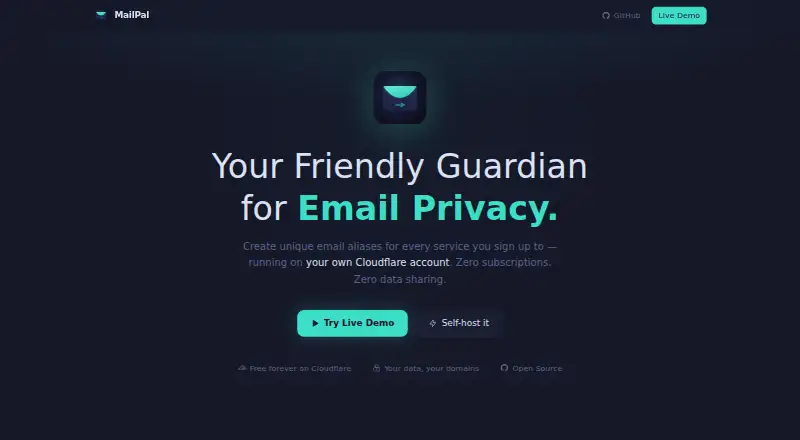
MailPal creates unique email aliases for sign-ups and forwards messages to a real inbox. Users can disable an alias, or set it to stop after a chosen expiry date or forwarding limit. Wildcard mode can create aliases automatically for new incoming addresses. One dashboard can manage multiple domains, each with its own settings and default forwarding address. Alias records include forwarded and blocked counts and an activity log; notes, color tags, full-text search, and bulk actions help organize them. The project provides a REST API for aliases, domains, tags, and destinations, and links to its public GitHub repository. The maker says email content is not stored, third parties cannot access aliases or email traffic, and MailPal uses no analytics or tracking. The dashboard and email worker run through Cloudflare Pages, Workers, KV, and Email Routing. MailPal is free forever with no monthly fees, running on the user's Cloudflare account free tier. Setup requires a Cloudflare account, a domain added to Cloudflare, and Node.js 18+ or Bun with Wrangler CLI.
Who it suits
MailPal suits people who want separate sign-up addresses forwarded to a real inbox and want controls to disable or expire aliases. It also fits users who can set up a Cloudflare account, domain, and the listed development tools.
What it does well
- Aliases can expire or stop after a forwarding limit.
- Wildcard mode can generate aliases for incoming addresses.
- Multiple domains have separate settings and forwarding defaults.
- Includes search, tags, notes, and bulk alias actions.
- The maker says email content is not stored.
What to know first
- Setup requires a Cloudflare account and a domain.
- Setup requires Node.js 18+ or Bun with Wrangler CLI.
- The dashboard and email worker deploy to Cloudflare.
Limits
The Free plan costs nothing and runs on the free tier of your Cloudflare account. It requires a Cloudflare account and a domain added to Cloudflare.
Plans
| Plan | Billed and limits | Price |
|---|---|---|
| Free | Free forever; no monthly fees · Runs on your Cloudflare account’s free tier · Requires a Cloudflare account and a domain added to Cloudflare | Free |
As mailpal.cc lists them, read 4 Oct 2026. The maker's own page has the final word.
Getting started
- Create a Cloudflare account and add a domain to Cloudflare.
- Install Node.js 18+ or Bun and Wrangler CLI.
- Follow the maker's setup instructions for macOS, Linux, or Windows.
- Deploy the dashboard and email worker to Cloudflare.
- Optionally set a dashboard password or use Cloudflare Access for SSO.
MailPal creates unique email addresses for sign-ups and forwards their messages to a real inbox. It is best suited to people who want to manage aliases across their own domains and are comfortable deploying software with Cloudflare. Its controls and organization tools come without a monthly software fee, but setup is a meaningful part of the bargain.
Overview
MailPal combines address forwarding with controls for shutting off aliases and tools for keeping them organized. That is useful when sign-up addresses accumulate: each alias can be disabled, and its forwarded and blocked counts and activity log help show how it is being used.
The cost is operational rather than a subscription. You need a Cloudflare account, a domain added to Cloudflare, and Node.js 18+ or Bun with Wrangler CLI. MailPal is a poor fit if you want a ready-made alias service without configuring a domain and deployment.
Key features
Alias rules and activity
Aliases can be set to disable after a chosen expiry date or maximum-forward limit. Wildcard mode can create aliases automatically for new incoming addresses, reducing manual setup when many addresses are needed. These rules are useful for temporary or high-volume alias use, but require choosing the limits and behavior that suit each case.
Each alias records forwarded and blocked counts and has an activity log. Users can disable an address to stop incoming messages, giving them a direct way to cut off unwanted mail.
Domains and organization
One dashboard can manage multiple domains, each with its own settings and default forwarding address. Notes, color tags, full-text search, and bulk actions make a larger alias collection easier to sort and maintain. This is a stronger fit for people managing several domains or many addresses than for someone who needs only an occasional disposable address.
Deployment, API, and privacy
MailPal uses Cloudflare Pages, Workers, KV, and Email Routing for its dashboard, processing, storage, and routing. Its SvelteKit app provides a REST API for alias, domain, tag, and destination operations, which makes it relevant to users who want programmatic control as well as a dashboard.
The maker says email content is not stored, third parties cannot access aliases or email traffic, and MailPal uses no analytics or tracking. The project describes its code as fully auditable and links to a public GitHub repository. These are meaningful privacy and transparency claims, though using the service still involves configuring its Cloudflare components.
Pricing
The Free plan costs nothing, is free forever, and has no monthly fees. It runs on the user’s Cloudflare free tier and requires both a Cloudflare account and a domain added to Cloudflare. There is no paid tier described; the practical cost is the setup and operation of the required Cloudflare account and domain, not a MailPal subscription.
This plan suits users willing to manage their own deployment and domain in exchange for avoiding a monthly MailPal fee. It is less suitable for anyone who would rather pay for a hosted, ready-to-use service than handle those requirements.
Platforms
MailPal is listed for API, Linux, macOS, self-hosted, web, and Windows use. The maker provides setup instructions for macOS, Linux, and Windows, with the dashboard and email worker deployed to Cloudflare. The platform range supports different setup environments, but does not remove the Cloudflare and command-line prerequisites.
Who it's for
Choose MailPal if you want aliases on your own domain, need to organize multiple domains or a sizable address collection, or value expiry and forwarding-limit rules, wildcard creation, and API operations. Its no-monthly-fee plan is especially compelling for people already comfortable with Cloudflare deployment.
Look elsewhere if you want to start forwarding aliases without adding a domain to Cloudflare or preparing a deployment environment. MailPal offers control, not a shortcut around infrastructure setup.
Pros and cons
Pros
- No monthly software fee: the Free plan is free forever and runs on Cloudflare’s free tier.
- Useful alias controls: disabling, expiry dates, and maximum-forward limits help contain unwanted or temporary addresses.
- Strong organization for multiple domains: per-domain settings and forwarding defaults sit alongside tags, notes, search, and bulk actions.
- Automation and API access: wildcard alias creation and REST operations support users who want to reduce manual work or integrate alias management.
- Privacy-focused claims and auditable code: the maker says content is not stored and tracking is absent, and the project presents its code as auditable.
Cons
- Setup takes technical preparation: a Cloudflare account, a domain, and Node.js 18+ or Bun with Wrangler CLI are required.
- The free plan depends on Cloudflare: avoiding a MailPal fee does not make this a hosted, one-click alternative to configuring the needed services.
- Optional access protection needs configuration: a dashboard password can be set, and the documentation describes Cloudflare Access for SSO, so users must decide how to protect dashboard access.
Alternatives
For a wider comparison, browse Email Alias Services.
- addy.io is a better fit if you want a free service with Android and iOS apps or a browser extension; its Free plan includes unlimited standard aliases, 10 active shared-domain aliases, 1 recipient, 2 available alias domains, and 10MB.
- DuckDuckGo Email Protection suits readers who want a free option with tracker removal and personal, private Duck Addresses, alongside email forwarding across mobile, desktop, and browser-extension platforms.
- AliasVault is worth considering if you want aliases bundled with password management, a built-in 2FA authenticator, and full offline mode; it is also available for self-hosting.
- Firefox Relay is another freemium email-protection option from Mozilla.
- SimpleLogin is a better fit if you want a free plan with 10 aliases or prefer a service whose components are open source and can be self-hosted.
- 33Mail may suit web-only users who want its free Lite plan, which includes 10MB monthly bandwidth and limits aliases to five per 30-minute period; its Premium plan is $1 a month.
- Alias Email is an alternative if you want a browser extension and web access; its free plan includes 10 aliases and 1 custom domain.
- anon.li is another option if you want API and browser-extension access with a free plan; its maker says the platform code is open source on GitHub.
Verdict
MailPal is a strong choice for technically comfortable users who want free email alias management across their own domains, particularly when they value automation, organization, and API control. Its main reason to choose it is the combination of flexible alias rules and no monthly MailPal fee; its main reason to look elsewhere is the required Cloudflare and deployment setup.
Verdict
MailPal provides alias controls, organization tools, and an API at no monthly fee. It depends on a Cloudflare account and domain, so setup involves more than creating an account with the service.
Questions
How much does MailPal cost?
Its Free plan costs nothing, billed free forever with no monthly fees.
Does MailPal have a free plan?
Yes. The Free plan runs on the free tier of your Cloudflare account.
What platforms does MailPal support?
The listed platforms are API, Linux, macOS, self-hosted, web, and Windows.
Is MailPal open source?
The project describes its code as fully auditable and links to a public GitHub repository.
What does setup require?
Setup requires a Cloudflare account, a domain added to Cloudflare, and Node.js 18+ or Bun with Wrangler CLI.
Does MailPal provide an API?
Yes. Its REST API supports alias, domain, tag, and destination operations.
Facts from MailPal's own pages
- Access protection
- Setup can optionally set a dashboard login password; the documentation also describes using Cloudflare Access for SSO. · github.com, 4 Oct 2026
- Activity tracking
- Each alias tracks forwarded and blocked counts and has an activity log. · mailpal.cc, 4 Oct 2026
- Alias controls
- Users can disable an alias to stop its incoming messages. · mailpal.cc, 4 Oct 2026
- Analytics
- The maker says MailPal uses no analytics or tracking. · mailpal.cc, 4 Oct 2026
- API
- The repository documentation says the SvelteKit app provides a REST API for alias, domain, tag, and destination operations. · github.com, 4 Oct 2026
- Automatic rules
- Aliases can be set to disable after an expiry date or maximum-forward limit, and wildcard mode can create aliases automatically for new incoming addresses. · mailpal.cc, 4 Oct 2026
- Deployment platforms
- The maker provides setup instructions for macOS, Linux, and Windows, and deploys the dashboard and email worker to Cloudflare. · github.com, 4 Oct 2026
- Integrations
- MailPal uses Cloudflare Pages, Workers, KV, and Email Routing for its dashboard, email processing, storage, and routing. · mailpal.cc, 4 Oct 2026
- Multiple domains
- A single dashboard can manage multiple domains, each with its own settings and default forwarding address. · mailpal.cc, 4 Oct 2026
- Open source
- The project describes its code as fully auditable and links to its public GitHub repository. · mailpal.cc, 4 Oct 2026
- Organization tools
- MailPal supports notes, color tags, full-text search, and bulk alias actions. · mailpal.cc, 4 Oct 2026
- Privacy claims
- The maker says email content is not stored and third parties do not have access to aliases or email traffic. · mailpal.cc, 4 Oct 2026
- Product
- MailPal creates unique email aliases for sign-ups and forwards messages to a real inbox. · mailpal.cc, 4 Oct 2026
- Setup requirements
- Setup requires a Cloudflare account, a domain added to Cloudflare, and Node.js 18+ or Bun with Wrangler CLI. · mailpal.cc, 4 Oct 2026
Where MailPal stands on Freedom251
- Email Alias Services#11 of 23